

Veeam License options cover backup, recovery, monitoring, and recovery orchestration across different environments. Veeam Data Platform licensing uses protected workloads, while other Veeam products apply their own user or capacity metrics. Choosing the right Veeam Universal License or standalone subscription starts with identifying what you need to protect and how you intend to recover it.
GoLicense helps buyers compare product scope, editions, and renewal requirements.
Quick Benefits
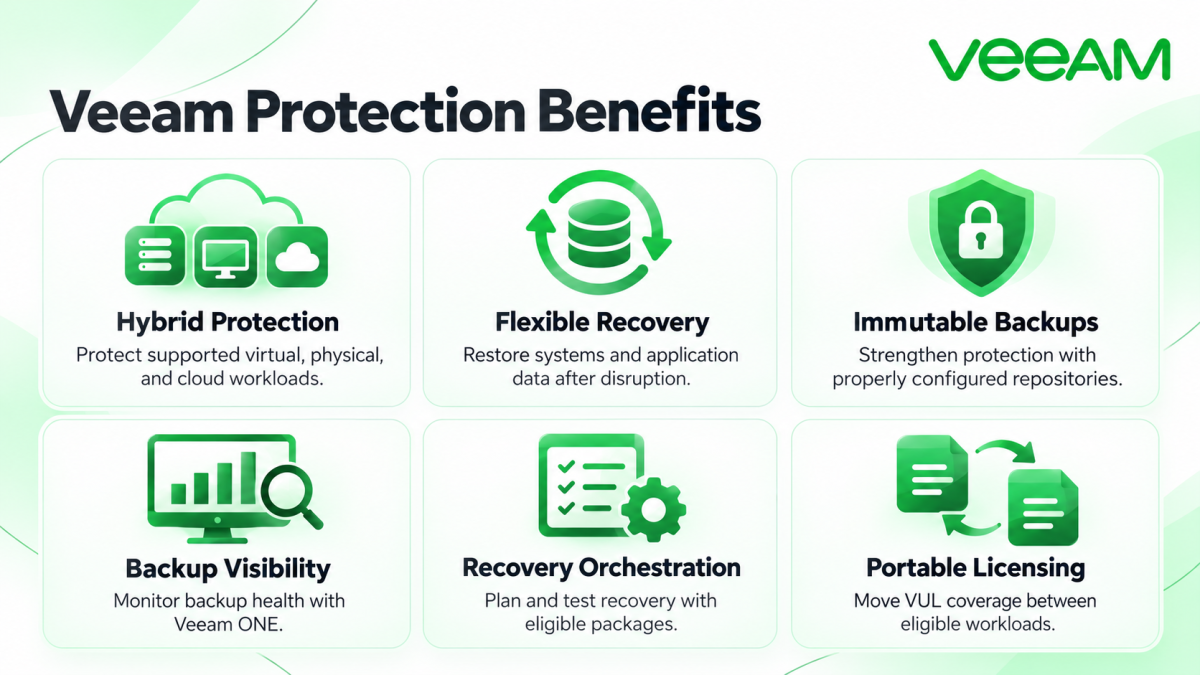
- Backup and recovery across supported hybrid workloads
- Portable licensing for changing infrastructure
- Immutable backup options with suitable repositories
- Monitoring and reporting through Veeam ONE
- Recovery planning and testing with orchestration
At a Glance
- Vendor: Veeam
- Product family: Network License
- Main platform: Veeam Data Platform
- Core products: Backup & Replication, ONE, Recovery Orchestrator
- License metrics: Workloads, users, capacity, or nodes by offering
- Deployment: Customer-managed software or Veeam-managed cloud services
Features & Benefits
Backup Protection and Recoverability
Veeam Backup & Replication protects supported virtual, physical, and cloud workloads. Recovery options help administrators restore systems and application data after outages or accidental deletion. Immutable repositories can strengthen backup protection when storage and retention policies are configured correctly.
Operational Visibility and Recovery Readiness
Veeam ONE adds monitoring, reporting, and capacity insights to backup operations. Recovery Orchestrator supports documented recovery plans and testing. Choose the appropriate package when recovery assurance requires more than successful backup jobs.
Deployment Choice and Licensing Flexibility
Veeam Universal License supports portability between eligible workload types as infrastructure changes. Customer-managed software and managed Data Cloud services require separate entitlement checks.
License Overview
VUL is a workload-based licensing model available through subscription and eligible perpetual offerings. Its consumption rules vary: a VM or server generally consumes one instance, while workstations and unstructured data use different ratios. Apply the current calculation to the actual inventory.
Legacy socket licenses remain relevant to existing installations, but perpetual per-socket licenses have ceased new sales. Microsoft 365 backup and Kubernetes protection have separate licensing; a Data Platform entitlement does not automatically cover every Veeam product.
Product Family Overview
Veeam Data Platform packages core protection with optional operational and recovery capabilities. Foundation provides backup and recovery; Advanced adds monitoring and analytics; Premium adds recovery orchestration. Backup & Replication supplies the core backup engine, with Veeam ONE and Recovery Orchestrator supporting broader operations.
Veeam Backup for Microsoft 365 provides customer-managed protection for Microsoft 365 data. Veeam Kasten for Kubernetes addresses Kubernetes applications. Veeam Data Cloud provides managed protection and storage offerings, with licensing determined by the selected workload and service.
How Licensing Works
Separate the inventory into infrastructure workloads, SaaS users, Kubernetes worker nodes, and applicable data capacity. Select the product for each group, then calculate its licensing quantity. Review existing entitlements before combining or expanding deployments: editions and license-merge rules can affect available capabilities.
Licensing & Deployment Options
These are different purchasing routes, rather than interchangeable license keys.
| Offering | Primary Metric | Deployment Focus |
|---|---|---|
| Veeam Data Platform / VUL | Protected workload instances | Customer-managed hybrid protection |
| Unstructured-data Capacity Packs | TB under applicable sizing rules | NAS and object-storage backup |
| Backup for Microsoft 365 | Protected user accounts | Customer-managed Microsoft 365 backup |
| Veeam Kasten | Kubernetes worker nodes | Kubernetes application protection |
| Veeam Data Cloud | Users or back-end TB by workload | Managed cloud services |
Compatibility & Requirements
Validate the chosen release against your hypervisor, operating systems, applications, repositories, and cloud platforms. Compatibility differs across Veeam products. Review repository immutability, credentials, network paths, and restore destinations before ordering.
Activation & Deployment
Prepare access to the correct Veeam account and confirm the purchased product, edition, quantity, and entitlement dates. For Backup & Replication, obtain the LIC file and install it through the License menu, or use account-based selection where supported. Coordinate centralized licensing if Enterprise Manager manages the backup servers.
Managed Data Cloud offerings use service onboarding and workload connection rather than the same local license-file process. After deployment, check license status and consumption, run a representative backup, and verify a restore. Validate monitoring and recovery-plan functions when those components are included.
Pricing & Quote Process
Veeam license pricing depends on the offering, licensed quantity, edition, term, and applicable support. Submit VM and server counts, Microsoft 365 users, Kubernetes nodes, and unstructured-data capacity as separate figures. Include growth expectations and required monitoring or orchestration.
For renewals or migrations, provide existing entitlement details and expiry dates so the quote reflects your installed base. Storage capacity, retention, and recovery objectives also help assess deployment scope. Request a Veeam license quote with this inventory to compare suitable options.