

For small, mid-sized, and distributed backup environments, Veritas Backup Exec gives IT teams a practical way to protect servers, virtual machines, Microsoft 365 data, applications, and business-critical files from one backup and recovery platform. The Veritas Backup Exec License is usually planned around the selected metering model, protected workload count, protected data capacity, subscription term, support requirements, and the activation workflow used through Veritas licensing systems.
Key Benefits
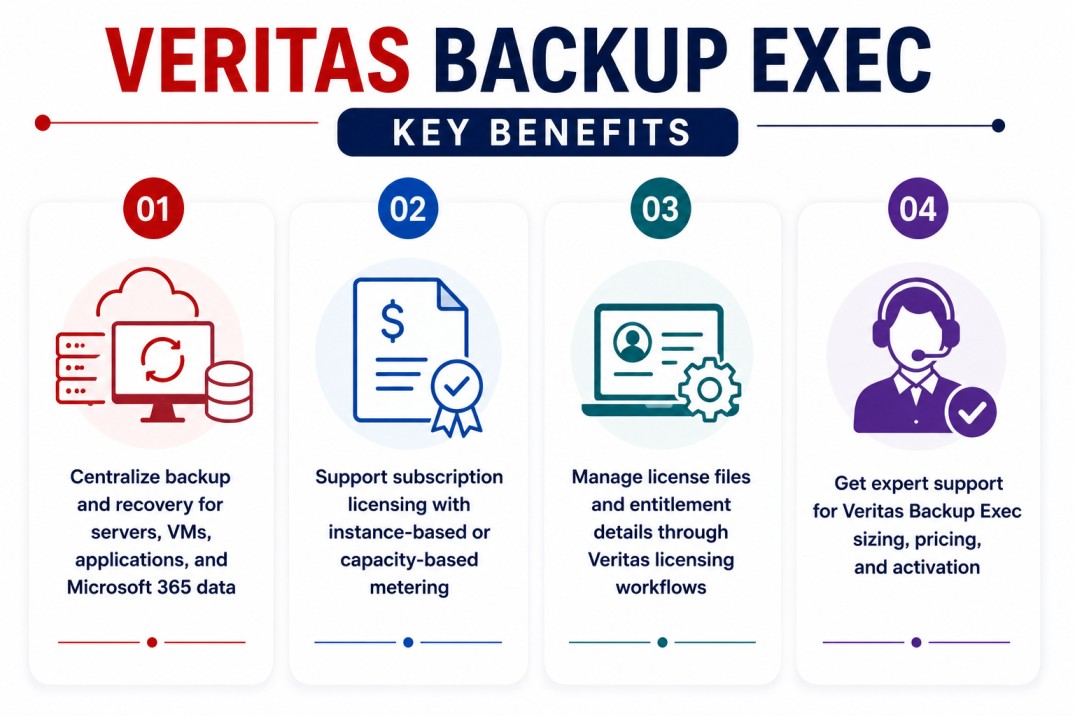
- Centralize backup and recovery for servers, VMs, applications, and Microsoft 365 data
- Support subscription licensing with instance-based or capacity-based metering
- Manage license files and entitlement details through Veritas licensing workflows
- Get expert support for Veritas Backup Exec sizing, pricing, and activation
Veritas Backup Exec At a glance
What it does : Veritas Backup Exec provides backup, recovery, storage management, and workload protection for business environments that need reliable data protection without the complexity of larger enterprise backup platforms.
License type : Subscription licensing, commonly available through Core Pack and Add-On models for both instance metering and capacity metering.
Typical term : Subscription-based, depending on the selected Backup Exec edition, license model, and support agreement.
Activation method : License files or license keys generated through Veritas entitlement workflows such as VEMS, or downloaded through the Licensing Portal when entitlement IDs and Veritas account credentials are entered during installation.
Who needs it : Organizations that need backup and recovery for Windows or Linux servers, virtual machines, Microsoft 365 data, databases, applications, local storage, disk, tape, or cloud-connected backup targets.
License Overview
Organizations deploying Veritas Backup Exec usually need licensing that reflects the actual backup scope of the environment, including protected servers, virtual machines, Microsoft 365 users, applications, and data capacity.
The Veritas Backup Exec License can be planned through instance-based or capacity-based metering depending on the purchased subscription model. Instance metering is useful when licensing is based on protected data sources, while capacity metering is more suitable when licensing is aligned with the amount of protected data.
Because backup environments often include mixed workloads, licensing should be planned around real protection requirements rather than only the number of backup servers. A smaller environment with physical servers, virtual machines, Microsoft 365 users, and application data may require a different model than an environment focused mainly on protected storage capacity.
A properly aligned license helps organizations avoid under-sizing, keep backup coverage active, maintain recovery readiness, and support future growth as workloads and protected data expand.
Product Overview
Backup operations become harder to manage when servers, virtual machines, applications, and cloud-connected data are protected through separate tools or manual processes.
Veritas Backup Exec is designed to simplify this by giving organizations a centralized backup and recovery workflow for common business workloads.
In practice, administrators can install the Backup Exec server, configure backup jobs, protect local or remote systems, define retention policies, manage storage targets, and perform restore operations when data recovery is required.
One of the main operational advantages is recovery control. Instead of only focusing on backup completion, teams can manage restore points, backup schedules, protected resources, and storage usage from a more consistent platform.
For organizations that need practical backup coverage across servers, applications, virtual machines, and Microsoft 365 data, Veritas Backup Exec provides a more manageable protection workflow.
Core technical flow
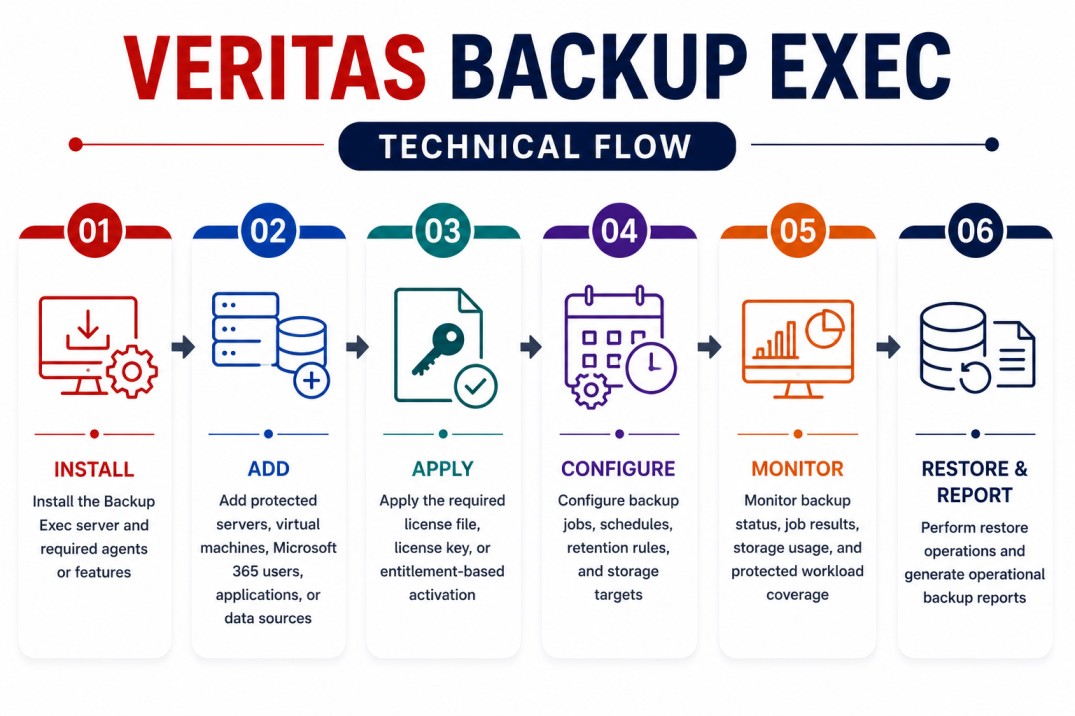
- Install the Backup Exec server and required agents or features
- Add protected servers, virtual machines, Microsoft 365 users, applications, or data sources
- Apply the required license file, license key, or entitlement-based activation
- Configure backup jobs, schedules, retention rules, and storage targets
- Monitor backup status, job results, storage usage, and protected workload coverage
- Perform restore operations and generate operational backup reports
Options & Tiers
| Licensing Model | Best for | Typical Scope | What affects pricing |
|---|---|---|---|
| Instance metering | Workload-based backup environments | Protected servers, VMs, Microsoft 365 users, or data sources | Number of protected instances |
| Capacity metering | Data-volume-focused environments | Backup coverage based on protected data capacity | Protected TB volume |
| Core Pack | Base Backup Exec subscription deployment | Required starting license package | Metering model and base scope |
| Add-On licensing | Expanding environments | Additional protected instances or capacity | Growth beyond Core Pack |
| Subscription model | Modern Backup Exec deployments | Term-based usage and support | Term, support, and protected scope |
Features & Benefits
As organizations add more servers, applications, virtual machines, and cloud-connected data, backup coverage needs to remain consistent and easy to manage. Veritas Backup Exec helps centralize backup and recovery workflows so teams can protect multiple workload types from one platform instead of relying on disconnected backup processes.
One major benefit is flexible licensing alignment. Organizations can choose an instance-based or capacity-based approach depending on how their backup environment is structured. The platform also supports operational recovery planning by helping teams manage backup jobs, protected resources, retention settings, storage targets, and restore workflows. Over time, Veritas Backup Exec helps reduce backup complexity, improve recovery readiness, and keep business data protection aligned with operational needs.
System Requirements
Common environments
- Small and mid-sized backup environments
- Windows and Linux server infrastructures
- Virtual machine protection environments
- Microsoft 365 data protection workflows
- Application, database, disk, tape, and cloud-connected backup targets
Technical requirements
- Supported Backup Exec server deployment
- Required agents or features for protected workloads
- Access to Veritas entitlement or license files
- Internet access for Licensing Portal download, or generated license files from VEMS
- Accurate protected workload or protected capacity inventory
How activation works
Activating Veritas Backup Exec usually starts during or after installation, once the purchased entitlement or license information is available. In connected environments, Backup Exec can use entitlement IDs and Veritas account credentials to connect to the Licensing Portal and download license files.
Administrators can also work through Veritas Entitlement Management System, commonly known as VEMS. Through this workflow, users can locate Backup Exec entitlements, generate license keys, save license files, and apply the correct licensing information to the installed environment.
Depending on the deployment, the license may validate the Backup Exec server, selected metering model, Core Pack, Add-Ons, protected instance count, capacity scope, or enabled agents and options. After activation, organizations should review license usage, protected workloads, job configuration, and subscription validity to confirm that Veritas Backup Exec remains aligned with the purchased entitlement.
Pricing factors + quote process
Pricing for Veritas Backup Exec is usually influenced by the selected licensing model, protected workload count, protected data capacity, subscription term, support level, and backup environment complexity.
Instance-based licensing is usually driven by the number of protected data sources. Capacity-based licensing is usually driven by the amount of protected data.
Additional considerations, such as Microsoft 365 protection, application recovery, database backup, remote server protection, storage targets, cloud usage, and future data growth, can also affect the final Veritas Backup Exec License scope.
During the quote process, protected workloads, capacity estimates, recovery requirements, storage design, and activation needs are reviewed first so the licensing approach can match the organization’s backup strategy more accurately.
After you request a quote
- We review your Backup Exec environment and protected workload scope
- Recommend the suitable instance-based or capacity-based licensing model
- Provide official pricing and delivery details
- Share activation and renewal guidance
Veritas pricing depends on your protected workloads, data capacity, required solutions, deployment environment, retention period, and support requirements.