

A Veritas License defines how Veritas software is activated, measured, and used across backup, recovery, data protection, storage, compliance, analytics, and infrastructure management environments. The correct licensing scope depends on the selected Veritas product, protected data volume, number of instances, managed users, servers, storage capacity, entitlement model, support requirement, and activation method.
Key Benefits
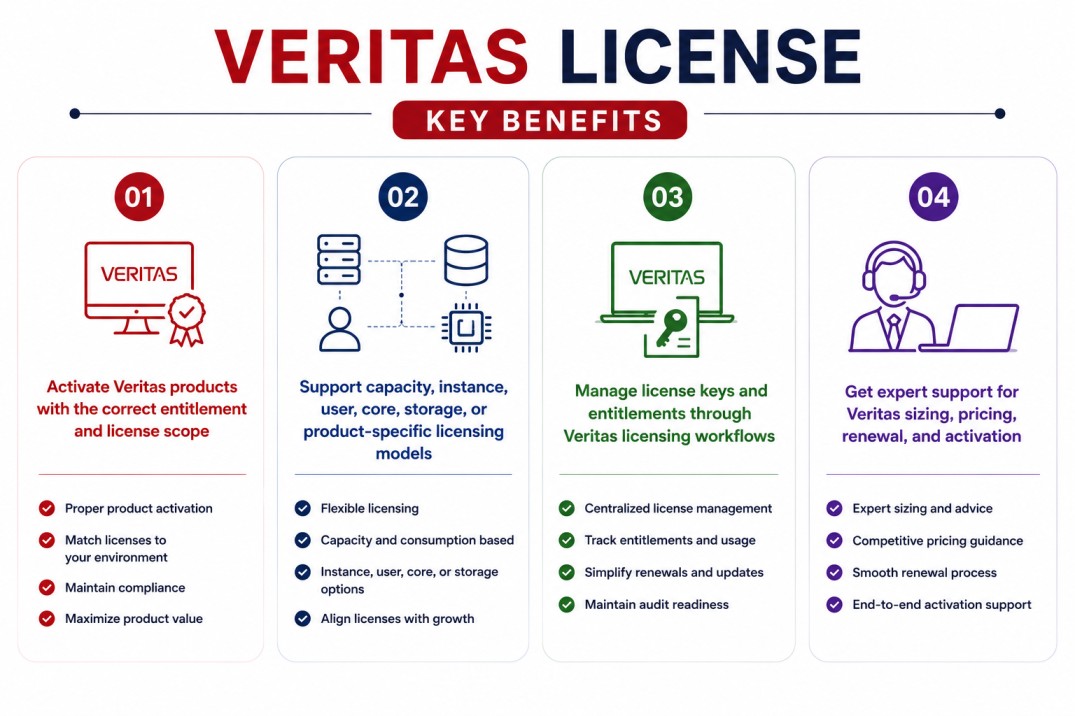
- Activate Veritas products with the correct entitlement and license scope
- Support capacity, instance, user, core, storage, or product-specific licensing models
- Manage license keys and entitlements through Veritas licensing workflows
- Get expert support for Veritas sizing, pricing, renewal, and activation
Veritas License At a glance
What it does : Veritas licensing enables organizations to activate and use Veritas software products according to purchased capacity, entitlement scope, product edition, deployment type, and support coverage.
License type : Product-dependent. Veritas products may use subscription, perpetual, capacity-based, instance-based, managed-user, storage-unit, core-based, or product-specific licensing models depending on the solution. For example, Veritas NetBackup capacity licensing uses Front-End Terabytes, while Backup Exec subscription licensing can use instance metering or capacity metering.
Typical term : Usually subscription or maintenance-based depending on the product and agreement. Some Veritas-related licensing guides also describe perpetual models where support or maintenance is handled separately.
Activation method : License key, license file, registration key, or product-specific activation workflow through Veritas entitlement systems such as VEMS, depending on the product.
Who needs it : Organizations using Veritas solutions for backup, recovery, data protection, cyber resilience, storage availability, compliance, analytics, and infrastructure protection.
License Overview
Veritas licensing is not a single fixed model across all products. The right license depends on the product family, deployment architecture, protected environment, and licensing metric used by that specific solution.
For backup and recovery environments, licensing may be tied to protected data capacity, protected instances, data sources, or workload coverage. Veritas NetBackup documentation explains that capacity licensing is based on Front-End Terabytes, where one FETB represents one terabyte of protected data.
Other Veritas solutions may use different models, such as managed data, managed users, core-based requirements, storage units, or product-specific entitlements. Because of this, a Veritas License should always be sized around the actual product and environment rather than a generic device count. A properly aligned license helps organizations avoid under-sizing, maintain compliance, activate the correct features, and support long-term data protection or infrastructure management planning.
How Veritas License Works
Veritas licensing generally starts with the purchased entitlement. After an order is fulfilled, entitlement information becomes available through the relevant Veritas licensing or entitlement workflow.
The Veritas Entitlement Management System, commonly known as VEMS, is used to access purchased entitlements, download software, and generate license keys associated with the entitlement. Veritas describes VEMS as an entitlement management portal where users can access entitlement information and generate license keys after order fulfillment.
In practice, the organization selects the Veritas product, confirms the required license metric, and applies the correct key or license file inside the product interface. Depending on the product, this may involve entering a license key, uploading a license file, downloading a registration key, or using a product-specific license management utility.
This model gives organizations a controlled way to manage entitlement access, activation status, capacity usage, and renewal planning across different Veritas products.
Options & Licensing Models
| Licensing Model | Best for | Typical Scope | What affects pricing |
|---|---|---|---|
| Capacity-based licensing | Backup and recovery environments | Protected data measured in FETB or similar capacity metric | Protected data volume |
| Instance-based licensing | Backup Exec-style workloads | Protected data sources or instances | Number of protected instances |
| Subscription licensing | Modern Veritas deployments | Term-based product usage | Product, term, support |
| Perpetual + maintenance | Legacy or selected deployments | Long-term usage rights with support separately maintained | Product edition and maintenance |
| Core / host / storage-based licensing | Infrastructure and availability products | Server, processor, storage, or host metrics | Architecture and environment size |
Features & Benefits
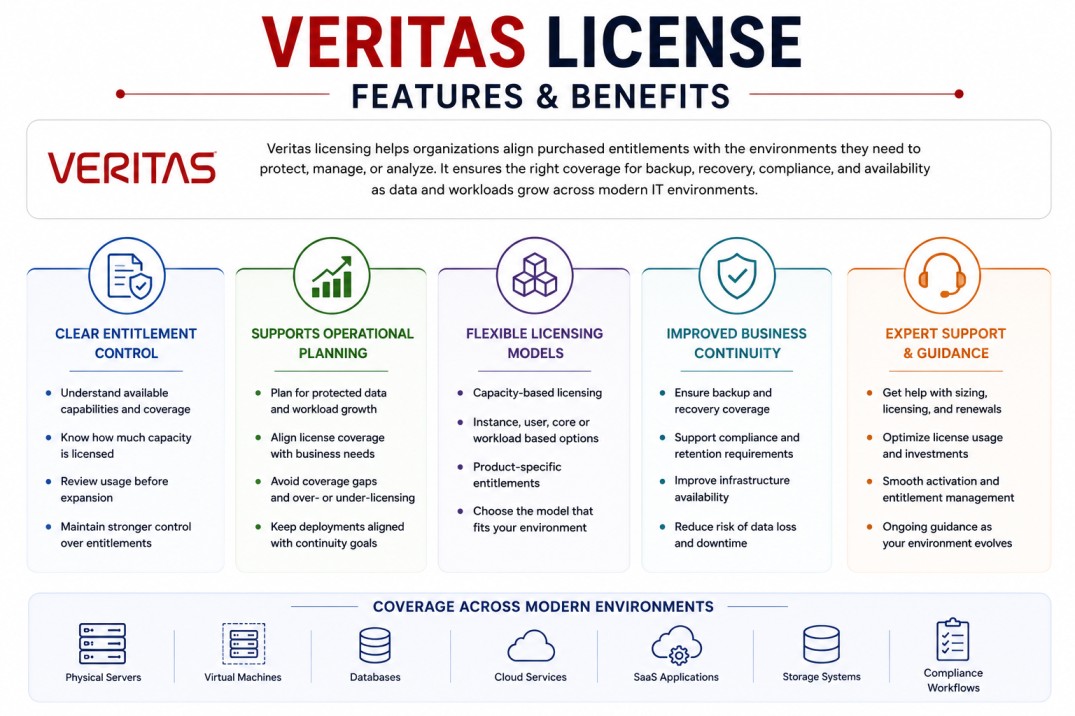
As enterprise data environments expand across physical servers, virtual machines, databases, cloud services, SaaS applications, storage systems, and compliance workflows, licensing needs to reflect real operational coverage. Veritas licensing helps organizations align purchased entitlements with the environments they need to protect, manage, or analyze. This is especially important for backup and recovery solutions where protected data volume, instance count, or workload type can directly affect licensing scope.
One of the major benefits is clearer entitlement control. Teams can understand which product capabilities are available, how much capacity is covered, and where license usage may need to be reviewed before expansion. The licensing model also supports operational planning. By reviewing protected data, workload growth, support requirements, and renewal timing, organizations can avoid coverage gaps and keep Veritas deployments aligned with business continuity needs. Over time, this helps IT teams maintain stronger control over backup, recovery, compliance, and infrastructure availability operations.
System Requirements
Common environments
- Enterprise backup and recovery environments
- Data protection and cyber resilience operations
- Physical, virtual, cloud, and hybrid infrastructures
- Storage, compliance, analytics, and availability platforms
Technical requirements
- Correct Veritas product and version
- Access to the relevant entitlement or licensing portal
- License key, license file, registration key, or product-specific activation material
- Accurate inventory of protected workloads, data volume, instances, users, cores, or storage scope
How activation works
Activating a Veritas License usually starts after the product is installed and the purchased entitlement is available through the relevant Veritas entitlement workflow.
For many products, administrators retrieve license information through Veritas entitlement systems such as VEMS. Veritas documentation states that VEMS provides access to entitlements, software downloads, and license key generation after the entitlement is created through order fulfillment.
Some products use license keys directly, while others use license files or registration files. Veritas documentation for registration key files explains that administrators can obtain a registration key file from the VEMS portal and apply it to the required product workflow.
For NetBackup, licenses can be added after primary server installation from the web UI under Settings > License management, where administrators can add a license file using VEMS.
After activation, the product validates the licensed scope. This may include protected capacity, protected instances, enabled options, managed users, storage units, core counts, or other product-specific limits.
Organizations should review license usage after activation to confirm that the deployment remains aligned with the purchased entitlement and future growth requirements.
Pricing factors + quote process
Pricing for Veritas licensing usually depends on the selected product, license metric, deployment size, protected workload scope, support level, and subscription or maintenance term.
For data protection products, the most important pricing driver is often protected capacity or protected workload count. For example, NetBackup capacity licensing is based on Front-End Terabytes, while Backup Exec subscription licensing may use either instance metering or capacity metering.
Additional considerations, such as cloud workload protection, Microsoft 365 protection, database coverage, storage environment size, high availability, analytics, compliance reporting, and renewal requirements, can also affect the final quote.
During the quote process, the Veritas product, protected environment, license metric, deployment architecture, and activation requirements are reviewed first so the licensing approach can match the organization’s data protection or infrastructure management strategy more accurately.
After you request a quote
- We review your Veritas product and environment scope
- Recommend the most suitable licensing model
- Provide official pricing and delivery details
- Share activation and renewal guidance
Veritas pricing depends on your protected workloads, data capacity, required solutions, deployment environment, retention period, and support requirements.