

VMware ESXi is the bare-metal hypervisor that runs virtual machines directly on supported server hardware. A VMware ESXi license enquiry should identify the release, management requirements, and applicable vSphere entitlement. Choose commercial licensing around production operations, support, and cluster needs.
Quick Benefits
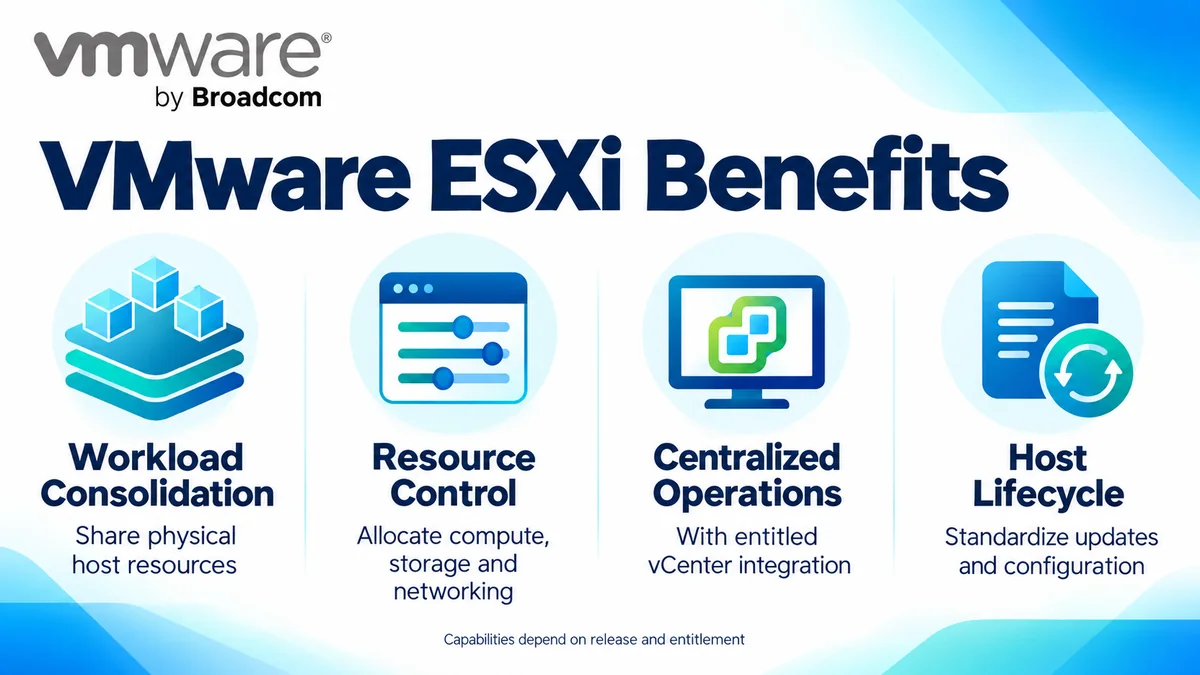
- Consolidate virtual machines on shared physical resources
- Manage host compute, storage, and networking
- Integrate supported hosts with vCenter
- Enable entitled cluster and maintenance workflows
- Plan capacity against physical host inventory
At a Glance
- Vendor: VMware by Broadcom
- Product family: VMware License
- Platform role: Bare-metal server hypervisor
- Deployment: Supported physical servers
- Management: Host Client or entitled vCenter integration
- Quote inputs: Release, physical cores, required features, and support

Features & Benefits
Workload Consolidation and Resource Control
ESXi allocates processor time, memory, storage access, and virtual networking to virtual machines. Capacity planning still needs to account for application demand, contention, redundancy, and growth; virtualization does not create unlimited resources.
Centralized Operations and Cluster Integration
With appropriate commercial entitlements, hosts integrate with vCenter for coordinated inventory and administration. Capabilities such as vMotion, High Availability, and Distributed Resource Scheduler depend on edition, release, and architecture. Select the platform scope around maintenance, recovery, and workload-placement requirements instead of assuming every host license includes all cluster services.
Host Lifecycle and Security Controls
Supported lifecycle tooling helps standardize host images and updates. Platform security capabilities, including secure boot and TPM-related controls where supported, depend on hardware and configuration. Combine patch planning, restricted management access, monitoring, and tested recovery procedures to maintain the environment throughout its operational life.
License Overview
ESXi is a component of the wider VMware vSphere platform, not a separate equivalent to VMware vSphere Foundation or VMware Cloud Foundation. For Foundation subscriptions, count physical CPU cores across the licensed hosts, applying the documented minimum of 16 cores per physical processor. VM counts and assigned vCPUs do not replace this measurement.
Existing perpetual keys, subscription entitlements, and version rights require individual review. Broadcom uses the ESX name for the hypervisor from version 9; retain the exact installed release when requesting an upgrade assessment.
Product Overview
The hypervisor operates directly on server hardware and presents virtual resources to guest operating systems. Administrators configure host management, virtual switches, and datastores before provisioning workloads. It belongs to the wider Network License portfolio, while storage virtualization, network virtualization, and recovery services require their own entitlement checks.
Core Technical Flow
The server boots the hypervisor, which initializes supported hardware and exposes configured resources. Virtual machines consume CPU, memory, datastore capacity, and network connectivity through this layer. Administrators use the Host Client or vCenter to monitor operation and apply changes; entitled cluster services coordinate functions across multiple hosts.
Options & Licensing Models
Match management and support requirements to the proposed release. Confirm ordering eligibility and included features before purchasing.
| Route | Selection Focus |
|---|---|
| Commercial vSphere entitlement | Applicable release, edition, management rights, and support |
| VMware vSphere Foundation | Subscription virtualization platform and associated operational capabilities |
| VMware Cloud Foundation | Broader private cloud infrastructure requirements |
| Free ESXi 8.0U3e option | Limited standalone use; excludes vCenter management and advanced cluster functions |
The documented free 8.0U3e option is not equivalent to a supported enterprise subscription. Check backup integration and feature restrictions before considering it for a workload.
Compatibility & Requirements
Check the target release against supported server models, CPUs, storage controllers, network adapters, drivers, and firmware. Validate guest operating systems, backup tools, storage connectivity, and vCenter interoperability. Confirm boot-device requirements and sufficient host resources before installation or upgrade.
Activation & Deployment
Prepare Broadcom account access, the correct Site ID, entitlement visibility, and a management access plan. Supported ESXi 8 environments use applicable license keys assigned through host or vSphere management. Foundation version 9 uses subscription files through VCF Operations and vCenter; follow the release-specific deployment prerequisites.
After assignment, verify license status, capacity, and enabled features. Check datastore access, management connectivity, and virtual machine startup. Test an entitled migration or recovery workflow where relevant before expanding production use.
Pricing & Quote Process
Provide host counts, processors per host, physical cores per processor, current build, and desired release. Describe vCenter, clustering, backup, and support requirements, along with existing contracts and expansion plans. This distinguishes expansion from an entitlement transition.
Request a VMware ESXi licensing quote to confirm the appropriate platform scope, subscription term, support entitlement, and activation responsibilities. Identify storage or security add-ons separately.