

VMware License options cover server virtualization, private cloud infrastructure, storage, and network services. Choosing VMware licensing starts with the intended platform and release: a vSphere license enquiry is different from a complete VMware Cloud Foundation subscription. Match the proposal to your infrastructure and existing entitlements.
Quick Benefits
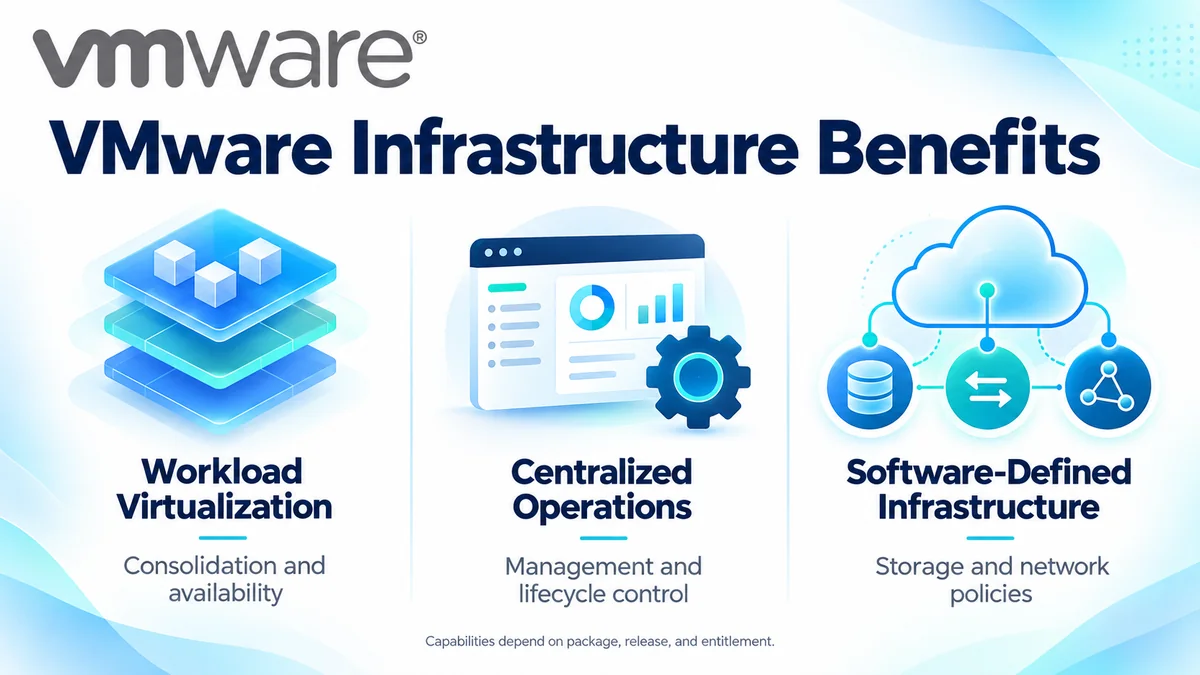
- Consolidated infrastructure for virtualized workloads
- Centralized host and workload administration
- Availability and mobility features where entitled
- Software-defined storage and networking options
- Structured capacity and subscription planning
At a Glance
- Brand: VMware by Broadcom
- Product family: Network License
- Main platforms: VMware Cloud Foundation and VMware vSphere Foundation
- Core components: Hypervisor, management, storage, and network services
- Key metrics: Physical CPU cores and applicable storage capacity
- Quote inputs: Host inventory, release, features, term, and existing contracts
Features & Benefits
Workload Consolidation and Availability
vSphere virtualization allows multiple workloads to share physical resources. Entitled capabilities such as vMotion and High Availability support maintenance and recovery workflows. These functions depend on the edition, release, and cluster design; licensing does not replace sufficient spare capacity, application protection, or tested backups.
Centralized Operations and Lifecycle Management
vCenter and the relevant Foundation management services give administrators coordinated control over infrastructure. Monitoring, resource planning, and lifecycle tooling help standardize operations. Confirm operational features against the actual entitlement.
Software-Defined Infrastructure and Policy Control
vSAN and NSX-related capabilities extend virtualization into storage and networking. Appropriate bundles and add-ons support policy-driven infrastructure, while advanced security services require specific entitlement review. Choose the architecture around workload and security needs; a VMware-branded product name alone does not define what the subscription includes.
License Overview
Current Foundation offerings use subscription capacity and defined product entitlements. Existing perpetual licenses, version rights, and support contracts require separate assessment. An installed key does not establish eligibility for a new release, renewed support, or additional components.
For VCF and VVF, count physical CPU cores across the hosts being licensed, applying the documented minimum of 16 cores per physical processor. vSAN assessment considers contributed raw storage in TiB and the applicable included allowance. Do not use virtual CPU counts or usable datastore capacity as substitutes for the required licensing measurements.
Product Families & Subcategories
Use the component pages to identify the technical requirement, then select the commercial package that provides the necessary rights.
| Area | Role | Buyer Focus |
|---|---|---|
| VMware vSphere | Virtualization and infrastructure management | Release, features, physical cores, and bundle |
| VMware ESXi | Hypervisor layer for running virtual machines | Host compatibility and applicable platform entitlement |
| VMware NSX | Software-defined networking | Networking scope versus separately entitled security services |
| VMware vSAN | Software-defined storage | Raw contributed TiB and included capacity |
How Licensing Works
Start with an accurate host and storage inventory. Map required capabilities to the proposed release and package, then reconcile existing rights, subscription dates, and expansion plans. Review the order documents for included components, capacity, add-ons, and support. Technical compatibility and commercial entitlement must both be satisfied.
Licensing & Deployment Options
Compare the platform scope before selecting the purchasing route.
| Route | Planning Focus |
|---|---|
| VMware vSphere Foundation | Virtualization platform and included operational services |
| VMware Cloud Foundation | Broader integrated private cloud infrastructure |
| Existing vSphere editions | Version-specific rights, support, and available transition routes |
| Additional capacity or services | vSAN expansion, security, recovery, or other required add-ons |
Published product comparisons distinguish vSphere Standard and Enterprise Plus through version 8 Update 3 from newer Foundation releases. Confirm current ordering eligibility rather than assuming an older edition remains a like-for-like renewal option.
Compatibility & Requirements
Validate server, CPU, storage-controller, network-adapter, and firmware support against the target release. Check backup, monitoring, and application compatibility before upgrading. Review cluster resources, network design, and storage policies alongside the license scope. Features vary by release.
Activation & Deployment
Prepare Broadcom account access, the correct Site ID, and entitlement visibility. Older deployments use their applicable product or solution-key workflows. VCF 9 introduces license-file management through VCF Operations, with connected and disconnected reporting procedures. Follow the workflow for the purchased release instead of reusing an older activation method.
Verify assigned capacity and subscription status, then validate host registration, storage health, and entitled cluster functions before moving production workloads.
Pricing & Quote Process
Provide host count, sockets per host, physical cores per socket, target release, and required capabilities. Include raw vSAN storage where relevant, existing contract dates, and expected growth. Identify additional security, recovery, infrastructure, and support requirements separately.
Request a VMware license quote to compare the appropriate Foundation scope or transition route. Confirm term, capacity, included components, and activation responsibilities in the proposal.