

VMware vSphere provides the virtualization layer for running and managing enterprise workloads across physical hosts. A VMware vSphere license enquiry should identify the required release, cluster capabilities, and purchasing route before comparing prices. Match the entitlement to your intended infrastructure.
Quick Benefits
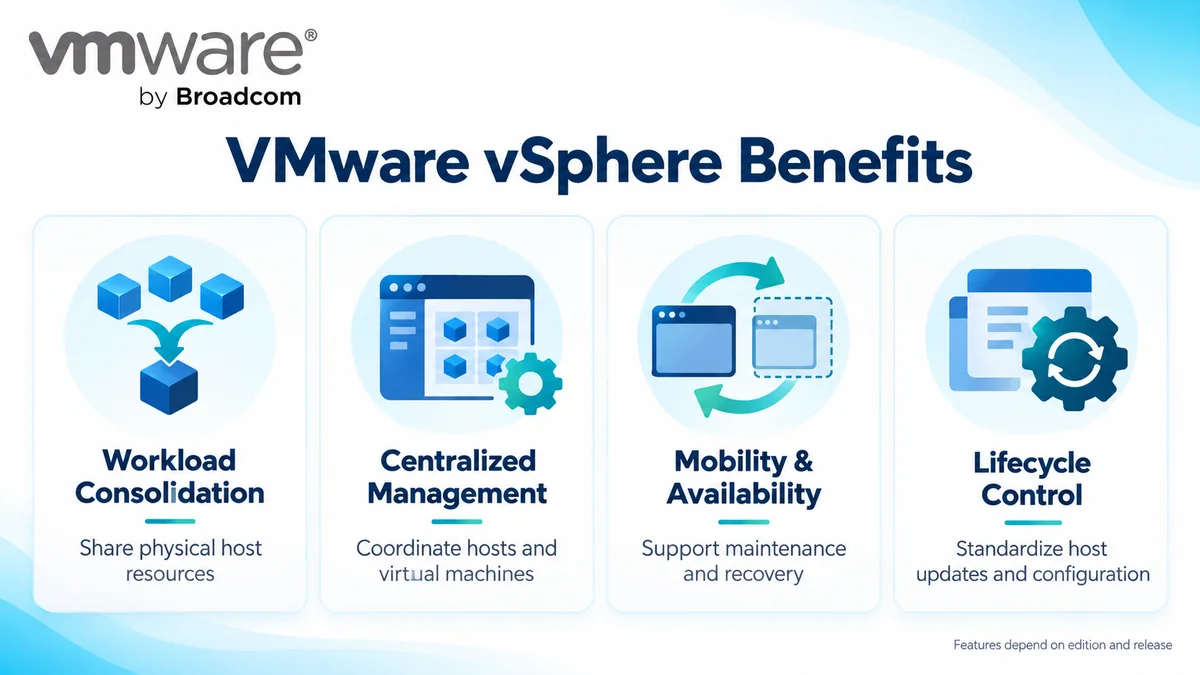
- Consolidate workloads on shared host resources
- Manage hosts and virtual machines centrally
- Support workload mobility and availability
- Standardize host lifecycle operations
- Select capabilities against documented entitlements
At a Glance
- Vendor: VMware by Broadcom
- Category: Server virtualization platform
- Components: Hypervisor hosts and vCenter management
- Deployment: Customer-managed virtual infrastructure
- Buying factors: Release, edition or bundle, physical cores, and term
- Parent family: VMware License

Features & Benefits
Workload Consolidation and Centralized Management
vSphere abstracts compute resources so multiple virtual machines can share physical hosts. vCenter provides coordinated administration, inventory, and resource visibility across the environment. This provides a common operational framework for provisioning and maintaining workloads.
Availability, Mobility, and Resource Control
Capabilities such as vMotion and High Availability support workload movement and recovery workflows. Distributed Resource Scheduler adds placement and balancing functions where entitled. Select the edition around these requirements; availability still depends on cluster design, spare resources, storage access, and tested protection procedures.
Lifecycle Management and Platform Security
Lifecycle tooling supports consistent host images, updates, and configuration practices. Security capabilities can include identity federation and virtual TPM support, depending on release and entitlement. Evaluate the actual feature matrix and operational prerequisites rather than assuming every vSphere offering provides identical controls.
License Overview
vSphere is available through release-specific standalone editions and as a component of VMware vSphere Foundation or VMware Cloud Foundation. Foundation subscriptions use physical-core capacity, with a minimum of 16 licensed cores per physical processor. Count all hosts in scope; virtual machine numbers and allocated vCPUs are not substitutes for physical-core inventory.
Existing perpetual rights require separate review. Possessing an older license key does not establish entitlement to a newer subscription release or renewed support.
Product Overview
The hypervisor runs virtual machines on physical servers, while vCenter coordinates management across hosts and clusters. For component-level planning, review the VMware ESXi category. vSphere sits within the broader Network License portfolio; storage, networking, and recovery services need their own scope assessment.
Core Technical Flow
Administrators provision virtual machines through the management interface. The hypervisor allocates host CPU, memory, storage, and network resources. Cluster services then apply the configured availability and placement policies, while administrators monitor capacity and maintain the platform through its lifecycle tools.
Options & Licensing Models
Choose the release and feature scope together.
| Option | Selection Focus |
|---|---|
| vSphere Standard | Standalone edition documented through 8 Update 3; confirm required features and current ordering eligibility |
| vSphere Enterprise Plus | Broader standalone capabilities through 8 Update 3; check the exact feature matrix |
| VMware vSphere Foundation | Foundation subscription with virtualization and associated operational capabilities |
| VMware Cloud Foundation | Broader private cloud platform when integrated infrastructure services are required |
Current product comparisons place vSphere 9.1 features within the Foundation offerings. Confirm included components and capacity in the proposal; do not treat older editions as interchangeable with current bundles.
Compatibility & Requirements
Validate servers, CPUs, storage controllers, network adapters, and firmware against the target release. Check guest operating systems, backup software, and vCenter interoperability before scheduling an upgrade. vSAN deployments also require supported hardware, storage policies, and capacity planning appropriate to their architecture.
Activation & Deployment
Prepare Broadcom account access, the correct Site ID, and subscription visibility. Confirm management connectivity and assign deployment responsibilities before installing. Earlier releases use their applicable product or solution-key workflows; version 9 licensing uses subscription files managed through VCF Operations and the Business Services Console.
Disconnected environments require the documented registration and file-exchange process. After activation, check subscription status and available capacity, confirm hosts appear in the intended inventory, and test an entitled cluster operation before production rollout.
Pricing & Quote Process
Send host counts, processors per host, physical cores per processor, target version, and required cluster features. Identify existing editions, contract dates, and planned expansion so the assessment distinguishes additional capacity from a platform transition.
If vSAN is required, provide raw contributed storage in TiB for comparison with the applicable allowance. Specify management, support, and add-on requirements separately. Request a VMware vSphere quote with these details to review scope, subscription term, and activation responsibilities.