

Splunk Enterprise gives organizations a practical way to collect and analyze machine data in real time, so IT, security, and operations teams can actually see what’s happening across their environment and act on it.
Quick benefits
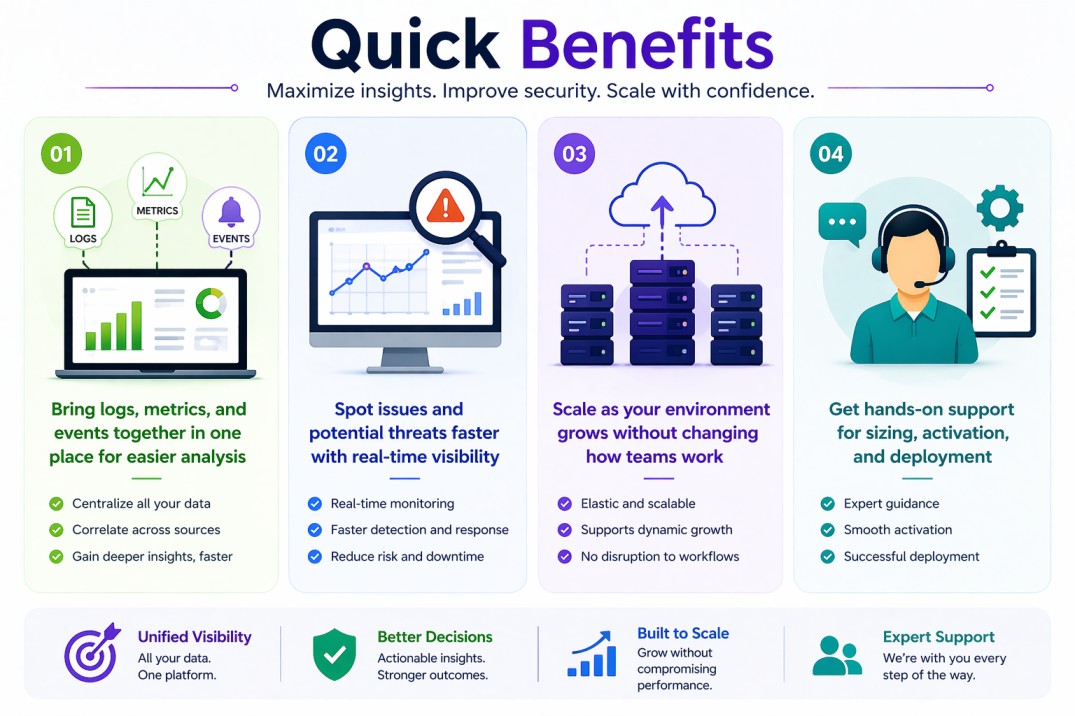
- Bring logs, metrics, and events together in one place for easier analysis
- Spot issues and potential threats faster with real-time visibility
- Scale as your environment grows without changing how teams work
- Get hands-on support for sizing, activation, and deployment
Splunk Enterprise At a glance
What it does: Collects and analyzes machine data from across your systems, making it searchable and usable for monitoring, troubleshooting, and reporting.
License type: Subscription (typically based on data ingestion)
Typical term: 1 year · 3 years · 5 years
Activation method: License key applied directly in Splunk Enterprise
Who needs it: Organizations that want full control over log analysis, security monitoring, and operational visibility in on-prem or hybrid environments

License Overview
The Splunk Enterprise license defines how much data your organization can ingest and work with during a given subscription period. Unlike traditional licensing models that focus on users or devices, Splunk is usually licensed based on how much data you bring into the system each day. This makes it much closer to how the platform is actually used in real environments.
In practice, this means your license grows with your infrastructure. As you add more systems, applications, or integrations, your data volume increases, and your license needs to reflect that. This approach gives flexibility, but it also means sizing matters. If the estimate is too low, you may run into limits. If it’s too high, you may be paying for capacity you don’t use.
Activation is straightforward. Once you receive your license key, you apply it in Splunk Enterprise, and the platform begins tracking your usage against the licensed limit. From there, it’s mostly about keeping an eye on data growth and adjusting when needed.
Because Splunk Enterprise is often used in critical areas like security monitoring and infrastructure visibility, having the right license in place helps avoid interruptions and keeps everything running smoothly as your environment evolves.
Product Overview
Splunk Enterprise works as a central platform for handling machine data across your environment. It collects logs, metrics, and events from different systems, processes them, and makes everything searchable in near real time.
What makes it useful day-to-day is how flexible it is. You can pull in data from servers, applications, network devices, and cloud services, then analyze everything from one interface. Instead of switching between tools, teams can investigate issues, monitor performance, and build dashboards all in one place.
It also scales in a predictable way. You can start small and expand as needed, adding more capacity or distributing components across multiple systems without changing how the platform works. That’s why it fits both mid-sized environments and larger enterprise setups.
Core technical flow
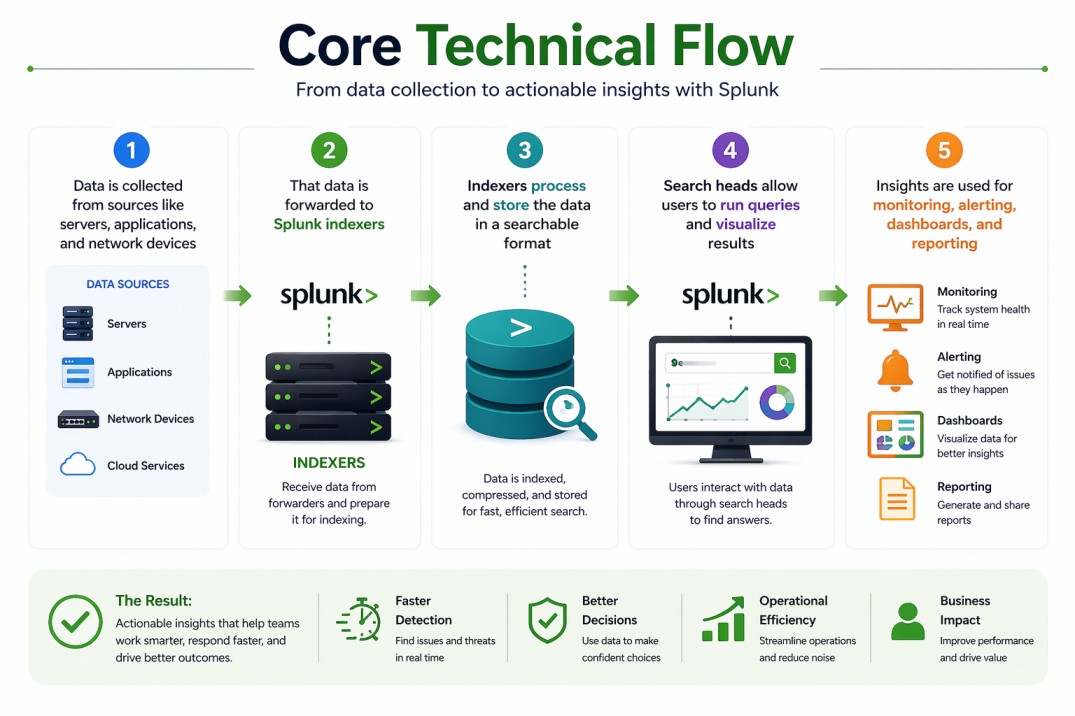
- Data is collected from sources like servers, applications, and network devices
- That data is forwarded to Splunk indexers
- Indexers process and store the data in a searchable format
- Search heads allow users to run queries and visualize results
- Insights are used for monitoring, alerting, dashboards, and reporting
Options & Tiers
| Plan / Model | Best for | Key inclusions | What affects price |
|---|---|---|---|
| Ingest-based licensing | Most common deployments | Daily data ingestion capacity | GB/day volume, term |
| Infrastructure-based licensing | Predictable workloads | Resource-based usage | Infrastructure size, term |
| Distributed deployment | Large-scale environments | Multiple indexers/search heads | Architecture complexity |
| Standalone deployment | Smaller setups | Single-node operation | Scale and performance needs |
Features & Benefits
Splunk Enterprise is designed to make working with machine data less complicated. Once data is ingested, it becomes searchable almost immediately, which helps teams troubleshoot issues, investigate incidents, and monitor systems without delays.
Another advantage is how easy it is to grow. You don’t need to redesign everything as your environment expands, you simply scale the platform. This makes it easier for teams to adopt early and continue using the same workflows over time.
Because everything is centralized, teams spend less time gathering data and more time understanding it. That shift alone can improve response times and make day-to-day operations more efficient across both IT and security teams.
Compatibility & Requirements
Common environments
- On-prem data centers
- Hybrid and multi-cloud environments
- Security operations and IT monitoring setups
Typical prerequisites
- A clear idea of your data sources
- Network connectivity between components
- A deployment plan (standalone or distributed)
How activation works
- Estimate your expected data ingestion
- Choose your deployment approach
- Receive your license key
- Apply it in Splunk Enterprise
- Monitor usage and adjust as needed
Pricing factors + quote process
Splunk Enterprise pricing mainly depends on how much data you bring into the system each day. As your environment grows and more systems generate data, your required capacity increases as well. The way you deploy Splunk can also influence costs, especially in larger environments where multiple components are involved.
Subscription length plays a role too, longer terms often provide better value over time. The key is to base pricing on your actual data usage, not rough estimates, so you avoid surprises later.
After you request a quote
- We review your data volume and architecture
- Recommend the most suitable licensing model
- Provide official pricing and delivery details
- Share clear activation and deployment guidance
Splunk Pricing depends on your license edition, quantity, term, and deployment needs.