

Cisco SLR License refers to Cisco Specific License Reservation, a Smart Licensing reservation method used to reserve selected Cisco license entitlements for a specific device, software instance, or product deployment. Unlike normal connected Smart Licensing, Cisco SLR License is commonly used when a Cisco product cannot regularly communicate with Cisco licensing systems, especially in restricted, secure, offline, or air-gapped environments where the organization still needs controlled license activation.
Key Benefits
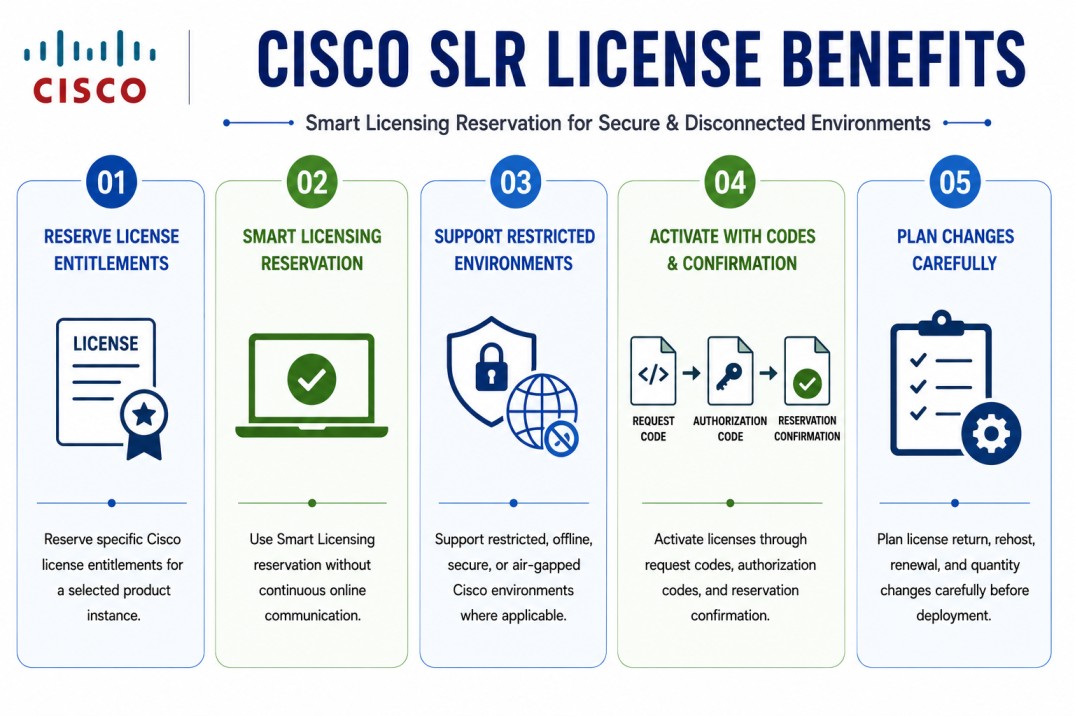
- Reserve specific Cisco license entitlements for a selected product instance
- Use Smart Licensing reservation without continuous online communication
- Support restricted, offline, secure, or air-gapped Cisco environments where applicable
- Activate licenses through request codes, authorization codes, and reservation confirmation
- Plan license return, rehost, renewal, and quantity changes carefully before deployment
At a glance
What it does : Cisco SLR License allows an organization to reserve specific Cisco licenses for a particular device or software instance without requiring normal continuous communication with Cisco licensing systems.
License category : Cisco License Model
Official Cisco term : Specific License Reservation, usually abbreviated as SLR.
License behavior : SLR reserves selected license entitlements and quantities from a Smart Account or Virtual Account and assigns them to a specific Cisco product instance.
Where it applies : Supported Cisco security, networking, routing, switching, collaboration, data center, and software products where Specific License Reservation is available.
Who needs it : Organizations with restricted, disconnected, high-security, government, enterprise, industrial, or air-gapped environments that need Smart Licensing activation without regular cloud connectivity.
License Model Overview
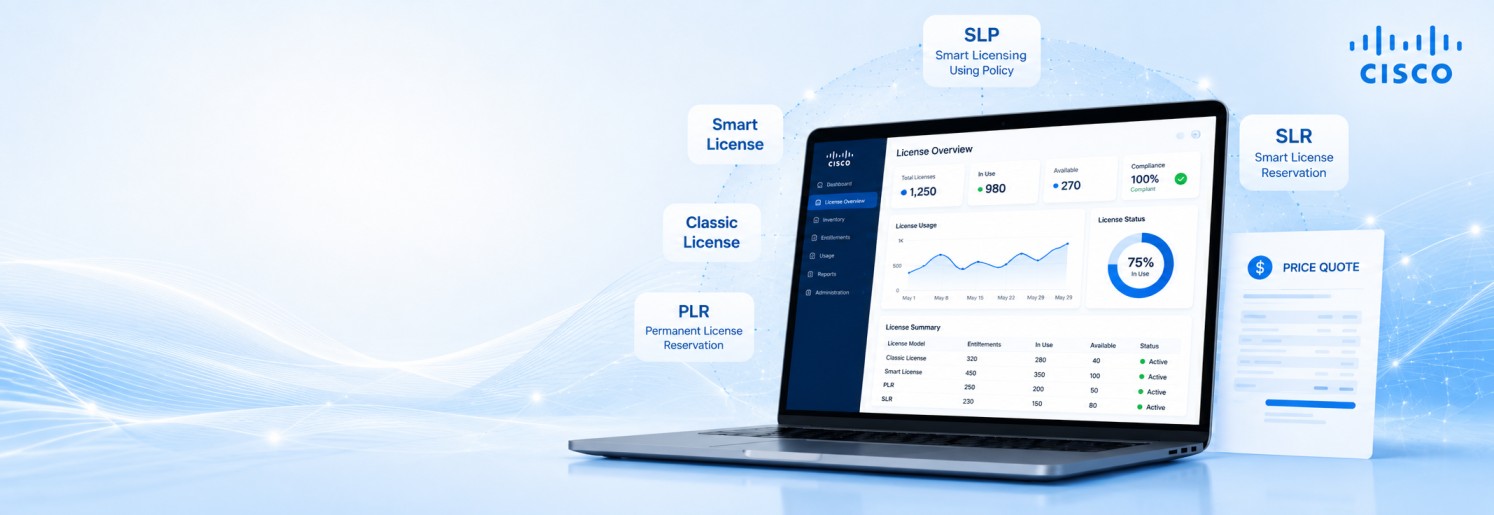
Cisco SLR License is part of Cisco Smart Licensing, but it works differently from normal connected Smart Licensing. In a standard Smart Licensing workflow, the product usually communicates with Cisco licensing systems directly or through a supported reporting path. With SLR, the license is reserved for a specific product instance and activated through an offline or controlled exchange process.
The word “specific” is important. SLR does not reserve every possible entitlement or give unlimited license access. It reserves the selected license type and quantity needed for that Cisco product. This makes it more controlled than a broad reservation model because the administrator must choose the exact licenses required.
Within the broader Cisco License portfolio, SLR is useful when a supported Cisco product is deployed in an environment where direct licensing communication is not allowed. This may include isolated data centers, government networks, secure enterprise environments, military networks, industrial networks, or air-gapped systems.
In most cases, the product generates a reservation request code. That code is entered into Cisco licensing tools, where the correct license entitlements are selected and reserved. Cisco then generates an authorization code, which is installed on the device or software platform. Because the license becomes associated with a specific product instance, planning is important. The product model, software version, license tier, license quantity, and deployment role should be confirmed before the reservation is created.
How Cisco SLR License Works
Cisco SLR License works through a reservation process instead of a normal online registration process. First, the Cisco product must support Specific License Reservation. After SLR is enabled on the device or software platform, the product generates a reservation request code. This request code represents the product instance that needs the license.
The administrator then uses the request code in Cisco licensing tools, such as Cisco Smart Software Manager or the supported Cisco licensing portal. During this step, the administrator selects the required license entitlement and quantity. This is where SLR becomes different from normal Smart Licensing because the license is not just reported as usage; it is reserved from the available license pool.
After the license is reserved, Cisco generates an authorization code. This authorization code is then copied back to the Cisco device or software platform and installed. Once installed, the product can use the reserved license. In some workflows, a confirmation code may also be generated after the authorization code is installed. This confirmation code may need to be entered back into the Cisco licensing portal to complete or confirm the reservation process.
In simple terms, Cisco SLR License works like this: the device requests reservation, Cisco licensing tools reserve the selected licenses, an authorization code is generated, the code is installed on the device, and the product uses the reserved entitlement without needing normal continuous cloud communication.
Where This License Model Is Used
Cisco SLR License is mainly used in environments where normal Smart Licensing communication is not suitable. This can happen because of security policy, network isolation, compliance requirements, or lack of internet connectivity. It may be used with supported Cisco products in security, routing, switching, collaboration, data center, wireless, and enterprise software environments. Examples may include Cisco ISE, Cisco Firepower / FMC, Cisco Catalyst platforms, Cisco routers, Cisco collaboration products, Cisco data center products, and other platforms where Cisco supports Specific License Reservation.
SLR is especially useful in secure networks where products cannot send regular license usage data to Cisco. It allows the organization to keep Cisco licensing controlled while still activating the required product features. However, Cisco SLR License is not available for every Cisco product or every software version. Before planning SLR, the exact product name, software release, license entitlement, and Cisco eligibility should be checked carefully.
Cisco SLR License Activation
The Cisco SLR License activation process usually follows a controlled reservation workflow.
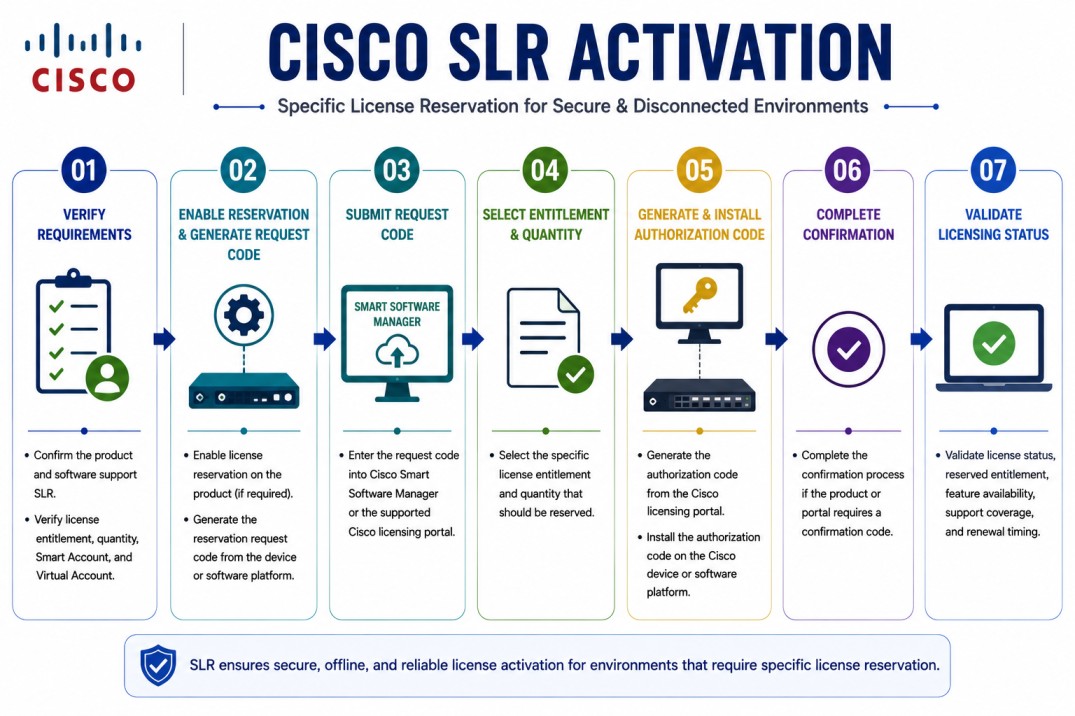
The most important step is selecting the correct license and quantity before generating the authorization code. If the wrong entitlement is reserved, the license may need to be returned, updated, or rehosted through the proper Cisco process.
Features & Benefits
Cisco SLR License gives organizations a controlled way to activate Cisco licenses in restricted or disconnected environments. One major benefit is offline-friendly activation. The product does not need normal continuous access to Cisco licensing systems after the reservation is completed. This is useful for secure networks where internet access is blocked or heavily controlled.
Another benefit is license precision. SLR reserves specific licenses and quantities, which helps organizations activate only what is needed for the product instance. This is useful when license control and entitlement accuracy are important. Cisco SLR License also supports compliance planning. Because the license is reserved from a Smart Account or Virtual Account, the organization can still maintain visibility over which licenses have been assigned to which product instance.
For air-gapped or restricted environments, SLR can reduce deployment friction. Instead of trying to force a connected Smart Licensing workflow into a disconnected environment, administrators can use a reservation-based process designed for controlled activation. The main point to manage carefully is change control. If the product is replaced, the license quantity changes, or the license needs to be moved, the reservation may need to be returned, updated, or rehosted through Cisco’s supported process.
System Requirements
Common environments
- Air-gapped enterprise networks
- Government and defense environments
- Secure data centers
- Restricted industrial networks
- Offline Cisco security deployments
- Cisco products without regular internet access
- Environments where license usage reporting is not allowed or is tightly controlled
- Supported Cisco platforms requiring Smart Licensing reservation
Technical requirements
- Supported Cisco product and software version
- Cisco Smart Account and Virtual Account access
- Available license entitlement and correct license quantity
- SLR eligibility for the product and customer environment
- Reservation request code from the device or software instance
- Authorization code generated from Cisco licensing tools
- Confirmation or return process where required
- Support contract, renewal term, and rehost planning
Pricing factors + quote process
Pricing for Cisco SLR License depends on the Cisco product, selected license entitlement, quantity, feature level, software version, support coverage, and subscription or renewal term.
The SLR method itself is an activation and reservation workflow, but the actual license cost depends on the product and entitlement being reserved. A Cisco ISE license, firewall license, Catalyst license, router license, collaboration license, or data center license may all have different pricing even if SLR is used as the activation method.
The main pricing factors usually include product family, license tier, number of licenses, device count, user count, throughput level, software version, support term, renewal status, and whether the license must be activated in a restricted or offline environment.
During the quote process, the Cisco product and deployment condition are reviewed first. Then the required entitlement, license quantity, Smart Account status, SLR eligibility, activation workflow, and support coverage are mapped into the correct quote.
After you request a quote
- We review your Cisco product, model, and software version
- Confirm whether Cisco SLR License is supported for your environment
- Check the required entitlement, quantity, Smart Account, and Virtual Account
- Review request code, authorization code, return, rehost, or renewal requirements
- Provide pricing, delivery details, and activation guidance
Cisco SLR pricing depends on your license type, deployment model and support requirements.