

SolarWinds NPM (Network Performance Monitor) helps organizations monitor network availability, performance, traffic health, and device status across enterprise and hybrid network environments.
Quick benefits
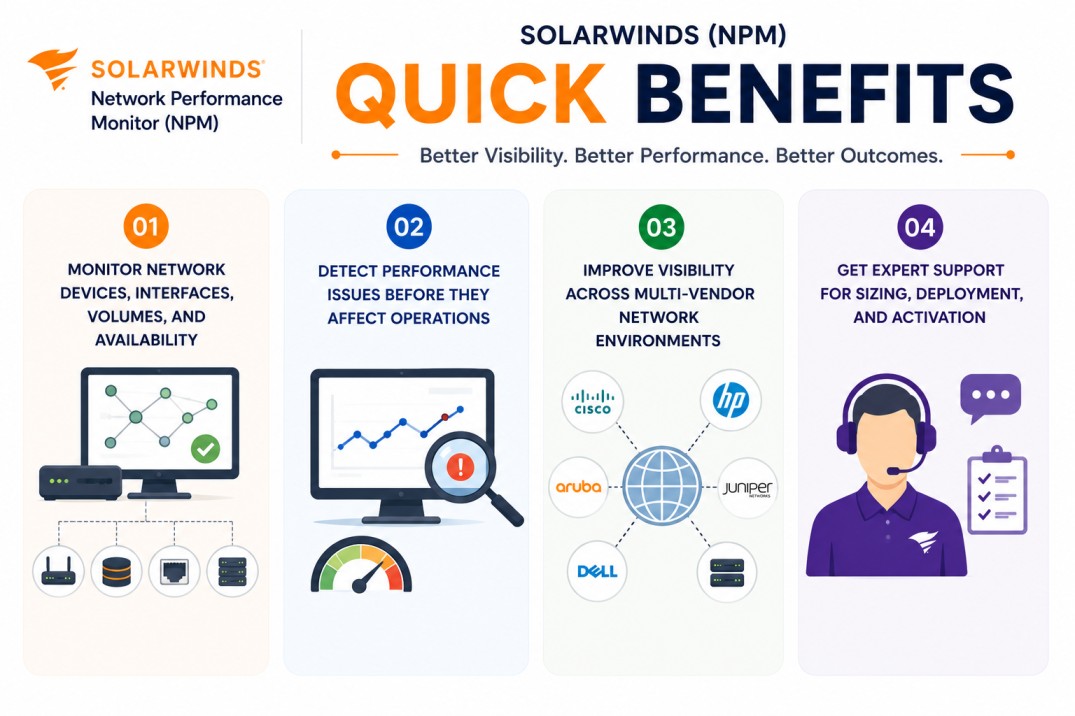
- Monitor network devices, interfaces, volumes, and availability
- Detect performance issues before they affect operations
- Improve visibility across multi-vendor network environments
- Get expert support for sizing, deployment, and activation
SolarWinds (NPM) At a glance
What it does : SolarWinds NPM provides network performance monitoring, availability tracking, device visibility, alerting, dashboards, and operational network health analysis.
License type : Subscription or module-based licensing, depending on deployment and SolarWinds platform model
Typical term : 1 year · 3 years · product-dependent options
Activation method : Online activation through SolarWinds License Manager or offline/manual activation using a Machine ID and license file
Who needs it : Organizations that need centralized network monitoring across routers, switches, firewalls, interfaces, volumes, and multi-vendor network infrastructure

License Overview
Organizations deploying network monitoring platforms usually need licensing that reflects the real size of the network environment, not just the number of physical devices. The SolarWinds (NPM) license is traditionally aligned with monitored network elements such as nodes, interfaces, and volumes. SolarWinds documentation explains that NPM licensing is based on the largest number of monitored elements across nodes, interfaces, or volumes, depending on the selected license tier.
Because network environments often include multi-vendor devices, distributed sites, branch offices, WAN connections, and large interface counts, licensing should be planned around actual monitoring coverage. A deployment with fewer devices but many interfaces may require a different license size than a deployment with many simple nodes. A properly aligned license helps organizations maintain network visibility, avoid capacity limitations, and support future monitoring growth as infrastructure expands.
Product Overview
Modern enterprise networks are rarely simple. Routers, switches, firewalls, wireless controllers, WAN links, cloud-connected paths, and branch devices all contribute to service availability and operational performance.
SolarWinds NPM is designed to help IT teams monitor these network components from a centralized platform. Instead of checking devices one by one, administrators can view device health, interface status, network performance, and availability trends through dashboards and alerts.
In practice, the platform discovers network devices, collects performance metrics, monitors interface behavior, and helps teams detect issues such as latency, packet loss, downtime, interface saturation, or device health problems.
One of the major operational advantages is faster troubleshooting. Teams can identify where network performance is degrading and understand whether the issue is related to a device, interface, link, or broader network path.
For organizations managing multi-vendor or distributed networks, this approach supports stronger network visibility, better uptime management, and more reliable infrastructure operations.
Core technical flow
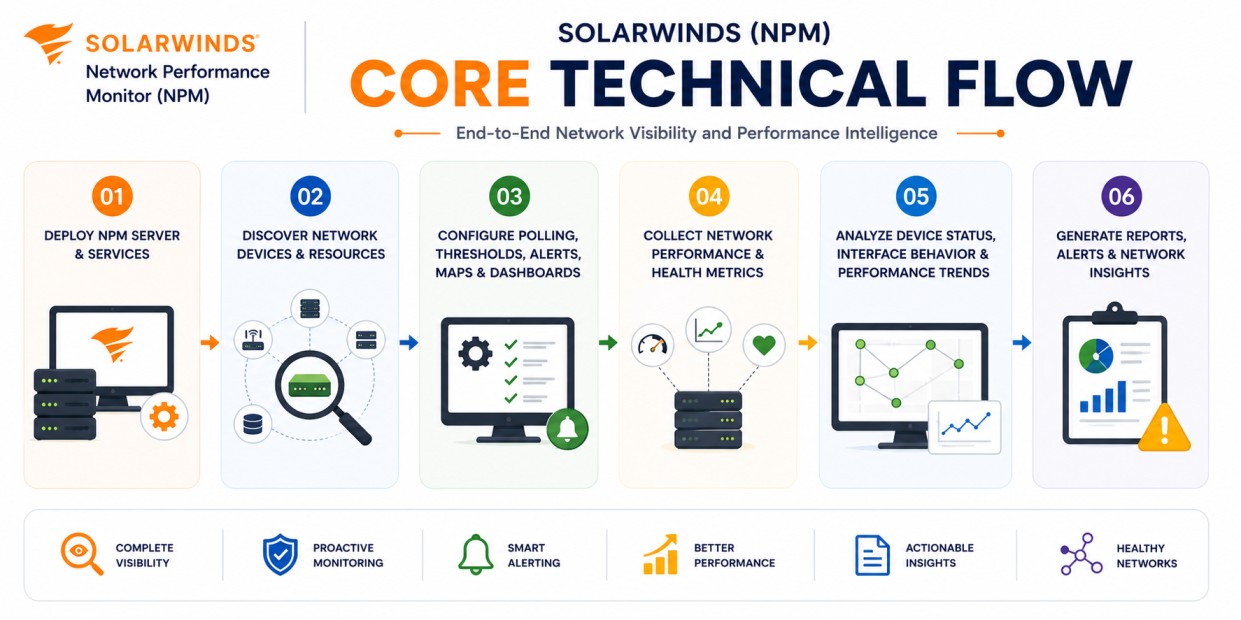
- Deploy the SolarWinds NPM server and monitoring services
- Discover network devices, nodes, interfaces, and volumes
- Configure polling, thresholds, alerts, maps, and dashboards
- Collect network performance, availability, and health metrics
- Analyze device status, interface behavior, and performance trends
- Generate reports, alerts, and network troubleshooting insights
Options & Tiers
| Licensing Model | Best for | Typical Scope | What affects pricing |
|---|---|---|---|
| Standard NPM deployment | Core network monitoring | Nodes, interfaces, and volumes | Monitored element count |
| Higher-tier monitoring | Larger network environments | Expanded network visibility | Network scale |
| Platform module licensing | SolarWinds Platform environments | Additive monitoring modules | Product combination |
| Offline activation setup | Restricted environments | Manual licensing workflow | Deployment model |
Features & Benefits
As enterprise networks grow across data centers, branches, WAN links, and hybrid infrastructure, maintaining clear network visibility becomes increasingly important.
SolarWinds (NPM) helps organizations centralize network monitoring so teams can track device health, interface performance, availability, and network behavior from one operational platform.
One of the key benefits is proactive issue detection. Administrators can use alerts, thresholds, dashboards, and reports to identify network problems before they become larger outages.
The platform also supports multi-vendor network monitoring, which is valuable for environments that include different device families, network vendors, and infrastructure layers.
Over time, this helps organizations improve network uptime, reduce troubleshooting delays, and maintain better control over operational network performance.
Compatibility & Requirements
Common environments
- Enterprise network infrastructures
- Multi-vendor router and switch environments
- Data center and branch office networks
- Hybrid and distributed network operations
Technical requirements
- Supported SolarWinds Platform deployment infrastructure
- Network connectivity to monitored devices
- SNMP, WMI, ICMP, or supported polling access depending on target systems
- Internet access or offline/manual activation support
How activation works
Activating SolarWinds NPM usually starts after the product is installed and the license entitlement is ready to be applied through the SolarWinds Platform licensing workflow.
In connected environments, activation can generally be completed through the SolarWinds Platform Web Console by going to Settings > All Settings > License Manager, where SolarWinds Platform product licenses can be activated and managed.
For restricted or offline environments, SolarWinds NPM can support manual activation workflows. After installation, the system generates a unique Machine ID for that specific deployment. This Machine ID is used to obtain the correct license file, which is then imported back into the installed SolarWinds environment.
The resulting license file is typically tied to the specific installation environment and product module. In practical terms, a license generated for SolarWinds NPM is intended for that module and cannot simply be reused across unrelated SolarWinds deployments.
After activation, the platform validates the licensed capacity, including monitored nodes, interfaces, volumes, and other applicable product limits. SolarWinds documentation also notes that license usage can be reviewed from License Manager to track consumed and available capacity.
Organizations should review license usage after activation to ensure SolarWinds npm remains aligned with the purchased monitoring capacity and future network growth.
Pricing factors + quote process
Organizations usually size SolarWinds NPM according to monitored network elements, including nodes, interfaces, and volumes. Environments with many interfaces, distributed network sites, high device counts, or broader network visibility requirements may require a larger licensing tier and more detailed deployment planning.
Additional considerations, such as SolarWinds Platform architecture, additional polling engines, module combinations, support requirements, and subscription term, can also influence pricing. SolarWinds documentation notes that NPM license tiers define limits for nodes, interfaces, and volumes, and larger deployments may require additional polling engines for scale. During the quote process, network monitoring goals, element count, deployment architecture, and activation requirements are reviewed first so the licensing approach can match the organization’s network monitoring strategy more accurately.
After you request a quote
- We review your network monitoring scope
- Recommend the most suitable SolarWinds NPM license tier
- Provide official pricing and delivery details
- Share activation and deployment guidance
Pricing depends on your license edition, quantity, term, and deployment needs.