

Cisco WebEx is Cisco’s cloud collaboration platform for meetings, calling, messaging, webinars, events, and hybrid work communication across users, teams, and business environments. The Cisco WebEx License is usually planned around the number of users, selected Webex services, buying model, Webex Suite requirements, calling or meeting features, Control Hub administration, subscription term, support coverage, and whether the organization needs cloud calling, video meetings, messaging, webinars, or hybrid collaboration.
Key Benefits
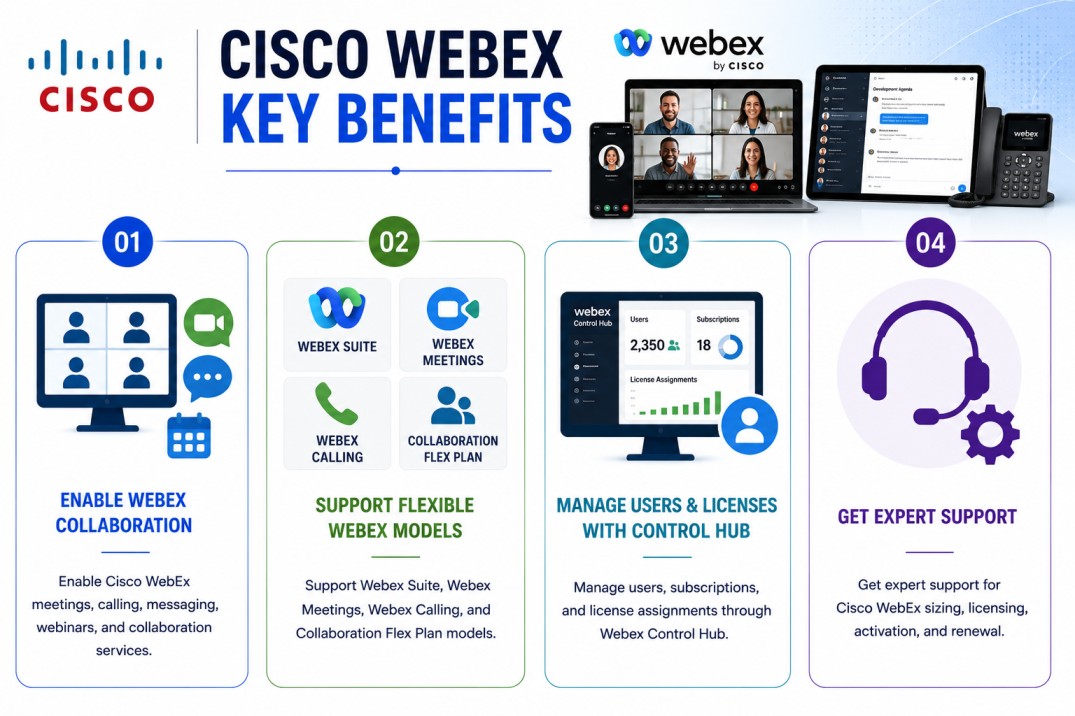
- Enable Cisco WebEx meetings, calling, messaging, webinars, and collaboration services
- Support Webex Suite, Webex Meetings, Webex Calling, and Collaboration Flex Plan models
- Manage users, subscriptions, and license assignments through Webex Control Hub
- Get expert support for Cisco WebEx sizing, licensing, activation, and renewal
Review Cisco WebEx Price List and request a quote tailored to your licensing needs.
Cisco WebEx At a glance
What it does : Cisco WebEx provides cloud-based collaboration services for online meetings, video conferencing, team messaging, cloud calling, webinars, events, content sharing, and hybrid work communication.
Product family : Cisco UC License.
License type : Cisco WebEx licensing is commonly subscription-based and may be purchased through Cisco Collaboration Flex Plan, Webex Suite, Named User, Enterprise Agreement, or service-specific models depending on the required collaboration scope.
Typical term : Subscription-based, usually planned around the selected buying model, user count, service package, support requirement, and renewal term.
Activation method : Cisco WebEx services are usually provisioned and managed through Webex Control Hub. Administrators can manage subscriptions, assign user licenses, configure services, and validate active entitlements from the Control Hub environment.
Who needs it : Organizations that need secure online meetings, cloud calling, video collaboration, messaging, webinars, remote teamwork, hybrid work communication, and centralized collaboration administration.

License Overview
Organizations reviewing collaboration options across the Cisco License portfolio should size Cisco WebEx licensing around the real collaboration needs of their users. This includes meeting hosts, calling users, messaging access, webinar requirements, event users, room systems, contact center alignment, and hybrid collaboration services.
The Cisco WebEx License is commonly aligned with Cisco Collaboration Flex Plan and Webex Suite offers. In practical terms, this means the license should be sized around users and enabled services rather than only the number of meeting rooms or devices. A company that only needs meetings may require a different scope than an organization that needs calling, messaging, events, webinars, and enterprise-wide collaboration.
Cisco WebEx licensing can be purchased through different buying models. A Named User model is useful when licenses need to be assigned to specific users or departments. An Enterprise Agreement model may be more suitable for larger organizations that want broader collaboration coverage across many knowledge workers.
Because Cisco WebEx is managed through cloud-based administration, licensing should also consider Control Hub readiness. Administrators need to assign users, review subscriptions, validate services, manage license usage, and monitor renewal timing. A properly aligned license helps organizations avoid unused subscriptions, missing user entitlements, meeting capacity gaps, and collaboration service limitations as adoption grows.
Product Overview
Modern teams often work across offices, remote locations, customer meetings, partner calls, and distributed projects. When meetings, calling, messaging, and webinars are handled through separate tools, communication can become fragmented and harder to manage.
Cisco WebEx is designed to bring these collaboration services into a single cloud platform.
In practice, users can join video meetings, make calls, send messages, share content, schedule webinars, collaborate with teams, and connect from different devices. Administrators can manage users, subscriptions, services, settings, and policies through Webex Control Hub.
One of the main operational advantages is centralized collaboration control. Instead of managing meeting platforms, calling services, and messaging tools separately, organizations can align users and services under one Cisco collaboration environment.
For businesses that need flexible hybrid work, customer meetings, cloud calling, and secure team communication, Cisco WebEx provides a scalable collaboration platform that can grow with the organization.
Core technical flow
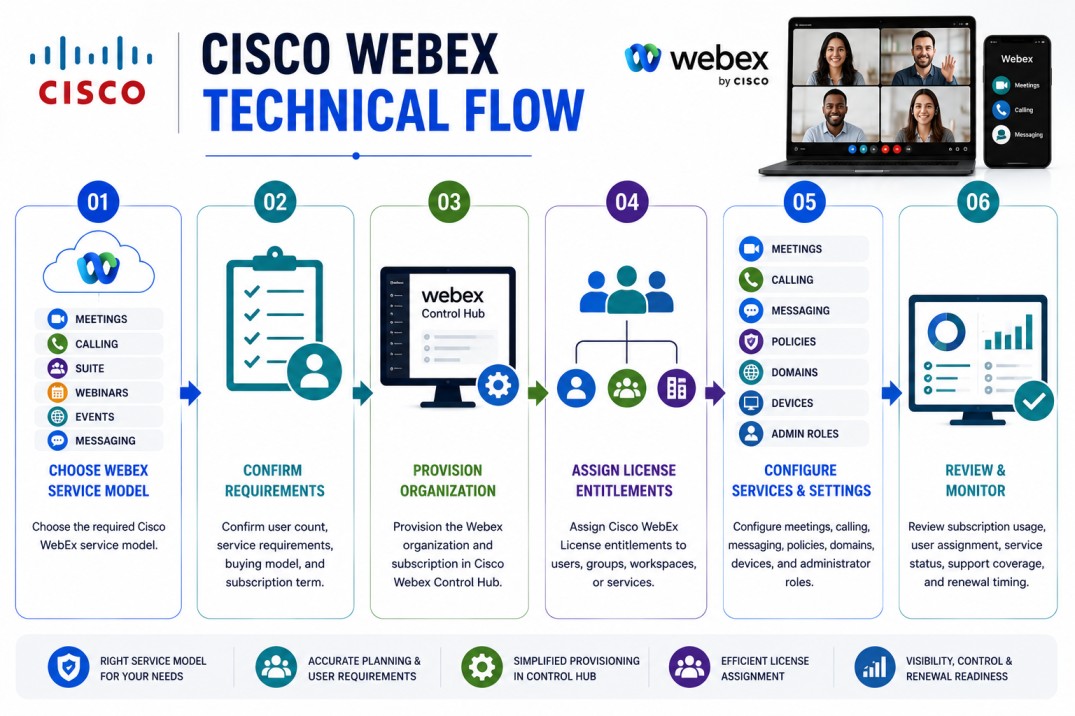
- Choose the required Cisco WebEx service model: Meetings, Calling, Suite, Webinars, Events, or messaging
- Confirm user count, service requirements, buying model, and subscription term
- Provision the Webex organization and subscription in Cisco Webex Control Hub
- Assign Cisco WebEx License entitlements to users, groups, workspaces, or services
- Configure meetings, calling, messaging, policies, domains, devices, and administrator roles
- Review subscription usage, user assignment, service status, support coverage, and renewal timing
Options & Licensing Models
| Licensing Model | Best for | Typical Scope | What affects pricing |
|---|---|---|---|
| Webex Suite | Full collaboration environments | Meetings, calling, messaging, webinars, and broader Webex services | User count and suite level |
| Webex Meetings | Meeting-focused organizations | Online meetings, video conferencing, screen sharing, and meeting hosts | Host/user count and meeting needs |
| Webex Calling | Cloud calling environments | Business calling, phone numbers, calling features, and user calling services | Calling users and calling plan scope |
| Named User | Specific teams or departments | Licenses assigned to individual users | Number of named users |
| Enterprise Agreement | Larger organizations | Broader collaboration coverage across knowledge workers | Organization size and agreement scope |
| Control Hub license management | Administration and assignment | User, group, workspace, and subscription management | Admin process and service structure |
Features & Benefits
As organizations support remote work, hybrid teams, customer meetings, and distributed communication, collaboration licensing becomes important for keeping services aligned with user needs. Cisco WebEx helps organizations centralize meetings, calling, messaging, webinars, and collaboration administration in one platform. This makes it easier to manage user access, service assignment, communication policies, and renewal planning.
One major benefit is flexibility. Teams can use Webex for different collaboration needs, from simple video meetings to broader cloud calling and messaging workflows. Another benefit is centralized administration. Webex Control Hub gives administrators a single place to manage users, subscriptions, services, licenses, devices, settings, and reporting visibility.
The platform also supports business continuity. Users can communicate from different locations and devices, making it easier for teams to stay connected during travel, remote work, customer calls, and internal collaboration. Over time, Cisco WebEx licensing helps organizations reduce tool fragmentation, improve user experience, simplify administration, and keep collaboration services aligned with business growth.
System Requirements
Common environments
- Cloud collaboration and hybrid work environments
- Enterprise meetings and video conferencing
- Webex Calling and cloud telephony deployments
- Team messaging and workspace collaboration
- Webinars, events, and customer-facing communication workflows
- Hybrid Cisco UC and Webex-connected environments
Technical requirements
- Webex Control Hub organization and administrator access
- Correct Webex subscription or Collaboration Flex Plan entitlement
- User, group, workspace, and service inventory
- Domain, identity, SSO, directory sync, and security policy planning where required
- Network, device, calling, PSTN, and meeting requirements based on selected services
How activation works
Activating Cisco WebEx licensing usually starts after the subscription is purchased and the Webex organization is prepared in Cisco Webex Control Hub. Once the order is available, administrators can provision the Webex services, connect the subscription to the correct organization, and begin assigning licenses to users or groups. License assignment can be handled manually for individual users or automated through group or organization-based assignment rules depending on the administration model.
For user-based subscriptions, administrators should validate that the right users receive the correct services, such as Meetings, Calling, Messaging, Webinars, or Suite features. For larger organizations, license templates can help reduce manual work and keep new users aligned with the correct service package.
After services are assigned, administrators should confirm that users can access the expected Webex features, join meetings, use calling services, access messaging, or manage webinars where applicable. After activation, organizations should regularly review subscription usage, inactive users, assigned licenses, service adoption, renewal timing, and support coverage to ensure the Cisco WebEx License remains aligned with actual collaboration usage.
Pricing factors + quote process
Pricing for Cisco WebEx usually depends on user count, selected service package, buying model, subscription term, support coverage, and required collaboration features.
A meeting-only deployment may have a different license scope than a Webex Suite deployment that includes meetings, calling, messaging, webinars, and broader collaboration services. A Named User purchase may also be different from an Enterprise Agreement model that covers a wider user base.
Additional considerations such as Webex Calling, PSTN requirements, workspace devices, webinars, events, compliance features, Control Hub administration, hybrid UC integration, support level, and renewal timing can also influence the final quote.
During the quote process, the Cisco WebEx environment, user count, required services, buying model, and activation workflow are reviewed first so the licensing approach can match the organization’s collaboration strategy more accurately.
After you request a quote
- We review your Cisco WebEx service requirements and user scope
- Identify the right Cisco WebEx License model and subscription package
- Validate Control Hub, calling, meeting, webinar, and support requirements
- Provide official pricing, delivery details, and activation guidance
Cisco WebEx pricing depends on your license type, deployment model and support requirements.