

SolarWinds UDT (User Device Tracker) helps organizations track users, devices, and switch ports across enterprise networks, making it easier to identify where endpoints are connected and improve network access visibility.
Quick benefits
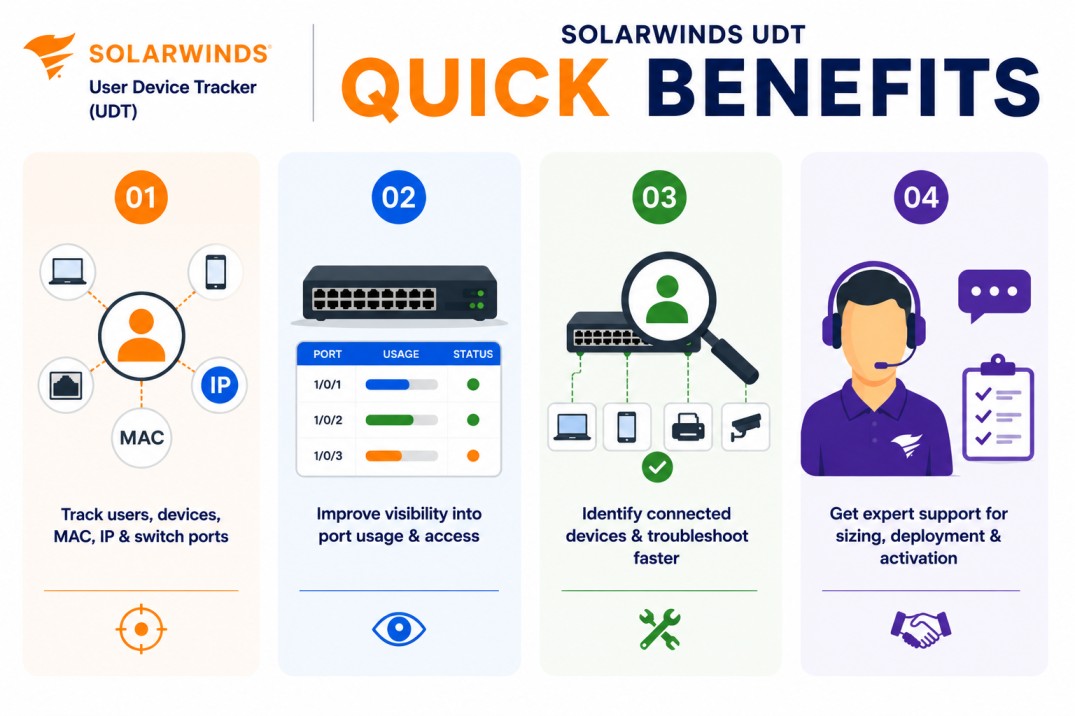
- Track users, devices, MAC addresses, IP addresses, and switch ports
- Improve visibility into port usage and network access activity
- Identify connected devices and support faster troubleshooting
- Get expert support for sizing, deployment, and activation
SolarWinds UDT At a glance
What it does : SolarWinds UDT monitors devices, ports, and users across the network and helps teams analyze port use, capacity, and connected-device visibility.
License type : Port-based licensing
Typical term : 1 year · 3 years · product-dependent options
Activation method : Online activation through SolarWinds licensing workflows or offline/manual activation using a Machine ID and license file
Who needs it : Organizations that need to identify connected devices, track endpoint locations, monitor switch port usage, and improve visibility across enterprise access networks

License Overview
Organizations deploying user and device tracking tools usually need licensing that reflects the number of switch ports or access ports being monitored across the network. The SolarWinds UDT license is based on monitored ports. SolarWinds documentation states that each UDT license tier defines the maximum number of ports that can be managed and monitored, with tiers such as UT2500, UT5000, UT10000, UT25000, UT50000, and UTX for unlimited ports.
Because device tracking depends heavily on access-layer visibility, licensing should be planned around real switch port coverage rather than only the number of switches. A network with fewer switches but many access ports may require a larger license than expected. A properly aligned license helps organizations maintain device visibility, improve port usage awareness, and support faster troubleshooting as users, endpoints, and access-layer networks grow.
Product Overview
Enterprise networks often include thousands of connected endpoints across switches, VLANs, offices, and access layers. Without centralized tracking, finding where a specific device is connected can take time and may require manual switch checks.
SolarWinds UDT is designed to simplify this process by tracking devices, users, and switch ports from a centralized SolarWinds workflow.
In practice, the platform helps administrators search for devices by details such as IP address, hostname, or MAC address and identify where those devices are connected in the network. SolarWinds describes UDT as a tool for monitoring devices, ports, and users while supporting port use and capacity analysis.
One of the main operational advantages is faster endpoint location tracking. Instead of manually tracing a device through multiple switches, teams can quickly identify the associated switch, port, and related network details.
For organizations managing large access networks, SolarWinds UDT helps improve operational visibility, reduce troubleshooting time, and maintain better control over port utilization.
Core technical flow
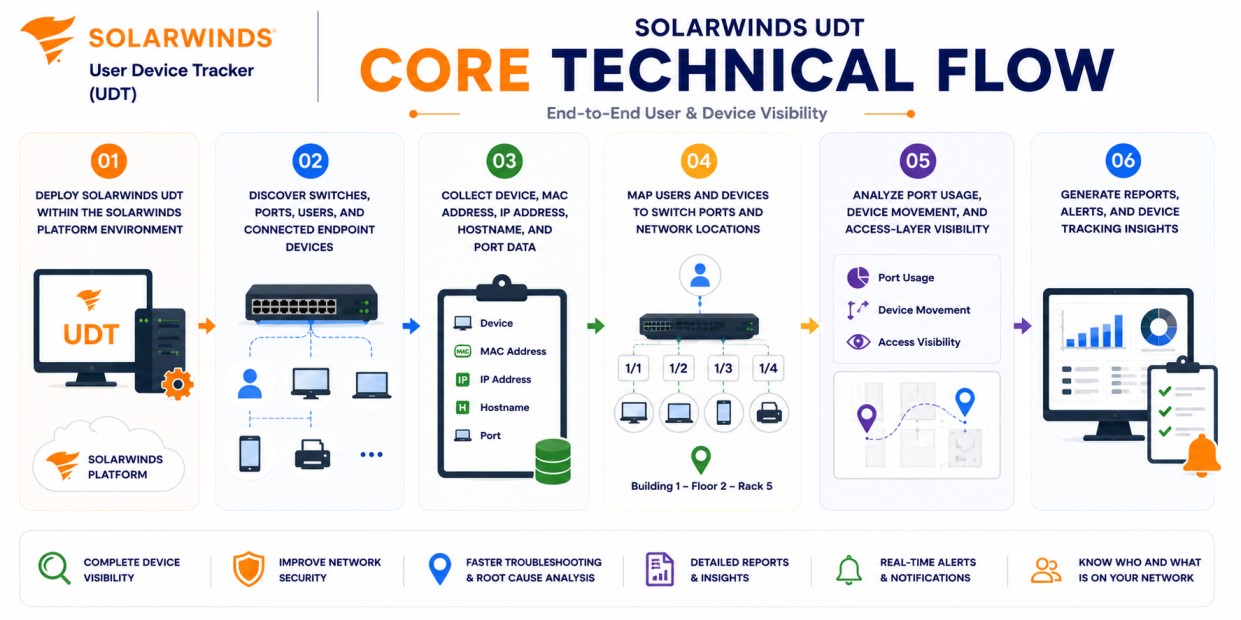
- Deploy SolarWinds UDT within the SolarWinds Platform environment
- Discover switches, ports, users, and connected endpoint devices
- Collect device, MAC address, IP address, hostname, and port data
- Map users and devices to switch ports and network locations
- Analyze port usage, device movement, and access-layer visibility
- Generate reports, alerts, and device tracking insights
Options & Tiers
| Licensing Model | Best for | Typical Scope | What affects pricing |
|---|---|---|---|
| UT2500 | Small access networks | Up to 2,500 monitored ports | Port count |
| UT5000 / UT10000 | Growing environments | Mid-size port monitoring | Network scale |
| UT25000 / UT50000 | Large enterprise networks | Broad switch port visibility | Access-layer size |
| UTX | Very large environments | Unlimited monitored ports | Enterprise scope |
Features & Benefits
Unknown devices, unused ports, and unclear endpoint locations can create operational delays and visibility gaps across enterprise networks. SolarWinds UDT helps reduce this problem by centralizing user, device, and switch port tracking from one platform.
One of the major benefits is improved troubleshooting speed. Network teams can quickly locate where a device is connected and understand port-level details without manually checking multiple switches.
The platform also supports capacity planning by helping teams analyze port usage and identify underused or heavily used access-layer resources. Over time, SolarWinds UDT helps organizations improve network access visibility, reduce manual tracking effort, and maintain better operational control over connected devices.
System Requirements
Common environments
- Enterprise access networks
- Campus and branch office networks
- Multi-switch and multi-site environments
- Network operations and help desk teams
Technical requirements
- Supported SolarWinds Platform deployment infrastructure
- Network connectivity to monitored switches and devices
- Proper polling access to collect switch, port, and device information
- Internet access or offline/manual activation support
How activation works
Activating SolarWinds UDT usually starts after the product module is installed and the purchased entitlement is available through the SolarWinds licensing workflow. In connected environments, activation can generally be completed through the SolarWinds Platform Web Console and License Manager using the provided license information.
For restricted or offline environments, SolarWinds UDT can support manual activation workflows. After installation, the system generates a unique Machine ID for that specific deployment. SolarWinds documentation describes offline activation through License Manager, where the Machine ID is copied, used in the Customer Portal, and then a generated .LIC file is imported back into the offline server.
The resulting license file is typically node-locked, meaning it is tied to that specific server or installation environment. It is also module-specific, so a license generated for SolarWinds UDT is intended for the User Device Tracker module and should not be reused for another SolarWinds product.
Depending on the deployment and license tier, activation may validate monitored port capacity, device tracking features, reporting capabilities, and SolarWinds Platform integration. After activation, organizations should review monitored port usage, discovered devices, switch coverage, and reporting visibility to ensure SolarWinds UDT remains aligned with the purchased license capacity.
Pricing factors + quote process
Organizations usually size SolarWinds UDT according to the number of switch ports that need to be monitored.
Environments with large access layers, multiple branches, campus networks, or many connected endpoints may require broader port-based licensing and more careful deployment planning.
Additional considerations, such as SolarWinds Platform architecture, polling requirements, module combinations, reporting needs, support coverage, and subscription term, can also influence pricing.
During the quote process, switch inventory, monitored port count, device tracking goals, and activation requirements are reviewed first so the licensing approach can match the organization’s network access visibility strategy more accurately.
After you request a quote
- We review your switch port and device tracking scope
- Recommend the most suitable SolarWinds UDT license tier
- Provide official pricing and delivery details
- Share activation and deployment guidance
Pricing depends on your license edition, quantity, term, and deployment needs.