

HP SAN Switch M-series License selection begins with identifying the hardware. HPE M-series Ethernet storage switches and older HP StorageWorks M-series Fibre Channel equipment use different software and licensing systems. An HPE M-series license must match the exact product number, operating system, and required upgrade.
This category focuses on model-specific Ethernet storage networking entitlements, with legacy Fibre Channel requests assessed separately. Explore the parent HP SAN Switch License category and broader HP License portfolio for related requirements.
Quick Benefits
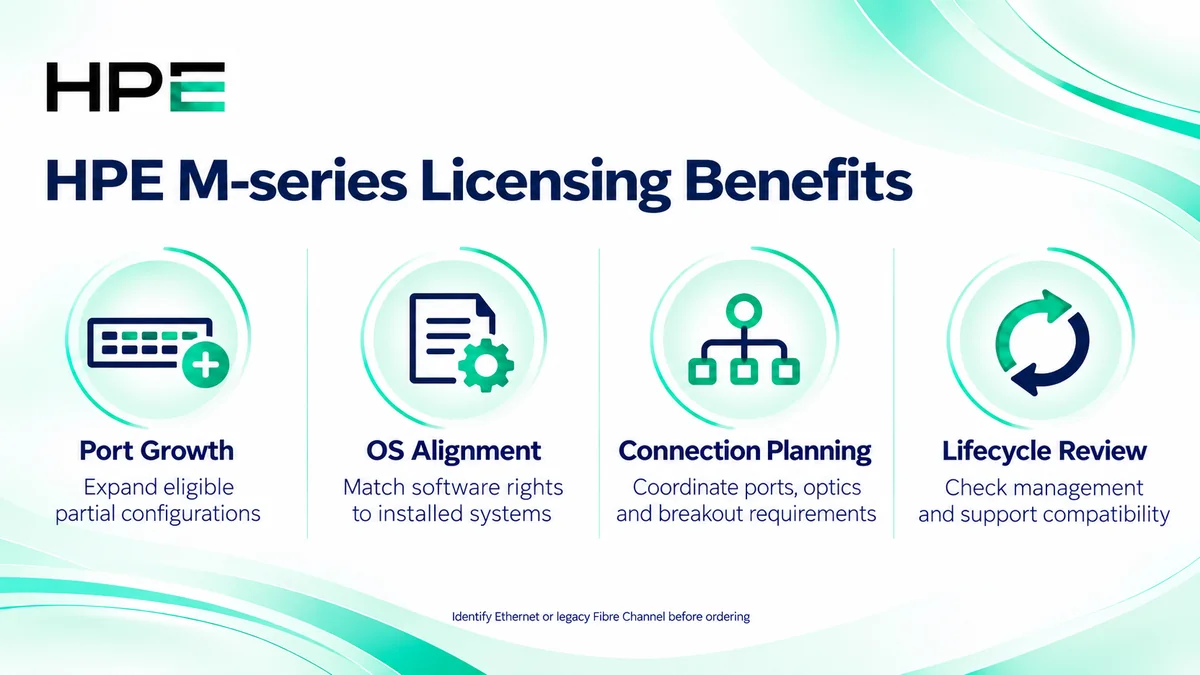
- Expand enabled ports on eligible configurations
- Match entitlements to the installed operating system
- Plan optics and connection capacity together
- Review lifecycle and management compatibility before purchase
Review HP SAN Switch M-series Price List and request a quote tailored to your licensing needs.
At a Glance
- Vendor: Hewlett Packard Enterprise
- Primary scope: M-series Ethernet storage networking
- Examples: SN2410M, SN2410bM, and SN2700M configurations
- License focus: Eligible port activation and software rights
- Required identifiers: Product number, serial number, OS, and existing entitlement
- Legacy distinction: StorageWorks Fibre Channel M-series requires separate assessment

Features & Benefits
Supported Port Growth
Selected partially activated M-series Ethernet configurations support licensed expansion. SN2410M and SN2410bM upgrade options differ, and SN2700M uses its own model-specific expansion entitlement. Count enabled physical ports and required connections before ordering. Fully activated configurations may already provide the required capacity.
Operating System and Connection Alignment
Onyx and ONIE hardware offerings require careful identification. ONIE is an installation environment, so an ONIE SKU does not by itself establish rights to every network operating system. Match the installed software and supported optics to the purchased entitlement. Breakout connections also have platform-specific restrictions.
Lifecycle and Management Planning
Management compatibility depends on the platform and software release. HPE has discontinued Network Orchestrator support for M-series switches following Mellanox NEO end of life. Review the documented management path instead of assuming historical orchestration software remains supported. Include firmware and support eligibility in expansion planning.
License Overview
There is no single M-series license covering all generations, ports, and operating systems. Some Ethernet switches ship fully enabled; eligible partial configurations use specific port upgrades. Software rights, physical components, and support are separate purchasing considerations. Verify the entitlement basis and delivery documents rather than assuming every license is a recurring subscription.
Product Overview
M-series Ethernet switches provide connectivity for supported IP storage and data center designs. Their operation differs from legacy Fibre Channel fabrics: Ethernet storage traffic follows the configured VLAN and IP topology rather than Fibre Channel zoning. Storage protocols and resilience depend on the complete design, including endpoints, adapters, and host configuration.
Core Technical Flow
A server sends storage traffic through an enabled Ethernet port. The switch forwards frames along the configured network path to the storage endpoint. Link speed, VLANs, routing where applicable, and host settings govern connectivity. A port entitlement makes supported capacity available; it does not configure storage sessions or host multipathing.
Options & Licensing Models
Start with installed rights and the exact outcome required. Confirm current orderability before selecting a historical part number.
| Scope | Assessment focus |
|---|---|
| Ethernet port upgrade | Model, active ports, expansion entitlement, and optics |
| Network operating system | Onyx or other installed NOS, hardware SKU, and software rights |
| Management and support | Release compatibility, lifecycle, and service coverage |
| Legacy Fibre Channel request | StorageWorks model, firmware, existing rights, and feasibility |
Compatibility & Requirements
Check HPE guidance for the exact OS release, adapters, storage interfaces, transceivers, and cables. Validate breakout mappings and physical port limits. Do not apply B-series Fabric OS or C-series NX-OS licensing procedures to M-series. Legacy StorageWorks systems require their own firmware and management documentation.
Activation & Deployment
Back up the configuration and collect hardware identifiers, installed software, active ports, existing licenses, and entitlement paperwork. Follow the supplied redemption instructions and release-specific installation guide. Supported Onyx releases document license installation, including applicable HPE AutoPass keys; use the procedure for the issued key format.
Verify license status and newly enabled ports, then apply the intended configuration. Check link negotiation, VLAN reachability, errors, and representative storage I/O. Confirm any reboot or other disruptive requirement before scheduling the change.
Pricing & Quote Process
Provide product numbers, quantities, OS versions, current entitlements, enabled versus required ports, and optics. Identify Onyx or ONIE hardware and distinguish Ethernet from legacy Fibre Channel. State whether the request concerns expansion, software rights, support, or replacement planning.
Request an M-series licensing quote to confirm compatibility, eligible upgrade scope, current availability, included components, and activation responsibilities.