

ManageEngine Network Configuration Manager helps organizations automate network configuration backup, track device changes, enforce compliance policies, and reduce operational risks caused by misconfigurations.
Quick benefits
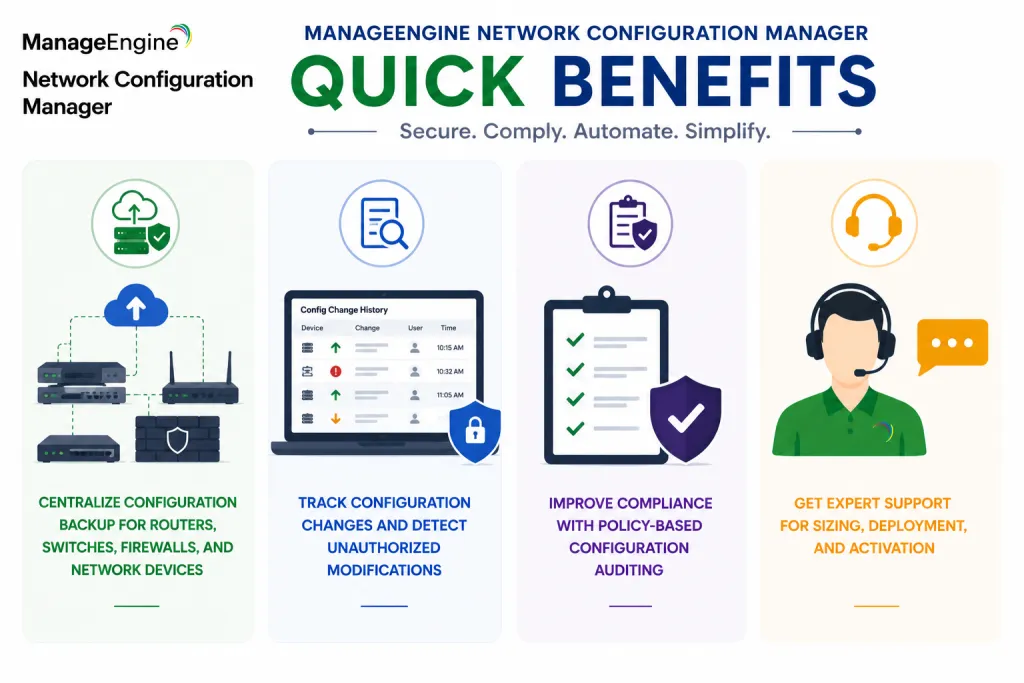
- Centralize configuration backup for routers, switches, firewalls, and network devices
- Track configuration changes and detect unauthorized modifications
- Improve compliance with policy-based configuration auditing
- Get expert support for sizing, deployment, and activation
ManageEngine Network Configuration Manager At a glance
What it does : ManageEngine Network Configuration Manager provides network device configuration backup, change tracking, compliance auditing, automation, and restore workflows.
License type : Subscription or perpetual licensing, depending on edition and deployment model
Typical term : 1 year · 3 years · perpetual options
Activation method : Online activation or offline XML-based activation
Who needs it : Organizations that need centralized configuration control, automated backup, change visibility, and compliance management across network infrastructure

License Overview
Organizations deploying network configuration management platforms usually need licensing that reflects how many devices must be managed, backed up, audited, and monitored across the environment. The ManageEngine Network Configuration Manager license is generally aligned with managed device count, configuration backup scope, compliance requirements, and enabled automation capabilities. This may include routers, switches, firewalls, wireless controllers, load balancers, and other supported network infrastructure.
Because network environments often include multiple vendors, distributed sites, and strict change-control requirements, licensing should be planned around real operational coverage rather than only the number of core devices. A branch-heavy environment, for example, may require broader device coverage even if the central network is relatively small. A properly aligned license helps organizations maintain configuration visibility, reduce manual backup effort, detect risky changes faster, and support more controlled network operations as infrastructure grows.
Product Overview
Configuration mistakes, unauthorized changes, and missing backups can create serious operational risk in enterprise networks. A small change on a router, switch, or firewall may affect connectivity, security policy, or service availability if it is not tracked properly.
ManageEngine Network Configuration Manager is designed to reduce this risk by centralizing configuration backup, change detection, compliance checks, and restore workflows from one management platform.
In practice, the platform connects to network devices, pulls configuration files, stores version history, and alerts teams when changes occur. Administrators can compare configuration versions, identify what changed, and restore previous configurations when needed.
One of the key strengths is configuration accountability. Instead of relying on manual records or device-by-device checks, teams can maintain a clear operational history of network changes.
For organizations managing multi-vendor or distributed networks, this approach helps improve stability, reduce configuration drift, and support stronger compliance with internal network standards.
Core technical flow
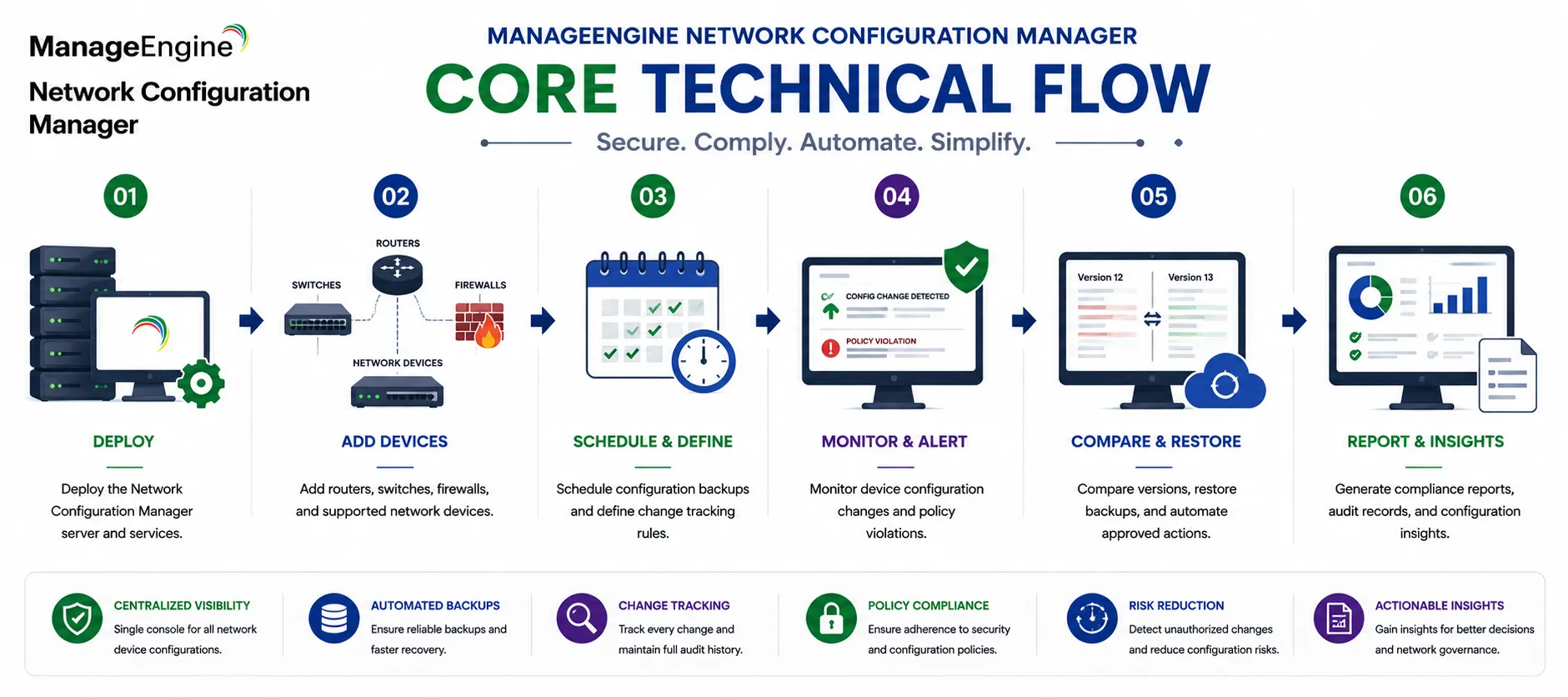
- Deploy the Network Configuration Manager server and services
- Add routers, switches, firewalls, and supported network devices
- Schedule configuration backups and define change tracking rules
- Monitor device configuration changes and policy violations
- Compare versions, restore backups, and automate approved actions
- Generate compliance reports, audit records, and configuration insights
Options & Tiers
| Licensing Model | Best for | Typical Scope | What affects pricing |
|---|---|---|---|
| Standard configuration backup | Core network operations | Device backup and change tracking | Managed device count |
| Compliance-focused deployment | Regulated environments | Configuration auditing and policy checks | Compliance scope |
| Enterprise deployment | Large distributed networks | Multi-site configuration management | Infrastructure scale |
| Subscription or perpetual | Flexible deployment models | Annual or permanent usage | Term and maintenance |
Features & Benefits
Network changes can become difficult to control when devices are managed manually across multiple teams, vendors, and locations.
ManageEngine Network Configuration Manager helps reduce this risk by centralizing configuration backup, version control, change alerts, and compliance monitoring across managed network devices.
One of the major benefits is faster recovery. If a device configuration is changed incorrectly, teams can compare versions and restore a known-good configuration more quickly.
The platform also improves compliance visibility by helping administrators check device configurations against internal standards, security policies, or regulatory requirements.
Over time, this helps organizations reduce configuration drift, improve change accountability, and maintain more stable network operations.
System Requirements
Common environments
- Enterprise network infrastructures
- Multi-vendor router, switch, and firewall environments
- Distributed branch office networks
- Compliance-focused network operations teams
Technical requirements
- Supported Windows or Linux deployment infrastructure
- Network connectivity to managed devices
- Device credentials and supported access protocols
- Internet connectivity or offline XML activation support
How activation works
Activating ManageEngine Network Configuration Manager usually starts with deploying the management server and applying the purchased license through the product administration interface. In online environments, activation can generally be completed from the console using the provided license information.
For restricted or offline environments, ManageEngine Network Configuration Manager can support XML-based activation workflows. In these scenarios, administrators generate or import an XML file with the customer’s chosen name and deployment details to activate the platform manually without requiring direct internet connectivity.
Depending on the edition and deployment model, activation may also validate managed device capacity, enabled modules, compliance features, backup automation capabilities, and reporting options. After activation, organizations should review managed device coverage, backup schedules, and compliance policies to ensure the deployment remains aligned with the active licensing capacity.
Pricing factors + quote process
Organizations usually size ManageEngine Network Configuration Manager according to managed network device count, configuration backup requirements, and change-control complexity.
Environments with many branches, multi-vendor infrastructure, strict compliance policies, or advanced automation needs may require broader licensing and more detailed deployment planning.
Additional considerations, such as edition type, managed device scope, reporting requirements, maintenance coverage, and subscription term, can also influence pricing.
During the quote process, device inventory, network management goals, and compliance requirements are reviewed first so the licensing approach can match the organization’s configuration management strategy more accurately.
After you request a quote
- We review your network device environment
- Recommend the most suitable Network Configuration Manager licensing model
- Provide official pricing and delivery details
- Share activation and deployment guidance
ManageEngine pricing depends on your license edition, users, devices, deployment model, term, and support needs.