

The Cisco FMC license helps organizations centrally manage Cisco Secure Firewall and Firepower Threat Defense environments through centralized policy control, event visibility, and Smart Licensing workflows. It is commonly planned around managed firewall count, enabled security subscriptions, deployment model, and activation requirements.
Key Benefits
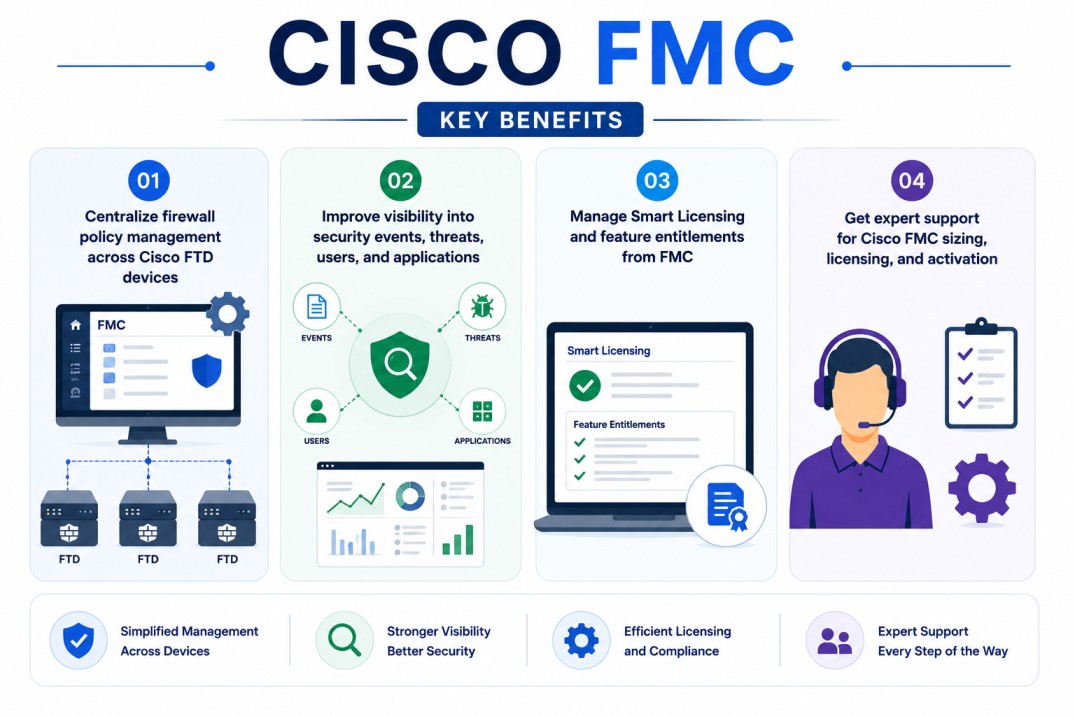
- Centralize firewall policy management across Cisco FTD devices
- Improve visibility into security events, threats, users, and applications
- Manage Smart Licensing and feature entitlements from FMC
- Get expert support for Cisco FMC sizing, licensing, and activation
Cisco FMC At a glance
What it does : Cisco FMC, also known as Cisco Secure Firewall Management Center, provides centralized management for Cisco Secure Firewall Threat Defense devices, including policy configuration, event monitoring, threat visibility, and licensing workflows. Cisco describes Firewall Management Center as the centralized event and policy manager for Cisco Secure Firewall Threat Defense.
Product family : Cisco Firewall License
License type : Smart Licensing-based, with licensing scope generally tied to managed FTD devices and enabled security features.
Typical term : Commonly 1 year · 3 years · 5 years depending on firewall subscriptions and selected security services.
Activation method : Cisco Smart Licensing through Cisco Smart Software Manager (CSSM), Smart Software Manager On-Prem for controlled environments, or Specific License Reservation for selected air-gapped use cases.
Who needs it : Organizations managing Cisco Secure Firewall / FTD deployments that require centralized policy control, visibility, security event analysis, and firewall license management.

License Overview
The Cisco FMC license is usually planned around the firewall management environment, the number of managed FTD devices, and the security features that need to be enabled across those devices. Cisco Smart Licensing allows licenses to be centrally organized and managed through Smart Accounts, Virtual Accounts, and Cisco Smart Software Manager. A properly sized Cisco FMC license helps ensure that managed FTD devices, security subscriptions, and centralized firewall management workflows remain aligned with the actual deployment scope.
In practice, FMC acts as the central management point for Smart Licensing in many Cisco Secure Firewall deployments. Cisco documentation explains that Smart License registration is performed on FMC, FMC communicates with CSSM, and administrators can assign or remove licenses for managed FTD devices from FMC.
Because Cisco firewall deployments can include physical appliances, virtual FTD instances, multiple sites, HA pairs, and different security subscriptions, licensing should be planned around real firewall coverage rather than only the management server itself. A properly aligned Cisco FMC licensing approach helps organizations maintain security feature availability, reduce entitlement gaps, and keep managed firewall devices aligned with the required threat, malware, URL, and management capabilities.
Product Overview
Managing firewall policies one device at a time becomes difficult as environments expand across branches, data centers, cloud-connected networks, and segmented security zones.
Cisco FMC is designed to centralize this work by giving security teams a single management platform for Cisco Secure Firewall Threat Defense deployments.
In practice, administrators can create and deploy access control policies, review security events, analyze threats, manage device configurations, and monitor firewall health from the FMC interface.
One of the main operational advantages is policy consistency. Instead of maintaining separate firewall rules and security visibility across each device, teams can manage policy logic and monitoring workflows from a centralized platform.
For organizations running distributed firewall environments, Cisco FMC supports a broader Cisco Security strategy through stronger security operations, better change control, and clearer visibility into network protection activity.
Core technical flow
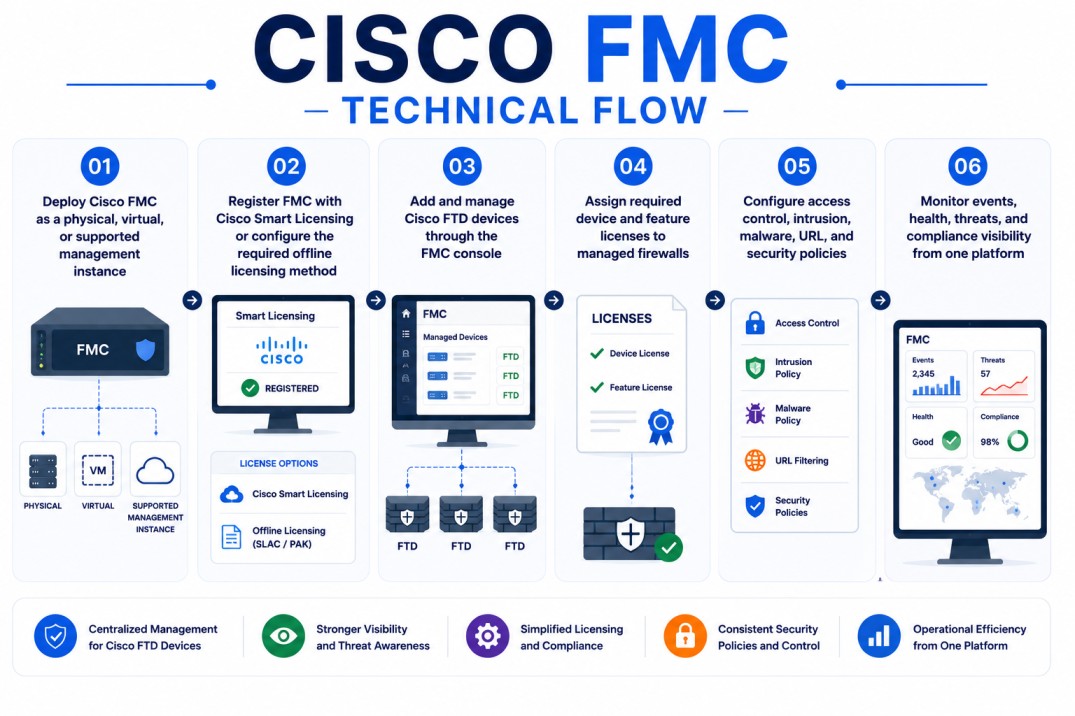
- Deploy Cisco FMC as a physical, virtual, or supported management instance
- Register FMC with Cisco Smart Licensing or configure the required offline licensing method
- Add and manage Cisco FTD devices through the FMC console
- Assign required device and feature licenses to managed firewalls
- Configure access control, intrusion, malware, URL, and security policies
- Monitor events, health, threats, and compliance visibility from one platform
Options & Tiers
| Licensing Model | Best for | Typical Scope | What affects pricing |
|---|---|---|---|
| Smart Licensing via CSSM | Connected environments | Centralized Cisco license management | Devices and subscriptions |
| Smart Software Manager On-Prem | Controlled enterprise environments | Local license management with Cisco synchronization | Deployment model |
| Specific License Reservation | Selected air-gapped deployments | Reserved licenses for restricted environments | Device and feature scope |
| Security subscriptions | Threat-focused deployments | Threat, malware, URL, and related services | Enabled features and term |
Features & Benefits
Distributed firewall environments can create security and operational risk when policy changes, event visibility, and license entitlements are managed inconsistently. Cisco FMC helps reduce this risk by centralizing firewall administration, security policy deployment, event monitoring, and licensing control for managed Cisco FTD devices.
One of the major benefits is stronger policy governance. Security teams can manage access rules, intrusion policies, malware controls, URL filtering, and device configurations from a unified management workflow.
The platform also improves visibility into users, applications, devices, vulnerabilities, threats, and security events, helping teams investigate activity and prioritize response from a central console. Cisco’s FMC datasheet describes extensive intelligence around users, applications, devices, threats, and vulnerabilities. Over time, Cisco FMC helps organizations improve firewall consistency, simplify security operations, and maintain better control over licensing and policy enforcement across Cisco Secure Firewall environments.
Compatibility & Requirements
Common environments
- Cisco Secure Firewall / Firepower Threat Defense environments
- Physical and virtual Cisco firewall deployments
- Distributed branch and data center firewall architectures
- Security operations and centralized firewall management teams
Technical requirements
- Supported Cisco FMC deployment model
- Managed Cisco FTD devices or compatible Cisco Secure Firewall targets
- Cisco Smart Account and Virtual Account access for Smart Licensing
- Connectivity to CSSM, Smart Software Manager On-Prem, or approved offline licensing workflow
How activation works
Activating Cisco FMC usually starts with deploying the FMC appliance or virtual management instance and preparing the Cisco Smart Account and Virtual Account where the firewall entitlements are held. In connected environments, FMC is registered to Cisco Smart Software Manager through Smart Licensing. Cisco documentation states that FMC communicates with CSSM over the internet and centrally manages licenses for managed FTD devices.
For controlled enterprise environments, Cisco Smart Software Manager On-Prem can be used when organizations need local license management instead of direct product communication to Cisco licensing services. Cisco describes SSM On-Prem as license server software that resides on the customer’s premises for customers who do not want to manage the installed base through a direct internet connection.
For air-gapped or highly restricted deployments, Cisco documentation lists options such as Smart Software Manager On-Prem and Specific License Reservation. Cisco also provides specific guidance for configuring SLR in FMC.
After FMC is registered or licensed through the selected method, administrators assign licenses to managed FTD devices from FMC. Depending on the deployment, this may include base device licensing and additional subscriptions such as threat, malware, URL filtering, or other security services. After activation, organizations should review license usage, device registration, feature enablement, and Smart Account alignment to confirm that Cisco FMC remains properly licensed for the deployed firewall environment.
Pricing factors + quote process
The final scope depends on the number of managed firewalls, required security services, deployment model, and Smart Licensing activation method. Organizations usually size Cisco FMC licensing according to managed firewall count, device model, deployment architecture, and enabled security subscriptions. Environments with multiple FTD appliances, HA pairs, virtual firewalls, distributed branches, or advanced security services usually require more detailed licensing and deployment planning.
Additional considerations, such as Cisco Smart Licensing model, SSM On-Prem requirements, air-gapped activation, support coverage, firewall throughput, and subscription term, can also influence the quote. During the quote process, firewall inventory, management architecture, security service requirements, and activation model are reviewed first so the licensing approach can match the organization’s Cisco Secure Firewall strategy more accurately.
After you request a quote
- We review your Cisco firewall and FMC environment
- Recommend the most suitable Cisco FMC licensing approach
- Provide official pricing and delivery details
- Share Smart Licensing and activation guidance
Cisco FMC pricing depends on your license type, deployment model and support requirements.