
Reviewed by GoLicense Technical Team · Last updated:
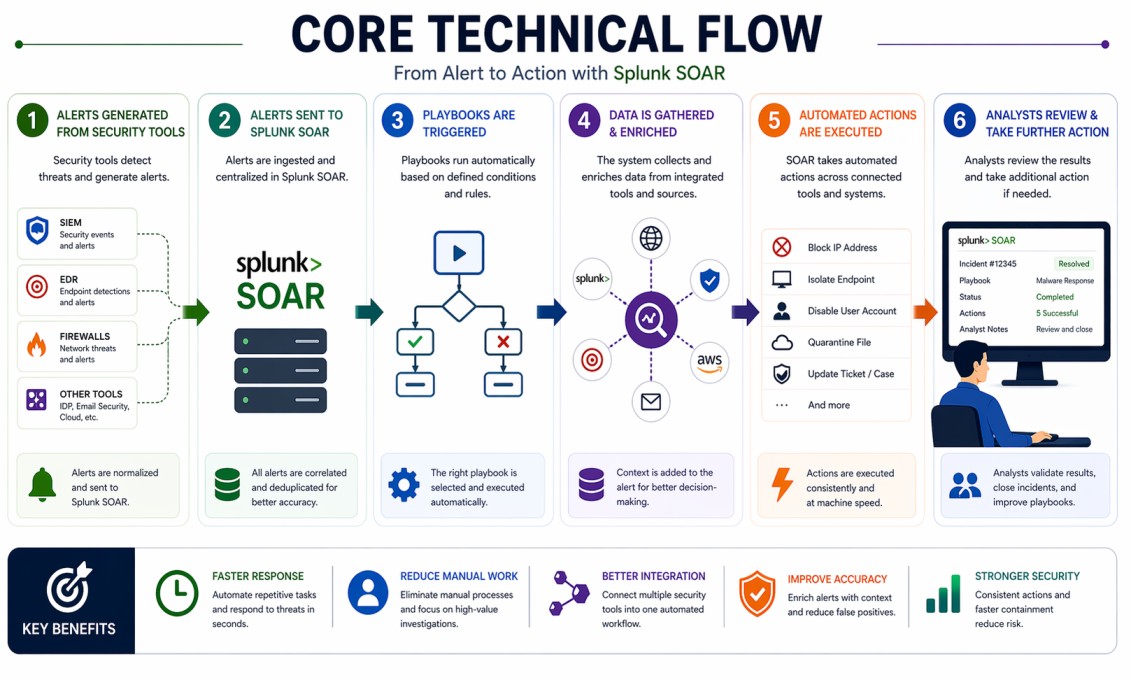
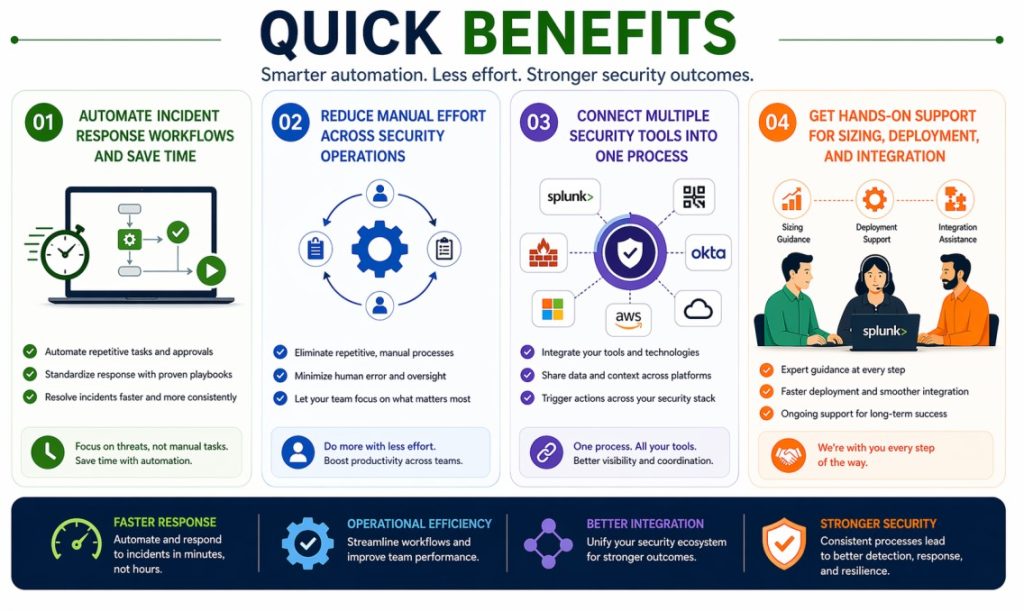
Splunk SOAR (formerly Splunk Phantom) is Splunk’s security orchestration, automation and response platform. It runs playbooks that enrich alerts, contain threats and open tickets automatically, using hundreds of integrations with security and IT tools. A Splunk SOAR license is sold by user seats, for Splunk SOAR (Cloud) or Splunk SOAR (On-premises).
Start with the selection guide below to choose between standalone SOAR and Enterprise Security Premier, then check how seats are counted, what the free community license allows and what to include in your quote request.
- Core product: Splunk SOAR (Cloud), hosted by Splunk, or Splunk SOAR (On-premises) on your own servers.
- License unit: user seats; on-premises seats are added in blocks of five, and SOAR Cloud packs start at two seats. On-premises licenses can also include additional tenants.
- Free option: the community license allows 100 licensed actions a day, one tenant and five open cases.
- Bundled option: SOAR is included in Splunk Enterprise Security Premier, together with UEBA.
- Integration: pairs with Splunk Enterprise Security 8 to run playbooks from findings and investigations.
- Quotation basis: number of seats, deployment type, tenants and term.
Request Splunk SOAR Pricing: Send the number of analysts and administrators who need to log in, whether you want SOAR Cloud or On-premises, the number of tenants, whether you already own Enterprise Security and the term you need.
Tell us how many analysts need SOAR and where it will run, and receive a tailored Splunk SOAR licensing quotation.
Which Splunk SOAR License Do You Need?
| Your requirement | Option to evaluate | What to confirm before ordering |
|---|---|---|
| Automate response with Splunk-hosted infrastructure | Splunk SOAR (Cloud) | Number of user seats |
| Keep automation inside your own network | Splunk SOAR (On-premises) | Seats, tenants and server sizing |
| SIEM plus automation and behavior analytics in one license | Splunk Enterprise Security Premier | Daily data volume or compute; SOAR and UEBA are included |
| Managed service provider running several customers | SOAR (On-premises) with multiple tenants | Number of tenants and seats |
| Learn SOAR or build playbooks in a lab | Community license (free) | 100 actions a day and one tenant are enough |
| Phishing and malware analysis inside playbooks | Splunk Attack Analyzer | Number of seats and daily submissions |
How Splunk SOAR Licensing Works
Seats
A seat is a user account that can log in to SOAR, including local accounts and accounts authenticated through LDAP or SAML. On-premises seats are added in blocks of five, while SOAR Cloud is also sold in smaller packs, such as two seats. The built-in automation and local administrator accounts do not use a seat. When all seats are in use, you cannot create new user accounts until you add seats.
Tenants
On-premises SOAR can separate data and playbooks into tenants, for example per business unit or per customer for managed service providers. The number of tenants is bought as an additional license parameter.
Community License
SOAR (On-premises) installs with a free community license: 100 licensed actions a day, one tenant and five cases in the New or Open state. It suits learning and playbook development, not production response. If a paid license expires, SOAR falls back to the community license limits.
SOAR in Enterprise Security Premier
Enterprise Security Premier includes SOAR and UEBA in one edition, priced by ingest, workload or activity. If you need a SIEM as well as automation, compare its price with buying Enterprise Security Essentials and standalone SOAR seats separately. Workload pricing does not apply to standalone SOAR.
From Splunk Phantom to Splunk SOAR
Splunk bought Phantom in 2018 and renamed it Splunk SOAR in 2021. Playbooks, apps and the community edition carried over, so “Phantom community edition” is today’s SOAR community license, and “Splunk Phantom license” requests are quoted as Splunk SOAR. Since Enterprise Security 8, SOAR playbooks can run directly from Enterprise Security findings and investigations.
Main Splunk SOAR SKUs
Use these part numbers as a starting point. Splunk SOAR (On-premises) SKUs still carry the former Phantom (PH) prefix.
| License | Part Number | Term or Type |
|---|---|---|
| SOAR Cloud subscription, Standard Success Plan, 2 user seats | SOAR-S-CLD-U-ST-2U | Cloud subscription |
| SOAR Cloud subscription, Standard Success Plan, 5 user seats | SOAR-S-CLD-U-ST-5U | Cloud subscription |
| SOAR Cloud subscription, Premium Success Plan, 10 user seats | SOAR-S-CLD-U-PR-10U | Cloud subscription |
| SOAR (On-premises) term user seat license, Standard Support, 5 user seats | PH-T-LIC-U-ST-5US | Term: 1 year |
| SOAR (On-premises) term user seat license, Premium Support, 5-seat increments | PH-T-LIC-U-PR-5U | Term: 1 year |
| SOAR (On-premises) term user seat license, Premium Support, 5-seat increments | PH-T-LIC-U-PR-5U-2YR | Term: 2 years |
| SOAR (On-premises) term user seat license, Premium Support, 5-seat increments | PH-T-LIC-U-PR-5U-3YR | Term: 3 years |
| SOAR (On-premises) term user seat license, Premium Support, 15 user seats | PH-T-LIC-U-PR-15U | Term: 1 year |
| SOAR (On-premises) warm standby, Standard Support | PH-T-LIC-W-ST | Warm standby only |
Older event-based licenses (for example PH-T-LIC-ST-25E, 25 events a day) and Security Operations Suite bundles are still listed for renewals. See every SOAR SKU with prices on our Splunk SOAR part numbers page.
Splunk SOAR Pricing & Quote
Splunk does not publish SOAR prices; each order is quoted. The price depends on the number of seats, the deployment type, additional tenants and the term, and multi-year terms lower the yearly cost. For indicative Splunk prices across products, see our Splunk pricing guide.
Your quotation should state the confirmed SKUs, seats, tenants, term, price, validity period and delivery terms.

Buying, Delivery and Activation with Golicense
-
Confirm the Licensing Scope
Share the number of seats, deployment type, tenants and term. Your quotation confirms the price, delivery time (1–2 days) and activation assistance.
-
Receive Your License
For SOAR (On-premises) you receive a license file; for SOAR (Cloud) the seats are applied to your cloud instance.
-
Activate SOAR
On-premises, go to Administration > Company Settings > License and upload the license key. Then pair SOAR with Enterprise Security if you use it, and enable the apps and playbooks you need.