

SolarWinds WPM (Web Performance Monitor) helps organizations monitor website performance, web application availability, transaction behavior, and user experience across internal and external web services.
Quick benefits
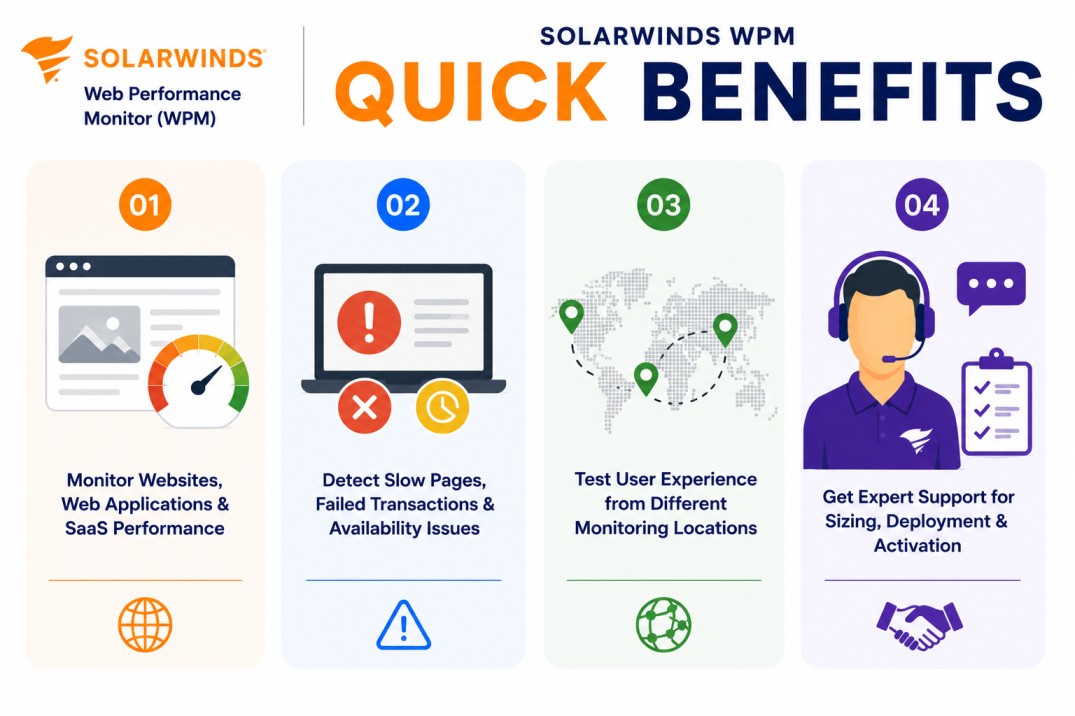
- Monitor websites, web applications, and SaaS transaction performance
- Detect slow pages, failed transactions, and availability issues
- Test user experience from different monitoring locations
- Get expert support for sizing, deployment, and activation
SolarWinds WPM At a glance
What it does : SolarWinds Web Performance Monitor monitors website and web application performance using synthetic transaction playback, page load tracking, and web service availability checks. SolarWinds describes WPM as a tool that detects website performance issues based on location, transactions, and page elements.
License type : Subscription or module-based licensing, depending on SolarWinds deployment model
Typical term : 1 year · 3 years · product-dependent options
Activation method : Online activation through SolarWinds License Manager or offline/manual activation using a Machine ID and license file
Who needs it : Organizations that need to monitor customer portals, internal web applications, SaaS services, login workflows, transaction steps, and web performance from multiple locations

License Overview
Organizations deploying web performance monitoring tools usually need licensing that reflects the number of web transactions, monitoring locations, and web services that require continuous visibility. The SolarWinds Web Performance Monitor (WPM) license is generally aligned with web transaction monitoring scope, playback requirements, monitored web applications, and the SolarWinds Platform environment where the module is deployed. This may include internal websites, external portals, SaaS applications, authentication flows, checkout steps, forms, and other business-critical web journeys.
Because web application performance depends on both page behavior and user transaction flow, licensing should be planned around actual monitoring coverage rather than only the number of websites. A single business portal may require several transaction recordings if users perform multiple important actions inside it. A properly aligned license helps organizations detect slow pages, failed steps, broken workflows, and availability issues before they affect users or business operations.
Product Overview
Web performance issues can be difficult to identify when a website appears available but user transactions are slow, incomplete, or failing in specific locations.
SolarWinds Web Performance Monitor is designed to reduce this visibility gap by monitoring web applications from the perspective of the user experience. SolarWinds documentation explains that WPM can capture typical end-user steps in a recording and replay those transactions from assigned locations to measure performance and availability.
In practice, the platform uses recorded transactions and WPM Players to test web workflows such as logins, form submissions, page navigation, and SaaS application access. These tests help teams understand whether web services are responding correctly and whether performance is consistent across locations.
One of the key strengths of SolarWinds WPM is transaction-level visibility. Instead of only checking whether a web server is online, teams can monitor whether a real user journey is working as expected.
For organizations running customer-facing portals, internal applications, or SaaS-dependent operations, this approach supports faster detection of web performance problems and more reliable digital service delivery.
Core technical flow
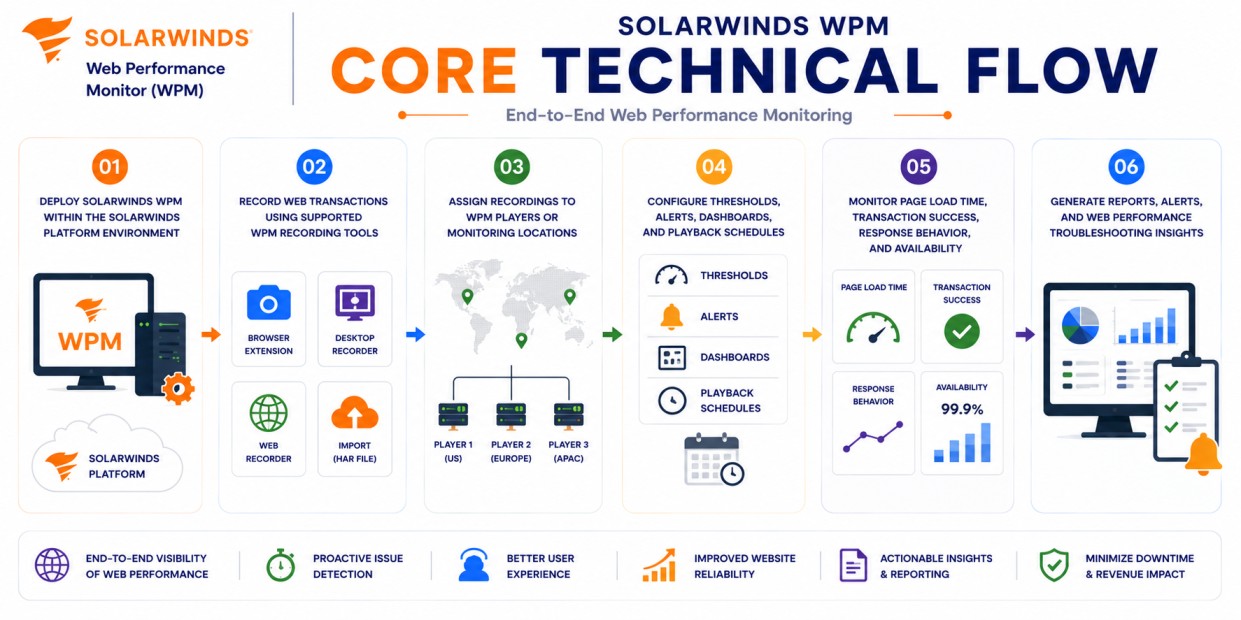
- Deploy SolarWinds WPM within the SolarWinds Platform environment
- Record web transactions using supported WPM recording tools
- Assign recordings to WPM Players or monitoring locations
- Configure thresholds, alerts, dashboards, and playback schedules
- Monitor page load time, transaction success, response behavior, and availability
- Generate reports, alerts, and web performance troubleshooting insights
Options & Tiers
| Licensing Model | Best for | Typical Scope | What affects pricing |
|---|---|---|---|
| Standard WPM deployment | Core web transaction monitoring | Website and transaction playback visibility | Transaction scope |
| Multi-location monitoring | Distributed user experience checks | Playback from different locations | Player/location count |
| Platform module licensing | SolarWinds Platform environments | WPM used with other monitoring modules | Product combination |
| Offline activation setup | Restricted environments | Manual license workflow | Deployment model |
Features & Benefits
As organizations depend more on web portals, SaaS platforms, customer-facing applications, and internal web services, maintaining clear visibility into user experience becomes increasingly important. SolarWinds WPM helps organizations centralize web transaction monitoring so teams can detect slow pages, failed steps, and availability issues from one operational platform.
One of the major benefits is early problem detection. Administrators can identify web performance issues before users report them, especially when transaction playback shows that a login, checkout, form, or application workflow is failing. The platform also supports stronger troubleshooting by helping teams understand whether the issue is related to page response time, transaction steps, web service behavior, or monitoring location. Over time, SolarWinds WPM helps organizations improve digital service reliability, reduce user-impacting outages, and maintain better visibility into web application performance.
System Requirements
Common environments
- Customer-facing websites and portals
- Internal web applications
- SaaS and cloud-hosted applications
- Distributed digital service monitoring environments
Technical requirements
- Supported SolarWinds Platform deployment infrastructure
- WPM Recorder and WPM Player deployment where required
- Connectivity from monitoring locations to target websites or applications
- Internet access or offline/manual activation support
SolarWinds documentation notes that after installing WPM on the SolarWinds Platform server, setup can include account permissions and deployment of Web Transaction Recorders and WPM Players to remote machines.
How activation works
Activating SolarWinds WPM usually starts after the product module is installed and the purchased entitlement is available through the SolarWinds licensing workflow. In connected environments, activation can generally be completed through the SolarWinds Platform Web Console and License Manager using the provided license information. SolarWinds Platform products can be managed through License Manager in the web console.
For restricted or offline environments, SolarWinds WPM can support manual activation workflows. After installation, the system generates a unique Machine ID for that specific deployment. This Machine ID is then used to obtain the correct license file, which is imported back into the installed SolarWinds environment.
The resulting license file is typically node-locked, meaning it is tied to that specific server or installation environment. It is also module-specific, so a license generated for SolarWinds WPM is intended for the Web Performance Monitor module and should not be reused for another SolarWinds product.
Depending on the deployment and license scope, activation may validate transaction monitoring capacity, WPM Player usage, reporting capabilities, playback features, and SolarWinds Platform integration. After activation, organizations should review monitored transactions, playback locations, alert policies, and web performance dashboards to ensure SolarWinds WPM remains aligned with the purchased entitlement.
Pricing factors + quote process
Organizations usually size SolarWinds WPM according to monitored web transactions, playback locations, web application scope, and digital experience monitoring requirements. Environments with multiple customer portals, internal applications, SaaS workflows, login paths, or geographically distributed monitoring needs may require broader licensing and more detailed deployment planning.
Additional considerations, such as SolarWinds Platform architecture, WPM Player deployment, module combinations, reporting requirements, support coverage, and subscription term, can also influence pricing. During the quote process, web application inventory, transaction monitoring goals, playback location requirements, and activation needs are reviewed first so the licensing approach can match the organization’s web performance monitoring strategy more accurately.
After you request a quote
- We review your web application and transaction monitoring scope
- Recommend the most suitable SolarWinds WPM license
- Provide official pricing and delivery details
- Share activation and deployment guidance
Pricing depends on your license edition, quantity, term, and deployment needs.