

ManageEngine PAM360 helps organizations secure privileged access, manage sensitive credentials, monitor administrative sessions, and improve visibility across critical IT systems.
Quick benefits
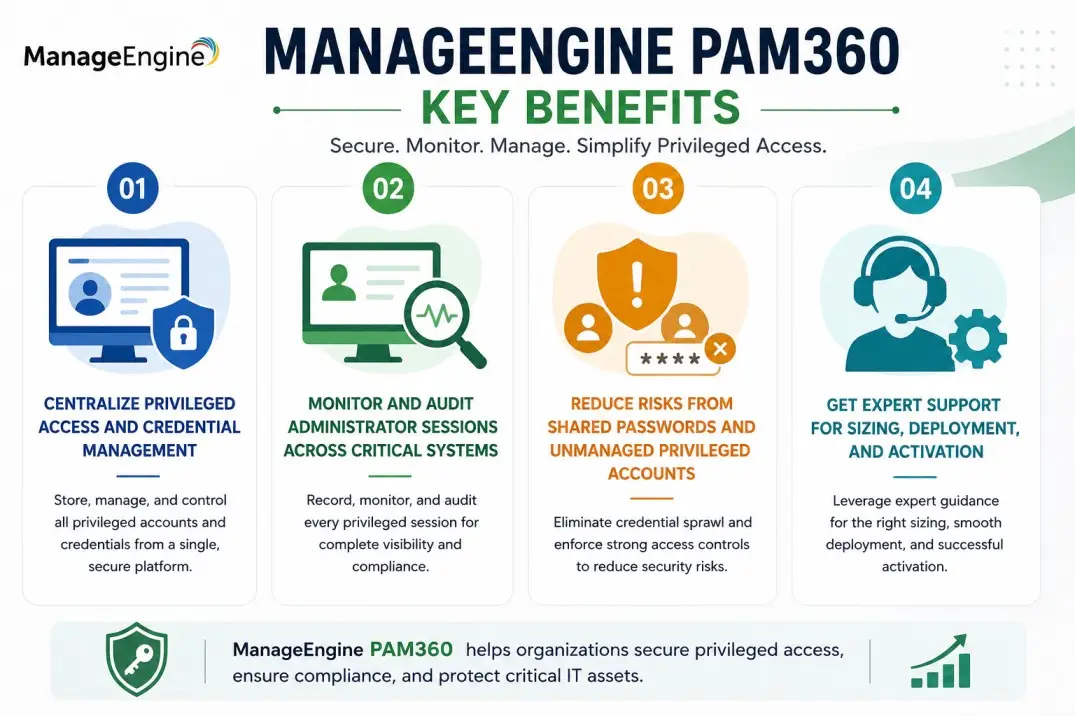
- Centralize privileged access and credential management
- Monitor and audit administrator sessions across critical systems
- Reduce risks from shared passwords and unmanaged privileged accounts
- Get expert support for sizing, deployment, and activation
ManageEngine PAM360 At a glance
What it does : ManageEngine PAM360 provides privileged access management, password vaulting, session monitoring, access governance, and audit visibility for enterprise environments.
License type : Subscription or perpetual licensing, depending on edition and deployment model
Typical term : 1 year · 3 years · perpetual options
Activation method : Online activation or offline XML-based activation
Who needs it : Organizations that need to secure privileged accounts, control administrator access, monitor sessions, and reduce risks around unmanaged credentials

License Overview
Organizations deploying privileged access management platforms usually need licensing that reflects the number of administrators, managed resources, privileged accounts, sessions, and security workflows involved across the environment. The ManageEngine PAM360 license is generally aligned with privileged access scope, managed credential volume, resource coverage, administrator usage, and enabled PAM capabilities. This may include servers, databases, network devices, cloud resources, applications, service accounts, and other sensitive systems that require controlled access.
Because privileged access environments often include internal IT teams, third-party vendors, service accounts, and regulated systems, licensing should be planned around real access and credential control requirements rather than only user count. A properly aligned license helps organizations secure privileged identities, reduce credential exposure, improve audit readiness, and support stronger governance as administrative access requirements grow.
Product Overview
Privileged access can become a serious security risk when credentials are shared manually, administrator sessions are not monitored, or sensitive systems are accessed without centralized control.
ManageEngine PAM360 is designed to reduce this risk by bringing privileged credential management, access control, session monitoring, and audit visibility into one platform.
In practice, administrators can store privileged credentials in a secure vault, define role-based access policies, control who can access specific resources, monitor privileged sessions, and generate audit-ready reports.
One of the key strengths of the platform is unified PAM visibility. Instead of managing passwords, access requests, and session records separately, teams can control privileged activity through a more structured workflow.
For organizations managing critical infrastructure, this approach helps reduce unmanaged access, improve accountability, and strengthen privileged access governance across the environment.
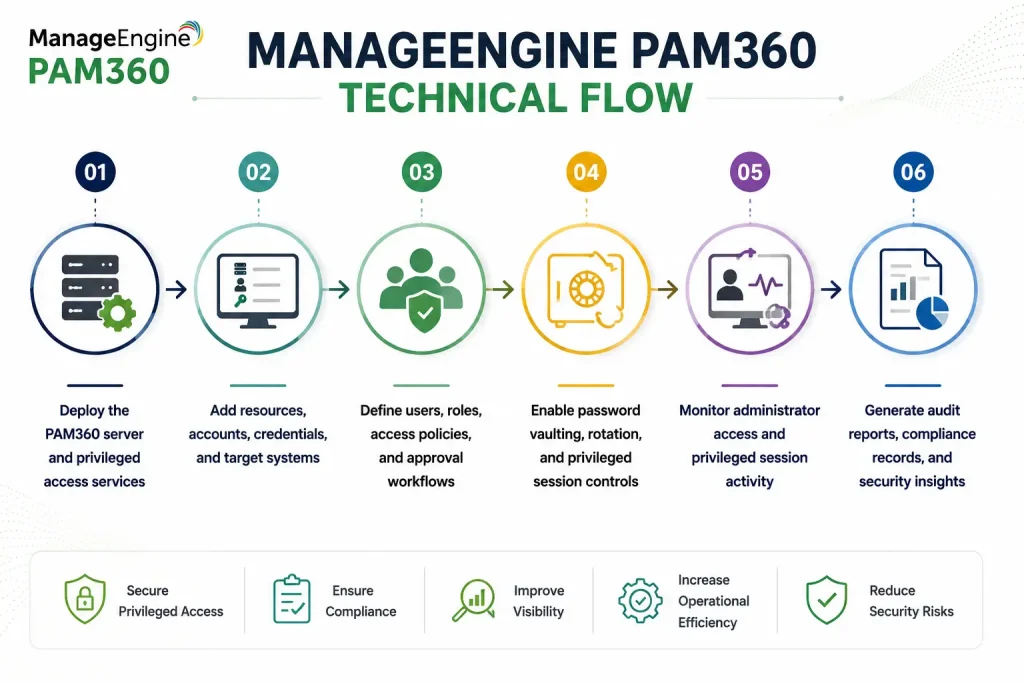
Core technical flow
- Deploy the PAM360 server and privileged access services
- Add resources, accounts, credentials, and target systems
- Define users, roles, access policies, and approval workflows
- Enable password vaulting, rotation, and privileged session controls
- Monitor administrator access and privileged session activity
- Generate audit reports, compliance records, and security insights
Options & Tiers
| Licensing Model | Best for | Typical Scope | What affects pricing |
|---|---|---|---|
| Standard PAM deployment | Core privileged access needs | Credential vaulting and access control | User/resource scope |
| Enterprise deployment | Large security environments | Advanced PAM workflows and integrations | Environment scale |
| Subscription or perpetual | Flexible deployment models | Annual or permanent usage | Term and maintenance |
| High-availability setup | Critical access environments | Redundancy and operational continuity | Architecture complexity |
Features & Benefits
Privileged access often expands across systems faster than teams can control it, especially when administrators, vendors, and service accounts need access to critical infrastructure. ManageEngine PAM360 helps reduce this exposure by centralizing credential storage, access control, session monitoring, and privileged activity reporting.
One of the major benefits is improved accountability. Security teams can track who accessed which system, when the access happened, and what actions were performed during privileged sessions. The platform also strengthens credential security by reducing manual password sharing, supporting password rotation, and enforcing controlled access policies. Over time, this helps organizations move from fragmented privileged access practices to a more secure, auditable, and governance-driven PAM model.
System Requirements
Common environments
- Enterprise IT infrastructures
- Privileged access management environments
- Security and compliance-focused organizations
- Distributed administrator and third-party access scenarios
Technical requirements
- Supported Windows or Linux deployment infrastructure
- Connectivity to managed resources and target systems
- Required permissions for credential and session management
- Internet connectivity or offline XML activation support
How activation works
Activating ManageEngine PAM360 usually starts with deploying the server and applying the purchased license through the product administration interface. In online environments, activation can generally be completed from the console using the provided license information.
For restricted or offline environments, PAM360 can support XML-based activation workflows. In these scenarios, administrators generate or import an XML file with the customer’s chosen name and deployment details to activate the platform manually without requiring direct internet connectivity.
Depending on the edition and deployment model, activation may also validate administrator limits, managed resource capacity, privileged account scope, session management features, password rotation capabilities, integrations, and high-availability options. After activation, organizations should review managed resources, privileged users, credential coverage, and session monitoring scope to ensure the deployment remains aligned with the active licensing capacity.
Pricing factors + quote process
Organizations usually size ManageEngine PAM360 according to privileged user count, managed resource scope, credential volume, and security workflow requirements. Environments with many administrators, third-party access needs, service accounts, password rotation policies, approval workflows, or session recording requirements may require broader licensing and more detailed deployment planning.
Additional considerations, such as edition type, integration requirements, high-availability architecture, maintenance coverage, and subscription term, can also influence pricing. During the quote process, privileged access goals, managed resource scope, and operational security requirements are reviewed first so the licensing approach can match the organization’s PAM strategy more accurately.
After you request a quote
- We review your privileged access environment
- Recommend the most suitable PAM360 licensing model
- Provide official pricing and delivery details
- Share activation and deployment guidance
ManageEngine pricing depends on your license edition, users, devices, deployment model, term, and support needs.