

Cisco Catalyst 9100 is a Cisco enterprise wireless access point family designed for secure Wi-Fi 6 and Wi-Fi 6E access, campus wireless, branch wireless, high-density user connectivity, IoT access, and controller-based WLAN deployments. Unlike Catalyst switches or routers, Cisco Catalyst 9100 focuses on wireless coverage, radio performance, client access, roaming, security, and integration with Cisco wireless controllers and management platforms. This page helps buyers understand Cisco Catalyst 9100 ordering considerations, review licensing and part-number requirements, and move to the related Cisco Catalyst 9100 part numbers for accurate quote planning.
Series Highlights
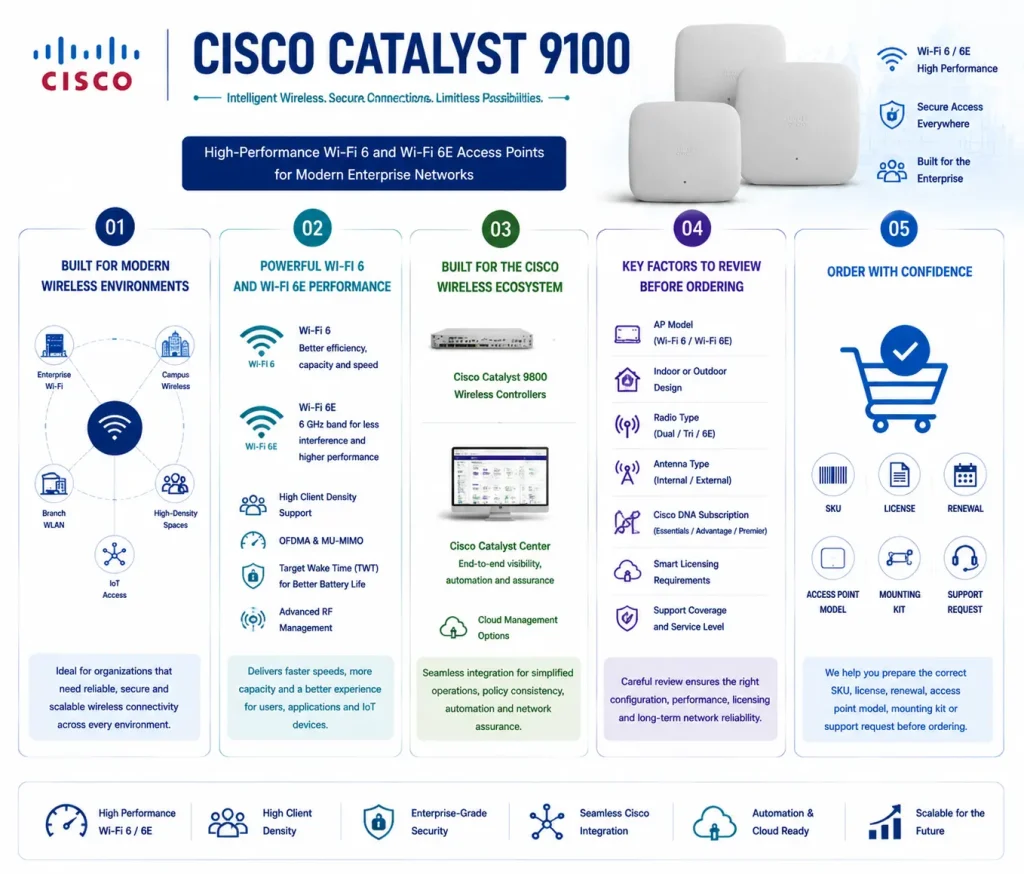
- Suitable for enterprise Wi-Fi, campus wireless, branch WLAN, high-density spaces, and IoT access
- Supports Wi-Fi 6 and Wi-Fi 6E access point options depending on the selected model
- Commonly deployed with Cisco Catalyst 9800 wireless controllers and Cisco Catalyst Center
- Requires careful review of AP model, indoor/outdoor design, radio type, antenna type, Cisco DNA subscription, Smart Licensing, and support coverage
- Helps buyers prepare the correct SKU, license, renewal, access point model, mounting kit, or support request before ordering
Cisco Catalyst 9100 At a glance
What it is : Cisco Catalyst 9100 is an enterprise wireless access point family for modern Wi-Fi access networks.
Product family : Cisco Catalyst Products
Typical use : Campus wireless, branch Wi-Fi, high-density WLAN, secure user access, IoT connectivity, Wi-Fi 6, Wi-Fi 6E, and controller-managed wireless deployments.
License or ordering scope : Access point model, Cisco DNA wireless subscription, controller compatibility, Smart Licensing, support renewal, antenna type, mounting accessories, power requirements, and deployment mode.
Who needs it : Organizations deploying or maintaining Cisco Catalyst 9100 access points that need the correct part number, wireless license, subscription term, support option, replacement AP, or activation guidance.
Series Overview
Cisco Catalyst 9100 access points are built for enterprise wireless networks where users, devices, applications, and IoT endpoints depend on reliable Wi-Fi coverage. They are commonly used in offices, campuses, schools, hospitals, hotels, warehouses, retail environments, and distributed branches.
In a typical deployment, Catalyst 9100 access points connect wireless clients to the corporate network through a Cisco wireless controller, often from the Cisco Catalyst 9800 family. They may also be managed as part of a wider campus design with Cisco Catalyst Center, depending on the customer’s architecture and license plan.
The value of Cisco Catalyst 9100 is not only wireless speed. Buyers should also consider coverage design, client density, roaming behavior, security policy, RF performance, controller compatibility, and subscription licensing. A small office may need a different access point model than a warehouse, lecture hall, hospital floor, or high-density meeting space.
Because wireless ordering depends on both hardware and licensing, the correct part number should be selected based on the access point model, radio capability, antenna design, power source, controller environment, Cisco DNA subscription, support term, and Smart Account readiness.
Licensing and Part Number Guidance
Choosing the correct part number for Cisco Catalyst 9100 depends on the exact access point model, wireless standard, deployment type, controller platform, Cisco DNA subscription, support term, and required accessories. Some deployments may need indoor access points for normal office coverage. Others may need outdoor APs, external antennas, high-density models, Wi-Fi 6E capability, mounting kits, power injectors, or specific regulatory-domain models. These details should be checked before ordering because access point SKUs can vary by model, radio type, antenna option, and region.
Cisco Catalyst 9100 licensing is commonly connected to Cisco DNA Software Subscriptions for wireless. The required subscription can depend on whether the APs are used with Cisco Catalyst 9800 wireless controllers, Catalyst Center, or another supported deployment model. Buyers should also confirm the subscription term, license tier, Smart Account, and renewal requirement.
For replacement or expansion projects, the existing controller version, AP model mix, license status, and support coverage should be reviewed before selecting the final SKU.
Common Use Cases
| Use case | Why it matters |
|---|---|
| Campus wireless access | Provides enterprise Wi-Fi coverage for users, mobile devices, laptops, and collaboration tools |
| High-density WLAN | Supports areas such as lecture halls, meeting rooms, hospitals, hotels, and public spaces with many clients |
| Wi-Fi 6 and Wi-Fi 6E refresh | Helps modernize older wireless networks with newer radio capabilities and better client performance |
| Branch wireless deployment | Provides manageable wireless access for distributed offices, retail sites, and remote locations |
| IoT and device connectivity | Supports wireless access for scanners, sensors, cameras, medical devices, and operational endpoints |
| AP replacement or renewal planning | Helps validate AP model, controller support, Cisco DNA subscription, accessories, and support coverage before ordering |
Models, Licenses, and Ordering Scope
| Area to check | What to confirm |
|---|---|
| Access point model | Exact Cisco Catalyst 9100 AP model, indoor or outdoor type, and wireless standard requirement |
| Deployment role | Campus Wi-Fi, branch wireless, high-density WLAN, outdoor coverage, IoT access, or replacement AP |
| Radio and antenna design | Wi-Fi 6, Wi-Fi 6E, internal antenna, external antenna, directional antenna, or coverage-specific requirement |
| Controller environment | Cisco Catalyst 9800 controller, embedded wireless controller, Catalyst Center, or supported wireless architecture |
| License type | Cisco DNA wireless subscription, support renewal, Smart License, or product-specific license requirement |
| Accessories | Mounting kits, power injectors, antennas, brackets, cables, or other deployment accessories |
| Quantity | Number of access points, locations, floors, controllers, licenses, spare units, or renewal targets |
| Term | 3-year, 5-year, 7-year, renewal, subscription, or support coverage period |
| Activation method | Smart License, SLP, Cisco DNA subscription workflow, or product-specific activation where applicable |
| Part number | Correct Cisco Catalyst 9100 AP SKU and related license, subscription, accessory, renewal, or support item |
What to Check Before Requesting a Quote
Before requesting a quote for Cisco Catalyst 9100, confirm the exact AP model, number of access points, indoor or outdoor requirement, antenna type, controller platform, Cisco DNA subscription need, support term, and Smart Account status. You should also define the wireless use case clearly. A normal office floor, outdoor area, warehouse, school, hospital, hotel, or high-density auditorium may each require a different access point model, antenna choice, mounting accessory, and license plan.
For existing networks, check the current wireless controller version, AP compatibility, license status, and support coverage before ordering. This helps avoid problems with unsupported AP models, wrong regulatory-domain SKUs, missing subscriptions, or incorrect renewal items.
Activation and Delivery Notes
After the correct Cisco Catalyst 9100 part number is selected, activation depends on the wireless deployment model, controller environment, Cisco DNA subscription, and licensing workflow. Many Catalyst 9100 deployments use Cisco Smart Licensing and Cisco DNA wireless subscriptions for entitlement visibility and renewal management. If APs are connected to Cisco Catalyst 9800 controllers or managed through Catalyst Center, the required license and subscription structure should be validated before delivery.
For hardware delivery, compatibility should be checked before shipment. The AP model, antenna type, power option, mounting kit, regulatory domain, and controller software version must match the planned wireless design. For renewal, replacement, or expansion projects, the current license and support status should be reviewed first. This helps keep the ordered SKU aligned with the real wireless access requirement.
Cisco Catalyst 9100 pricing depends on your Switch series, license type, deployment model and support requirements.