

ManageEngine AD360 helps organizations centralize identity management, Active Directory administration, user self-service, auditing, and Microsoft 365 visibility from a unified IAM platform.
Quick benefits
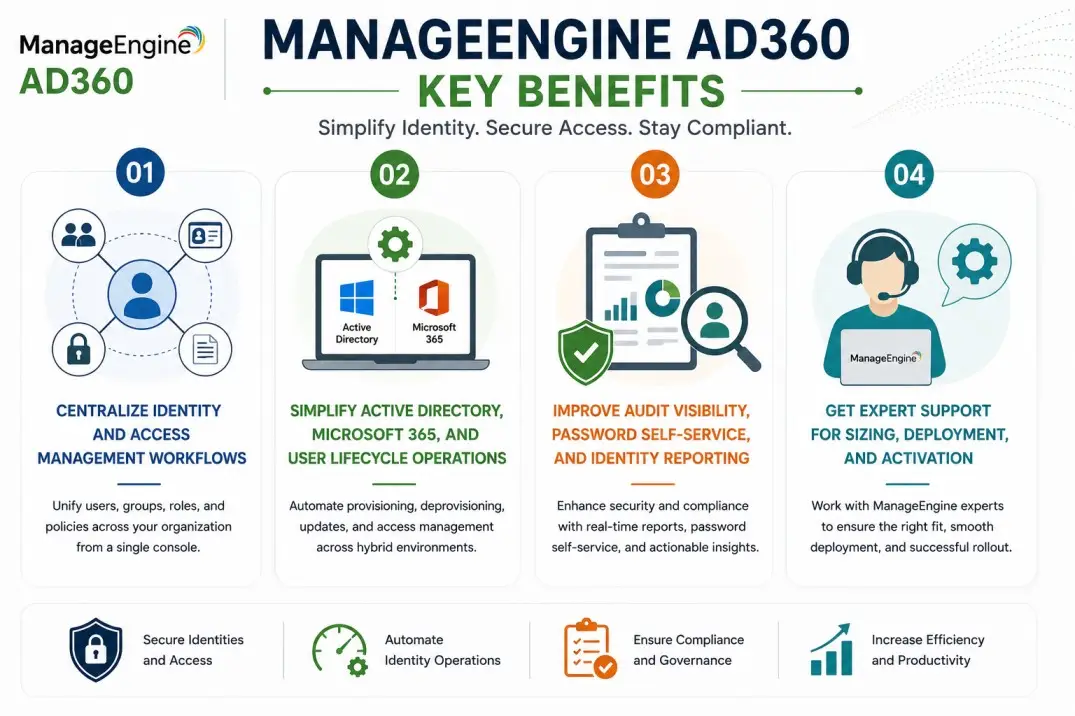
- Centralize identity and access management workflows
- Simplify Active Directory, Microsoft 365, and user lifecycle operations
- Improve audit visibility, password self-service, and identity reporting
- Get expert support for sizing, deployment, and activation
ManageEngine AD360 At a glance
What it does : ManageEngine AD360 provides integrated identity and access management capabilities across Active Directory, Microsoft 365, Exchange, user provisioning, auditing, password self-service, and reporting workflows.
License type : Subscription or perpetual licensing, depending on edition and deployment model
Typical term : 1 year · 3 years · perpetual options
Activation method : Online activation or offline XML-based activation
Who needs it : Organizations that need centralized identity administration, audit visibility, password self-service, and user lifecycle management across enterprise environments

License Overview
Organizations deploying identity management suites usually need licensing that reflects user scope, domain structure, enabled modules, and operational identity workflows across the environment. The ManageEngine AD360 license is generally aligned with the number of managed users, Active Directory domains, integrated identity modules, reporting requirements, and administration workflows. This may include user provisioning, password self-service, audit reporting, Microsoft 365 management, Exchange visibility, and delegated administration needs.
Because identity environments often span multiple domains, departments, administrators, and cloud-connected services, licensing should be planned around real operational coverage rather than only user count. A company with several identity workflows may need broader functionality even if the total number of users is not extremely large. A properly aligned license helps organizations centralize identity operations, reduce manual administration, improve audit readiness, and maintain consistent identity governance as the environment grows.
Product Overview
Identity operations become harder to manage when user provisioning, password resets, Active Directory reporting, Microsoft 365 administration, and audit monitoring are handled through separate tools.
ManageEngine AD360 is designed to bring these identity workflows together into one integrated platform, giving IT teams better control over user lifecycle management and access-related operations.
In practice, administrators can manage Active Directory users, automate identity tasks, monitor changes, generate reports, support password self-service, and improve visibility across connected Microsoft environments.
One of the key operational advantages is unified identity visibility. Instead of switching between multiple consoles, teams can manage identity-related tasks from a more centralized workflow.
For organizations with growing user bases, hybrid identity environments, or compliance requirements, this approach supports stronger governance and more efficient identity administration.
Core technical flow
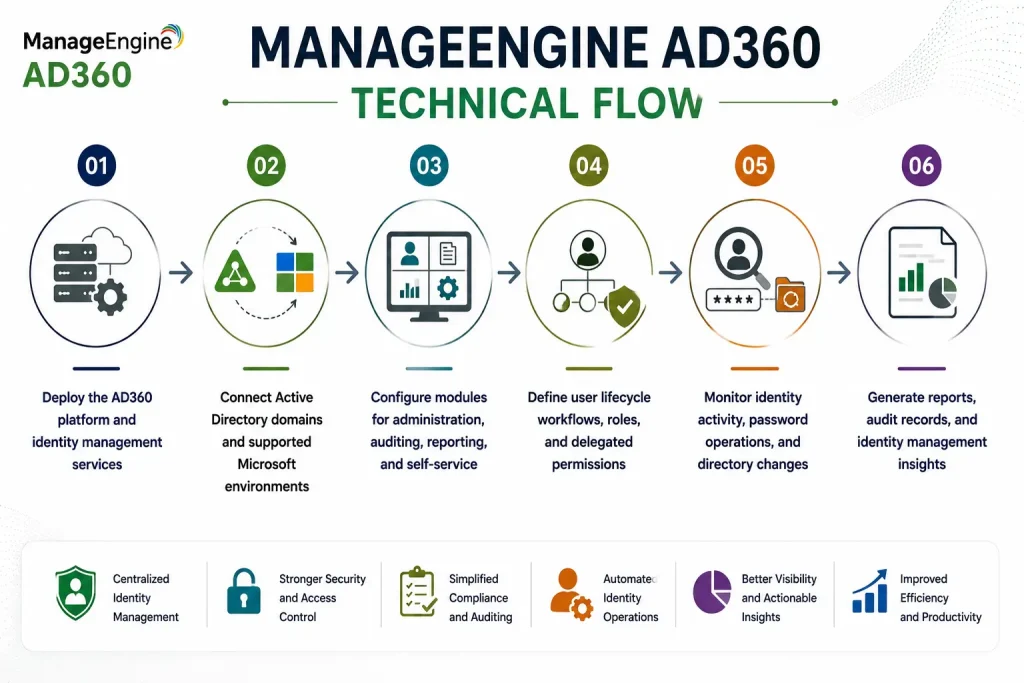
- Deploy the AD360 platform and identity management services
- Connect Active Directory domains and supported Microsoft environments
- Configure modules for administration, auditing, reporting, and self-service
- Define user lifecycle workflows, roles, and delegated permissions
- Monitor identity activity, password operations, and directory changes
- Generate reports, audit records, and identity management insights
Options & Tiers
| Licensing Model | Best for | Typical Scope | What affects pricing |
|---|---|---|---|
| Standard identity management | Core IAM operations | AD administration and reporting | User/domain scope |
| Enterprise deployment | Large identity environments | Integrated IAM workflows and modules | Environment scale |
| Subscription or perpetual | Flexible deployment models | Annual or permanent usage | Term and maintenance |
| Compliance-focused setup | Audit-heavy environments | Identity auditing and reporting visibility | Reporting requirements |
Features & Benefits
As organizations grow, identity operations often become spread across different systems, teams, and administrative workflows. ManageEngine AD360 helps simplify this by centralizing identity administration, auditing, password self-service, reporting, and Microsoft environment visibility from one platform.
One of the major benefits is reduced administrative workload. IT teams can automate repetitive identity tasks, improve user lifecycle operations, and reduce dependency on manual account management. The platform also supports better audit and governance visibility by helping administrators monitor changes, review user activity, and generate structured identity reports. Over time, this helps organizations improve identity management consistency, reduce operational delays, and maintain stronger control over directory and access-related workflows.
System Requirements
Common environments
- Enterprise Active Directory environments
- Hybrid identity infrastructures
- Microsoft 365 and Exchange environments
- Centralized identity administration teams
Technical requirements
- Supported Windows deployment infrastructure
- Connectivity to Active Directory domains and identity services
- Required administrative permissions for selected modules
- Internet connectivity or offline XML activation support
How activation works
Activating ManageEngine AD360 usually starts with deploying the platform and applying the purchased license through the product administration interface. In online environments, activation can generally be completed from the console using the provided license information.
For restricted or offline environments, AD360 can support XML-based activation workflows. In these scenarios, administrators generate or import an XML file with the customer’s chosen name and deployment details to activate the platform manually without requiring direct internet connectivity.
Depending on the edition and enabled modules, activation may also validate managed user capacity, domain scope, reporting features, self-service capabilities, auditing modules, and Microsoft environment integrations. After activation, organizations should review user coverage, enabled modules, identity workflows, and reporting scope to ensure the deployment remains aligned with the active licensing capacity.
Pricing factors + quote process
Organizations usually size ManageEngine AD360 according to managed user count, domain structure, module requirements, and identity workflow complexity.
Environments with multiple domains, Microsoft 365 integration needs, password self-service requirements, audit reporting, or delegated administration workflows may require broader licensing and more detailed deployment planning.
Additional considerations, such as edition type, enabled modules, maintenance coverage, deployment architecture, and subscription term, can also influence pricing.
During the quote process, identity management goals, user scope, domain structure, and required modules are reviewed first so the licensing approach can match the organization’s IAM strategy more accurately.
After you request a quote
- We review your identity management environment
- Recommend the most suitable AD360 licensing model
- Provide official pricing and delivery details
- Share activation and deployment guidance
ManageEngine pricing depends on your license edition, users, devices, deployment model, term, and support needs.