

Cisco ISR 1000 Series is a compact Cisco branch router family designed for small offices, remote sites, retail branches, and lightweight enterprise WAN edge deployments. It helps organizations connect branch users, cloud applications, internet services, VPN networks, and SD-WAN environments through a secure and manageable routing platform. This page helps buyers understand the Cisco ISR 1000 Series, review the main licensing and ordering points, and move to the related Cisco ISR 1000 part numbers for accurate quote planning.
Series Highlights
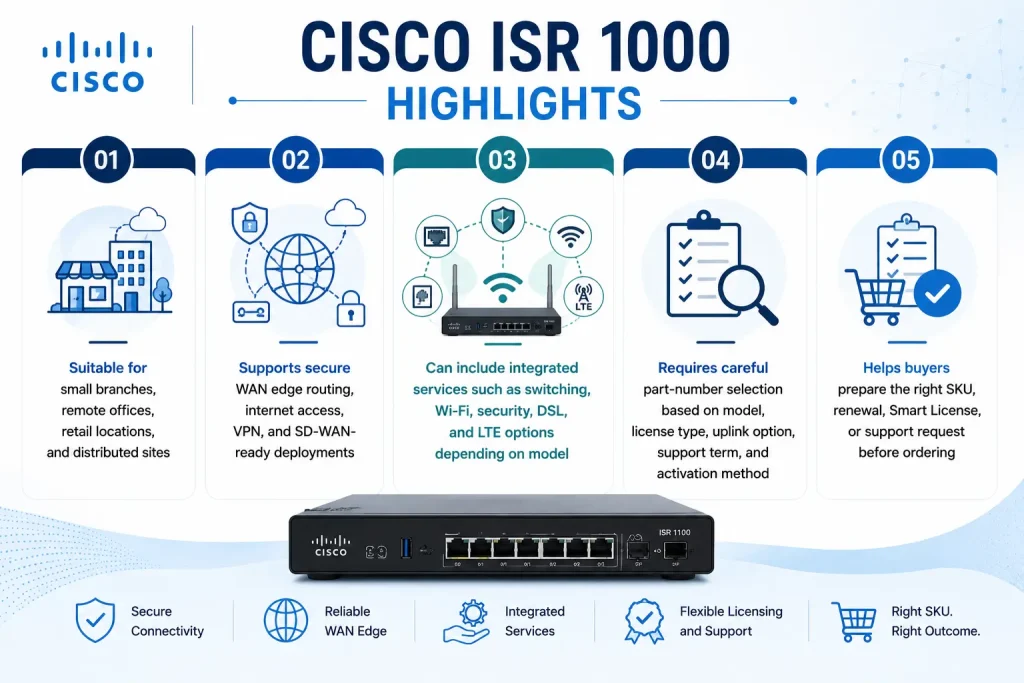
- Suitable for small branches, remote offices, retail locations, and distributed sites
- Supports secure WAN edge routing, internet access, VPN, and SD-WAN-ready deployments
- Can include integrated services such as switching, Wi-Fi, security, DSL, and LTE options depending on model
- Requires careful part-number selection based on model, license type, uplink option, support term, and activation method
- Helps buyers prepare the right SKU, renewal, Smart License, or support request before ordering
Review Cisco ISR 1000 Price List and request a quote tailored to your licensing needs.
Cisco ISR 1000 At a glance
What it is : Cisco ISR 1000 Series is a compact integrated services router family for small branch and remote-site connectivity.
Product family : Cisco Router ISR
Typical use : Branch WAN edge, secure internet access, VPN connectivity, SD-WAN branch deployment, LTE/DSL backup, and lightweight routing services.
License or ordering scope : Hardware model, Cisco DNA or Catalyst SD-WAN subscription, security features, support term, uplink options, and Smart License activation where applicable.
Who needs it : Organizations that use Cisco ISR 1000 routers and need the correct part number, license, renewal, support option, or activation guidance.
Series Overview
Cisco ISR 1000 Series is built for organizations that need a reliable router at the edge of a small site without deploying a large branch platform. It is commonly used where users need secure access to headquarters, cloud applications, SaaS services, internet resources, and internal business systems.
In network design, Cisco ISR 1000 usually sits at the branch edge. It can connect the local LAN to WAN circuits, internet links, VPN tunnels, SD-WAN overlays, or backup cellular connectivity depending on the selected model and configuration. This makes it a practical choice for branch offices, retail stores, small campuses, remote work locations, and distributed enterprise sites.
The value of this series is that it combines multiple branch functions in a smaller router form factor. Instead of treating routing, security, WAN access, and optional wireless or cellular connectivity as separate projects, buyers can choose a Cisco ISR 1000 model and related part numbers based on the actual branch requirement.
Licensing and Part Number Guidance
Choosing the correct part number for Cisco ISR 1000 depends on the exact router model, WAN interface requirement, software image, license model, SD-WAN need, security feature, support term, and activation method.
Some Cisco ISR 1000 deployments may only need a base router and support coverage. Others may require Cisco DNA or Catalyst SD-WAN subscriptions, security-related features, throughput considerations, LTE options, or renewal planning. If the router is used in an SD-WAN environment, the license and software requirements should be checked carefully before ordering.
Part-number selection is important because similar ISR 1000 models can differ by port count, uplink type, LTE support, Wi-Fi capability, power option, and software support. A wrong SKU can create problems during deployment, especially when the branch requires a specific WAN connection, cellular backup, or Smart Licensing workflow.
Common Use Cases
| Use case | Why it matters |
|---|---|
| Small branch routing | Connects remote users, local devices, and branch services to WAN, internet, cloud, and enterprise networks |
| SD-WAN branch deployment | Supports Cisco SD-WAN or Catalyst SD-WAN designs for small offices and distributed locations |
| Secure internet and VPN access | Helps protect branch connectivity with encrypted tunnels, secure routing, and controlled access to central resources |
| LTE, DSL, or backup connectivity | Provides WAN flexibility or backup connectivity where supported by the selected ISR 1000 model |
| Retail and remote-office rollout | Offers a compact router option for stores, kiosks, small branches, and lightweight enterprise sites |
| Renewal, replacement, or expansion | Helps match the correct router SKU, license, support term, and activation method before ordering |
Models, Licenses, and Ordering Scope
| Area to check | What to confirm |
|---|---|
| Router model | Exact Cisco ISR 1000 model, port count, WAN interface, and supported LTE, DSL, or Wi-Fi option |
| Deployment mode | Traditional routing, secure branch access, VPN, SD-WAN, or mixed WAN edge use case |
| License type | Cisco DNA, Catalyst SD-WAN subscription, security feature, support renewal, or Smart License requirement |
| Connectivity requirement | Internet, MPLS, broadband, LTE, DSL, or backup WAN requirement for the branch site |
| Quantity | Number of routers, branch sites, spare units, or replacement devices |
| Term | 1-year, 3-year, 5-year, renewal, or support coverage period |
| Activation method | Smart License, SLP, PLR License, SLR License, or product-specific activation workflow where applicable |
| Part number | Correct Cisco ISR 1000 hardware SKU and related license, subscription, renewal, or support item |
What to Check Before Requesting a Quote
Before requesting a quote for Cisco ISR 1000, confirm the branch size, router model, WAN link type, software version, required license, support term, and activation method.
You should also check whether the device will operate as a traditional branch router within the broader Cisco Router License category or as part of a Cisco SD-WAN deployment. This affects the ordering conversation because SD-WAN and subscription-based environments may require different license planning than a simple branch routing refresh.
If the site is restricted, offline, or managed under a special licensing model, PLR License or SLR License options should be reviewed before ordering.
Activation and Delivery Notes
After the correct Cisco ISR 1000 part number is selected, activation depends on the license type and software environment. Some licenses may be managed through Cisco Smart Account and Smart Licensing. Some newer environments may use Smart Licensing Using Policy. Restricted environments may require PLR License or SLR License workflows where supported.
For renewals, upgrades, or replacements, the existing license status should be checked before delivery. This helps prevent activation delays and ensures that the router, license, and support coverage match the actual branch deployment.
Cisco ISR 1000 pricing depends on your router series, license type, deployment model and support requirements.