

SolarWinds IPAM (IP Address Manager) helps organizations manage IP address space, track subnet usage, monitor DHCP and DNS environments, and reduce conflicts across enterprise networks.
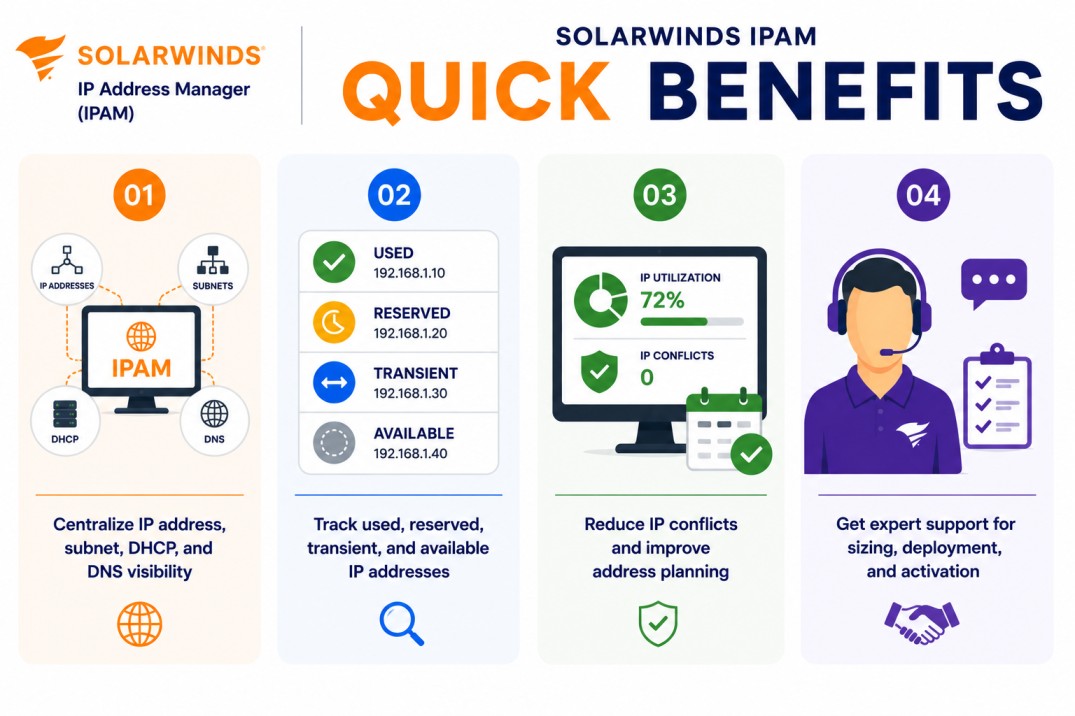
Quick benefits
- Centralize IP address, subnet, DHCP, and DNS visibility
- Track used, reserved, transient, and available IP addresses
- Reduce IP conflicts and improve address planning
- Get expert support for sizing, deployment, and activation
SolarWinds IPAM At a glance
What it does : SolarWinds IPAM provides centralized IP address management, subnet tracking, DHCP monitoring, DNS visibility, utilization reporting, and address planning for enterprise networks.
License type : Managed IP address-based licensing
Typical term : 1 year · 3 years · product-dependent options
Activation method : Online activation through SolarWinds License Manager or offline/manual activation using a Machine ID and license file
Who needs it : Organizations that need better control over IP address space, DHCP scopes, DNS records, subnet utilization, and network address planning across enterprise or distributed environments

License Overview
Organizations deploying IP address management tools usually need licensing that reflects the number of IP addresses being actively managed across the environment. The SolarWinds IPAM license is based on the number of managed IP addresses in specific statuses. SolarWinds documentation states that IPAM licensing counts IP addresses marked as Used, Reserved, or Transient, while unused IP addresses do not count toward the managed IP address limit. Reserved subnet source IP and broadcast IPs are also excluded from the license count, and the licensing count is the same for IPv4 and IPv6.
Because IP address environments often include multiple subnets, VLANs, DHCP scopes, DNS zones, remote offices, and data center networks, licensing should be planned around actual IP management scope rather than only the number of network devices. A properly aligned license helps organizations maintain IP address visibility, avoid unmanaged subnets, reduce IP conflicts, and support long-term network address planning as infrastructure grows.
Product Overview
Enterprise IP address environments can become difficult to manage when spreadsheets, manual records, DHCP scopes, and DNS information are handled separately.
SolarWinds IPAM is designed to centralize IP address management by giving teams visibility into subnets, IP utilization, DHCP scopes, DNS records, and address availability from one SolarWinds Platform workflow.
In practice, the platform helps administrators discover IP address usage, track address status, monitor DHCP and DNS environments, reserve IP addresses, and identify where address space is being consumed. SolarWinds IPAM documentation includes DHCP and DNS management workflows such as reserving addresses and managing DHCP scopes from the IP Addresses dashboard.
One of the key operational advantages is address accuracy. Instead of relying only on manual updates, teams can monitor address usage more consistently and reduce the chance of duplicate assignments or undocumented changes.
For organizations managing large subnets, distributed sites, or growing network environments, this approach supports better IP planning, cleaner DHCP/DNS operations, and more reliable network administration.
Core technical flow
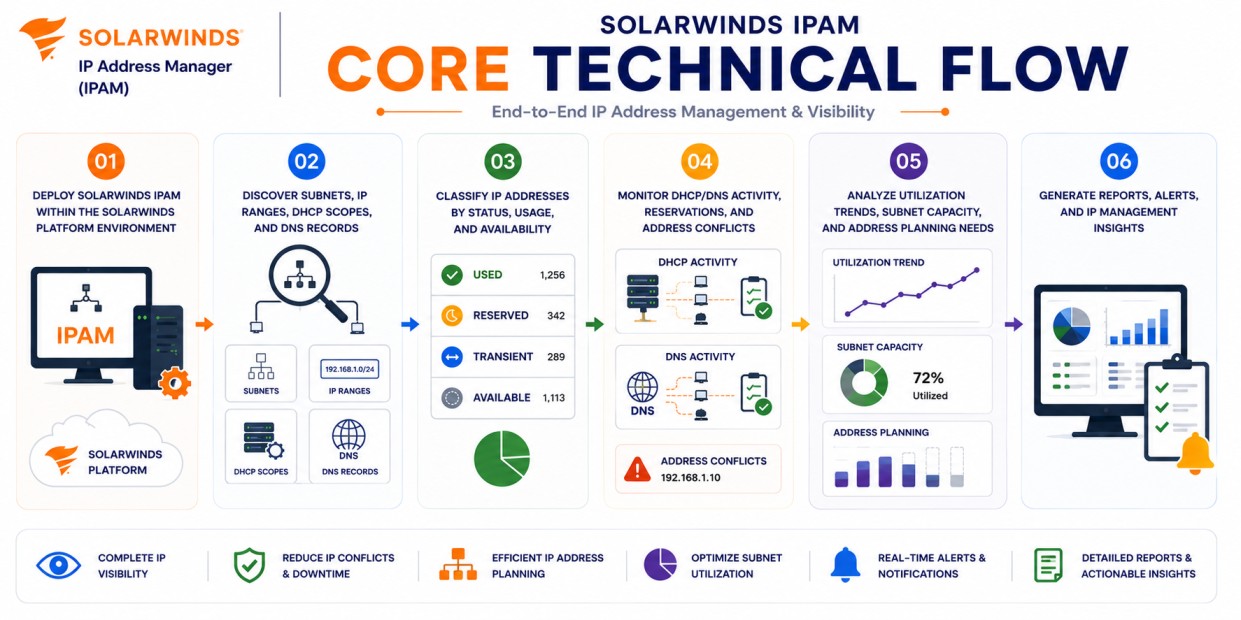
- Deploy SolarWinds IPAM within the SolarWinds Platform environment
- Discover subnets, IP ranges, DHCP scopes, and DNS records
- Classify IP addresses by status, usage, and availability
- Monitor DHCP/DNS activity, reservations, and address conflicts
- Analyze utilization trends, subnet capacity, and address planning needs
- Generate reports, alerts, and IP management insights
Options & Tiers
| Licensing Model | Best for | Typical Scope | What affects pricing |
|---|---|---|---|
| Standard IPAM deployment | Core IP address management | IP address, subnet, DHCP, and DNS visibility | Managed IP count |
| Distributed IP management | Multi-site environments | Broader subnet and DHCP/DNS visibility | Network scale |
| Platform module licensing | SolarWinds Platform environments | IPAM used with other monitoring modules | Product combination |
| Offline activation setup | Restricted environments | Manual license workflow | Deployment model |
Features & Benefits
As enterprise networks grow across branches, data centers, cloud-connected environments, and segmented infrastructures, maintaining accurate IP address visibility becomes increasingly important. SolarWinds IPAM helps organizations centralize IP address management so network teams can track used addresses, available capacity, reservations, DHCP scopes, and DNS records from one operational platform.
One of the major benefits is reduced IP conflict risk. Administrators can identify address usage more clearly and reduce the chance of duplicate assignments or undocumented address changes. The platform also supports better capacity planning by showing subnet utilization trends and helping teams understand when address space is becoming limited. Over time, SolarWinds IPAM helps organizations reduce manual IP tracking, improve DHCP/DNS coordination, and maintain better control over network address resources.
Compatibility & Requirements
Common environments
- Enterprise IP address management environments
- DHCP and DNS management operations
- Multi-site network infrastructures
- Data center, branch, and segmented network environments
Technical requirements
- Supported SolarWinds Platform deployment infrastructure
- Connectivity to monitored networks, DHCP servers, and DNS environments
- Required permissions for IP discovery and DHCP/DNS management
- Internet access or offline/manual activation support
How activation works
Activating SolarWinds IPAM usually starts after the product module is installed and the purchased entitlement is available through the SolarWinds licensing workflow. In connected environments, activation can generally be completed through the SolarWinds Platform Web Console and License Manager using the provided license information. SolarWinds Platform license activation is handled from Settings > All Settings > License Manager in the web console.
For Isolation or offline environments, SolarWinds IPAM can support manual activation workflows. After installation, the system generates a unique Machine ID for that specific deployment. This Machine ID is then used to obtain the correct license file, which is imported back into the installed SolarWinds environment. SolarWinds documentation describes offline activation through License Manager for Platform products, where the Machine ID is copied and used to complete activation through the Customer Portal workflow.
The resulting license file is typically node-locked, meaning it is tied to that specific server or installation environment. It is also module-specific, so a license generated for SolarWinds IPAM is intended for the IP Address Manager module and should not be reused for another SolarWinds product.
Depending on the deployment and license tier, activation may validate managed IP address capacity, DHCP/DNS management features, reporting capabilities, and SolarWinds Platform integration. After activation, organizations should review managed IP usage, subnet coverage, DHCP/DNS visibility, and reporting scope to ensure SolarWinds IPAM remains aligned with the purchased license capacity.
Pricing factors + quote process
Organizations usually size SolarWinds IPAM according to the number of managed IP addresses, subnet coverage, DHCP/DNS management scope, and operational address planning requirements.
Environments with many subnets, distributed sites, large DHCP scopes, IPv6 planning requirements, or strict address management processes may require broader licensing and more detailed deployment planning.
Additional considerations, such as SolarWinds Platform architecture, module combinations, reporting requirements, support coverage, and subscription term, can also influence pricing.
During the quote process, subnet inventory, managed IP address count, DHCP/DNS requirements, and activation needs are reviewed first so the licensing approach can match the organization’s IP address management strategy more accurately.
After you request a quote
- We review your IP address management scope
- Recommend the most suitable SolarWinds IPAM license
- Provide official pricing and delivery details
- Share activation and deployment guidance
Pricing depends on your license edition, quantity, term, and deployment needs.