

SolarWinds VM (Virtualization Manager) helps organizations monitor virtual infrastructure performance, optimize resource usage, and improve visibility across VMware, Hyper-V, hosts, clusters, and virtual machines.
Quick benefits
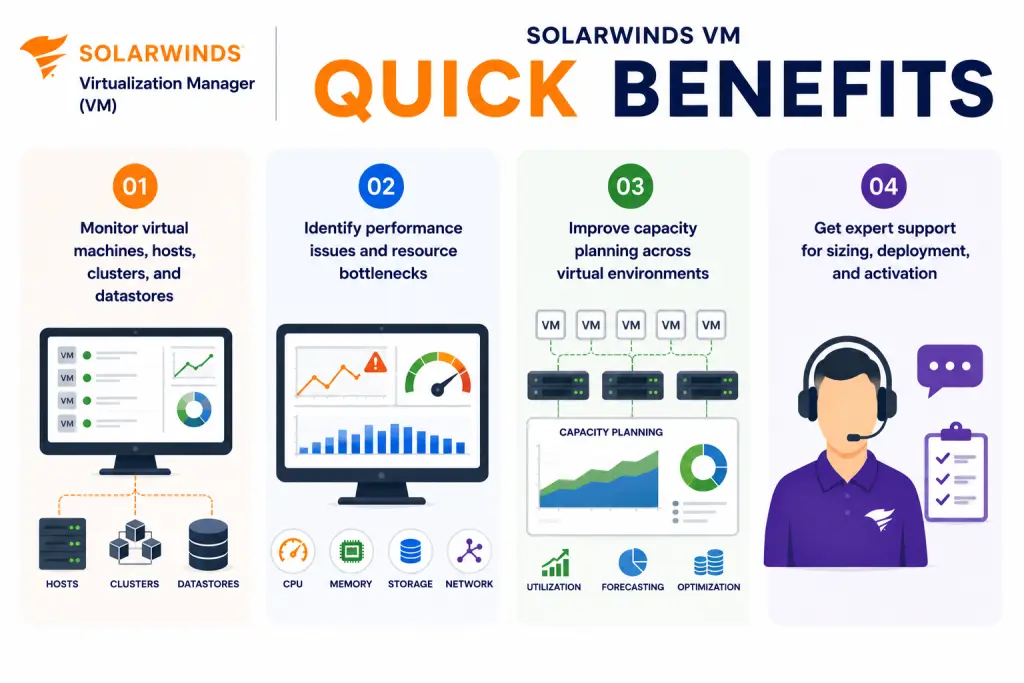
- Monitor virtual machines, hosts, clusters, and datastores
- Identify performance issues and resource bottlenecks
- Improve capacity planning across virtual environments
- Get expert support for sizing, deployment, and activation
SolarWinds VM At a glance
What it does : SolarWinds VM provides virtualization monitoring, performance visibility, capacity planning, resource optimization, alerting, and reporting for enterprise virtual environments.
License type : Subscription or module-based licensing, depending on SolarWinds deployment model
Typical term : 1 year · 3 years · product-dependent options
Activation method : Online activation through SolarWinds License Manager or offline/manual activation using a Machine ID and license file
Who needs it : Organizations that need centralized visibility into virtual machines, hosts, clusters, datastores, resource utilization, and virtualization performance issues

License Overview
Organizations deploying virtualization monitoring tools usually need licensing that reflects the real scope of their virtual infrastructure, including virtual machines, hosts, clusters, and related resources. The SolarWinds VM license is generally aligned with virtualization monitoring scope, monitored resources, deployment size, and the SolarWinds Platform environment where the product is used. This may include VMware environments, Hyper-V infrastructure, virtual hosts, datastores, clusters, and business-critical virtual workloads.
Because virtual environments can grow quickly, licensing should be planned around actual monitoring coverage rather than only the number of physical hosts. A smaller host environment with many virtual machines or heavy workloads may still require careful monitoring capacity planning. A properly aligned license helps organizations maintain virtualization visibility, detect resource bottlenecks, avoid capacity blind spots, and support long-term infrastructure planning as virtual workloads expand.
Product Overview
Virtual environments can become difficult to manage when performance issues, resource contention, and capacity growth are spread across many hosts, clusters, and virtual machines. SolarWinds VM is designed to help IT teams centralize virtualization monitoring and understand how virtual resources are being consumed across the environment.
In practice, the platform monitors virtual machines, hosts, clusters, datastores, CPU usage, memory consumption, storage behavior, and performance trends. This helps administrators identify overloaded resources, inefficient VM allocation, and performance issues that may affect applications or business services.
One of the key operational advantages is capacity awareness. Instead of reacting after virtual infrastructure becomes overloaded, teams can track resource trends and plan capacity more accurately. For organizations running VMware, Hyper-V, or mixed virtual infrastructures, this approach supports better performance visibility, improved troubleshooting, and more predictable virtualization operations.
Core technical flow
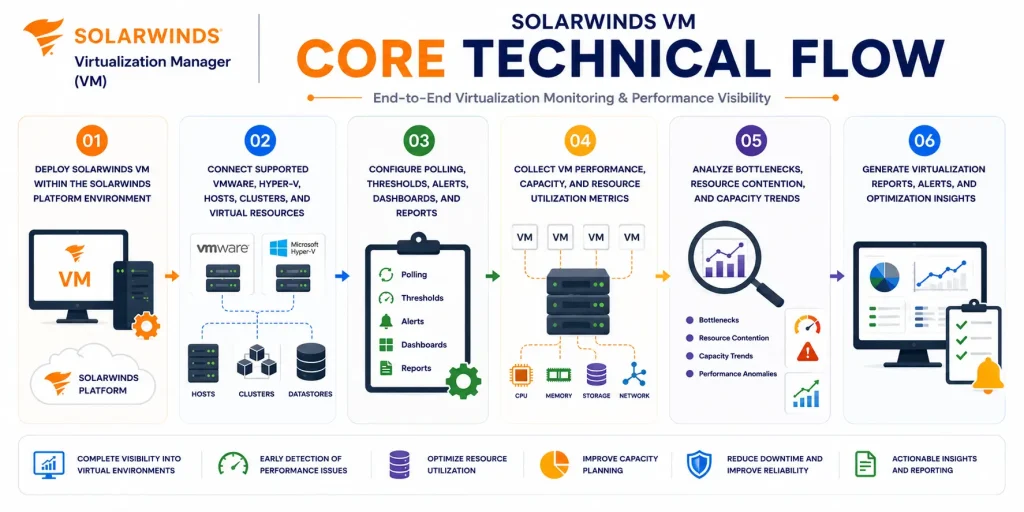
- Deploy SolarWinds VM within the SolarWinds Platform environment
- Connect supported VMware, Hyper-V, hosts, clusters, and virtual resources
- Configure polling, thresholds, alerts, dashboards, and reports
- Collect VM performance, capacity, and resource utilization metrics
- Analyze bottlenecks, resource contention, and capacity trends
- Generate virtualization reports, alerts, and optimization insights
Options & Tiers
| Licensing Model | Best for | Typical Scope | What affects pricing |
|---|---|---|---|
| Standard VM deployment | Core virtualization monitoring | VM, host, and cluster visibility | Monitored resource scope |
| Enterprise virtualization visibility | Larger virtual infrastructures | Broader performance and capacity tracking | Environment scale |
| Platform module licensing | SolarWinds Platform environments | VM used with other monitoring modules | Product combination |
| Offline activation setup | Restricted environments | Manual license workflow | Deployment model |
Features & Benefits
As virtual environments grow across data centers, application platforms, and hybrid infrastructures, maintaining clear visibility into performance and capacity becomes increasingly important. SolarWinds VM helps organizations centralize virtualization monitoring so teams can understand host health, VM performance, datastore usage, and resource trends from one operational platform.
One of the major benefits is improved resource optimization. Administrators can identify overallocated VMs, underused resources, capacity risks, and performance bottlenecks before they create larger operational issues. The platform also supports faster troubleshooting by helping teams understand whether application or service problems may be related to virtualization performance, storage pressure, memory usage, or host resource contention. Over time, SolarWinds VM helps organizations reduce virtualization blind spots, improve capacity planning, and maintain better control over virtual infrastructure performance.
System Requirements
Common environments
- Enterprise virtual infrastructures
- VMware and Hyper-V environments
- Data center and hybrid operations
- Capacity planning and performance monitoring teams
Technical requirements
- Supported SolarWinds Platform deployment infrastructure
- Connectivity to virtualization platforms and monitored resources
- Required credentials or API access for virtual infrastructure monitoring
- Internet access or offline/manual activation support
How activation works
Activating SolarWinds VM usually starts after the product module is installed and the purchased entitlement is available through the SolarWinds licensing workflow. In connected environments, activation can generally be completed through the SolarWinds Platform Web Console and License Manager using the provided license information.
For restricted or offline environments, SolarWinds VM can support manual activation workflows. After installation, the system generates a unique Machine ID for that specific deployment. This Machine ID is then used to obtain the correct license file, which is imported back into the installed SolarWinds environment.
The resulting license file is typically node-locked, meaning it is tied to that specific server or installation environment. It is also module-specific, so a license generated for SolarWinds VM is intended for the Virtualization Manager module and should not be reused for another SolarWinds product.
Depending on the deployment and licensed scope, activation may validate monitored virtual resources, enabled monitoring features, reporting capabilities, capacity planning functions, and SolarWinds Platform integration. After activation, organizations should review monitored VM coverage, host visibility, cluster status, dashboards, and capacity reporting to ensure SolarWinds VM remains aligned with the purchased entitlement.
Pricing factors + quote process
Organizations usually size SolarWinds VM according to virtual infrastructure scope, monitored resources, capacity visibility requirements, and operational monitoring needs.
Environments with many virtual machines, multiple clusters, large VMware or Hyper-V deployments, heavy workloads, or detailed capacity planning requirements may need broader licensing and more careful deployment planning.
Additional considerations, such as SolarWinds Platform architecture, module combinations, reporting requirements, support coverage, and subscription term, can also influence pricing.
During the quote process, virtualization environment scope, monitoring goals, performance visibility needs, and activation requirements are reviewed first so the licensing approach can match the organization’s virtualization monitoring strategy more accurately.
After you request a quote
- We review your virtualization monitoring environment
- Recommend the most suitable SolarWinds VM licensing model
- Provide official pricing and delivery details
- Share activation and deployment guidance
Pricing depends on your license edition, quantity, term, and deployment needs.