

Cisco Classic License refers to the traditional Cisco licensing model where a license is usually generated from a Product Authorization Key, also known as a PAK, and then installed or applied to a specific Cisco device or software platform. In this model, the license is commonly tied to the device identity, such as the UDI, Product ID, and serial number, which makes many Classic licenses node-locked after activation.
Key Benefits
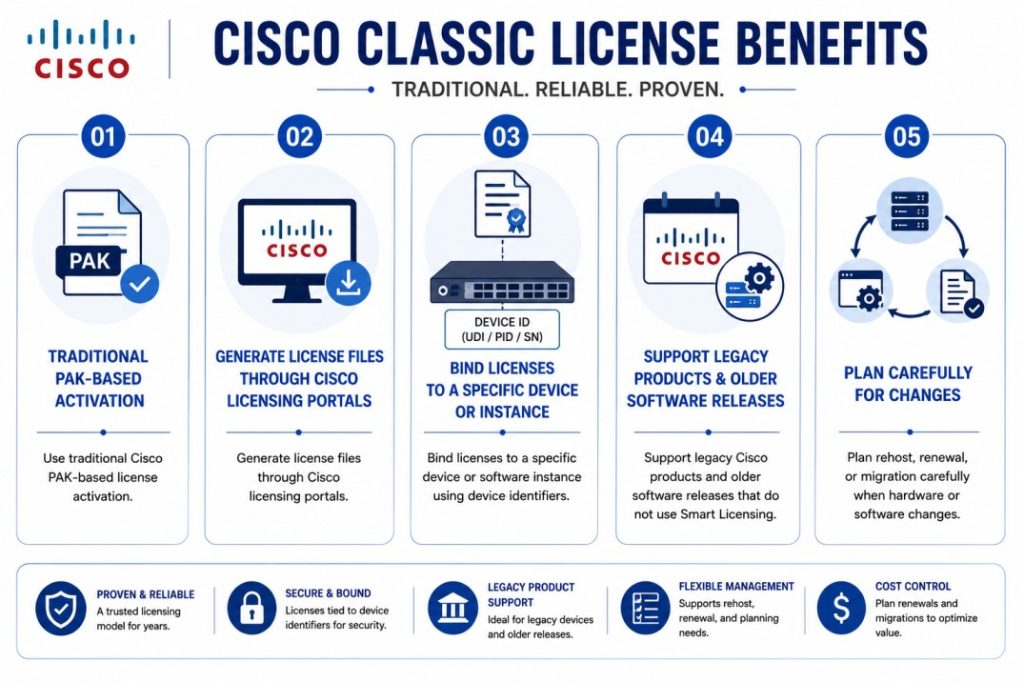
- Use traditional Cisco PAK-based license activation
- Generate license files through Cisco licensing portals
- Bind licenses to a specific device or software instance using device identifiers
- Support legacy Cisco products and older software releases that do not use Smart Licensing
- Plan rehost, renewal, or migration carefully when hardware or software changes
Cisco Classic License At a glance
What it does : Cisco Classic License is used to activate Cisco software features or product capabilities through a traditional license file or PAK-based process.
License category : Cisco License Model
Main activation item : Product Authorization Key, usually called PAK.
Where it applies : Older Cisco routers, switches, security appliances, collaboration products, data center platforms, and legacy software releases.
Who needs it : Organizations that still use Cisco products requiring PAK, license files, traditional activation, or legacy license management.

License Model Overview
Cisco Classic License is one of the older Cisco licensing models. It was widely used before Smart Licensing became the main licensing approach across many Cisco product families. In the Classic model, the customer usually receives a Product Authorization Key after purchasing the license. This PAK is not always the final license itself. Instead, it is used to generate the actual license file through Cisco’s licensing portal.
During the registration process, the PAK is normally combined with device-specific information. This may include the UDI, Product ID, serial number, hostname, or another identifier depending on the Cisco product. After the license is generated, it is usually installed on the target device or software platform.
This is the main reason Cisco Classic License is often called a node-locked licensing model. Once the license file is generated for a specific device identifier, it is normally tied to that device. If the hardware is replaced or the software instance changes, the license may need to be rehosted, regenerated, or transferred through the proper Cisco licensing process. Cisco Classic License remains important within the broader Cisco License portfolio because many organizations continue to run legacy Cisco products, older IOS releases, security platforms, collaboration systems, and data center devices that may still depend on PAK based activation.
How Cisco Classic License Works
Cisco Classic License works through a traditional activation process. First, the customer purchases the required license and receives a PAK. The PAK proves the right to activate a specific feature, software package, or product capability.
Next, the administrator collects the required device information. In many Cisco environments, this includes the UDI. The UDI is important because it identifies the exact device that will receive the license.
The PAK and device information are then submitted through the Cisco licensing portal. After the request is completed, Cisco generates a license file or license key. This license is then installed on the device or software platform.
After installation, the device checks the license file and enables the purchased feature or capability. Depending on the product, this may activate a feature set, port capability, security function, throughput level, user count, module, or software package.
Because the license is often generated for one specific device identity, administrators should verify the device information carefully before submitting the PAK. A wrong serial number, wrong UDI, or wrong product selection can cause activation problems.
Where This License Model Is Used
Cisco Classic License is mostly found in older or traditional Cisco environments. It may appear in routing, switching, security, collaboration, data center, wireless, and appliance-based products that were released before Smart Licensing became common. Classic licensing may be used for products that need a license file installed locally. It may also be used in environments where the device does not support Smart Licensing or where the customer is maintaining older software versions.
Common examples include legacy Cisco IOS feature licenses, older router and switch feature sets, some security appliance licenses, certain collaboration products, older data center licenses, and product-specific license files. However, not every Cisco product still uses Classic licensing. Many modern Cisco products now use Smart Licensing, Smart Licensing Using Policy, subscriptions, or cloud-based entitlement management. Because of this, the exact licensing model should always be checked based on product name, model, and software version.
Cisco Classic License Activation
The Cisco Classic License activation process usually follows a clear sequence.
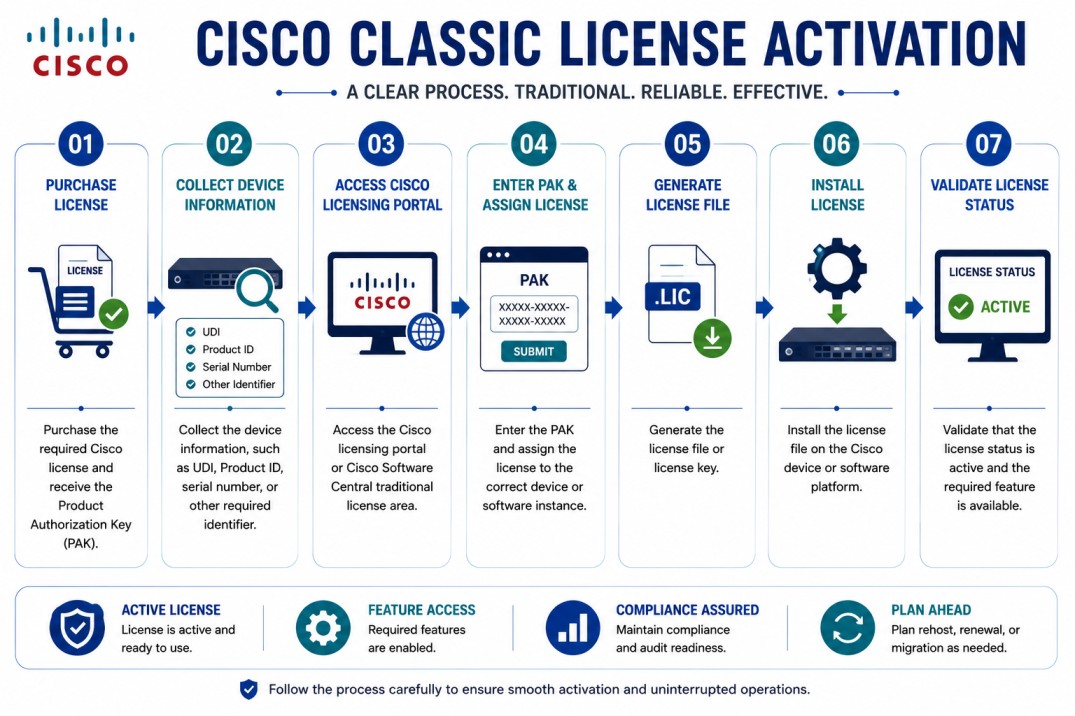
This workflow should be handled carefully because the license may become tied to the selected device after generation. Before submitting the PAK, the administrator should confirm that the product, serial number, and UDI are correct.
Features & Benefits
Cisco Classic License gives organizations a direct and familiar way to activate Cisco software features on supported products. One of its main benefits is offline usability. In many Classic licensing workflows, the license file can be generated and installed without requiring the device to maintain a continuous connection to Cisco licensing systems. Another benefit is simple device-level activation. When the correct PAK and device information are used, the generated license file can activate the purchased feature directly on the selected Cisco product.
Cisco Classic License is also useful for legacy environments. Many organizations still run older Cisco products that may not support Smart Licensing or newer subscription-based activation models. For these environments, Classic licensing remains important for maintaining feature access and renewal continuity.
The main point to manage carefully is node-locking. Since many Classic licenses are tied to the device identity, hardware replacement, virtual machine changes, or incorrect device information can affect license validity. This is why accurate license registration and proper rehost planning are important.
System Requirements
Common environments
- Legacy Cisco routers and switches
- Older Cisco IOS software releases
- Cisco security appliances using license files
- Cisco collaboration products with traditional licensing
- Cisco data center platforms using PAK-based activation
- Offline or restricted environments where traditional license files are still used
- Existing customers maintaining older Cisco deployments
Technical requirements
- Valid Product Authorization Key
- Correct Cisco product and software version
- Device UDI, Product ID, serial number, or required identifier
- Access to Cisco Software Central or the licensing portal
- Correct end-user and account information
- License file installation access on the target device
- Rehost or transfer process if the device changes
Pricing factors + quote process
Pricing for Cisco Classic License depends on the Cisco product, license feature, quantity, software version, support requirement, and whether the request is for a new license, renewal, rehost, or migration.
A simple feature activation license may have a different price than a larger license package, security license, collaboration user license, device capacity license, or data center software license.
The main pricing factors usually include the product family, license SKU, feature level, device model, license quantity, support term, renewal requirement, and whether the license must be generated as a traditional PAK-based license.
During the quote process, the Cisco product and software version should be reviewed first. Then the required feature, PAK status, device identifier, license model, support coverage, and activation method are mapped into the correct quote.
After you request a quote
- We review your Cisco product, model, and software version
- Identify whether Cisco Classic License is the correct licensing model
- Check PAK, UDI, node-lock, rehost, renewal, or migration requirements
- Provide pricing, delivery details, and activation guidance
Cisco Classic License pricing depends on your license type, deployment model and support requirements.