

ManageEngine Vulnerability Manager helps organizations identify vulnerabilities, prioritize remediation, and reduce exposure across endpoints, servers, and enterprise infrastructure from a centralized platform.
Quick benefits
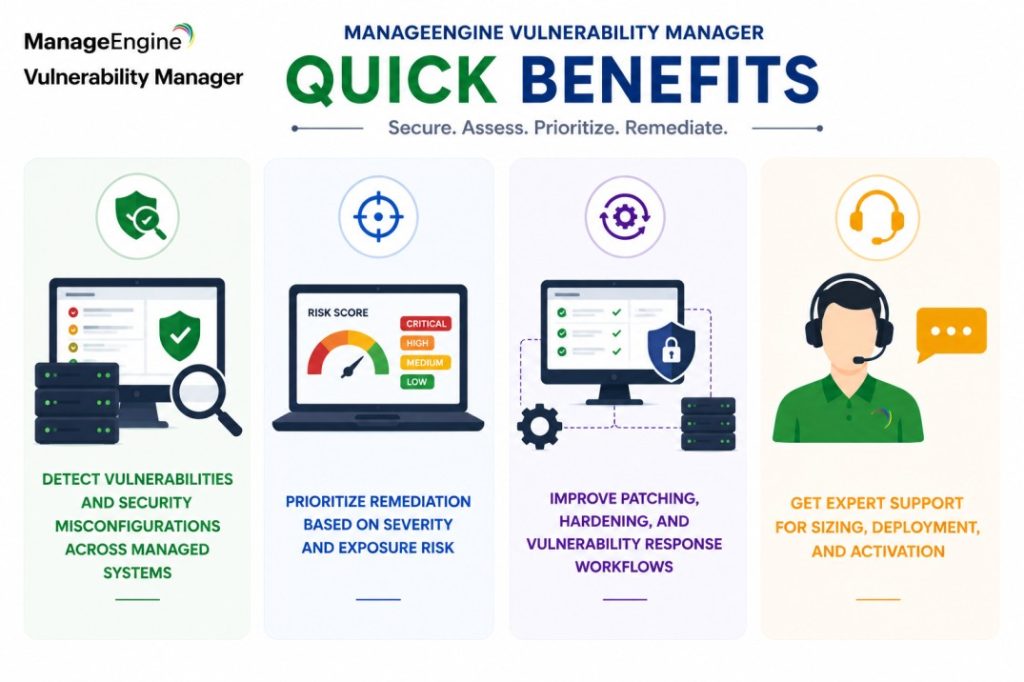
- Detect vulnerabilities and security misconfigurations across managed systems
- Prioritize remediation based on severity and exposure risk
- Improve patching, hardening, and vulnerability response workflows
- Get expert support for sizing, deployment, and activation
ManageEngine Vulnerability Manager At a glance
What it does : ManageEngine Vulnerability Manager provides vulnerability assessment, risk visibility, remediation guidance, patch prioritization, and security configuration monitoring across enterprise environments.
License type : Subscription or perpetual licensing, depending on edition and deployment model
Typical term : 1 year · 3 years · perpetual options
Activation method : Online activation or offline XML-based activation
Who needs it : Organizations that need centralized vulnerability visibility, endpoint risk management, remediation tracking, and security posture improvement across distributed environments

License Overview
Organizations deploying vulnerability management platforms usually need licensing that reflects how many endpoints, servers, and managed systems must be assessed, monitored, and remediated across the environment. The ManageEngine Vulnerability Manager license is generally aligned with managed asset count, vulnerability assessment scope, enabled remediation features, and endpoint visibility requirements. This may include desktops, laptops, servers, remote systems, and other infrastructure components that require ongoing risk assessment.
Because vulnerability exposure often changes as new software, patches, users, and devices are introduced, licensing should be planned around real operational coverage rather than only static device inventory. A growing environment may require broader visibility to keep remediation workflows consistent. A properly aligned license helps organizations maintain vulnerability visibility, reduce unmanaged exposure gaps, and support stronger remediation operations as the infrastructure expands.
Product Overview
Unpatched systems, weak configurations, and unmanaged vulnerabilities can quickly become serious security risks, especially when endpoints and servers are spread across multiple locations or remote environments.
ManageEngine Vulnerability Manager is designed to help security and IT teams identify these risks, understand their impact, and act on remediation priorities from one centralized console.
In practice, the platform scans managed systems, detects vulnerabilities and misconfigurations, highlights missing patches, and provides remediation guidance so teams can reduce exposure more efficiently.
One of the main advantages is prioritization. Instead of treating every issue equally, teams can focus on vulnerabilities that create higher operational or security risk.
For organizations managing large endpoint environments, this approach helps move vulnerability management from reactive cleanup to a more structured and continuous risk reduction process.
Core technical flow
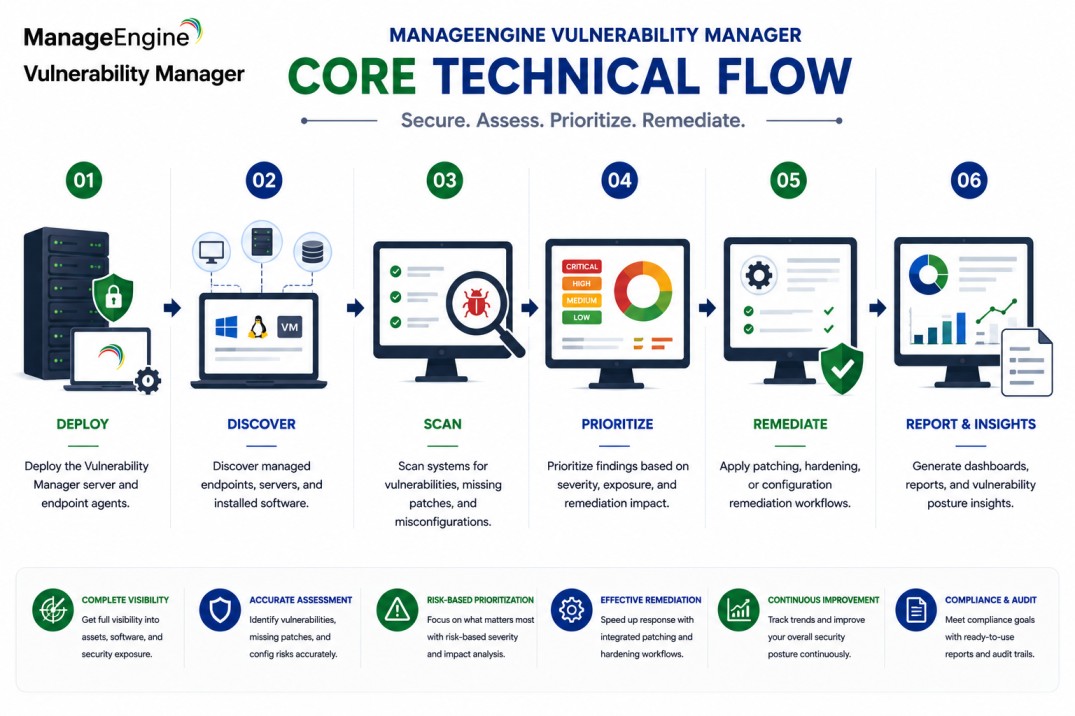
- Deploy the Vulnerability Manager server and endpoint agents
- Discover managed endpoints, servers, and installed software
- Scan systems for vulnerabilities, missing patches, and misconfigurations
- Prioritize findings based on severity, exposure, and remediation impact
- Apply patching, hardening, or configuration remediation workflows
- Generate dashboards, reports, and vulnerability posture insights
Options & Tiers
| Licensing Model | Best for | Typical Scope | What affects pricing |
|---|---|---|---|
| Standard vulnerability visibility | Core risk assessment needs | Vulnerability scanning and reporting | Endpoint count |
| Enterprise deployment | Large distributed environments | Advanced remediation and visibility | Environment scale |
| Subscription or perpetual | Flexible deployment models | Annual or permanent usage | Term and maintenance |
| Remote endpoint coverage | Distributed workforces | Agent-based vulnerability visibility | Remote device scope |
Features & Benefits
As enterprise environments expand across endpoints, servers, remote users, and distributed offices, maintaining consistent vulnerability visibility becomes more difficult. ManageEngine Vulnerability Manager helps organizations centralize vulnerability assessment, remediation planning, and security posture visibility across managed systems.
One of the major benefits is faster remediation focus. IT and security teams can identify high-risk vulnerabilities, missing patches, and weak configurations, then prioritize action based on operational impact. The platform also improves coordination between security and operations teams by connecting vulnerability findings with practical remediation workflows. Over time, this helps reduce exposure from known vulnerabilities while supporting more scalable and repeatable vulnerability management operations.
System Requirements
Common environments
- Enterprise endpoint environments
- Server and workstation infrastructures
- Remote and distributed workforces
- Centralized vulnerability management operations
Technical requirements
- Supported Windows or Linux deployment infrastructure
- Endpoint agent deployment or managed system connectivity
- Internet connectivity or offline XML activation support
How activation works
Activating ManageEngine Vulnerability Manager usually starts with deploying the management server and applying the purchased license through the product administration interface. In online environments, activation can generally be completed from the console using the provided license information.
For restricted or offline environments, Vulnerability Manager can support XML-based activation workflows. In these scenarios, administrators generate or import an XML file with the customer’s chosen name and deployment details to activate the platform manually without requiring direct internet connectivity.
Depending on the edition and deployment model, activation may also validate managed endpoint capacity, enabled vulnerability modules, remediation features, reporting capabilities, and agent coverage. After activation, organizations should review endpoint coverage, vulnerability scan scope, and remediation visibility to ensure the deployment remains aligned with the active licensing capacity.
Pricing factors & quote process
Organizations usually size ManageEngine Vulnerability Manager according to managed endpoint count, vulnerability visibility requirements, and remediation workflow needs. Environments with remote endpoints, large server fleets, broader patching requirements, or advanced configuration assessment needs may require expanded licensing and more detailed deployment planning.
Additional considerations, such as edition type, endpoint agent coverage, reporting needs, maintenance coverage, and subscription term, can also influence pricing. During the quote process, vulnerability management goals, endpoint environment size, and remediation requirements are reviewed first so the licensing approach can match the organization’s risk reduction strategy more accurately.
After you request a quote
- We review your endpoint and vulnerability management scope
- Recommend the most suitable Vulnerability Manager licensing model
- Provide official pricing and delivery details
- Share activation and deployment guidance
ManageEngine pricing depends on your license edition, users, devices, deployment model, term, and support needs.