

Cisco CMS (Cisco Meeting Server) is Cisco’s on-premises conferencing platform for bringing video, audio, and web meetings together inside enterprise collaboration environments. The Cisco CMS License is usually planned around meeting usage, conferencing capacity, deployment model, PMP or SMP licensing requirements, Cisco Meeting Management integration, Smart Licensing workflow, support coverage, and whether the environment needs internal meetings, external access, Web App usage, recording, or scalable video conferencing.
Key Benefits
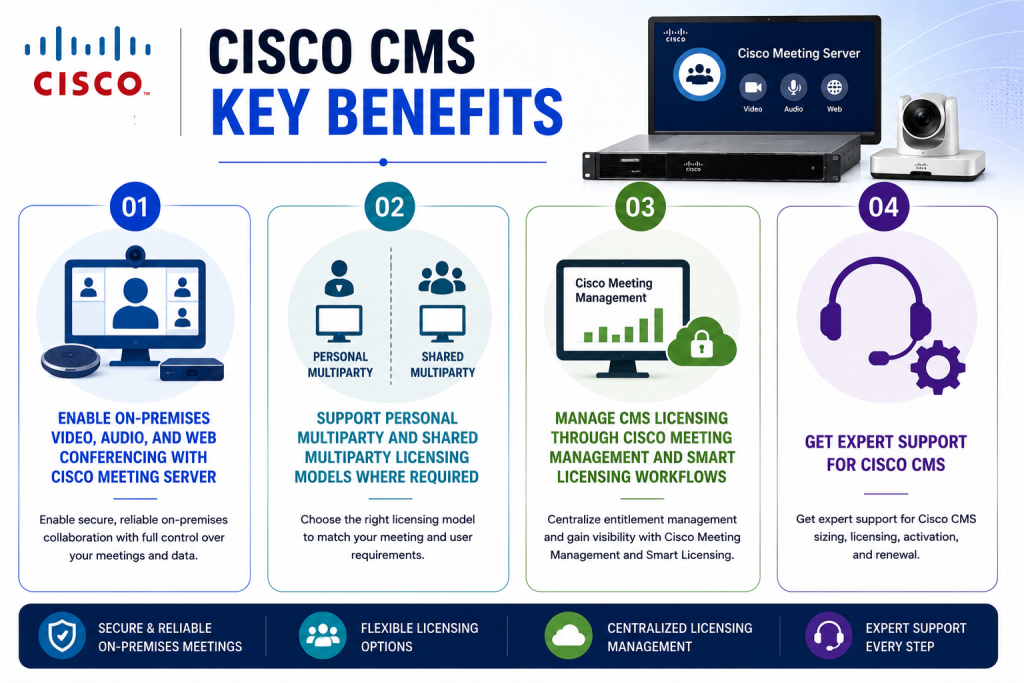
- Enable on-premises video, audio, and web conferencing with Cisco Meeting Server
- Support Personal Multiparty and Shared Multiparty licensing models where required
- Manage CMS licensing through Cisco Meeting Management and Smart Licensing workflows
- Get expert support for Cisco CMS sizing, licensing, activation, and renewal
Cisco CMS At a glance
What it does : Cisco CMS provides secure on-premises meeting services for video conferencing, audio conferencing, web meetings, meeting spaces, collaboration access, and integration with Cisco Unified Communications environments.
Product family : Cisco UC License.
License type : Cisco CMS licensing is commonly connected to meeting capacity and multiparty licensing models, including Personal Multiparty and Shared Multiparty licensing, depending on the meeting structure and user requirements.
Typical term : Subscription or entitlement-based depending on the Cisco collaboration purchasing model, support agreement, and whether the customer is using a newer CMS subscription model or maintaining an older deployment.
Activation method : Cisco Smart Licensing is commonly managed through Cisco Meeting Management for CMS environments. Licensing may involve Smart Account access, Cisco Smart Software Manager, and allocation or validation of the correct CMS meeting licenses.
Who needs it : Organizations that need secure internal conferencing, on-premises video meetings, WebRTC/Web App meeting access, CUCM-integrated collaboration, meeting spaces, and scalable audio/video conferencing control.

License Overview
Organizations deploying Cisco CMS usually need licensing that reflects how conferencing will actually be used across the environment. The key factors include meeting type, number of meeting users, expected concurrency, video usage, deployment scale, Web App access, and whether the design requires Personal Multiparty or Shared Multiparty licensing.
The Cisco CMS License should be planned around real meeting behavior rather than only server count. A small internal meeting environment may require a different licensing approach than a larger enterprise conferencing deployment with many users, shared meeting spaces, external participants, and high video usage.
Cisco CMS licensing has historically included Personal Multiparty and Shared Multiparty concepts. Personal Multiparty is commonly aligned with named users who host meetings, while Shared Multiparty is more suitable when conferencing capacity is shared across multiple users or meeting spaces.
Because Cisco CMS is often deployed with Cisco Unified Communications Manager, Cisco Meeting Management, Expressway, and collaboration clients, its licensing should be reviewed within the wider Cisco License structure rather than as an isolated conferencing entitlement.
Meeting capacity, user access, external connectivity, certificates, call routing, and support requirements can all affect the final licensing scope. A properly aligned license helps organizations avoid meeting capacity gaps, support conferencing growth, maintain compliance, and keep Cisco CMS services aligned with the real collaboration needs of the business.
Product Overview
Enterprise meeting environments can become difficult to manage when video conferencing, audio conferencing, web meetings, room systems, external guests, and collaboration users are handled through separate platforms.
Cisco CMS is designed to provide a secure on-premises meeting platform for organizations that want more control over conferencing infrastructure, meeting behavior, and integration with Cisco collaboration systems.
In practice, Cisco Meeting Server can host meeting spaces, connect participants, support video and audio conferencing, integrate with Cisco Unified Communications Manager, and provide browser-based access through Web App depending on the deployment design.
One of the main operational advantages is conferencing control. Organizations can keep meeting infrastructure on premises while still supporting flexible collaboration experiences for users, rooms, and external participants.
For businesses with strict security, compliance, network control, or on-premises collaboration requirements, Cisco CMS provides a practical conferencing layer within the wider Cisco UC architecture.
Core technical flow
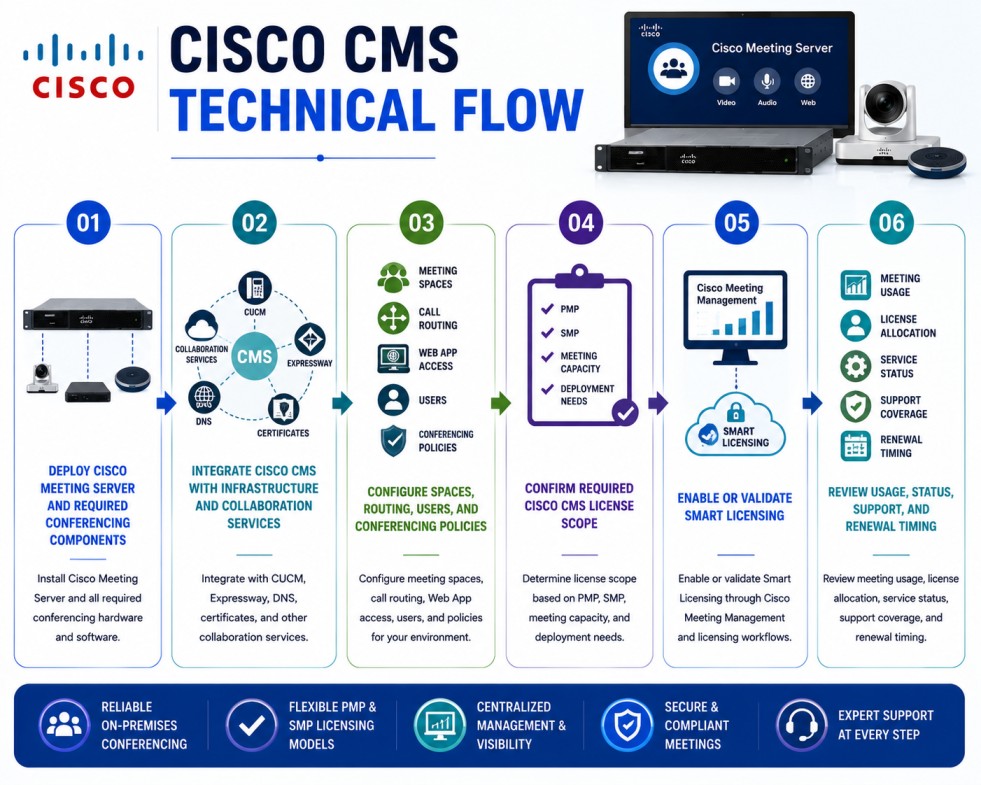
- Deploy Cisco Meeting Server and required conferencing components
- Integrate Cisco CMS with Cisco Unified Communications Manager, Expressway, DNS, certificates, and collaboration services
- Configure meeting spaces, call routing, Web App access, users, and conferencing policies
- Confirm the required Cisco CMS License scope based on PMP, SMP, meeting capacity, and deployment needs
- Enable or validate Smart Licensing through Cisco Meeting Management and Cisco licensing workflows
- Review meeting usage, license allocation, service status, support coverage, and renewal timing
Options & Licensing Models
| Licensing Model | Best for | Typical Scope | What affects pricing |
|---|---|---|---|
| Personal Multiparty | Named meeting hosts | Users who regularly host personal meetings | Number of licensed users |
| Shared Multiparty | Shared conferencing capacity | Meeting capacity used across multiple users or spaces | Concurrency and meeting usage |
| CMS Subscription Offer | Modern CMS purchasing | Subscription-based conferencing entitlement | Term, users, and deployment scope |
| Smart Licensing | CMS license visibility | Ownership, allocation, and usage validation | Smart Account and CMM setup |
| Support and renewal coverage | Ongoing CMS operations | Updates, support access, and lifecycle planning | Term and support level |
Features & Benefits
As collaboration environments grow across offices, meeting rooms, hybrid workers, and external participants, organizations need conferencing systems that remain secure, scalable, and manageable. Cisco CMS helps organizations provide on-premises meeting services for video, audio, and web collaboration while keeping more control over meeting infrastructure and policy.
One major benefit is deployment control. Organizations can host conferencing services inside their own environment and align meeting access with internal network, security, and compliance requirements. Another benefit is integration with the wider Cisco UC ecosystem. Cisco CMS can be designed alongside Cisco Unified Communications Manager, Expressway, room systems, and other collaboration components to support a more complete meeting experience.
The platform also supports flexible meeting models. Depending on licensing and deployment design, organizations can support personal meeting users, shared meeting resources, meeting spaces, Web App access, and scalable conferencing workflows. Over time, Cisco CMS licensing helps organizations keep conferencing capacity, meeting access, support coverage, and renewal planning aligned with real collaboration demand.
System Requirements
Common environments
- Cisco Unified Communications Manager deployments
- On-premises video conferencing environments
- Cisco Meeting Management and CMS administration workflows
- Cisco Expressway and external meeting access designs
- Enterprise meeting spaces, room systems, and hybrid collaboration environments
Technical requirements
- Supported Cisco Meeting Server version and deployment model
- Cisco Meeting Management for administration and Smart Licensing workflows
- Cisco Smart Account and Virtual Account access where applicable
- CUCM, Expressway, certificates, DNS, call routing, and firewall readiness
- Meeting user, host, concurrency, and capacity planning
How activation works
Activating Cisco CMS licensing usually starts with confirming the CMS version, Cisco Meeting Management deployment, Smart Account, Virtual Account, and purchased meeting entitlement.
For CMS 3.x environments, Smart Licensing is commonly enabled and managed through Cisco Meeting Management. Administrators should confirm that Cisco Meeting Management can communicate with the required licensing workflow and that the correct CMS cluster or meeting server environment is visible for license management.
Once the licensing workflow is prepared, Personal Multiparty or Shared Multiparty licenses can be assigned or allocated according to the meeting design. Personal Multiparty licensing is typically associated with users who host meetings, while Shared Multiparty licensing is usually aligned with shared meeting capacity.
After license allocation, administrators should review license status, meeting usage, server connectivity, Cisco Meeting Management synchronization, and any warning or compliance messages. It is also important to validate that CMS services such as meeting spaces, Web App access, call routing, and conferencing capacity operate as expected.
After activation, organizations should regularly review license consumption, meeting growth, support coverage, and renewal timing to keep the Cisco CMS License aligned with the active conferencing environment.
Pricing factors + quote process
Pricing for Cisco CMS usually depends on meeting users, conferencing capacity, licensing model, deployment architecture, support coverage, and subscription or renewal term.
A deployment based mainly on named meeting hosts may require a different license scope than an environment where meeting capacity is shared across many users, departments, or meeting spaces. Larger environments may also need more careful planning around concurrency, video capacity, Web App usage, external access, and integration with CUCM or Expressway.
Additional considerations such as migration from older perpetual licensing, CMS subscription offers, Smart Licensing readiness, Cisco Meeting Management deployment, support level, and renewal timing can also influence the final quote.
During the quote process, the Cisco CMS environment, meeting usage, user count, concurrency expectations, deployment design, and activation workflow are reviewed first so the licensing approach can match the organization’s collaboration strategy more accurately.
After you request a quote
- We review your Cisco CMS deployment and meeting requirements
- Identify the right Cisco CMS License model and entitlement scope
- Validate PMP, SMP, Smart Licensing, support, and renewal requirements
- Provide official pricing, delivery details, and activation guidance
Cisco CMS pricing depends on your license type, deployment model and support requirements.