

Cisco MDS 9300 Series is a Cisco SAN switching family designed for high-density Fibre Channel connectivity, enterprise storage fabrics, VSAN-based segmentation, zoning, ISL expansion, and large server-to-storage environments. Unlike the Catalyst and Nexus Ethernet platforms covered in the broader Cisco Switch License category, Cisco MDS 9300 switches are built specifically for storage area networks where Fibre Channel speed, activated ports, optics, NX-OS release, license packages, fabric design, and support coverage must be reviewed before ordering.
Series Highlights
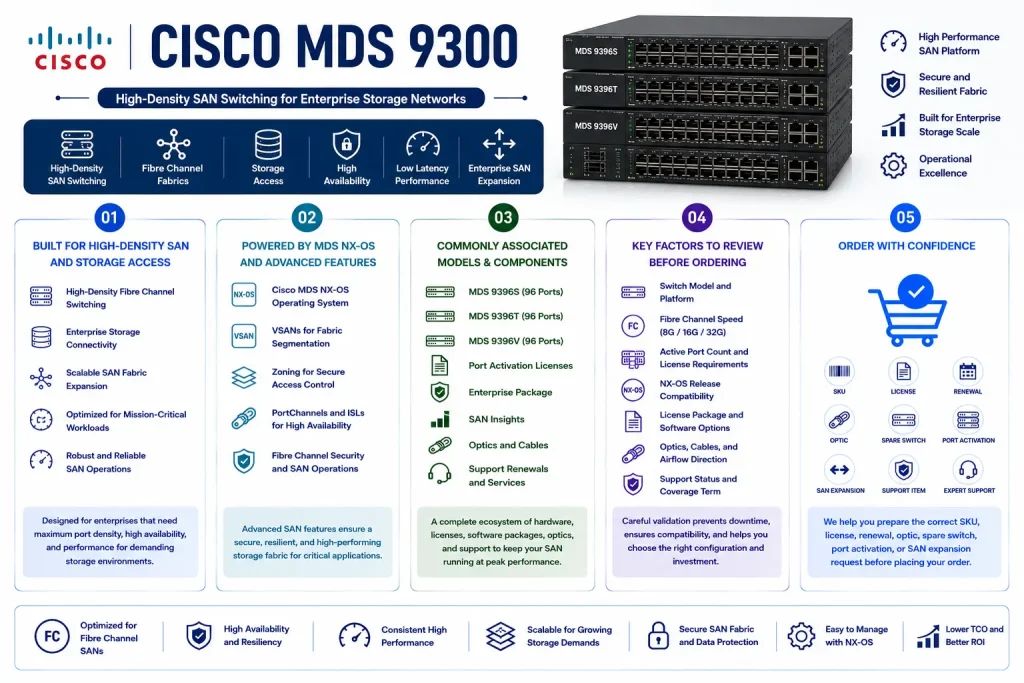
- Suitable for high-density SAN switching, Fibre Channel fabrics, storage access, and enterprise SAN expansion
- Supports Cisco MDS NX-OS, VSANs, zoning, PortChannels, ISLs, Fibre Channel security, and storage fabric operations
- Commonly associated with MDS 9396S, MDS 9396T, MDS 9396V, port activation licenses, Enterprise Package, SAN Insights, optics, and support renewals
- Requires careful review of switch model, Fibre Channel speed, active port count, NX-OS release, license package, optics, airflow, and support status
- Helps buyers prepare the correct SKU, license, renewal, optic, spare switch, port activation, or SAN expansion request before ordering
Review Cisco MDS 9300 Price List and request a quote tailored to your licensing needs.
Cisco MDS 9300 At a glance
What it is : Cisco MDS 9300 Series is a fixed high-density Cisco MDS SAN switch family for Fibre Channel storage networks.
Product family : Cisco MDS License
Typical use : Enterprise SAN switching, Fibre Channel fabric expansion, storage consolidation, VSAN design, zoning, ISL connectivity, data center storage access, and SAN refresh projects.
License or ordering scope : Switch model, Fibre Channel speed, active port count, port activation license, Enterprise Package, SAN Insights where applicable, MDS NX-OS release, optics, support renewal, airflow, and activation workflow.
Who needs it : Storage, virtualization, backup, database, and data center teams that need the correct Cisco MDS 9300 part number, port license, support renewal, optic, replacement switch, or SAN expansion item.
Series Overview
Cisco MDS 9300 Series is built for storage networks that need higher density than smaller fixed SAN switches, but do not necessarily require a large modular director-class chassis. It is commonly used in enterprise data centers, virtualization clusters, database platforms, backup environments, and storage fabrics where many hosts and storage arrays must communicate through reliable Fibre Channel connectivity.
In a typical deployment, Cisco MDS 9300 switches connect host bus adapters, storage controllers, backup systems, redundant SAN fabrics, and inter-switch links. They may operate as a high-density SAN edge switch, a consolidation switch, or a fixed fabric switch in SAN A/B designs.
The main value of Cisco MDS 9300 is density with SAN-specific control. Buyers are not only selecting a switch model; they are selecting the correct Fibre Channel speed, activated-port count, software feature package, optics, airflow, support term, and storage fabric compatibility. Because SAN environments are sensitive to downtime, the final part number should be selected only after reviewing the current fabric, active port usage, storage growth plan, NX-OS release, and license status.
Licensing and Part Number Guidance
Choosing the correct part number for Cisco MDS 9300 depends on the exact switch model, Fibre Channel speed, base active ports, future port-growth needs, optics, NX-OS release, feature requirements, support term, and activation method. Some deployments may require 16G, 32G, or 64G Fibre Channel depending on the installed hosts, storage arrays, and ISL design. Others may require additional port activation licenses, Enterprise Package features, SAN Insights licensing where applicable, optics, support renewal, or spare hardware.
Port activation planning is especially important with Cisco MDS 9300. A switch may include more physical ports than the number initially active, so buyers should confirm how many ports are required today and how much capacity is needed for future expansion. The quote should clearly separate hardware SKUs, port activation licenses, software feature licenses, optics, support items, and replacement components. For existing fabrics, current license output and inventory should be checked before ordering.
Common Use Cases
| Use case | Why it matters |
|---|---|
| High-density SAN switching | Connects many hosts, storage arrays, backup systems, and virtualization nodes |
| Fibre Channel fabric expansion | Adds more SAN ports and capacity to existing SAN A/B fabrics |
| Port activation planning | Helps activate the required number of ports without under-ordering or buying unnecessary capacity |
| Storage consolidation | Supports environments where multiple storage systems and server clusters need centralized Fibre Channel connectivity |
| ISL and fabric scaling | Helps expand SAN connectivity between switches, rooms, or redundant storage fabrics |
| Renewal or replacement planning | Helps validate license status, optics, support coverage, airflow, and model compatibility before ordering |
Models, Licenses, and Ordering Scope
| Area to check | What to confirm |
|---|---|
| Switch model | Exact Cisco MDS 9396S, 9396T, 9396V, or related MDS 9300 requirement |
| Fibre Channel speed | Required 16G, 32G, 64G, host-port speed, storage-port speed, and ISL speed |
| Port count | Base active ports, additional port activation requirement, total physical ports, and future growth |
| License type | Port activation license, Enterprise Package, SAN Insights where applicable, software entitlement, or support renewal |
| SAN features | VSANs, zoning, PortChannels, ISLs, traffic engineering, security, encryption, or advanced fabric services |
| Hardware scope | Switch, optics, power supplies, fans, rack kit, cables, spare unit, or replacement component |
| Software version | Cisco MDS NX-OS release, feature support, upgrade path, and storage interoperability requirement |
| Quantity | Number of switches, ports, optics, licenses, support renewals, or spare units |
| Activation method | License file, Smart License, SLP, Cisco licensing portal workflow, or supported activation method |
| Part number | Correct Cisco MDS 9300 hardware SKU and related license, optic, renewal, support, or accessory item |
What to Check Before Requesting a Quote
Before requesting a quote for Cisco MDS 9300, confirm the exact switch model, required Fibre Channel speed, active port count, optics, NX-OS release, license status, support term, and SAN role. You should also define whether the request is for a new SAN switch, port activation license, Enterprise Package, SAN Insights, optic bundle, support renewal, spare switch, replacement unit, or fabric expansion. Each case can change the final SKU and licensing scope. For existing environments, prepare the current inventory first. This should include model number, serial number, installed NX-OS release, active port licenses, used ports, optics, airflow direction, VSAN design, support coverage, and planned storage expansion.
Activation and Delivery Notes
After the correct Cisco MDS 9300 part number is selected, activation depends on the switch model, MDS NX-OS release, license type, and Cisco-supported licensing workflow. Some MDS deployments may use license files or port activation licenses, while newer environments may involve Smart Licensing or Smart Licensing Using Policy where supported. If additional ports, SAN Insights, or Enterprise Package features are required, the current license status should be validated before delivery.
For hardware delivery, compatibility should be checked before shipment. Switch model, optics, airflow, power supplies, NX-OS release, SAN speed, and storage fabric design should match the planned environment. For renewals, replacements, or expansion projects, reviewing the current license and support status first helps prevent ordering delays and keeps the selected SKU aligned with the real SAN requirement.
Cisco Switch pricing depends on your switch series, license type, deployment model and support requirements.