

SolarWinds SCM (Server Configuration Monitor) helps organizations track server, application, database, registry, and system configuration changes so IT teams can detect drift, troubleshoot faster, and maintain better operational control.
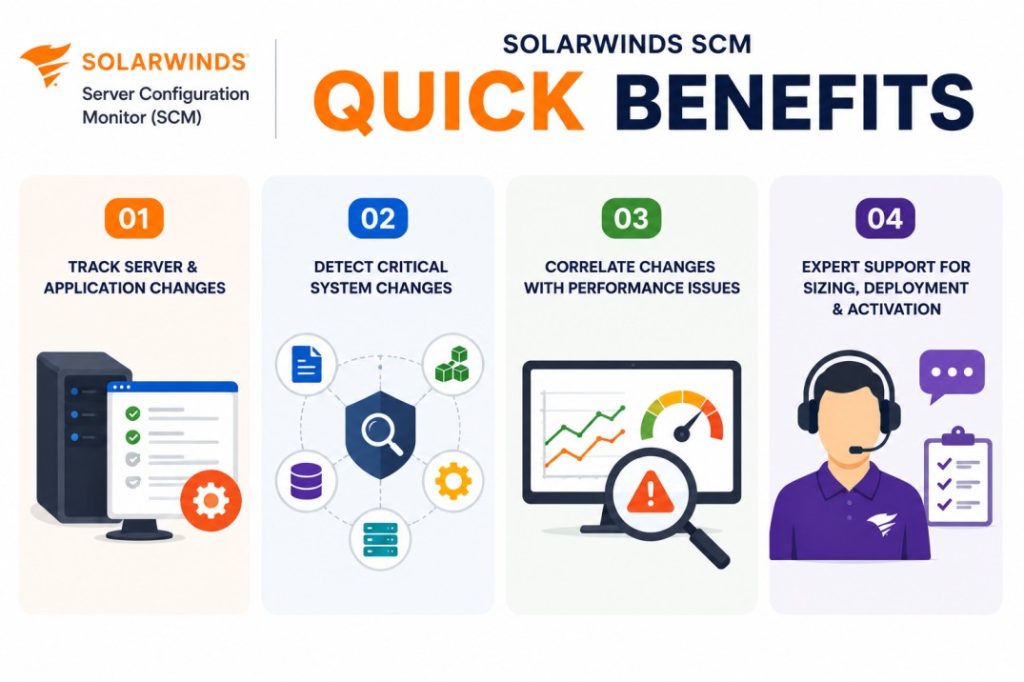
Quick benefits
- Track server and application configuration changes
- Detect file, registry, software, hardware, and database changes
- Correlate configuration changes with performance issues
- Get expert support for sizing, deployment, and activation
SolarWinds SCM At a glance
What it does : SolarWinds SCM monitors configuration changes across servers, applications, databases, files, registry settings, and system components. SolarWinds describes SCM as a tool designed to track and alert when system and application configurations change from a defined baseline or last known configuration.
License type : Subscription or module-based licensing, depending on SolarWinds packaging and deployment model
Typical term : 1 year · 3 years · product-dependent options
Activation method : Online activation through SolarWinds License Manager or offline/manual activation using a Machine ID and license file
Who needs it : Organizations that need configuration change visibility, drift detection, server change tracking, audit reporting, and faster root-cause analysis across Windows, Linux, application, and database environments

License Overview
Organizations deploying configuration monitoring usually need licensing that reflects how many servers, operating systems, or monitored nodes require configuration visibility. The SolarWinds SCM license is generally aligned with monitored node scope and configuration tracking requirements. SolarWinds describes SCM licensing as node-based in its Server Performance & Configuration Bundle guidance, where a node can represent a server, virtual machine, virtual host, or OS instance.
Because configuration monitoring is tied to operational stability, licensing should be planned around real monitoring coverage rather than only infrastructure size. A small environment with critical application servers may need careful configuration tracking, while a larger enterprise may require broader node coverage across servers, databases, and application systems. A properly aligned license helps organizations maintain configuration visibility, detect unexpected changes, support troubleshooting workflows, and reduce operational risks caused by unmanaged configuration drift.
Product Overview
Server and application configurations change constantly. Some changes are expected, but others can create performance issues, outages, security concerns, or compliance gaps if they are not tracked properly.
SolarWinds SCM is designed to reduce this risk by monitoring configuration changes and comparing them against a user-defined baseline or previous configuration state. It can help teams identify what changed, when the change occurred, and how it may relate to system or application performance.
In practice, the platform can monitor changes across files, registry settings, system configurations, software, hardware, applications, and database-related elements. SolarWinds also highlights agent-based monitoring for Windows and Linux devices, helping teams detect changes in near real time.
One of the key strengths of SolarWinds SCM is troubleshooting context. Instead of investigating performance issues blindly, teams can compare configuration changes over time and correlate those changes with system behavior.
For organizations managing critical servers or regulated environments, this approach supports better change accountability, faster investigation, and stronger operational control.
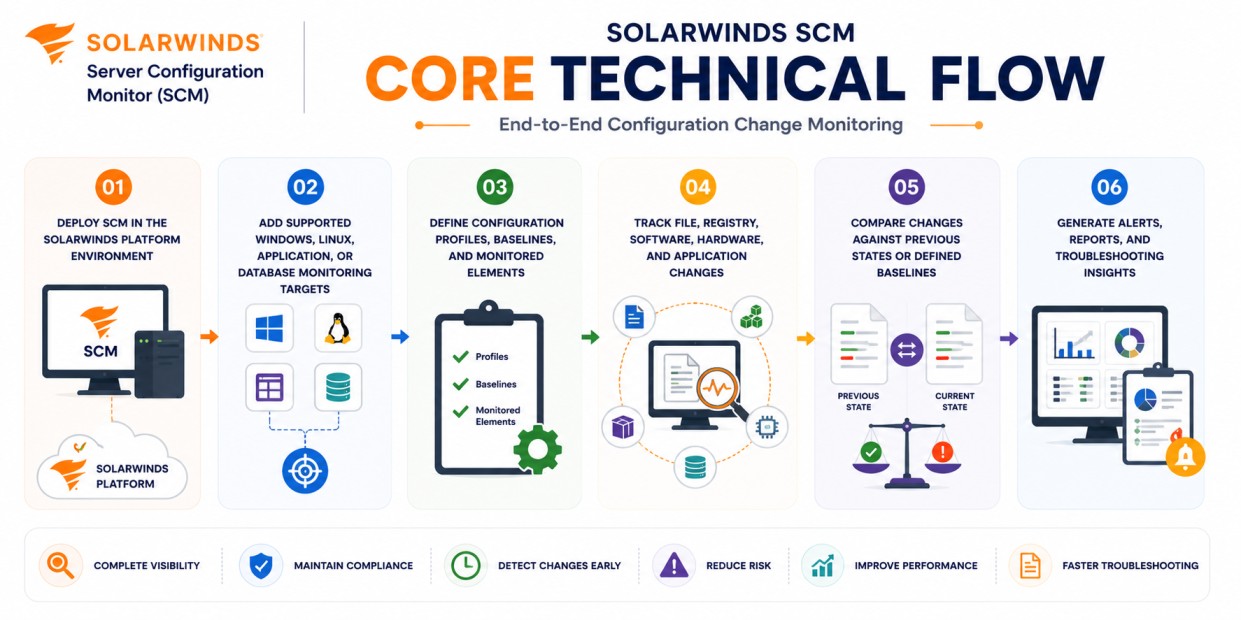
Core technical flow
- Deploy SolarWinds SCM within the SolarWinds Platform environment
- Add supported Windows, Linux, application, or database monitoring targets
- Define configuration profiles, baselines, and monitored elements
- Track file, registry, software, hardware, and application changes
- Compare changes against previous states or defined baselines
- Generate alerts, reports, and troubleshooting insights
Options & Tiers
| Licensing Model | Best for | Typical Scope | What affects pricing |
|---|---|---|---|
| Standard SCM deployment | Core server configuration monitoring | Configuration tracking and change alerts | Monitored node count |
| Compliance-focused setup | Audit-sensitive environments | Baselines, reports, and change visibility | Reporting scope |
| Enterprise deployment | Larger server environments | Scalable configuration monitoring | Infrastructure size |
| Offline activation setup | Restricted environments | Manual license workflow | Deployment model |
Features & Benefits
Configuration changes can become difficult to control when servers, applications, databases, and operating systems are managed by different teams or updated through separate processes.
SolarWinds SCM helps reduce this risk by centralizing configuration change tracking and giving teams clearer visibility into what changed across monitored systems.
One of the major benefits is faster troubleshooting. If a server starts performing poorly after a configuration update, administrators can compare changes and investigate whether the issue is linked to files, registry settings, software, hardware, scripts, or database configuration changes.
The platform also supports audit and compliance workflows by helping teams maintain a record of configuration activity and baseline deviations.
Over time, SolarWinds SCM helps organizations reduce configuration drift, improve accountability, and maintain more stable server and application environments.
System Requirements
Common environments
- Enterprise server infrastructures
- Windows and Linux server environments
- Application and database monitoring ecosystems
- Compliance-focused system administration teams
Technical requirements
- Supported SolarWinds Platform deployment infrastructure
- Agent-based monitoring where required
- Connectivity to monitored servers and systems
- Internet access or offline/manual activation support
SolarWinds documentation notes that SCM supports Windows-based devices and Linux machines with Linux kernel 2.6.23 or later, with some monitoring profiles requiring SolarWinds Platform Agent polling.
How activation works
Activating SolarWinds SCM usually starts after the product or module is installed and the purchased entitlement is available through the SolarWinds licensing workflow. In connected environments, activation can generally be completed through the SolarWinds Platform Web Console and License Manager using the provided license information.
For restricted or offline environments, SolarWinds SCM can support manual activation workflows. After installation, the system generates a unique Machine ID for that specific deployment. This Machine ID is then used to obtain the correct license file, which is imported back into the installed SolarWinds environment.
The resulting license file is typically node-locked, meaning it is tied to that specific server or installation environment. It is also module-specific, so a license generated for SolarWinds SCM is intended for the Server Configuration Monitor module and should not be reused for another SolarWinds product.
Depending on the deployment and license scope, activation may validate monitored node capacity, configuration monitoring features, reporting capabilities, and SolarWinds Platform integration. After activation, organizations should review monitored node coverage, configuration profiles, baseline policies, and alerting rules to ensure SolarWinds SCM remains aligned with the purchased license capacity.
Pricing factors + quote process
Organizations usually size SolarWinds SCM according to monitored node count, configuration tracking requirements, and operational monitoring scope.
Environments with many servers, critical applications, database systems, compliance requirements, or advanced change tracking needs may require broader licensing and more detailed deployment planning.
Additional considerations, such as SolarWinds Platform architecture, module combinations, reporting requirements, support coverage, and subscription term, can also influence pricing.
During the quote process, server inventory, configuration monitoring goals, compliance needs, and activation requirements are reviewed first so the licensing approach can match the organization’s system configuration monitoring strategy more accurately.
After you request a quote
- We review your server and configuration monitoring scope
- Recommend the most suitable SolarWinds SCM license
- Provide official pricing and delivery details
- Share activation and deployment guidance
Pricing depends on your license edition, quantity, term, and deployment needs.