

Fortinet Fabric Manager, officially referred to by Fortinet as the Fabric Management Center, provides centralized management, visibility, analytics, and automation across distributed Fortinet network and security environments. It is especially useful where administrators need to control many FortiGate firewalls, SD-WAN sites, FortiSwitch devices, FortiAP access points, and other Security Fabric components without managing every location separately.
At the core of the solution, FortiManager handles centralized configuration, policy management, orchestration, and deployment, while FortiAnalyzer adds logging, analytics, reporting, and security visibility. Fortinet also integrates capabilities such as FortiAIOps and FortiMonitor into the broader Fabric Management Center architecture for network correlation and digital experience monitoring.
Quick Benefits
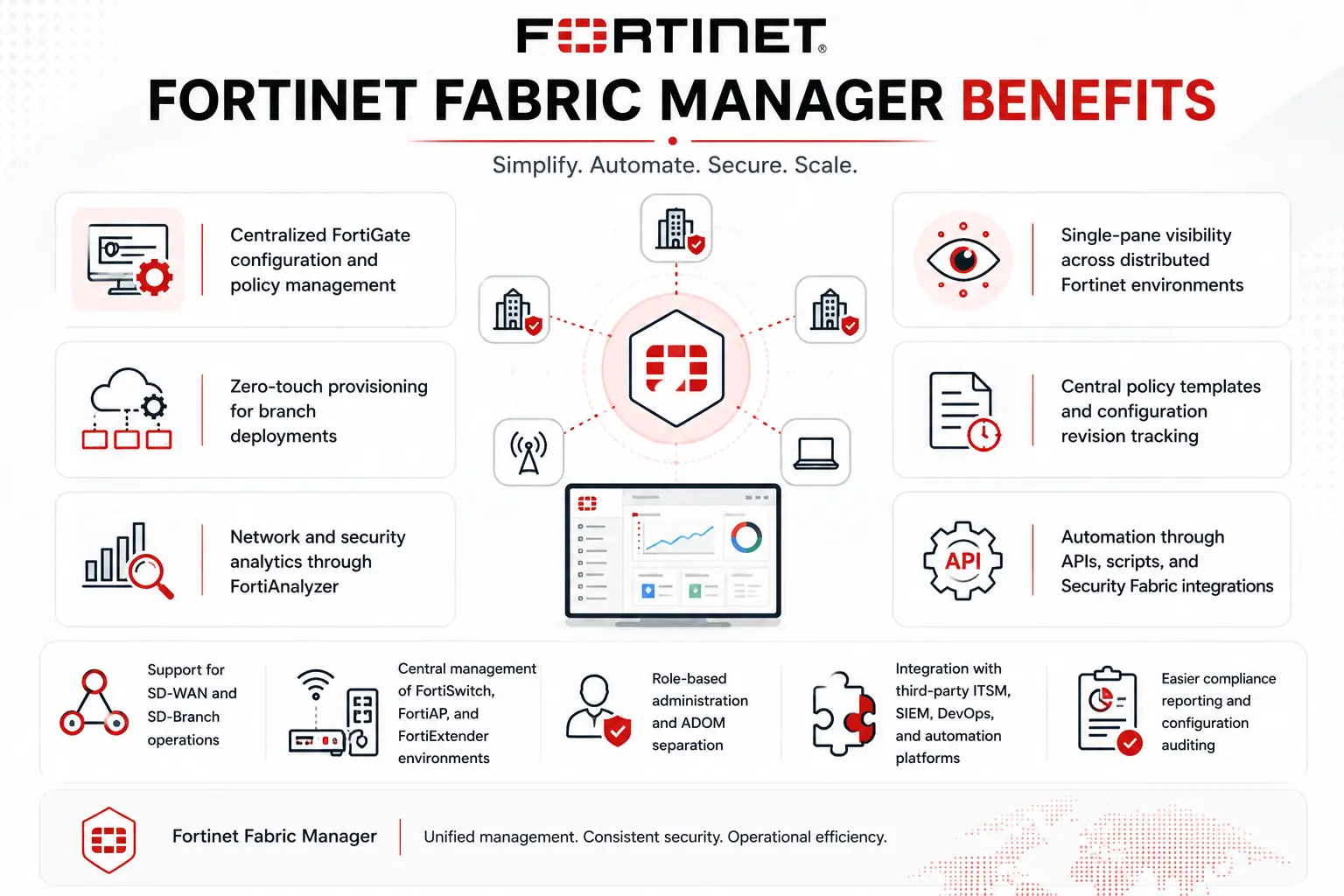
- Centralized FortiGate configuration and policy management
- Single-pane visibility across distributed Fortinet environments
- Zero-touch provisioning for branch deployments
- Central policy templates and configuration revision tracking
- Network and security analytics through FortiAnalyzer
- Automation through APIs, scripts, and Security Fabric integrations
- Support for SD-WAN and SD-Branch operations
- Central management of FortiSwitch, FortiAP, and FortiExtender environments
Fortinet Fabric Manager At a Glance
Product Family: Fortinet License
Primary management component: FortiManager
Analytics and logging component: FortiAnalyzer
Optional operational extensions: FortiAIOps, FortiMonitor and other Security Fabric services
Main role: Centralized network and security operations
Deployment options: Hardware, virtual machine, cloud and supported SaaS models
License Overview
A Fortinet Fabric Manager License should be considered as a solution-level requirement within the broader Fortinet License portfolio rather than a single standalone SKU. In most deployments, licensing begins with FortiManager, which must be sized according to the number and type of devices or administrative domains being managed. FortiAnalyzer is then added where centralized log retention, analytics, reporting, incident investigation, or security operations capabilities are required.
Fortinet explicitly describes Fabric Management Center as combining FortiManager’s centralized management functions with FortiAnalyzer’s analytics and logging capabilities. The final ordering scope can therefore change significantly between two networks. A company managing 30 branch FortiGates with basic centralized configuration has different requirements from an MSSP controlling thousands of devices, multiple ADOMs, large log volumes, long retention periods, and separate customer environments.
Product Overview
Centralized Network Management
FortiManager provides the operational control plane for the environment. Administrators can manage configurations, firewall policies, SD-WAN settings, device templates, and provisioning from a centralized interface. Current Fortinet positioning also extends FortiManager management across FortiOS-based networking products such as FortiSwitch, FortiAP, and FortiExtender, allowing networking and security policies to be coordinated instead of administered through separate consoles.
Analytics and Reporting
FortiAnalyzer complements management with centralized telemetry, reporting, security analytics, and investigation. This becomes particularly important when a network team needs to understand not only what configuration is deployed, but also what is actually happening across the network. FortiAnalyzer currently provides a unified data lake, threat detection, automation, reporting, and Security Fabric visibility, with appliance, VM, and cloud deployment options.
Automation and Configuration Control
Fabric Management Center can reduce repetitive administration through templates, scripts, APIs, automated workflows, and zero-touch provisioning. Configuration changes can also be tracked and associated with individual administrators, which is valuable in environments where multiple teams are responsible for firewalls, WAN, branch infrastructure, and security policies.
How Fortinet Fabric Manager Works
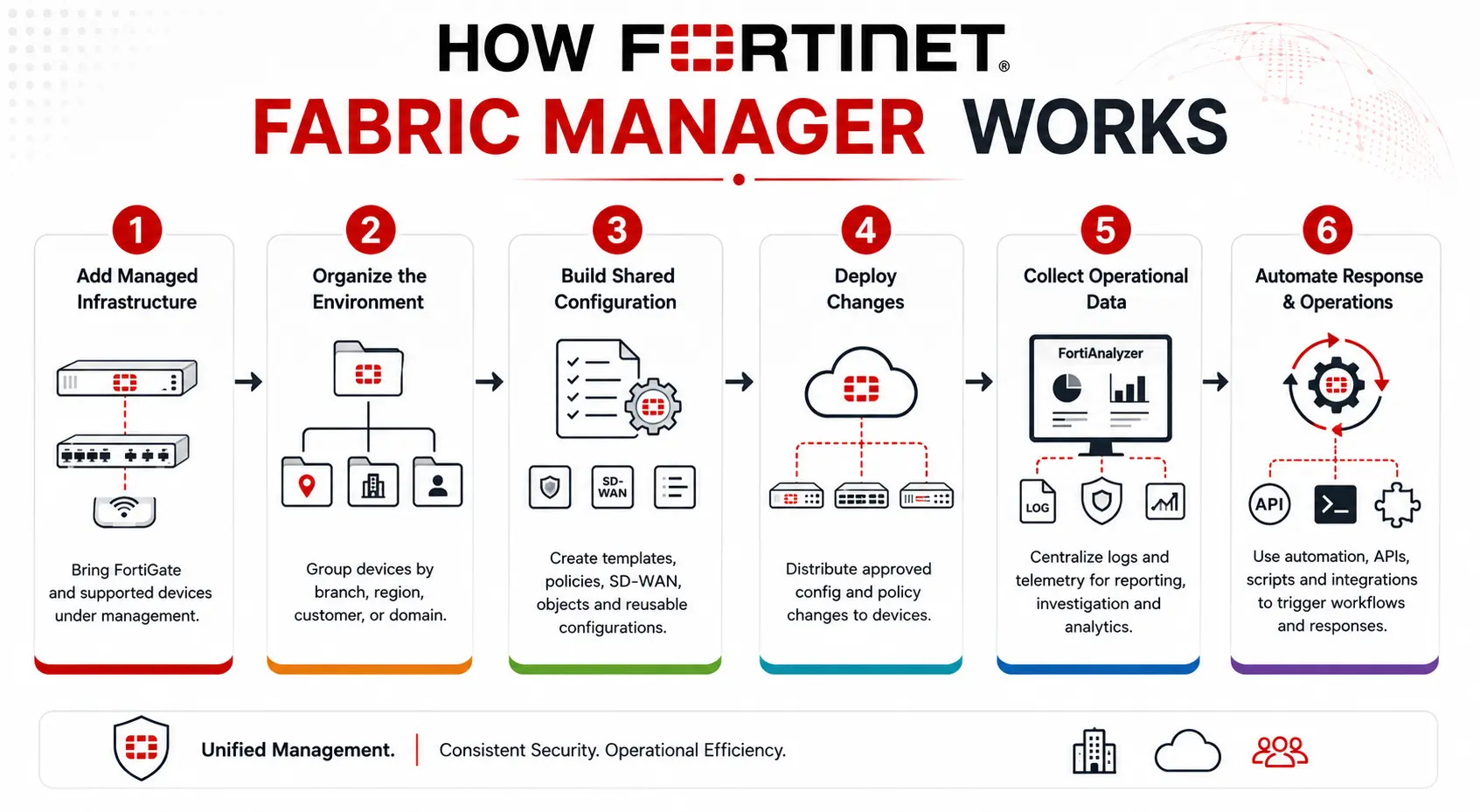
A typical deployment follows this operational flow:
1. Add managed infrastructure
FortiGate and supported Fortinet networking devices are brought under centralized management.
2. Organize the environment
Devices can be separated according to branch, region, customer, business unit, environment, or administrative domain.
3. Build shared configuration
Administrators create policy packages, configuration templates, SD-WAN settings, objects, and reusable device configurations.
4. Deploy changes
FortiManager distributes approved configuration and policy changes to the managed devices.
5. Collect operational data
Where FortiAnalyzer is deployed, logs and security telemetry are centralized for reporting, investigation, and analytics.
6. Automate response and operations
Security Fabric automation, APIs, scripts, connectors, and external integrations can trigger workflows when operational or security conditions occur.
Core Technical Flow
- Managed Fortinet Devices
- FortiManager – Policy, Configuration and Orchestration
- FortiAnalyzer – Logs, Analytics and Reporting
- Security Fabric Correlation / Automation
- NOC and Security Operations Teams
Fortinet positions this combined approach as a way to bring networking and security operations closer together instead of maintaining separate management silos.
Options and Licensing Models
The correct configuration depends primarily on scale and operational requirements.
| Requirement | Licensing / sizing consideration |
|---|---|
| Central firewall management | FortiManager capacity |
| FortiGate VDOM environments | Device/VDOM and administrative design |
| Multiple business units/customers | ADOM requirements |
| Central log collection | FortiAnalyzer capacity |
| High log volume | GB/day and logs-per-second sizing |
| Long retention | Storage requirements |
| Branch automation | FortiManager and provisioning design |
| Network analytics | FortiAnalyzer/FortiAIOps requirements |
| Digital experience monitoring | FortiMonitor requirements |
| Resilience | HA architecture for management/analytics platforms |
| Deployment preference | Hardware, VM, cloud or SaaS option |
For FortiAnalyzer specifically, current appliance specifications vary by GB per day, sustained logs per second, device/VDOM capacity, storage and ADOM limits, so analytics sizing should be based on actual telemetry rather than simply matching the number of firewalls.
Features and Benefits
The biggest operational benefit is consistency. In a distributed FortiGate environment, administrators can create common policy structures and configuration templates instead of modifying each firewall manually. This becomes especially valuable for SD-WAN deployments where dozens or hundreds of branches need similar overlays, routing policies, security controls, and connectivity standards.
Fabric Management Center also helps network teams understand configuration changes. Centralized revision tracking, auditing, analytics, and reporting can make troubleshooting easier when a policy modification or network event affects multiple locations. Fortinet additionally supports integrations with tools such as ITSM, SIEM, automation, and DevOps systems through connectors and APIs, allowing existing operational workflows to remain in place.
Compatibility and Requirements
Before selecting a Fortinet Fabric Manager configuration, check:
- Number of FortiGate devices
- Number of VDOMs
- Number of FortiSwitch, FortiAP and FortiExtender devices
- Number of branches and data centers
- Required ADOM structure
- Existing FortiOS versions
- FortiManager/FortiAnalyzer version compatibility
- Expected daily log volume
- Peak logs per second
- Required log retention period
- Reporting and compliance requirements
- SD-WAN management requirements
- HA requirements
- VM, hardware, cloud or SaaS preference
- Third-party API and automation integrations
- Existing Fortinet licenses and support contracts
How Activation and Deployment Work
Deployment normally starts with FortiManager or the selected centralized management platform. Administrators register or authorize managed Fortinet devices, organize them into the required administrative structure, import existing configurations where necessary, and establish common policy and configuration templates.
FortiAnalyzer can then be connected for centralized logging and analytics. If the deployment uses automation, AIOps, monitoring, ITSM integration, or external APIs, these functions can be introduced after the core management architecture is established. For existing networks, configuration discovery should happen before large policy changes are pushed. This helps identify local differences between branches that could otherwise be overwritten by an overly broad centralized template.
Pricing and Quote Process
There is no single price for a Fortinet Fabric Manager License because the final configuration depends on the management and analytics architecture.
For an accurate quote, provide:
- Number of FortiGate devices
- Number of VDOMs
- Other Fortinet devices requiring management
- Number of sites
- Required FortiManager deployment type
- Whether FortiAnalyzer is required
- Expected log volume and retention
- Number of ADOMs or administrative groups
- HA requirement
- Existing licenses or serial numbers
- Required support term
Fortinet pricing depends on your product edition, FortiGate model, security services, license term, deployment model, and support requirements.