

SolarWinds EOC (Enterprise Operations Console) helps organizations centralize visibility across multiple SolarWinds Platform deployments, making it easier to monitor distributed environments from one operational view.
Quick benefits
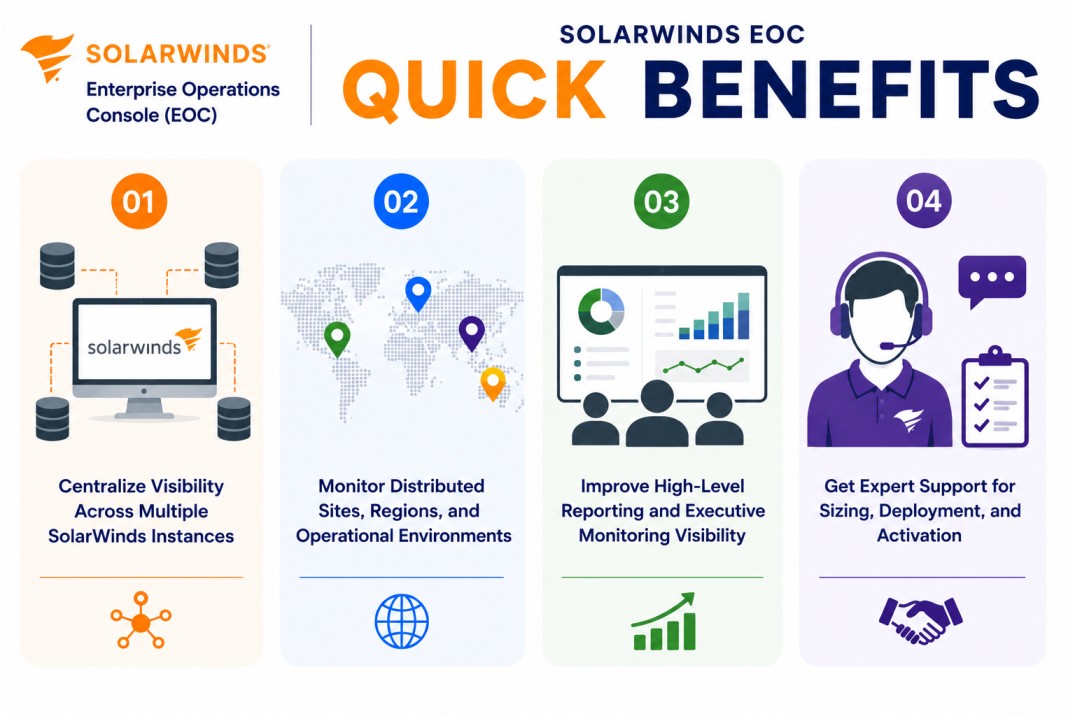
- Centralize visibility across multiple SolarWinds instances
- Monitor distributed sites, regions, and operational environments
- Improve high-level reporting and executive monitoring visibility
- Get expert support for sizing, deployment, and activation
SolarWinds EOC At a glance
What it does : SolarWinds EOC provides a centralized operations console for viewing and managing multiple SolarWinds Platform instances across distributed environments.
License type : Subscription or module-based licensing, depending on SolarWinds deployment model
Typical term : 1 year · 3 years · product-dependent options
Activation method : Online activation through SolarWinds licensing workflows or offline/manual activation using a Machine ID and license file
Who needs it : Organizations that operate multiple SolarWinds Platform deployments and need a unified view across sites, data centers, regions, or business units

License Overview
The SolarWinds EOC license is usually planned around the number of SolarWinds Platform instances, distributed monitoring environments, and operational visibility requirements that need to be centralized through the console.
Because EOC is designed for environments with multiple SolarWinds deployments, licensing should be aligned with the actual management structure rather than only the size of a single monitoring server. A company with several regional SolarWinds instances may need EOC to unify dashboards, alerts, reporting, and operational status across those environments.
This makes SolarWinds EOC especially useful for enterprise teams that manage monitoring across branches, data centers, subsidiaries, or separated operational zones. A properly aligned licensing approach helps organizations centralize SolarWinds visibility, reduce fragmented monitoring views, and maintain better operational awareness across distributed IT environments.
Product Overview
Large organizations often run more than one SolarWinds Platform deployment. Different teams, regions, or data centers may each have their own monitoring instance, dashboards, alerts, and operational responsibilities.
SolarWinds EOC is designed to simplify this distributed monitoring model by providing a centralized console above multiple SolarWinds environments.
In practice, EOC connects to existing SolarWinds Platform instances and gives teams a broader operational view across monitored nodes, alerts, performance status, and environment health. Instead of logging into each instance separately, administrators can review high-level visibility from one place.
One of the key advantages is operational consolidation. Teams can understand the status of multiple SolarWinds deployments without losing visibility into individual environments.
For organizations managing large or geographically distributed infrastructures, this approach supports better monitoring coordination, faster awareness of issues, and clearer reporting across the enterprise.
Core technical flow
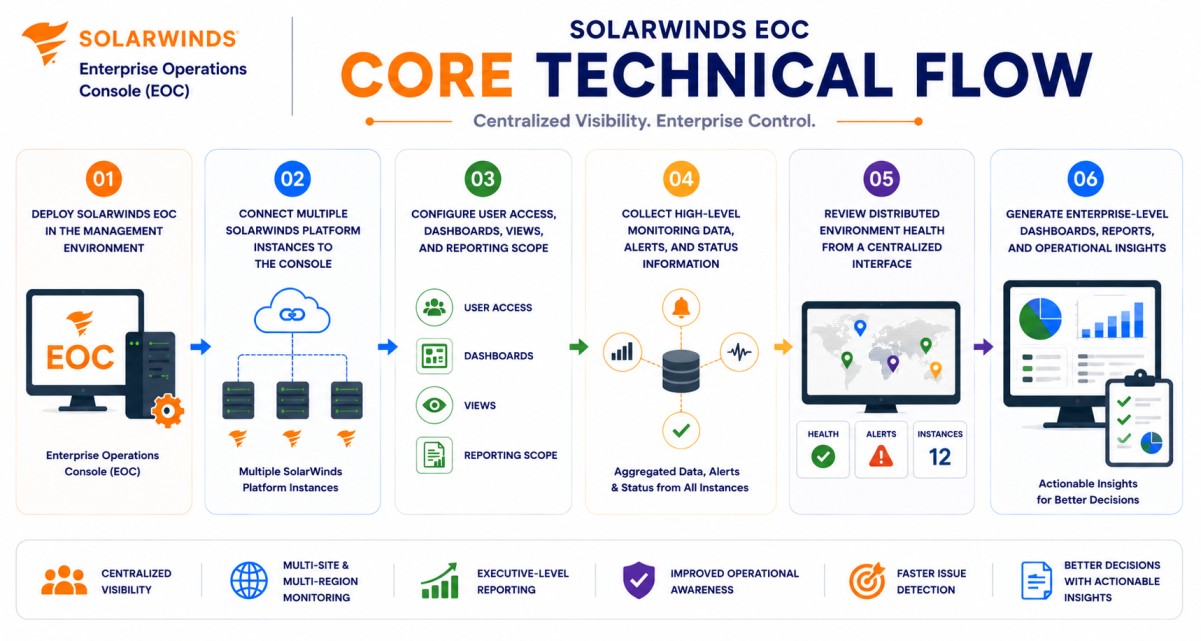
- Deploy SolarWinds EOC in the management environment
- Connect multiple SolarWinds Platform instances to the console
- Configure user access, dashboards, views, and reporting scope
- Collect high-level monitoring data, alerts, and status information
- Review distributed environment health from a centralized interface
- Generate enterprise-level dashboards, reports, and operational insights
Options & Tiers
| Licensing Model | Best for | Typical Scope | What affects pricing |
|---|---|---|---|
| Standard EOC deployment | Multi-instance SolarWinds environments | Centralized visibility across deployments | Number of connected instances |
| Enterprise operations view | Large distributed organizations | Cross-site monitoring visibility | Environment scale |
| Platform module licensing | SolarWinds Platform ecosystems | EOC used with other SolarWinds tools | Product combination |
| Offline activation setup | Restricted environments | Manual license workflow | Deployment model |
Features & Benefits
As SolarWinds environments expand across sites, regions, and operational teams, maintaining a unified monitoring view becomes more important. SolarWinds EOC helps organizations centralize visibility across multiple SolarWinds deployments so teams can review enterprise-wide monitoring status from a single operations console.
One of the major benefits is reduced monitoring fragmentation. Instead of switching between separate SolarWinds instances, administrators can use EOC to view alerts, node status, performance summaries, and environment health across connected deployments. The platform also supports better reporting for large organizations by helping teams build higher-level dashboards and operational views across multiple monitoring environments. Over time, SolarWinds EOC helps improve monitoring coordination, simplify operational review, and support more scalable SolarWinds management across distributed infrastructures.
System Requirements
Common environments
- Enterprise SolarWinds Platform deployments
- Multi-site monitoring environments
- Regional or distributed IT operations
- Centralized NOC and infrastructure monitoring teams
Technical requirements
- Existing SolarWinds Platform instances
- Network connectivity between EOC and connected SolarWinds environments
- Proper credentials and permissions for connected instances
- Internet access or offline/manual activation support
How activation works
Activating SolarWinds EOC usually starts after the product is installed and the purchased entitlement is available through the SolarWinds licensing workflow. In connected environments, activation can generally be completed through the SolarWinds administration interface or License Manager using the provided licensing information.
For restricted or offline environments, SolarWinds EOC can support manual activation workflows. After installation, the system generates a unique Machine ID for that specific deployment. This Machine ID is then used to obtain the correct license file, which is imported back into the installed SolarWinds environment.
The resulting license file is typically node-locked, meaning it is tied to that specific server or installation environment. It is also module-specific, so a license generated for SolarWinds EOC is intended for the Enterprise Operations Console module and should not be reused for another SolarWinds product.
Depending on the deployment and license scope, activation may validate connected instance capacity, reporting features, dashboard visibility, and SolarWinds Platform integration. After activation, organizations should review connected SolarWinds instances, user permissions, dashboard views, and enterprise reporting scope to ensure SolarWinds EOC remains aligned with the purchased entitlement.
Pricing factors + quote process
Organizations usually size SolarWinds EOC according to the number of SolarWinds Platform instances, distributed monitoring scope, reporting needs, and enterprise visibility requirements. Environments with multiple regions, separate monitoring teams, large SolarWinds deployments, or centralized NOC requirements may need more detailed licensing and deployment planning.
Additional considerations, such as SolarWinds Platform architecture, module combinations, connected environment scale, support coverage, and subscription term, can also influence pricing. During the quote process, SolarWinds deployment structure, connected instance count, visibility requirements, and activation needs are reviewed first so the licensing approach can match the organization’s enterprise monitoring strategy more accurately.
After you request a quote
- We review your SolarWinds deployment architecture
- Recommend the most suitable SolarWinds EOC licensing model
- Provide official pricing and delivery details
- Share activation and deployment guidance
Pricing depends on your license edition, quantity, term, and deployment needs.