

For enterprise backup environments, Veritas NetBackup is used to protect critical workloads across physical, virtual, cloud, database, and application infrastructures from a centralized data protection platform. The Veritas NetBackup License is commonly planned around protected data capacity, workload scope, deployment architecture, subscription or entitlement model, and the level of recovery coverage required across the organization.
Key Benefits
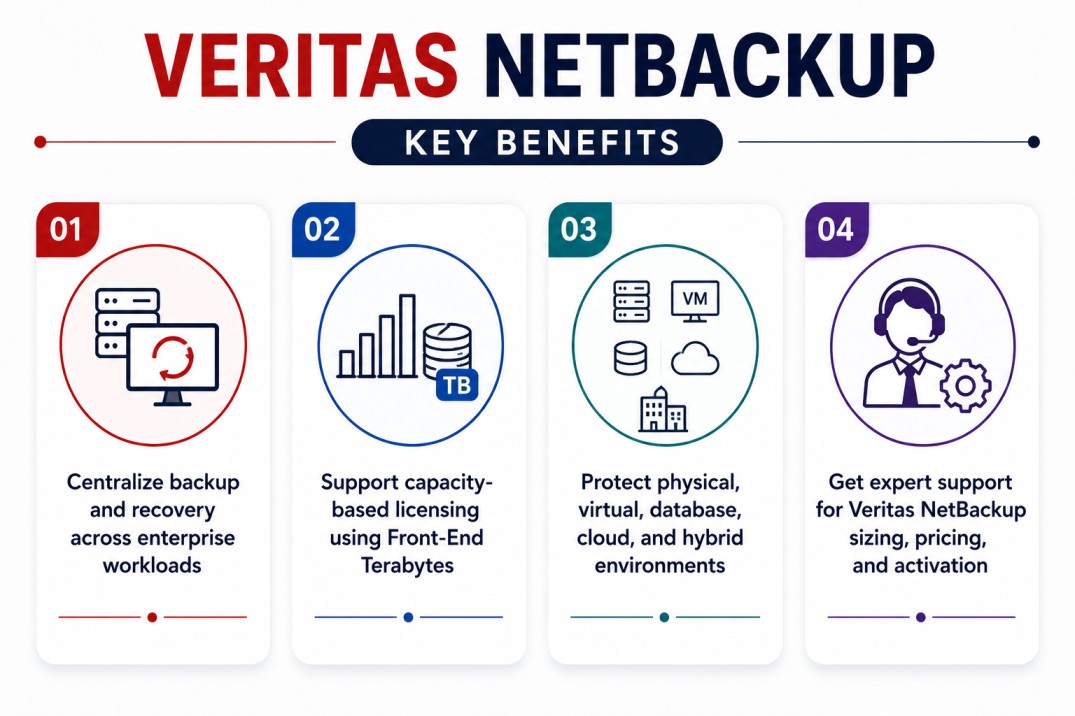
- Centralize backup and recovery across enterprise workloads
- Support capacity-based licensing using Front-End Terabytes
- Protect physical, virtual, database, cloud, and hybrid environments
- Get expert support for Veritas NetBackup sizing, pricing, and activation
Veritas NetBackup At a glance
What it does : Veritas NetBackup provides enterprise backup, recovery, workload protection, and data resilience capabilities across large and complex IT environments.
License type : Capacity-based, subscription, or product-specific entitlement model depending on the agreement and deployment. Veritas documentation explains that NetBackup capacity licensing is based on Front-End Terabytes, where one FETB equals one terabyte of protected data.
Typical term : Subscription or entitlement-based, depending on the purchased license and support agreement.
Who needs it : Organizations that need scalable backup, recovery, ransomware resilience, disaster recovery support, cloud workload protection, and centralized data protection management.
License Overview
Organizations deploying NetBackup usually need licensing that reflects the amount of data being protected, the types of workloads included, and the operational recovery requirements of the environment. The Veritas NetBackup License is often sized using Front-End Terabytes. This means licensing is calculated based on the total amount of protected source data, rather than only the number of backup servers or storage targets. Veritas explains that one Front-End Terabyte equals one terabyte of protected data, and that the protected data may exist on clients, devices, or systems where backup functionality is provided.
Because enterprise backup environments may include databases, virtual machines, file servers, cloud workloads, SaaS data, and application systems, licensing should be planned around real protection scope rather than a simple infrastructure count. A properly aligned license helps organizations avoid capacity gaps, maintain backup coverage, support compliance requirements, and keep recovery operations aligned with business continuity needs.
Product Overview
Backup environments become more complex as organizations expand across data centers, virtual platforms, cloud services, databases, and distributed workloads. Managing separate backup tools for each environment can create visibility gaps and make recovery operations harder to control.
Veritas NetBackup is designed to provide centralized data protection for large and mixed enterprise environments.
In practice, the platform helps teams define backup policies, protect workloads, manage recovery points, monitor job status, and support restore operations across different infrastructure types.
One of the main operational advantages is unified protection visibility. Instead of treating each workload category separately, teams can manage backup and recovery activity from a broader enterprise protection workflow.
For organizations with strict recovery objectives, business-critical applications, or hybrid infrastructure, Veritas NetBackup supports more scalable backup operations and stronger recovery planning.
Core technical flow
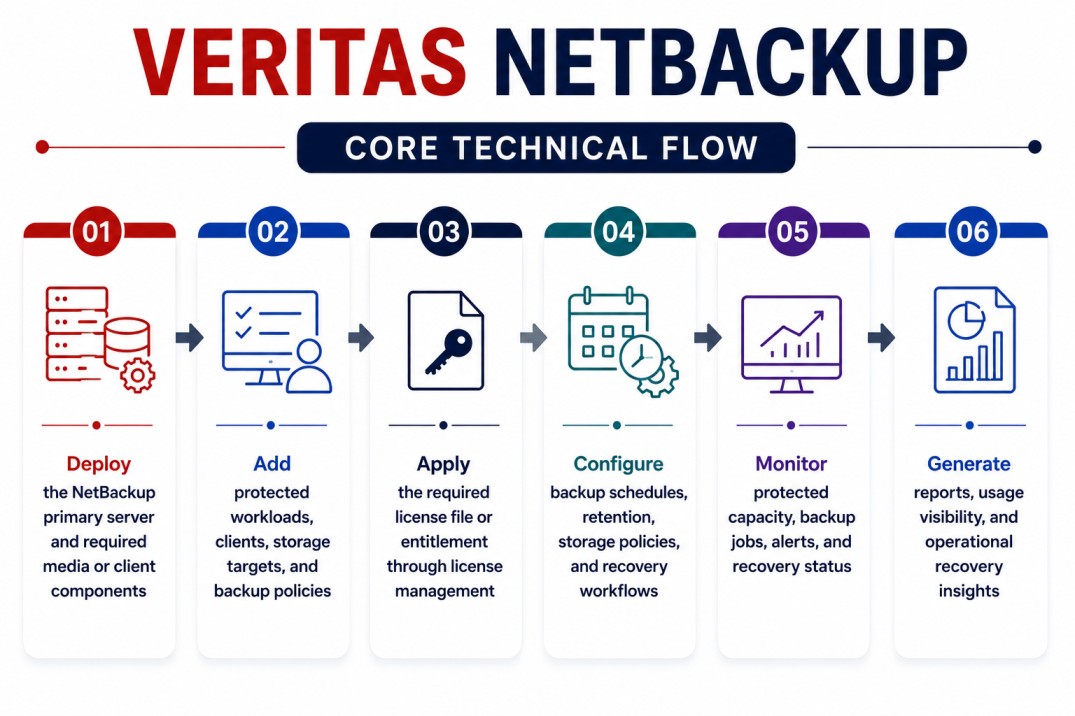
- Deploy the NetBackup primary server and required media or client components
- Add protected workloads, clients, storage targets, and backup policies
- Apply the required license file or entitlement through license management
- Configure backup schedules, retention, storage policies, and recovery workflows
- Monitor protected capacity, backup jobs, alerts, and recovery status
- Generate reports, usage visibility, and operational recovery insights
Options & Tiers
| Licensing Model | Best for | Typical Scope | What affects pricing |
|---|---|---|---|
| Capacity licensing | Enterprise backup environments | Protected data measured in FETB | Front-end protected capacity |
| Subscription licensing | Modern NetBackup deployments | Term-based product usage | Term, support, and capacity |
| Workload-focused deployment | Mixed infrastructure environments | Physical, virtual, cloud, database, and application protection | Workload type and scope |
| Enterprise data protection | Large organizations | Scalable backup, recovery, and resilience operations | Environment size and recovery needs |
Features & Benefits
As enterprise data grows across servers, virtual machines, databases, cloud platforms, and application environments, backup operations need to remain scalable and reliable. Veritas NetBackup helps organizations centralize data protection so teams can manage backup policies, recovery workflows, protected workloads, and operational visibility from a unified platform.
One of the major benefits is stronger recovery control. Teams can define protection policies, monitor backup status, and support restore operations across different parts of the infrastructure. The platform also supports long-term resilience planning by helping organizations align backup coverage with business continuity, compliance, retention, and recovery requirements. Over time, Veritas NetBackup helps reduce backup complexity, improve protection consistency, and support more reliable recovery operations across enterprise environments.
System Requirements
Common environments
- Enterprise backup and recovery environments
- Physical and virtual infrastructure
- Hybrid and cloud-connected workloads
- Database, file, application, and business-critical systems
- Data protection, compliance, and disaster recovery operations
Technical requirements
- Supported NetBackup deployment architecture
- Primary server, media server, storage, and client planning
- Access to the required entitlement or license file
- Accurate protected data capacity and workload inventory
- Network, storage, and recovery planning based on backup scope
How activation works
Activating Veritas NetBackup usually starts after the primary server is installed and the purchased entitlement or license file is available.
In the NetBackup web UI, administrators can add licenses after primary server installation by going to Settings > License management and selecting Add license. Veritas documentation lists VEMS as one method for adding the license from the entitlement portal.
For new or upgraded environments, Veritas also explains that perpetual or subscription licenses can be entered from the NetBackup web UI under Settings > License management. If an evaluation license has expired, the bpminlicense command may be required to add licenses.
Depending on the entitlement, the license file is applied to enable the purchased NetBackup scope. The product then validates the licensed usage, protected capacity, and available features according to the active entitlement.
After activation, organizations should review license usage, protected data scope, backup policies, and renewal timing to ensure that the deployment remains aligned with the purchased entitlement.
Pricing factors + quote process
Pricing for Veritas NetBackup is usually influenced by protected data capacity, workload type, deployment size, recovery requirements, support coverage, and subscription term.
For many NetBackup environments, protected capacity is measured in Front-End Terabytes. Veritas documentation explains that capacity licensing fees are based on the total number of FETBs protected by NetBackup.
Environments with large databases, many virtual machines, hybrid cloud workloads, long retention periods, or complex recovery requirements may need broader licensing and more detailed capacity planning.
Additional considerations, such as backup architecture, storage design, reporting needs, renewal timing, and support level, can also influence the final Veritas NetBackup License scope.
During the quote process, protected data volume, workload inventory, recovery goals, deployment architecture, and activation requirements are reviewed first so the licensing approach can match the organization’s data protection strategy more accurately.
After you request a quote
- We review your NetBackup environment and protected workload scope
- Estimate the required capacity or entitlement model
- Provide official pricing and delivery details
- Share activation and renewal guidance
Veritas pricing depends on your protected workloads, data capacity, required solutions, deployment environment, retention period, and support requirements.