

Cisco SLP License is commonly used to refer to Cisco Smart Licensing Using Policy, also known as SLP. It is not a completely separate licensing system from Cisco Smart License. In fact, it is an enhanced Smart Licensing model that uses policy-based reporting to manage license usage, entitlement visibility, and compliance across supported Cisco products. Instead of relying on traditional PAK files or older device registration behavior, Cisco SLP License allows supported Cisco devices and software platforms to use licensed features while reporting usage according to the policy assigned to the product instance.
Key Benefits
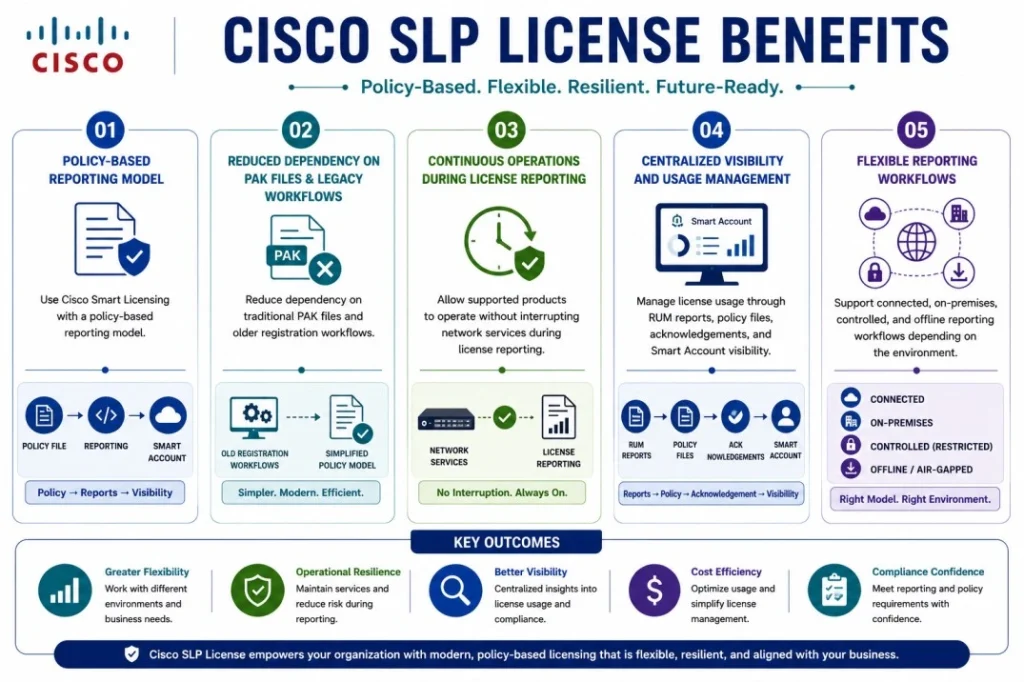
- Use Cisco Smart Licensing with a policy-based reporting model
- Reduce dependency on traditional PAK files and older registration workflows
- Allow supported products to operate without interrupting network services during license reporting
- Manage license usage through RUM reports, policy files, acknowledgements, and Smart Account visibility
- Support connected, on-premises, controlled, and offline reporting workflows depending on the environment
Cisco SLP At a glance
What it does : Cisco SLP License helps supported Cisco products manage license usage through Smart Licensing Using Policy, where license consumption is reported based on defined policy rules.
License category : Cisco License Model
Category type : Cisco Smart Licensing policy-based activation and reporting model.
Official Cisco term : Smart Licensing Using Policy, usually abbreviated as SLP.
License behavior : It allows supported Cisco products to use licensed features while license usage is tracked and reported according to policy requirements.
Where it applies : Supported Cisco IOS XE, NX-OS, IOS XR, Catalyst, Nexus, MDS, routing, switching, wireless, and data center platforms, depending on product and software version.
Who needs it : Organizations that use newer Cisco platforms and need a modern Smart Licensing model with flexible reporting, compliance visibility, and fewer operational interruptions.
License Model Overview
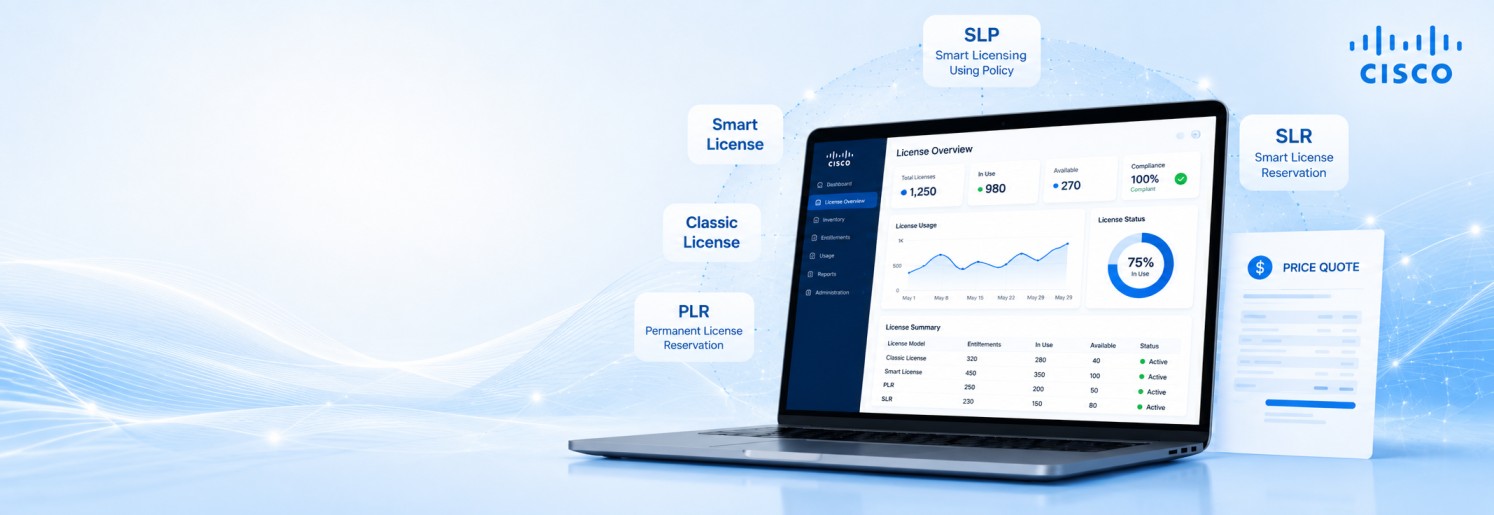
Cisco SLP License should be understood as a policy-based version of Cisco Smart Licensing. It is still part of the Smart Licensing family, but it works differently from the older Smart Licensing model. In older Smart Licensing workflows, a device or product instance often needed to register with Cisco Smart Software Manager before full authorization behavior could be completed. In Smart Licensing Using Policy, the model is more focused on usage reporting and compliance. Supported products can use the required license features, while license usage is recorded and reported according to the policy applied to the device or software instance.
The “policy” is the main difference. It defines how and when license usage must be reported, whether an acknowledgement is required, and what should happen when license usage changes. This makes the licensing behavior more flexible for connected, partially connected, and offline environments.
Cisco SLP License is useful because many modern Cisco platforms are designed to avoid interrupting network operations during licensing activity. Instead of stopping product features because of a registration delay, the system focuses on recording usage, reporting it correctly, and keeping the environment compliant. Across the broader Cisco License portfolio, this model is especially important for organizations using newer switches, routers, data center platforms, and enterprise networking products that support Smart Licensing Using Policy.
How Cisco SLP License Works
Cisco SLP License works by combining Smart Licensing entitlement management with a policy-based reporting process. The Cisco product instance records the licenses being used on the device or software platform. This usage information is captured in a Resource Utilization Measurement report, commonly called a RUM report. The RUM report is then sent to Cisco Smart Software Manager, Cisco Smart Licensing Utility, Smart Software Manager On-Prem, or another supported licensing path depending on the deployment model.
The policy applied to the product instance defines the reporting rules. These rules may include when the first report must be sent, how often usage should be reported, whether a report acknowledgement is required, and when the device must report a license usage change. This makes Cisco SLP License different from a simple “register and authorize” model. The product does not only check whether a license exists at one moment. It continuously records usage and follows the assigned reporting policy.
For example, if a device starts using a different license level, enables a new licensed feature, or changes its license consumption, the policy can require a new report within a defined period. This keeps Cisco licensing records aligned with real product usage. In simple terms, Cisco SLP License works like this: the device uses the license, records what it uses, reports that usage based on policy, receives acknowledgement where required, and keeps the licensing status aligned with Cisco entitlement records.
Where This License Model Is Used
Cisco SLP License is used on supported Cisco platforms that have moved to Smart Licensing Using Policy. It is commonly associated with newer software releases across Cisco enterprise networking, data center, routing, switching, and wireless products. It can apply to Cisco Catalyst switches, Cisco enterprise routers, Cisco Nexus switches, Cisco MDS switches, Cisco IOS XE platforms, Cisco NX-OS platforms, Cisco IOS XR platforms, and other supported Cisco product families.
The exact behavior depends on the product and software version. A Catalyst switch, Nexus switch, router, MDS switch, or IOS XR platform may all support Smart Licensing Using Policy, but the commands, reporting method, deployment topology, and supported license types may differ.
Cisco SLP License is especially useful in environments where administrators want license reporting without unnecessary service interruption. It is also helpful in large networks where manual registration of each device would be difficult to manage. However, this model should always be confirmed against the Cisco product, software version, and supported licensing guide. Not every Cisco device uses the same Smart Licensing workflow.
Activation Workflow
The Cisco SLP License activation process is different from Classic License activation because it does not normally start with a PAK file or a traditional license file installation.
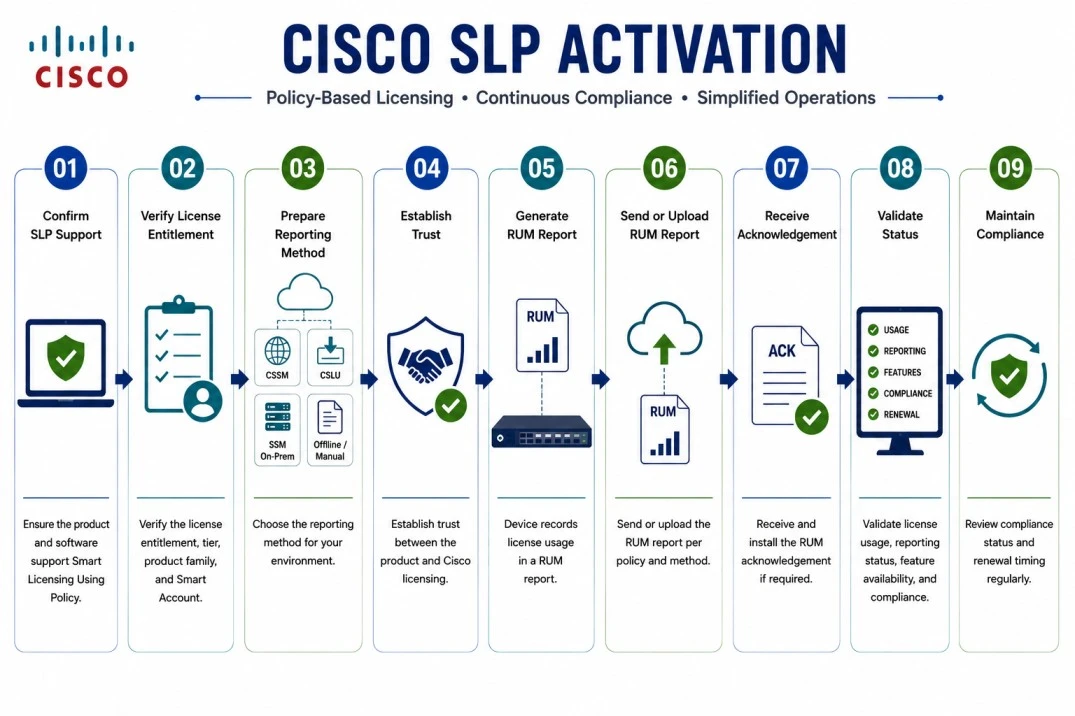
- Confirm that the Cisco product and software version support Smart Licensing Using Policy.
- Verify the required license entitlement, license tier, product family, and Smart Account information.
- Prepare the reporting method, such as direct connection to Cisco Smart Software Manager, Cisco Smart Licensing Utility, Smart Software Manager On-Prem, or offline/manual reporting.
- Establish trust where required between the product instance and the Cisco licensing environment.
- Allow the device or software platform to record license usage in a RUM report.
- Send or upload the RUM report based on the policy requirement and deployment method.
- Receive and install the RUM acknowledgement if the policy requires it.
- Validate license usage, reporting status, feature availability, compliance state, and renewal timing.
Features & Benefits
Cisco SLP License gives organizations a more flexible way to manage Cisco Smart Licensing on supported products. One important benefit is smoother Day-0 operation. In many supported environments, administrators can configure and use product features without waiting for the same traditional registration or key-generation steps used in older licensing models.
Another benefit is policy-based control. The licensing policy defines how usage should be reported, when reports are required, and whether acknowledgements must be returned. This helps organizations stay compliant without manually tracking every license change. Cisco SLP License also supports different connectivity models. A connected environment may report directly to Cisco licensing tools, while a restricted environment may use Cisco Smart Licensing Utility or Smart Software Manager On-Prem. Offline environments may use manual report upload and acknowledgement workflows where supported.
This model also improves operational continuity. Since the goal is to report and reconcile license usage rather than interrupt the network, Cisco SLP License can be more practical for enterprise networks, data centers, and environments where uptime is important. For large Cisco environments, the benefit is not only activation. The real value is better license visibility, cleaner reporting, fewer manual license files, and more predictable compliance management.
Compatibility & Requirements
Common environments
- Cisco Catalyst switching environments
- Cisco enterprise routing platforms
- Cisco Nexus data center switches
- Cisco MDS storage networking platforms
- Cisco IOS XE supported products
- Cisco NX-OS supported products
- Cisco IOS XR supported platforms
- Connected, restricted, on-premises, and offline licensing environments
Technical requirements
- Supported Cisco product and software version
- Cisco Smart Account and Virtual Account
- Required license entitlement or subscription
- Supported Smart Licensing Using Policy workflow
- Reporting method: direct, CSLU, SSM On-Prem, or offline/manual
- RUM report generation and acknowledgement process where required
- Network reachability or offline transfer method for license reporting
- Support contract, renewal term, and compliance requirement
Pricing factors + quote process
Pricing for Cisco SLP License depends on the Cisco product, license tier, software version, subscription term, support level, and the type of entitlement being used. The licensing model itself is a reporting and compliance method, but the actual cost is usually based on the product license, feature level, subscription, device count, throughput level, user count, switch entitlement, or software tier.
A Catalyst switch license may be priced differently from a Nexus license, MDS license, router license, wireless license, or IOS XR software entitlement. The reporting method can also affect planning, especially if the customer needs Cisco Smart Licensing Utility, Smart Software Manager On-Prem, offline reporting, or migration support. During the quote process, the product and software version are reviewed first. Then the license tier, Smart Account status, reporting method, support coverage, and renewal requirement are mapped into the correct quote.
After you request a quote
- We review your Cisco product, model, and software version
- Confirm whether Cisco SLP License / Smart Licensing Using Policy is supported
- Check the required entitlement, license tier, Smart Account, and reporting method
- Review direct, CSLU, SSM On-Prem, or offline activation requirements
- Provide pricing, delivery details, and activation guidance
Cisco SLP pricing depends on your license type, deployment model and support requirements.