

Device42 IPAM helps organizations centralize IP address management, subnet tracking, VLAN visibility, VRF groups, DNS records, switch ports, and NAT mapping inside the Device42 platform.
Key Outcomes
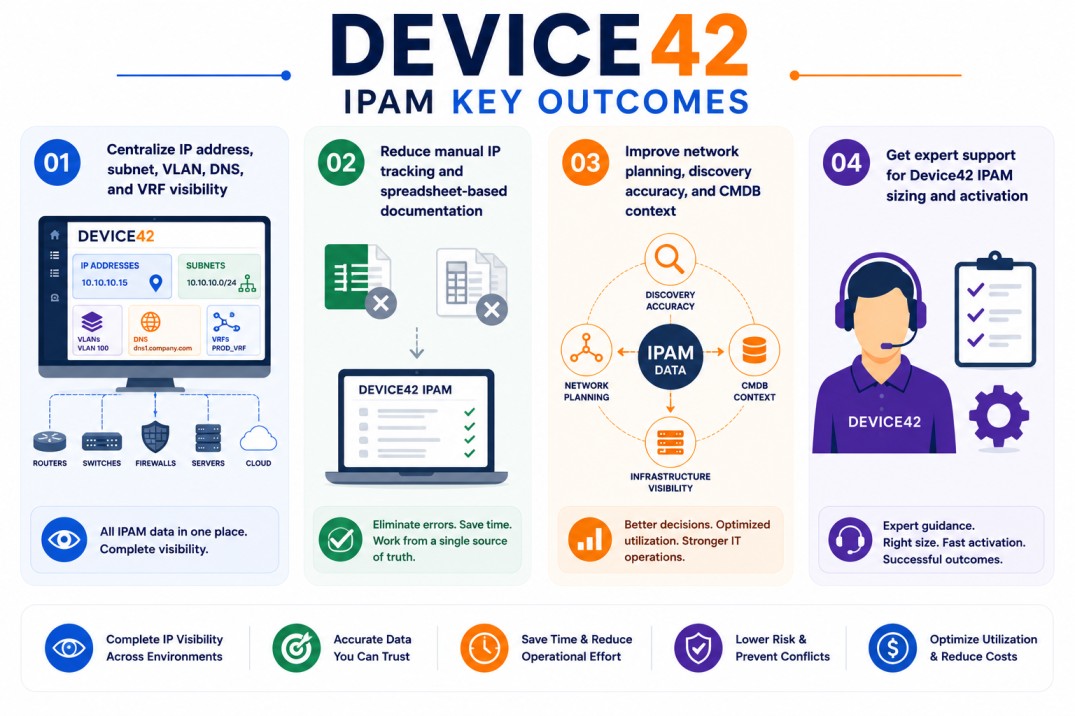
- Centralize IP address, subnet, VLAN, DNS, and VRF visibility
- Reduce manual IP tracking and spreadsheet-based documentation
- Improve network planning, discovery accuracy, and CMDB context
- Get expert support for Device42 IPAM sizing and activation
Device42 IPAM At a glance
| Item | Detail |
|---|---|
| Page type | Device42 add-on / capability extension |
| Main use | IP address management and network resource visibility |
| License model | Added to Device42 license scope |
| Best for | Teams managing subnets, VLANs, DNS records, VRFs, and IP utilization |
| Activation | Enabled through Device42 licensing, discovery, and IPAM configuration |

Add-on Overview
IP address management becomes difficult when subnets, DNS records, VLANs, VRFs, and switch port data are tracked across spreadsheets or disconnected network tools. As environments grow, teams may lose visibility into which IP addresses are used, available, reserved, or connected to specific devices.
Device42 IPAM extends the Device42 platform by centralizing network address information alongside IT asset, CMDB, discovery, and infrastructure documentation workflows. Device42 documentation describes its IPAM module as a way to track and manage IP addresses, subnets, VLANs, VRF groups, DNS records, switch ports, and NAT mappings across network infrastructure.
In practice, teams can use Device42 IPAM to organize address space, manage subnets, review IP utilization, connect IP records with devices, and improve network documentation accuracy. Device42 also supports automatic population of most IPAM data through network discovery, while allowing administrators to add or edit entries manually when needed.
This is especially useful for network planning, data center documentation, migration projects, CMDB accuracy, and operational troubleshooting. Instead of treating IP address management as a separate manual process, Device42 IPAM connects address data with the wider infrastructure inventory.
Device42 IPAM should be positioned as a Device42 capability or add-on page, not as a standalone product. It strengthens the main Device42 License environment by adding deeper network visibility and address management context.
Core Technical Flow
- Enable Device42 IPAM within the Device42 environment
- Discover or import subnets, IP ranges, VLANs, DNS records, and VRF groups
- Associate IP addresses with devices, ports, and infrastructure records
- Track used, available, and assigned IP address information
- Generate IPAM, subnet, DNS, and network visibility reports
Features & Benefits
Device42 IPAM helps organizations move away from fragmented IP tracking and toward a more centralized network documentation workflow.
One of the main benefits is improved subnet visibility. Device42 documentation notes that subnets can represent IPv4 or IPv6 Layer 3 networks, may be associated with VLANs, and can be organized into nested structures when assigned to VRF groups.
The platform also improves IP address accuracy. Device42 IP address records can be sorted, filtered, searched, exported, and associated with devices, making it easier for teams to understand how IP space is being used across the environment.
Another useful capability is DNS and VRF context. Device42 supports DNS records such as A/AAAA, CNAME, MX, and PTR records, and VRF groups can be used to manage overlapping IP ranges across different logical network segments.
Over time, this helps reduce documentation gaps, improve address planning, support migration work, and give network teams a more reliable operational view of IP usage.
System Requirements
Common environments
- Enterprise network infrastructures
- Data center and hybrid environments
- CMDB and IT asset management workflows
- Network planning, migration, and documentation projects
Technical requirements
- Active Device42 deployment
- Correct licensing or IPAM entitlement
- Network discovery access, import data, or manual IPAM records
- Required permissions for network, DNS, subnet, and device visibility
Pricing factors + quote process
Pricing for Device42 IPAM usually depends on the main Device42 license scope, IPAM visibility requirements, discovery depth, and the size of the network environment.
Organizations with many subnets, overlapping VRF groups, DNS zones, VLANs, NAT mappings, or distributed network environments may need broader IPAM coverage and more detailed discovery planning.
During the quote process, the existing Device42 deployment, IP address management goals, subnet structure, and required network visibility are reviewed first so the licensing approach can match the organization’s operational requirements.
After you request a quote
- We review your Device42 and IPAM environment
- Recommend the right IPAM capability and licensing scope
- Provide pricing and delivery details
- Share activation and discovery guidance
Device42 pricing depends on your infrastructure size, required modules, deployment model, and subscription requirements.