

WALLIX Password Manager secures and manages privileged credentials, helping organizations control access to sensitive accounts while reducing the risk of password misuse or exposure.
Quick benefits
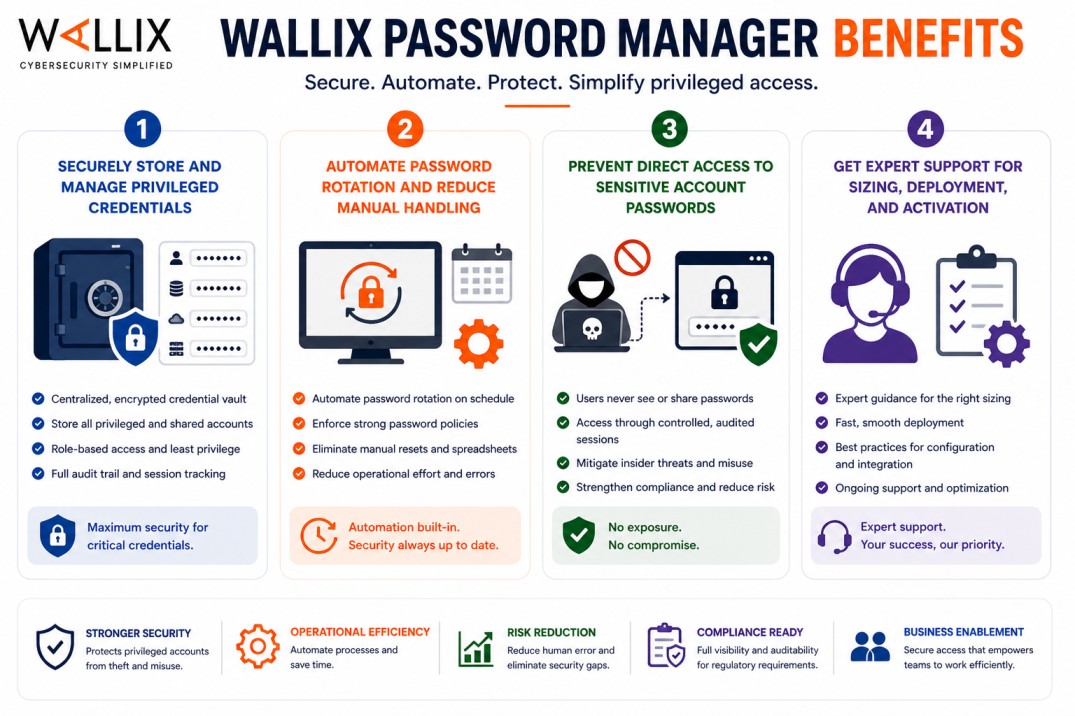
- Securely store and manage privileged credentials
- Automate password rotation and reduce manual handling
- Prevent direct access to sensitive account passwords
- Get expert support for sizing, deployment, and activation
WALLIX Password Manager At a glance
What it does : WALLIX Password Manager stores, manages, and rotates privileged account credentials within a secure vault.
License type : Subscription-based (account/user-based)
Typical term : 1 year · 3 years · 5 years
Activation method : Online or offline activation via Bastion license file
Who needs it : Organizations that need to protect privileged accounts and control how credentials are accessed and used

License Overview
The WALLIX Password Manager license defines how privileged credentials are stored, accessed, and rotated across your environment. Instead of allowing users to know or manage passwords directly, it centralizes credential handling within a secure vault. In most setups, licensing is linked to the number of managed accounts or users interacting with those credentials. This includes administrative accounts, service accounts, and any sensitive identities that require controlled access.
WALLIX Password Manager is typically integrated with the Wallix Bastion platform, which means credentials are used without being exposed to end users. This approach reduces the risk of password leakage while maintaining operational access. Getting the license scope right is important. If it’s too limited, some accounts may remain unmanaged. If it’s too large, you may be paying for unused capacity. A properly aligned license ensures all critical credentials are protected without unnecessary overhead.
Product Overview
WALLIX Password Manager is designed to remove the risks associated with shared or exposed credentials. Instead of distributing passwords to users, it stores them securely and controls how they are used. In real environments, users don’t see or copy passwords. When access is needed, the system retrieves the credentials from the vault and establishes the session automatically through the Bastion. This keeps passwords hidden while still allowing access to systems.
Another important capability is password rotation. Credentials can be changed automatically at defined intervals, which reduces the risk of compromise and removes the need for manual updates.
By combining secure storage, controlled access, and automated rotation, WALLIX Password Manager helps organizations maintain stronger control over privileged accounts.
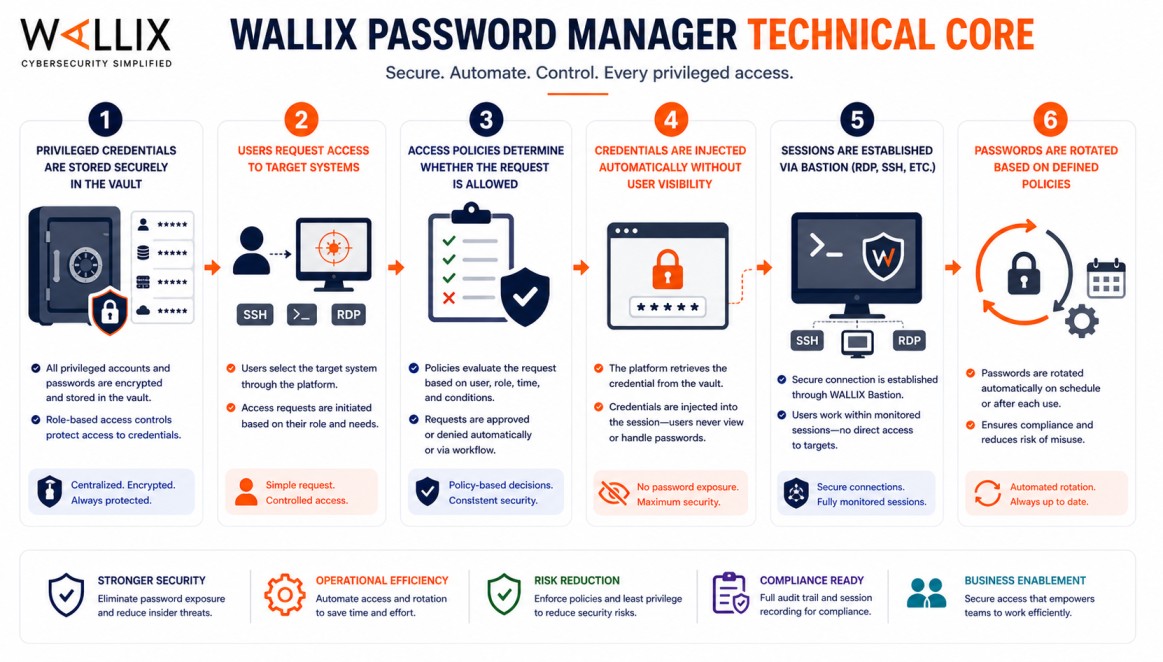
Core technical flow
- Privileged credentials are stored securely in the vault
- Users request access to target systems
- Access policies determine whether the request is allowed
- Credentials are injected automatically without user visibility
- Sessions are established via Bastion (RDP, SSH, etc.)
- Passwords are rotated based on defined policies
Options & Tiers
| Plan / Model | Best for | Key inclusions | What affects price |
|---|---|---|---|
| Standard vault deployment | Most organizations | Credential storage + access control | Account count, term |
| Automated rotation setup | Security-focused teams | Password rotation + policy control | Scope, complexity |
| Enterprise deployment | Large environments | Scalable credential management | Architecture size |
| Multi-system integration | Complex infrastructures | Broad system coverage | Integration scope |
Features & Benefits
WALLIX Password Manager helps organizations move away from manual password handling toward a more controlled and secure model. Instead of sharing credentials, access is managed centrally. A key benefit is reduced exposure. Since users don’t see passwords, the risk of leakage or misuse is significantly lower. It also improves operational efficiency. Automated rotation removes the need for manual updates and ensures that credentials remain up to date. Over time, this approach leads to stronger control over privileged accounts and better alignment with security policies.
Compatibility & Requirements
Common environments
- Enterprise IT infrastructures
- Environments with privileged accounts
- Regulated industries requiring credential control
Technical requirements
- Wallix Bastion platform
- Access to systems requiring credential management
- Defined security policies
How activation works
Activating WALLIX Password Manager is typically handled through the Wallix Bastion licensing process, since credential management capabilities are part of the overall Bastion platform. After the Bastion system is deployed, it generates a context file containing details about your environment. This file is submitted to the Wallix licensing portal or support channel.
Wallix then provides a signed license file tailored to your deployment. Once uploaded into the Bastion interface, the Password Manager features are enabled according to your license. This process works in both connected and isolated environments. In air-gapped setups, the context file and license file can be transferred securely without requiring direct internet access. After activation, administrators can begin configuring the vault, adding credentials, defining rotation policies, and integrating with target systems. It’s also important to verify that all managed accounts fall within the licensed capacity to ensure consistent protection.
Pricing and Quote Process
WALLIX Password Manager pricing is mainly based on the number of accounts or users being managed. Larger environments with more privileged accounts will require broader licensing. Other factors, such as password rotation policies, integration scope, and deployment complexity, can also influence pricing. Subscription length plays a role as well, with longer terms often providing better value. The most accurate pricing comes from aligning the solution with your actual credential management requirements.
After you request a quote
- We review your account scope and environment
- Recommend the most suitable licensing model
- Provide official pricing and delivery details
- Share activation and configuration guidance
WALLIX Pricing depends on your license edition, quantity, term, and deployment needs.