

WALLIX Session Manager gives you full control and visibility over privileged sessions, helping you monitor activity in real time and keep an audit trail of who did what and when.
Quick benefits
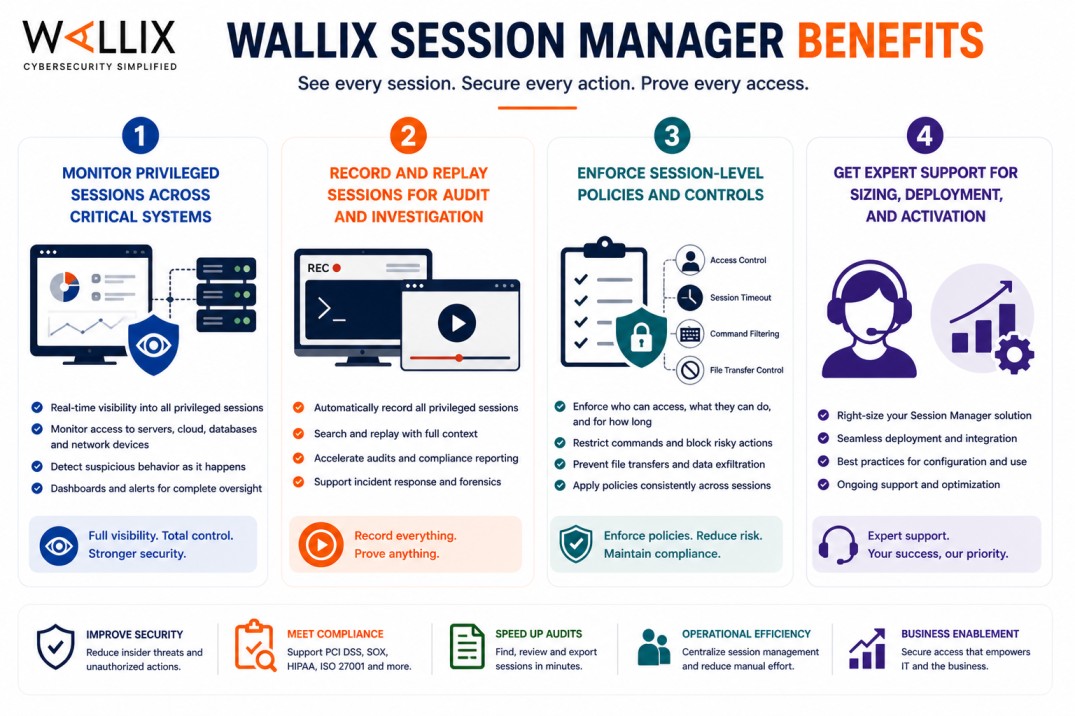
- Monitor privileged sessions across critical systems
- Record and replay sessions for audit and investigation
- Enforce session-level policies and controls
- Get expert support for sizing, deployment, and activation
WALLIX Session Manager At a glance
What it does : WALLIX Session Manager monitors, controls, and records privileged sessions through the Wallix Bastion platform.
License type : Subscription-based (session/user-based)
Typical term : 1 year · 3 years · 5 years
Activation method : Online or offline activation via Bastion license file

License Overview
The WALLIX Session Manager license defines how privileged sessions are monitored and controlled across your environment. Rather than just granting access, it focuses on what happens during the session, who connects, what actions are taken, and how activity is recorded. In most environments, licensing is tied to the number of concurrent sessions or users interacting with the platform. This includes administrators, operators, and third parties accessing systems through the Bastion.
WALLIX Session Manager is typically deployed as part of the broader Wallix Bastion platform, where it works alongside access control and credential management. While other components decide who can connect, Session Manager ensures that all activity during the session is visible and traceable. Sizing matters here. Too few sessions may limit access during peak times, while too many may increase cost without real benefit. A properly aligned license ensures that monitoring and recording capabilities match your operational needs.
Product Overview
WALLIX Session Manager is designed to provide full visibility into privileged access sessions. Instead of allowing sessions to happen without oversight, it ensures that every interaction with critical systems is monitored.
In practice, users connect to systems through the Bastion, and Session Manager tracks everything that happens during the session. This can include commands, navigation, and system changes, depending on the protocol used.
A key capability is session recording. Administrators can replay sessions later to understand exactly what occurred, which is especially useful for audits or incident investigations.
Another important aspect is real-time monitoring. Security teams can observe active sessions as they happen, allowing them to detect and respond to suspicious activity quickly.
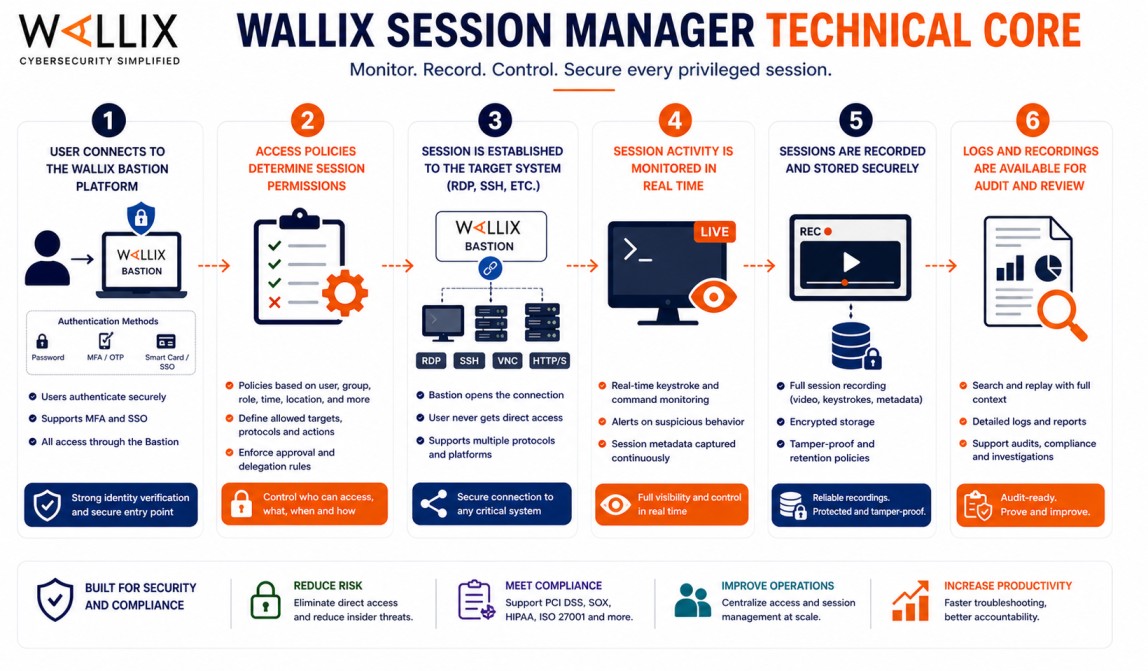
Core technical flow
- User connects to the Wallix Bastion platform
- Access policies determine session permissions
- Session is established to the target system (RDP, SSH, etc.)
- Session activity is monitored in real time
- Sessions are recorded and stored securely
- Logs and recordings are available for audit and review
Options & Tiers
| Plan / Model | Best for | Key inclusions | What affects price |
|---|---|---|---|
| Standard session monitoring | Most organizations | Session tracking + logging | Session count, term |
| Session recording enabled | Compliance-focused environments | Full session recording + replay | Storage, scope |
| Real-time monitoring setup | Security teams | Live session visibility | Usage, scale |
| Enterprise deployment | Large environments | Scalable session control | Architecture size |
Features & Benefits
WALLIX Session Manager helps organizations gain visibility into privileged activity that would otherwise be difficult to track. Instead of relying on logs alone, it provides detailed session-level insight. One of the main benefits is accountability. Every action performed during a session can be reviewed, which helps identify issues and enforce responsibility. It also strengthens security monitoring. With real-time visibility, teams can detect unusual behavior as it happens rather than after the fact. Over time, this leads to better control over administrative activity and stronger compliance with audit requirements.
Technical Requirements
Operating Environment
- Enterprise IT infrastructures
- Regulated industries requiring audit trails
- Environments with privileged access workflows
Technical requirements
- Wallix Bastion platform
- Network access to target systems
- Storage for session logs and recordings
How activation works
Activating WALLIX Session Manager is handled through the Wallix Bastion licensing process, since session monitoring capabilities are part of the Bastion platform. After deployment, the Bastion system generates a context file that includes details about your environment. This file is submitted through the Wallix licensing portal or support channel.
Wallix then provides a signed license file tailored to your setup. Once uploaded into the Bastion interface, session monitoring and recording features are activated according to the license. This approach works for both connected and isolated environments. In air-gapped setups, the context file and license file can be transferred securely without requiring direct internet access. After activation, administrators can configure session policies, enable recording, and verify that session limits align with the licensed capacity. This ensures consistent monitoring and avoids disruptions during peak usage.
Cost Factors and quote process
WALLIX Session Manager pricing is mainly based on the number of sessions being monitored and recorded. Environments with higher concurrency or more detailed recording requirements will require broader licensing. Additional factors, such as storage needs, protocol support, and integration with other Wallix components, can also influence pricing. Subscription length plays a role as well, with longer terms typically offering better value. The most accurate pricing comes from aligning the solution with your session monitoring requirements and operational scale.
After you request a quote
- We review your session usage and requirements
- Recommend the most suitable licensing model
- Provide official pricing and delivery details
- Share activation and configuration guidance
WALLIX Pricing depends on your license edition, quantity, term, and deployment needs.