

Splunk Mission Control (MC) gives security teams a single place to manage alerts, investigations, and response, so they can stay focused and move faster during incidents.
Quick benefits
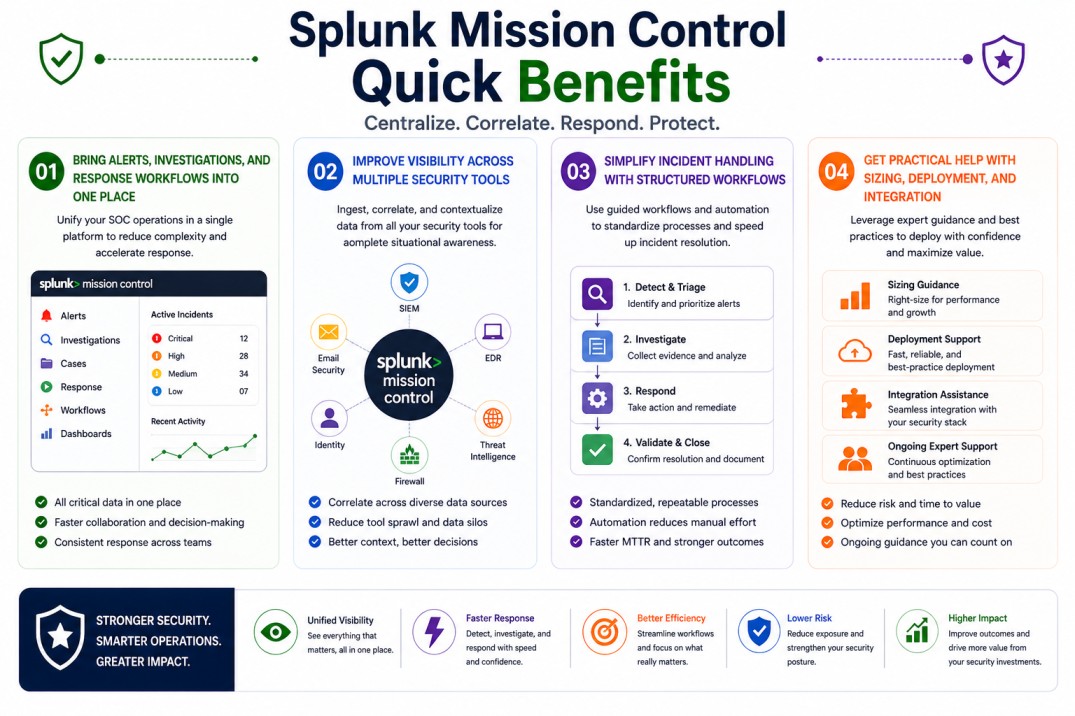
- Bring alerts, investigations, and response workflows into one place
- Improve visibility across multiple security tools
- Simplify incident handling with structured workflows
- Get practical help with sizing, deployment, and integration
Splunk Mission Control (MC) At a glance
What it does : Splunk Mission Control (MC) centralizes security operations by combining detection, investigation, and response workflows into one platform.
License type : Subscription-based (usage and integration dependent)
Typical term : 1 year · 3 years · 5 years
Activation method : Cloud-based activation integrated with Splunk security tools
Who needs it : Security operations teams (SOC) that want a clearer, more organized way to manage alerts and incidents

License Overview
The Splunk License model defines access to Splunk Mission Control capabilities, allowing security teams to manage alerts, investigations, and response actions through a unified security operations workspace. Instead of switching between different tools, Splunk Mission Control allows teams to manage everything from one place. In real environments, licensing usually depends on how the platform is used, this includes the number of integrations, the volume of alerts being handled, and how complex your workflows are. Since Splunk Mission Control connects with tools like SIEM and SOAR, it’s important to size it based on how much activity your environment generates.
Getting started is relatively simple. Once Mission Control is enabled and the license is applied, it begins pulling in alerts from connected tools and organizing them into a structured workflow. From there, teams can investigate and respond without losing context. Because this platform is often used during active incidents, having the right license size helps keep everything running smoothly. A properly sized setup ensures consistent performance and allows teams to scale their operations as needed.
Product Overview
Splunk Mission Control (MC) is designed to make security operations easier to manage by bringing everything into one view. Instead of jumping between dashboards and tools, teams can work within a single interface.
In practice, alerts from different sources, such as SIEM platforms, endpoint tools, and threat intelligence feeds, are brought together and organized into cases. This makes it easier to understand what’s related and what actually matters.
One of the key benefits is clarity. By grouping alerts and linking related activity, Splunk Mission Control helps teams focus on real incidents instead of dealing with disconnected events.
It also improves how teams work together. Analysts can follow structured workflows, document their findings, and track progress from start to finish, which makes incident handling more consistent.
Core technical flow
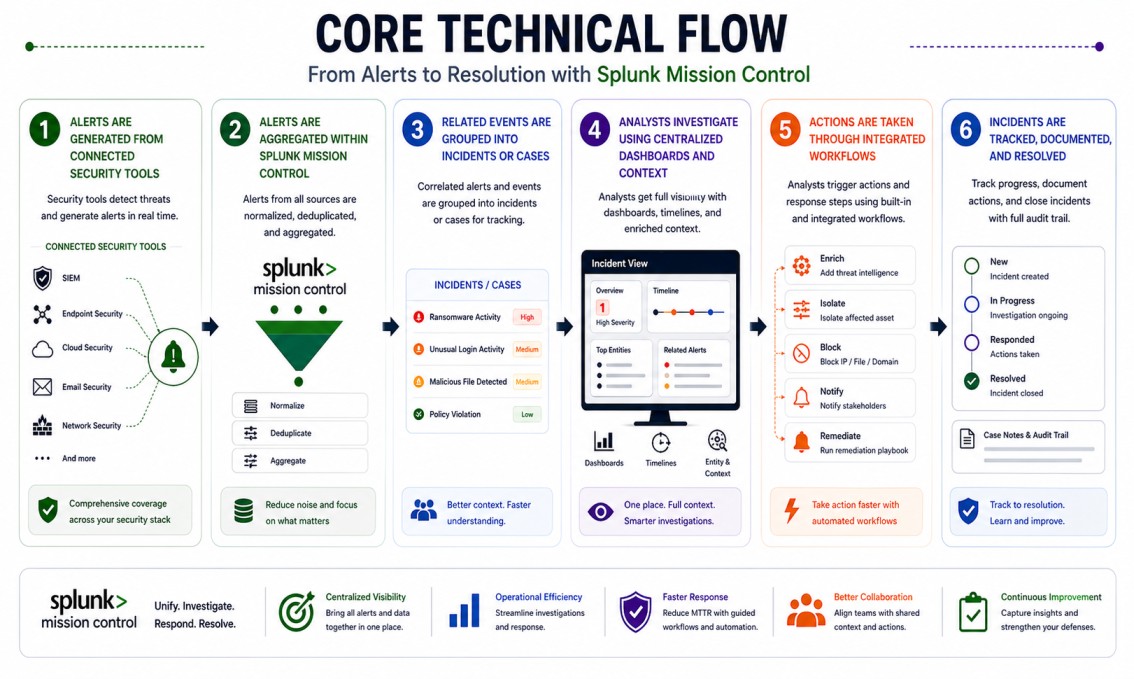
- Alerts are generated from connected security tools
- Alerts are aggregated within Splunk Mission Control
- Related events are grouped into incidents or cases
- Analysts investigate using centralized dashboards and context
- Actions are taken through integrated workflows
- Incidents are tracked, documented, and resolved
Options & Tiers
| Plan / Model | Best for | Key inclusions | What affects price |
|---|---|---|---|
| Splunk MC standard | Most SOC teams | Unified incident management | Usage, integrations, term |
| MC + Splunk ES integration | Advanced environments | SIEM + case management | Data scope, integrations |
| MC + SOAR integration | Automated workflows | Incident response automation | Workflow complexity |
| Enterprise-scale deployment | Large organizations | High-volume alert handling | Architecture size |
Features & Benefits
Splunk Mission Control helps teams bring structure to security operations by organizing alerts and investigations into a single workflow. Instead of working across multiple tools, everything is easier to manage in one place. One of the main benefits is improved efficiency. Analysts spend less time switching between systems and more time focusing on investigation and response. It also supports consistency. With defined workflows and case management, incidents are handled in a more organized way, which reduces errors and improves overall response quality.
Compatibility & Requirements
Common environments
- Security Operations Centers (SOC)
- Organizations using multiple security tools
- Hybrid and multi-cloud environments
Typical prerequisites
- Splunk security tools (such as SIEM or SOAR)
- Defined incident response workflows
- Integration across systems
How activation works
- Enable Splunk Mission Control within your environment
- Apply the license entitlement
- Connect your security tools and data sources
- Configure workflows and case management
- Start managing incidents centrally
Pricing factors + quote process
Splunk Mission Control pricing is mainly based on how extensively the platform is used. This includes the number of alerts being processed, the number of integrations, and how complex your workflows are. Larger environments with higher alert volumes will naturally require more capacity. Integration with other Splunk tools, such as Splunk Enterprise Security or Splunk SOAR, can also affect the overall setup. Subscription length plays a role as well, with longer terms often offering better value. The most accurate pricing comes from aligning the platform with your actual operations rather than relying on rough estimates.
After you request a quote
- We review your alert volume and workflows
- Recommend the most suitable deployment approach
- Provide official pricing and delivery details
- Share clear activation and integration guidance
Splunk Pricing depends on your license edition, quantity, term, and deployment needs.