

Splunk Synthetic Monitoring (SM) helps teams test application performance before users run into problems, making it easier to catch issues early and keep things running smoothly.
Quick benefits
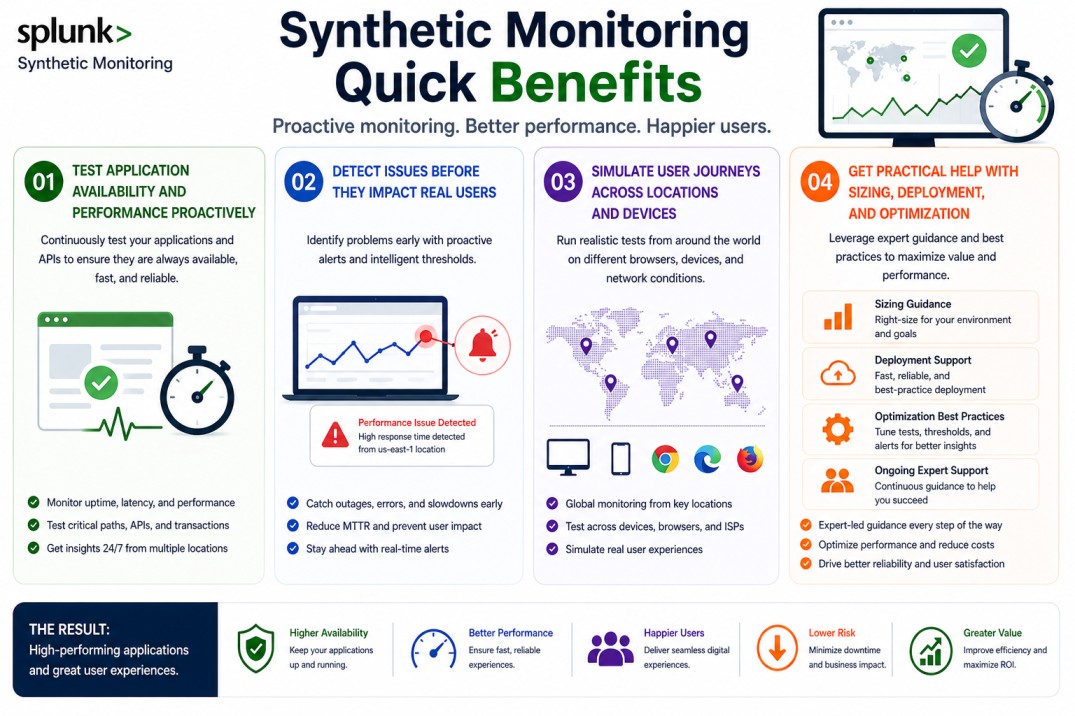
- Test application availability and performance proactively
- Detect issues before they impact real users
- Simulate user journeys across locations and devices
- Get practical help with sizing, deployment, and optimization
Splunk Synthetic Monitoring (SM) At a glance
What it does : Splunk Synthetic Monitoring (SM) runs simulated user interactions to check application performance, availability, and reliability.
License type : Subscription-based (usage-driven)
Typical term : 1 year · 3 years · 5 years
Activation method : Cloud-based platform with scripted and API-driven tests
Who needs it : DevOps teams, QA engineers, and organizations that want to monitor performance proactively

License Overview
The Splunk License model determines access to Splunk solutions such as Synthetic Monitoring, allowing organizations to select the right capacity based on application testing requirements, usage volume, and monitoring scope. Instead of waiting for issues to show up in production, Splunk SM lets you test performance in advance. In real environments, licensing is usually based on how often tests run and how many you have in place. This includes factors like test frequency, number of endpoints, and the scope of what you’re monitoring. As applications grow, testing needs tend to grow as well, which is why proper sizing matters.
Getting started is fairly simple. Once tests are configured and connected to the Splunk platform, they begin running automatically on a schedule. The results are then collected and presented for analysis. Because Splunk Synthetic Monitoring is used as a proactive layer, having the right balance is important. Too few tests may leave gaps in coverage, while too many can increase cost without adding much value. A well-sized setup helps maintain consistent visibility without overloading the system.
Product Overview
Splunk Synthetic Monitoring (SM) is designed to test applications from the outside, similar to how a user would interact with them. Instead of relying only on real user data, it runs controlled tests to check performance and availability.
In practice, this means creating tests that mimic actions like opening a page, submitting a form, or calling an API. These tests run regularly and provide consistent feedback about how the application is behaving.
One of the main benefits is predictability. Because tests are repeatable, it’s easier to track changes over time and notice when something starts to degrade.
When combined with tools like RUM or APM, Splunk SM helps build a more complete picture, showing both simulated performance and real user experience.
Core technical flow
- Synthetic tests are created (browser, API, or uptime checks)
- Tests run from defined locations or endpoints
- Application responses and performance data are captured
- Data is sent to the Splunk Observability platform
- Results are analyzed and visualized
- Alerts are triggered if thresholds are exceeded
Options & Tiers
| Plan / Model | Best for | Key inclusions | What affects price |
|---|---|---|---|
| Splunk SM standard | Most applications | Synthetic tests + monitoring | Test volume, frequency, term |
| SM + RUM integration | Full visibility | Synthetic + real user data | Data scope, integrations |
| API-focused monitoring | Backend services | API testing and validation | Usage, endpoints |
| Enterprise-scale deployment | Large environments | High-volume testing | Architecture complexity |
Features & Benefits
Splunk Synthetic Monitoring helps teams catch issues before users notice them. By running tests continuously, it becomes easier to identify performance problems early and fix them before they escalate.
Another benefit is consistency. Since tests are repeatable, they provide a reliable way to measure performance over time and compare results.
It also works well alongside other tools. When combined with RUM and APM, it gives a more complete view of performance, from simulated testing to real user behavior and backend activity.
Compatibility & Requirements
Common environments
- Web applications and APIs
- Cloud-native and distributed systems
- High-availability platforms
Typical prerequisites
- Ability to define test scenarios
- Access to application endpoints
- Integration with Splunk Observability platform

How activation works
- Configure synthetic tests (browser or API)
- Connect them to the Splunk platform
- Apply the license entitlement
- Schedule and run tests automatically
- Monitor results and adjust as needed
Pricing factors & quote process
Splunk Synthetic Monitoring pricing mainly depends on how many tests you run and how frequently they execute. More frequent tests and broader coverage will increase usage. The type of tests also plays a role. Browser-based tests typically require more resources than simple uptime or API checks. Integration with tools like RUM or APM can also affect how the solution is structured. Subscription length can influence pricing as well, with longer terms often offering better value. The most accurate pricing comes from aligning the setup with your actual testing needs rather than relying on rough estimates.
After you request a quote
- We review your testing requirements and usage
- Recommend the most suitable setup
- Provide official pricing and delivery details
- Share clear activation and optimization guidance
Splunk Pricing depends on your license edition, quantity, term, and deployment needs.