

WALLIX Authenticator adds a strong layer of identity verification, helping organizations secure access with multi-factor authentication while keeping user workflows simple and controlled.
Quick benefits
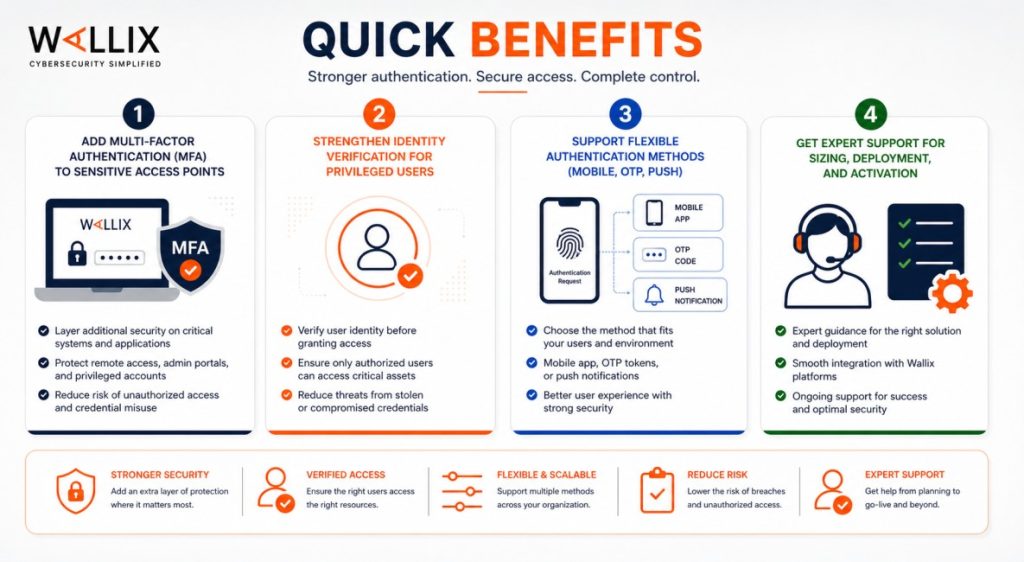
- Add multi-factor authentication (MFA) to sensitive access points
- Strengthen identity verification for privileged users
- Support flexible authentication methods (mobile, OTP, push)
- Get expert support for sizing, deployment, and activation
WALLIX Authenticator At a glance
What it does : WALLIX Authenticator provides multi-factor authentication (MFA) to secure user access to systems, applications, and privileged sessions.
License type : Subscription-based (user-based)
Typical term : 1 year · 3 years · 5 years
Activation method : Online or offline activation via WALLIX Bastion license file
Who needs it : Organizations that want to strengthen access security by adding MFA, especially for privileged or sensitive systems

License Overview
The WALLIX Authenticator license defines how multi-factor authentication is applied across your environment. Instead of relying only on passwords, it enables additional verification steps to confirm user identity before access is granted. In practice, licensing is typically based on the number of users who require MFA protection. This includes administrators, operators, and any users accessing critical systems. The license determines how many identities can be secured and how authentication workflows are enforced.
WALLIX Authenticator is usually integrated with the WALLIX Bastion platform, allowing MFA to be applied directly to privileged access sessions. This ensures that authentication is part of the overall access control process rather than a separate layer. Getting the license scope right is important. If the license is too limited, not all users can be protected. If it’s oversized, it may increase cost without additional benefit. A properly aligned license ensures that MFA coverage matches your security requirements.
Product Overview
WALLIX Authenticator is designed to strengthen how users prove their identity before accessing systems. Instead of relying only on a username and password, it adds an extra verification step.
In real environments, this usually means users receive a one-time code, push notification, or mobile-based authentication request when they try to log in. This ensures that even if credentials are compromised, access is still protected.
One of the main advantages is flexibility. Organizations can choose different authentication methods depending on their security policies and user experience requirements.
When combined with WALLIX Bastion, WALLIX Authenticator becomes part of a broader privileged access strategy, ensuring that both identity verification and session control are handled together.

Core technical flow
- User attempts to authenticate to the system or Bastion
- Primary credentials (username/password) are validated
- MFA challenge is triggered (OTP, push, or mobile app)
- User completes the authentication step
- Access is granted based on policies
- Session is established and monitored if required
Options & Tiers
| Plan / Model | Best for | Key inclusions | What affects price |
|---|---|---|---|
| Standard MFA deployment | Most organizations | Multi-factor authentication | User count, term |
| Privileged access MFA | Security-focused teams | MFA for admin access | Scope, integrations |
| Mobile-based authentication | Flexible environments | App-based MFA methods | User base |
| Enterprise deployment | Large organizations | Scalable identity protection | Architecture size |
Features & Benefits
WALLIX Authenticator helps reduce the risk of unauthorized access by adding an extra layer of identity verification. Even if passwords are compromised, access is still protected through additional authentication steps. One of the key benefits is improved security without major complexity. Users can authenticate using familiar methods like mobile apps or one-time codes, making adoption easier. It also integrates well with existing access workflows. When used with WALLIX Bastion, MFA becomes part of the overall access control process, ensuring consistent enforcement across all sessions. Over time, this helps organizations strengthen their security posture while maintaining a manageable user experience.
Compatibility & Requirements
Common environments
- Enterprise IT infrastructures
- Regulated industries (finance, healthcare, government)
- Environments requiring strong identity verification
General requirements
- WALLIX Bastion platform (for integrated deployments)
- User identity directory (optional integration)
- Defined authentication policies
How activation works
Activating WALLIX Authenticator is typically done as part of the WALLIX Bastion licensing process, since MFA capabilities are enabled through the Bastion platform.
After the Bastion system is installed, it generates a context file that includes details about your deployment. This file is submitted through the WALLIX licensing portal or support channel. WALLIX then provides a signed license file specific to your environment. Once this file is uploaded into the Bastion interface, the Authenticator features become available.
At this stage, administrators can configure authentication methods, assign MFA policies to users, and integrate with identity systems if needed. This activation workflow works for both connected and air-gapped environments. In isolated setups, the context and license files can be transferred securely without requiring direct internet access. After activation, it’s important to verify that user coverage and authentication policies match the licensed capacity. This ensures that all users are properly protected and that authentication workflows operate as expected.
Pricing factors & quote process
WALLIX Authenticator pricing is mainly based on the number of users requiring multi-factor authentication. The more users included, the larger the license scope. Additional factors, such as integration with Bastion, authentication methods, and deployment complexity, can also influence pricing. Environments with strict compliance or offline activation requirements may need more tailored configurations. Subscription length plays a role as well, with longer terms often offering better value. The most accurate pricing comes from aligning the license with your actual user base and authentication requirements.
After you request a quote
- We review your user base and authentication needs
- Recommend the most suitable licensing model
- Provide official pricing and delivery details
- Share activation and configuration guidance
WALLIX Pricing depends on your license edition, quantity, term, and deployment needs.