

Palo Alto Cortex XSOAR is a security orchestration, automation, and response platform designed to help security teams manage incidents faster and reduce repetitive SOC tasks. By combining incident management, automated workflows, threat intelligence integration, and security playbooks, Cortex XSOAR helps organizations improve response efficiency and create more consistent security operations.
Quick Benefits
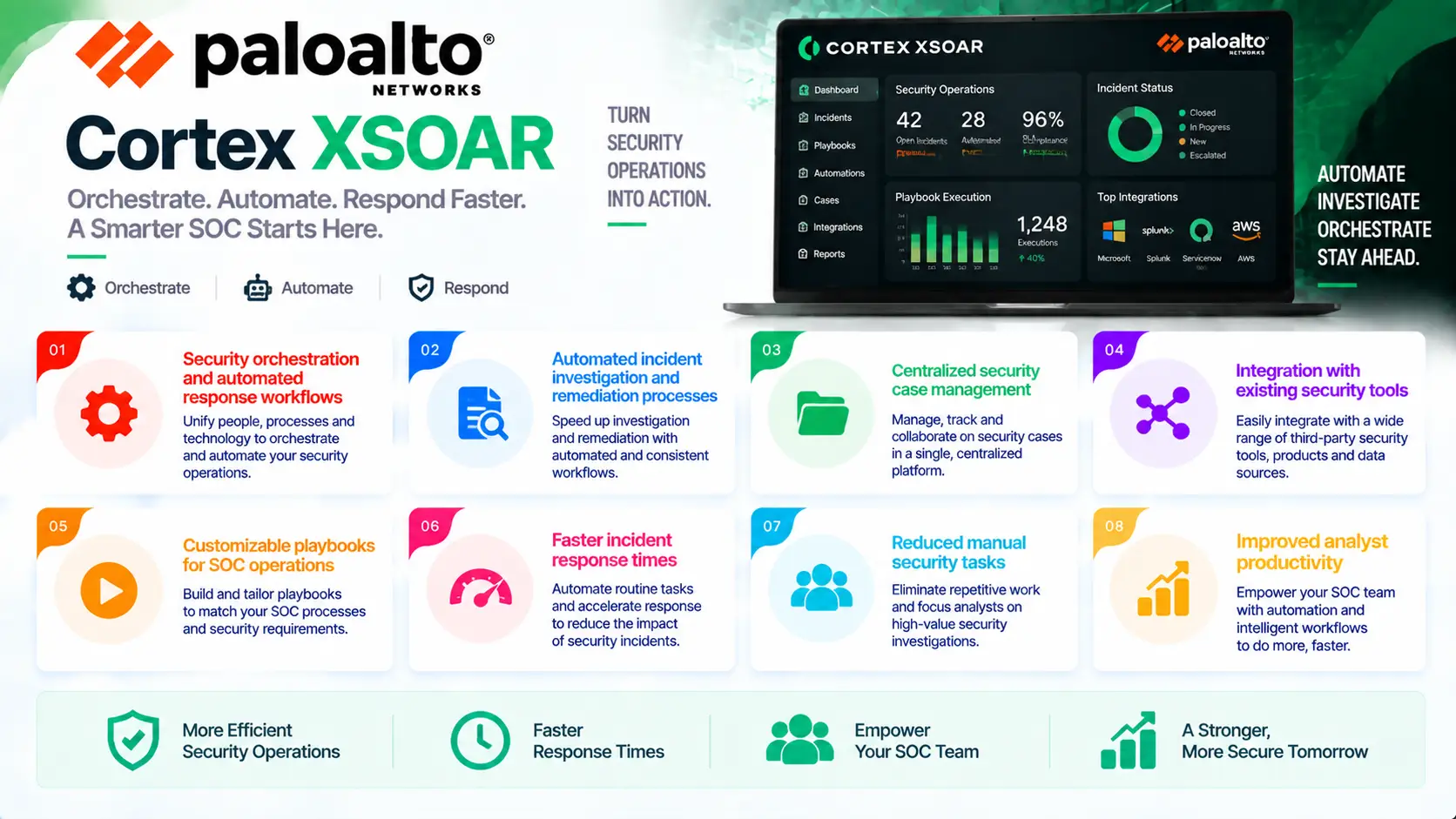
- Security orchestration and automated response workflows
- Automated incident investigation and remediation processes
- Centralized security case management
- Integration with existing security tools
- Customizable playbooks for SOC operations
- Faster incident response times
- Reduced manual security tasks
- Improved analyst productivity
Palo Alto Cortex XSOAR At a Glance
What it is: Security Orchestration, Automation, and Response (SOAR) platform
Product name: Cortex XSOAR
Parent category: Palo Alto License
Primary role: Automate security workflows, manage incidents, and improve SOC response operations
Solution category: Security Operations Automation and Incident Response
Management platform: Cortex Security Platform
Deployment model: Cloud-based and enterprise deployment options
Core capabilities: Security orchestration, playbook automation, incident management, threat intelligence integration, and response workflows

License Overview
A Palo Alto Cortex XSOAR License provides access to a security orchestration platform that helps organizations automate incident response processes and coordinate activities across multiple security technologies.
Unlike traditional security tools that primarily generate alerts, SOAR platforms focus on what happens after detection. They help analysts investigate incidents, execute response actions, and manage security workflows in a structured way.
Cortex XSOAR licensing is typically influenced by factors such as incident volume, number of users, connected security products, automation requirements, and enabled capabilities. Organizations with larger SOC operations may require broader integrations and more extensive automation compared with smaller security teams.
When selecting a Palo Alto Cortex XSOAR License, organizations should evaluate their current incident response process, existing security tools, repetitive manual tasks, and automation goals.
For example, a security team receiving thousands of alerts daily may use XSOAR to automate enrichment, investigation steps, and response actions. Smaller teams may focus on predefined workflows for common incidents such as phishing investigations or endpoint alerts. The right licensing configuration helps organizations improve response speed while reducing operational pressure on security analysts.
Product Overview
Security Orchestration and Automation
Security teams often manage alerts from many different platforms, including firewalls, endpoint solutions, SIEM systems, and threat intelligence services.
Without automation, analysts may spend significant time collecting information, performing repetitive checks, and manually coordinating response actions.
Cortex XSOAR addresses this challenge by connecting security tools and automating workflows through configurable playbooks.
This allows organizations to create consistent processes for handling security incidents.
Automated Incident Response Playbooks
Playbooks are one of the core capabilities of Cortex XSOAR.
They allow security teams to define repeatable response workflows for different types of incidents.
For example, a phishing investigation workflow can automatically collect email details, analyze indicators, check reputation sources, and trigger response actions based on predefined conditions.
This reduces manual effort and helps analysts follow standardized procedures.
Centralized Incident Management
Managing incidents across multiple security products can become complicated when information is distributed across different platforms.
Cortex XSOAR provides a centralized workspace where analysts can investigate, track, and manage security cases.
This improves collaboration between security teams and creates better visibility into incident progress.
Options and Licensing Models
| Licensing Option | Description | Suitable For |
|---|---|---|
| Incident-Based Licensing | Licensing based on the number of security incidents processed | Organizations managing different alert volumes |
| Analyst User Licensing | Coverage for security analysts using the platform | SOC teams requiring multiple operators |
| Automation Playbooks | Enables automated security workflows and response actions | Teams reducing manual investigation tasks |
| Threat Intelligence Integration | Adds enrichment from internal and external intelligence sources | Organizations requiring advanced investigation context |
| Third-Party Integrations | Connects security tools across the organization | Enterprises with complex security ecosystems |
| Multi-Year Subscription | Provides longer platform access and predictable planning | Enterprise security operations |
The appropriate licensing model depends on SOC size, incident volume, integration requirements, and desired automation level.
Features and Benefits
Palo Alto Cortex XSOAR helps organizations improve security operations by reducing the manual workload associated with incident investigation and response. Instead of requiring analysts to perform repetitive actions across multiple tools, the platform automates common workflows and creates a consistent response process. One of the strongest advantages of Cortex XSOAR is operational efficiency. Security teams can automate tasks such as indicator enrichment, data collection, ticket creation, and response actions, allowing analysts to focus on more complex investigations.
The platform also improves incident consistency. By using predefined playbooks, organizations can ensure that security procedures are followed correctly even during high-pressure situations. For enterprises operating mature SOC environments, Cortex XSOAR provides a foundation for scaling security operations without increasing workload at the same rate as alert volume.
Compatibility and Requirements
Before deploying Palo Alto Cortex XSOAR, organizations should evaluate their security ecosystem and automation requirements.
Important considerations include:
- Existing security products
- SIEM and endpoint platforms
- Number of security analysts
- Incident volume
- Required integrations
- Automation objectives
- Compliance requirements
Cortex XSOAR provides the most value in environments where multiple security tools generate alerts and analysts need a centralized way to manage response workflows.
Organizations should identify repetitive security tasks before deployment to determine where automation can create the greatest impact.
Activation and Deployment
Deployment begins after selecting the appropriate Palo Alto Cortex XSOAR License and configuring the required security integrations.
Typical deployment steps include:
- Activating the Cortex XSOAR subscription
- Connecting security products
- Configuring user roles
- Creating automation playbooks
- Testing incident workflows
- Optimizing response processes
Organizations usually begin with high-volume incident types before expanding automation across additional security scenarios.
Pricing and Quote Process
Pricing for Palo Alto Cortex XSOAR depends on incident volume, number of users, integrations, automation requirements, and subscription duration.
Before requesting a quote, organizations should define:
- Expected incident volume
- Number of SOC analysts
- Required integrations
- Automation workflows
- Threat intelligence requirements
- Subscription term
A proper evaluation helps organizations select a Cortex XSOAR configuration that matches their operational needs. Because SOAR platforms are closely connected with existing security infrastructure, understanding current workflows is essential for accurate sizing.
Palo Alto pricing depends on your security solution, firewall model, license edition, deployment model, license term, and support requirements.