

WALLIX Enterprise Vault is a secure credential and sensitive-information management solution designed to help organizations protect passwords, identities, notes, documents, and other confidential information. It provides employees and teams with a controlled environment for storing and sharing sensitive data without relying on spreadsheets, email, browser storage, or unsecured messaging channels.
Quick benefits
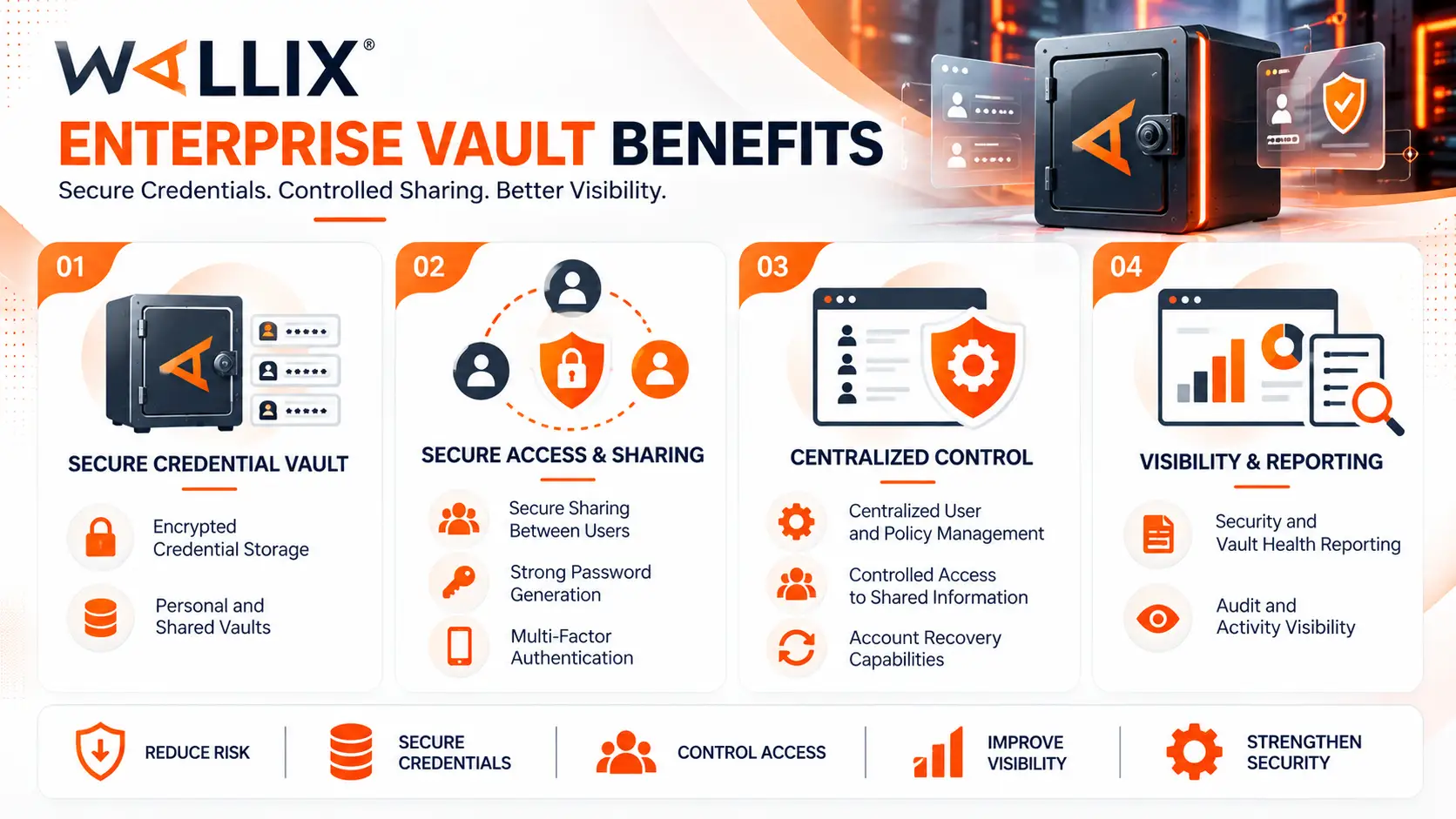
- Secure storage for business credentials and sensitive information
- Personal and shared vaults
- Encrypted credential management
- Secure sharing between authorized users
- Strong password generation
- Multi-factor authentication support
- Centralized user and policy management
- Controlled access to shared information
- Account recovery capabilities
- Security and vault health reporting
- Audit and activity visibility
WALLIX Enterprise Vault At a glance
What it does: Securely stores, manages, and shares passwords, credentials, identities, notes, and other sensitive information.
Product type: Workforce credential and sensitive-data management
Product parent: WALLIX License
Platform: WALLIX One
Deployment: Cloud-based SaaS
Vault types: Personal vaults and shared vaults
Security model: Zero-Knowledge encryption
Authentication: Password-based and multi-factor authentication
Typical users: Employees, administrators, IT teams, security teams, and business users
Access methods: Web application, browser extensions, and mobile applications

License Overview
The WALLIX Enterprise Vault license provides access to the credential-management capabilities available through the WALLIX One platform. It is intended for organizations that need to provide employees with a secure and centrally managed location for storing and sharing sensitive information.
Enterprise Vault should be distinguished from traditional privileged-access products. A PAM platform such as WALLIX Bastion primarily controls privileged connections to servers, network devices, databases, and other critical systems. Enterprise Vault instead focuses on protecting the credentials and sensitive information used by the broader workforce.
The licensing scope is therefore closely related to the number of users who require access to the service.
Before requesting a quote, organizations should determine:
- Number of users
- Number of administrators
- Shared-vault requirements
- Authentication requirements
- MFA requirements
- Directory integration
- Recovery requirements
- Required security policies
- Subscription duration
Choosing the appropriate user capacity at the beginning helps avoid unnecessary licensing costs while leaving enough room for future workforce growth.
Product Overview
WALLIX Enterprise Vault provides users with a centralized and encrypted environment for managing sensitive information.
Instead of storing passwords in browsers, spreadsheets, local documents, or messaging applications, users can keep them inside their assigned vault.
The solution supports both individual and collaborative workflows. Personal vaults are intended for information belonging to an individual user, while shared vaults allow selected information to be made available to authorized members of a team.
This distinction is useful in organizations where some credentials must remain private while others need to be accessible by several employees.
Enterprise Vault can also support secure sharing of sensitive information without requiring users to send credentials through conventional communication channels.
Core technical flow
- User authenticates to the WALLIX One environment
- Additional authentication controls such as MFA are applied when configured
- The user unlocks the protected vault
- Personal or authorized shared vault information becomes available
- User creates, stores, updates, or retrieves sensitive information
- Selected credentials or information can be securely shared with authorized users
- Administrators manage policies, users, recovery, and security information
Options & Tiers
| Plan / Model | Best for | Key inclusions | What affects price |
|---|---|---|---|
| Personal Vault | Individual workforce users | Private credential and sensitive-data storage | Number of users |
| Shared Vault | Teams and departments | Controlled sharing of credentials and sensitive information | Users, groups, sharing requirements |
| Enterprise Deployment | Larger organizations | Centralized administration, policies, reporting, and identity integration | User count, integrations, requirements |
| MFA-Enabled Deployment | Security-focused environments | Additional authentication controls | Authentication architecture |
| Directory-Integrated Deployment | Organizations with centralized identity | User provisioning and identity integration | Directory type and scope |
| Extended Subscription | Long-term deployments | Continued access for the selected subscription period | Term and user capacity |
Features & Benefits
WALLIX Enterprise Vault is designed to address a common problem in modern organizations: employees frequently need to manage many credentials and sensitive pieces of information, but conventional storage methods can create unnecessary security exposure.
Secure Credential Storage
Enterprise Vault provides a dedicated location for storing passwords and credentials.
Users can maintain information such as:
- Login credentials
- Passwords
- Identities
- Secure notes
- Sensitive documents
- Other supported confidential information
This reduces the need to keep business credentials in unsecured documents or browser-based password stores.
Personal and Shared Vaults
The distinction between personal and shared storage gives organizations greater control over sensitive information.
Personal vaults allow users to manage information intended for their own use.
Shared vaults allow teams to access selected credentials or information without giving every user access to the entire vault.
Permissions can therefore be aligned with the actual responsibilities of each group.
Password Generation
Enterprise Vault can generate strong passwords for users.
This can help organizations reduce predictable passwords and password reuse across business applications.
Instead of manually creating credentials, users can generate passwords according to defined requirements and store them directly inside the vault.
Compatibility & Requirements
Common environments
- Enterprise IT environments
- Distributed organizations
- Organizations with multiple business departments
- Remote and hybrid workforces
- Teams sharing business credentials
- Organizations with centralized identity management
- Security-sensitive environments
Requirements
Before deploying Enterprise Vault, evaluate:
- Number of users
- Number of administrators
- Existing identity provider
- Active Directory or LDAP requirements
- Microsoft Entra ID requirements
- MFA requirements
- Browser requirements
- Mobile-device requirements
- Personal and shared vault structure
- Recovery requirements
- Security policies
- Audit and reporting requirements
The identity architecture should be considered early because centralized user provisioning and authentication can affect the deployment process.
How activation works
Enterprise Vault is delivered through the WALLIX One cloud platform.
After the subscription is provisioned, the organization can configure its administrative environment and establish the required identity and security settings.
A typical activation process includes:
- Enterprise Vault subscription is provisioned
- Initial administrators are created
- WALLIX One identity settings are configured
- Users are created or synchronized
- Authentication and MFA policies are configured
- Enterprise Vault is enabled for the required users
- Personal and shared vault structures are established
- Users initialize their vaults
- Security and administrative policies are validated
For organizations using centralized identity infrastructure, directory integration can be configured as part of the deployment.
After activation, administrators should validate user access, sharing permissions, authentication policies, and recovery procedures before expanding the service across the entire organization.
Pricing factors & quote process
WALLIX Enterprise Vault pricing is primarily influenced by the number of users and the selected subscription scope.
Other requirements can affect the overall licensing configuration, including:
- Number of workforce users
- Number of administrators
- Shared-vault requirements
- Identity integrations
- MFA requirements
- Recovery requirements
- Security-policy requirements
- Subscription duration
- Expected user growth
A small organization using Enterprise Vault primarily for individual credential storage will have a different licensing requirement from a large enterprise using shared vaults, centralized identity integration, and extensive administrative controls.
For accurate sizing, the expected user population should be calculated rather than licensing only the initial deployment group.
WALLIX Pricing depends on your license edition, quantity, term, and deployment needs.