

Burp Suite License provides access to application security testing tools developed by PortSwigger for identifying, validating, and investigating vulnerabilities in web applications and APIs. Burp Suite is widely used by penetration testers, application security teams, developers, and security researchers to assess how applications handle HTTP traffic, authentication, sessions, input validation, and other security controls.
Quick Benefits
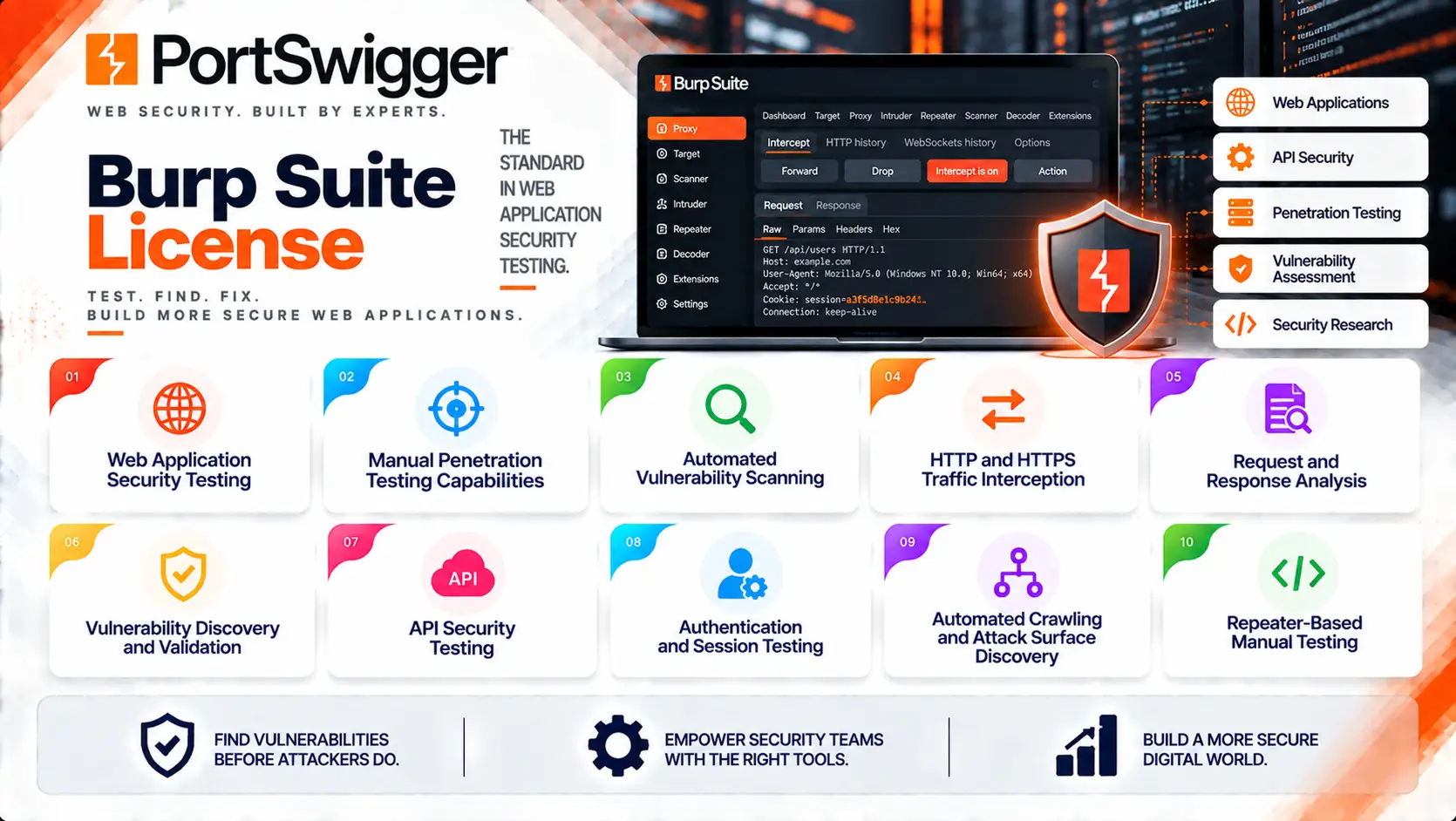
- Web application security testing
- Manual penetration testing capabilities
- Automated vulnerability scanning
- HTTP and HTTPS traffic interception
- Request and response analysis
- Vulnerability discovery and validation
- API security testing
- Authentication and session testing
- Automated crawling and attack surface discovery
- Repeater-based manual testing
Burp Suite License At a Glance
What it is: Web application and API security testing platform
Primary products: Burp Suite Professional, Burp Suite DAST, and Burp Suite Community Edition
Primary role: Manual and automated web application security testing
Security areas: Web application security, API security, penetration testing, vulnerability assessment, and DAST
Core technologies: Proxy interception, crawling, automated scanning, request manipulation, vulnerability analysis, and security testing automation
Deployment models: Self-hosted desktop software and hosted/self-hosted DAST deployment
Typical users: Penetration testers, application security teams, developers, security researchers, and DevSecOps teams
License model: Subscription-based commercial licensing
Professional licensing metric: Individual users
License Overview
A Burp Suite License determines which Burp Suite capabilities an organization can use and the scope in which those capabilities may be deployed. PortSwigger currently licenses its commercial Burp products through subscriptions. The two main commercial products are Burp Suite Professional and Burp Suite DAST.
Burp Suite Professional is primarily licensed according to the number of individual users. Each person using Professional requires their own subscription; a single Professional subscription cannot simply be shared between multiple people. The software can be activated on more than one computer within the applicable activation limits.
Burp Suite DAST follows a different model. It is designed for automated web application security testing and is licensed according to the number of websites being secured. DAST can also be deployed as either hosted or self-hosted software.
This distinction is important when estimating licensing requirements because a penetration-testing team purchasing Professional is measured differently from an organization automatically scanning a large portfolio of websites with DAST.
How Burp Suite Licensing Works
Burp Suite licensing starts with identifying the intended security workflow.
A typical organization may use:
Manual Testing
→ Security professionals intercept and manipulate application traffic
Automated Discovery
→ Burp identifies application content and attack surface
Vulnerability Testing
→ Automated or manual techniques test application behavior
Validation
→ Findings are investigated and reproduced
Reporting
→ Confirmed vulnerabilities are documented for remediation
For larger application-security programs, DAST can extend this workflow by automating recurring security assessments across multiple websites.
Burp Suite Product Overview
| Burp Suite Product | Primary Purpose |
|---|---|
| Burp Suite Professional | Professional manual penetration testing and advanced web security assessment |
| Burp Suite DAST | Automated dynamic application security testing for websites |
| Burp Suite Community Edition | Free edition providing core manual web security testing capabilities |
These editions serve different use cases and should not be treated as interchangeable licenses.
Licensing Options and Models
| Licensing Option | Description | Suitable For |
|---|---|---|
| Burp Suite Professional | Commercial desktop edition for advanced manual web security testing | Penetration testers and application security professionals |
| Burp Suite DAST | Automated dynamic application security testing for websites | Security teams managing larger application portfolios |
| Burp Suite Community Edition | Free edition with core manual testing capabilities | Students, researchers, and users beginning web security testing |
| Professional Multi-User Subscription | Multiple individual Professional subscriptions purchased for a team | Penetration-testing and AppSec teams |
| DAST Website-Based Subscription | Subscription sized according to websites being secured | Enterprise web application security programs |
| Annual Subscription | Commercial coverage for a defined subscription year | Organizations requiring continuous access and support |
| Multi-Year Subscription | Extended subscription commitment | Long-term application security programs |
Features and Benefits
Burp Proxy
Burp Proxy is one of the central components of Burp Suite.
It allows security professionals to intercept HTTP and HTTPS traffic between a browser and a target application.
This provides visibility into:
- Requests
- Responses
- Headers
- Cookies
- Parameters
- Authentication information
- Session behavior
Security testers can then modify requests and observe how the application responds.
Burp Scanner
Burp Scanner provides automated vulnerability discovery capabilities in the commercial editions.
It can analyze web applications for a range of security weaknesses and help identify issues that would otherwise require extensive manual testing.
Scanner capabilities are particularly useful when combined with Burp’s manual testing tools because testers can investigate automated findings and perform additional targeted validation.
Repeater
Repeater allows security professionals to manually resend and modify individual HTTP requests.
It is useful for testing:
- Input validation
- Authentication
- Authorization
- Session handling
- API behavior
- Parameter manipulation
Compatibility and Requirements
Before selecting a Burp Suite License, organizations should evaluate:
- Required Burp edition
- Number of Professional users
- Number of websites for DAST
- Web application count
- API testing requirements
- Manual penetration-testing requirements
- Automated scanning requirements
- Development integration requirements
- Hosted or self-hosted DAST deployment
- Subscription duration
Activation and Deployment
Burp Suite Professional is installed locally on supported systems and requires license activation.
A typical deployment includes:
- Download and install Burp Suite
- Sign in or provide the applicable license key
- Activate the subscription
- Configure project settings
- Configure browser or proxy settings
- Define testing scope
- Begin manual or automated security testing
Professional can be activated on more than one computer within the limits applicable to the subscription. Burp Suite DAST can be provided as a hosted or self-hosted service. The deployment model should therefore be established before licensing and infrastructure planning. For self-hosted environments, organizations should also evaluate the required compute resources, network access, application connectivity, and scanning architecture.
Pricing and Quote Process
Pricing for Burp Suite License depends primarily on the selected commercial product and its licensing metric.
For Burp Suite Professional, the number of individual users is a key factor. Each person using Professional requires their own subscription.
For Burp Suite DAST, the number of websites being secured determines the scope of the subscription.
Before requesting a quote, prepare:
- Number of penetration testers
- Number of Burp Professional users
- Number of websites
- Number of web applications
- API testing requirements
- DAST requirements
- Hosted or self-hosted preference
Burp Suite pricing depends on your product edition, number of users, security testing capabilities, deployment model, license term, and support requirements.