

Cisco SMA License provides the licensing framework for Cisco Security Management Appliance, a centralized management platform used to administer and monitor Cisco Email Security Appliance (ESA) and Cisco Secure Web Appliance deployments. SMA helps security teams manage multiple content-security appliances from a central location instead of configuring and monitoring each appliance independently.
Quick Benefits
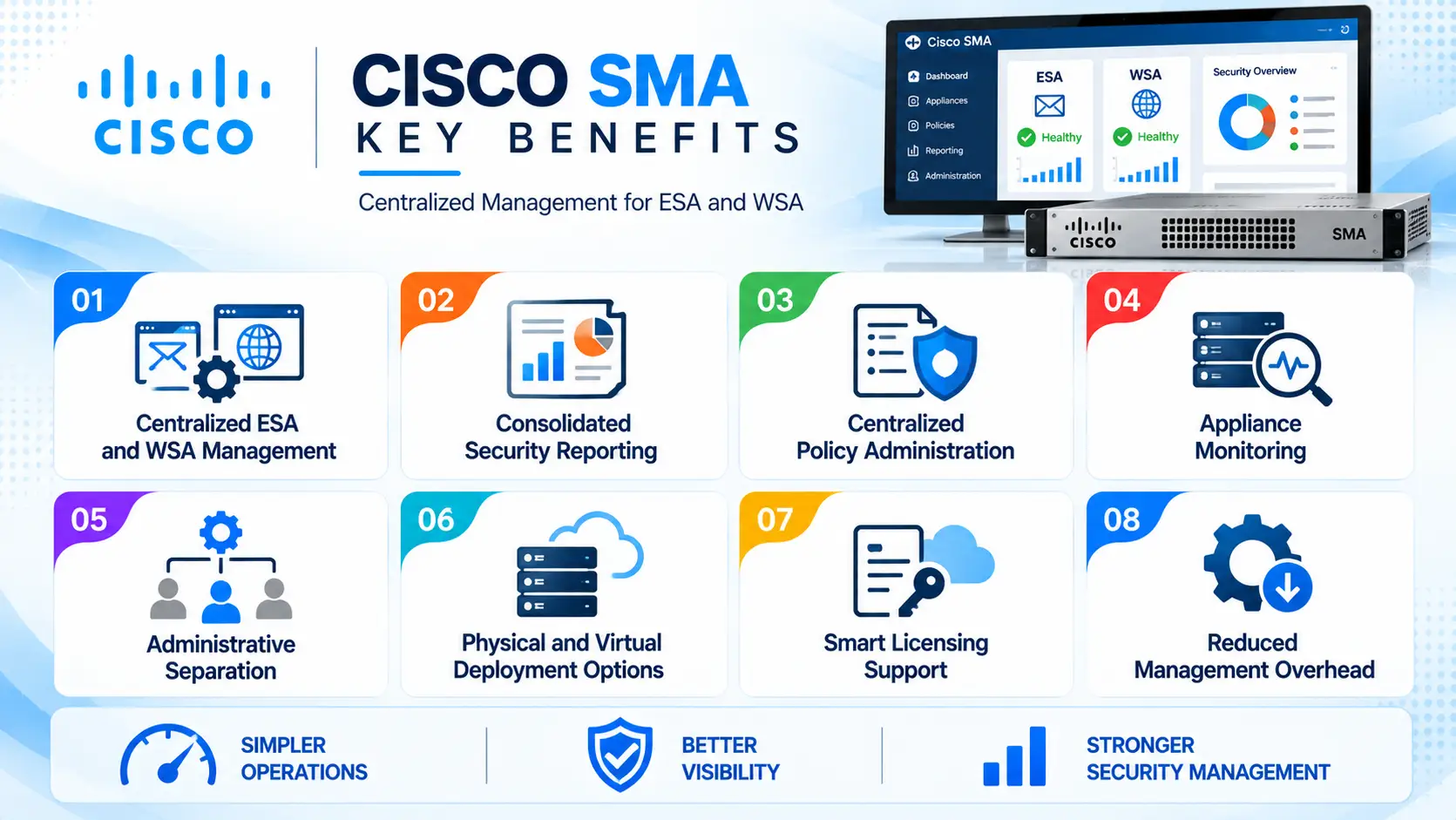
- Centralized ESA and WSA management
- Consolidated security reporting
- Centralized policy administration
- Appliance monitoring
- Administrative separation
- Physical and virtual deployment options
- Smart Licensing support
- Reduced management overhead
Cisco SMA License At a Glance
What it is: Centralized management platform for Cisco email and web security appliances.
Parent Category: Cisco Security
Primary role: Centralized administration, reporting, and monitoring
Managed platforms: Cisco ESA and supported Cisco Web Security/Secure Web Appliance deployments
Deployment: Physical appliance or virtual SMA
Operating system: Cisco AsyncOS
Licensing: Smart Licensing for supported releases, with virtual licensing requirements for vSMA
Typical users: Security administrators, messaging teams, web-security teams, and enterprise IT departments
Main value: Centralized management of multiple content-security appliances
License Overview
The Cisco SMA License determines the entitlement required to operate the Security Management Appliance and its supported management capabilities.
SMA licensing is closely associated with the appliances being managed. Organizations should therefore consider the number and type of ESA or WSA/SWA systems that need centralized management when sizing the deployment.
Cisco’s current licensing documentation states that Smart Licensing can centrally manage ESA, SMA, and WSA licenses and provides a unified licensing process for physical and virtual appliances.
For virtual SMA, Cisco requires a virtual license file before the appliance can be configured. Cisco refers to the required Virtual License Number as the VLN, which is used during virtual-appliance licensing and activation.
Licensing Highlights
SMA licensing should be evaluated according to the deployment model and the content-security infrastructure that will be managed.
For a physical appliance, licensing and support are associated with the selected SMA platform and applicable services. For a virtual deployment, the licensing process involves obtaining and installing the appropriate virtual license.
Cisco also supports Smart Accounts and Virtual Accounts for centralized license administration. This allows organizations to separate licenses between different administrative environments when required.
Product Overview
Cisco Security Management Appliance provides a central management point for organizations running multiple Cisco content-security appliances.
Instead of requiring administrators to work independently with every ESA or WSA/SWA, SMA can collect management information and provide centralized operational visibility.
This is particularly useful in environments where email and web-security infrastructure is distributed across data centers, business units, or geographic locations.
Core Technical Flow
A typical SMA deployment works through the following process:
Managed Appliances
→ ESA and supported web-security appliances connect to SMA.
Central Management
→ Administrators manage supported configuration and administrative functions from SMA.
Data Collection
→ Relevant system and security information is collected centrally.
Reporting
→ Security teams review consolidated reports and operational information.
Administration
→ Appliance status, policies, and management tasks can be handled from the centralized platform.
Options & Licensing Models
| Deployment | Description | Typical Use |
|---|---|---|
| Physical SMA | Dedicated Security Management Appliance | Enterprise environments with established content-security infrastructure |
| vSMA | Virtual Security Management Appliance | Virtualized environments |
| Smart Licensing | Centralized license administration | Supported physical and virtual deployments |
| Virtual License / VLN | Required licensing mechanism for virtual appliance activation | vSMA deployments |
| Evaluation License | Temporary evaluation entitlement where applicable | Testing and evaluation |
Cisco documentation notes that hardware ESA/SMA/WSA appliances include evaluation licenses out of the box, while newly created virtual appliances require the appropriate virtual licensing process.
Features & Benefits
Centralized Management
SMA reduces the need to administer individual security appliances separately. This is useful when multiple ESA or web-security appliances are deployed across an organization.
Centralized Reporting
Security teams can use SMA to consolidate management information and reporting from supported appliances. This provides a broader operational view than monitoring each appliance independently.
Administrative Control
SMA provides centralized administration for supported Cisco content-security environments and can help separate responsibilities between security, messaging, and web-security teams.
Physical and Virtual Deployment
Organizations can select a dedicated appliance or virtual SMA depending on their infrastructure strategy. Virtual deployment can be useful when security-management workloads are integrated into an existing virtualization environment.
Compatibility & Requirements
Before requesting a Cisco SMA License, confirm the existing content-security architecture and the appliances that need centralized management.
Important requirements include:
- ESA and supported web-security appliance models
- AsyncOS versions
- Number of managed appliances
- Physical or virtual deployment
- Smart Account availability
- Virtual Account requirements
- Network connectivity
- Reporting and management requirements
- Support and subscription status
Version compatibility between SMA and the managed ESA or WSA/SWA appliances should be checked before deployment or upgrade.
How Activation Works
For a physical SMA deployment, the appliance is registered and licensed through the applicable Cisco licensing process. For virtual SMA, Cisco requires the appropriate virtual license before configuration. The general process is to obtain the Virtual License Number (VLN), generate or obtain the license file, and install the license on the virtual appliance.
For Smart Licensing deployments, the appliance is associated with the organization’s Smart Account and can be managed through Cisco’s licensing infrastructure. Cisco notes that enabling Smart Licensing on supported ESA/SMA/WSA appliances is a permanent change from Classic Licensing mode.
Pricing + Quote
Cisco SMA pricing depends on the selected deployment model, appliance or virtual configuration, management requirements, support coverage, and licensing structure.
Before requesting a quotation, prepare:
- Physical or virtual SMA requirement
- Number of ESA appliances
- Number of WSA/SWA appliances
- AsyncOS versions
- Required management capacity
- Smart Licensing requirements
- Support term
- Existing Cisco contracts
Cisco SMA pricing depends on your license type, deployment model and support requirements.