

Site24x7 StatusIQ is a hosted status page and incident communication solution designed to help organizations keep customers, employees, and other stakeholders informed about service availability, outages, performance degradation, and scheduled maintenance.
Within the broader ManageEngine and Site24x7 ecosystem, ManageEngine Site24x7 StatusIQ provides a dedicated communication layer for these situations. Organizations can publish real-time service health information, create incident updates, notify subscribers, schedule maintenance notices, and provide post-incident explanations through branded public or private status pages.
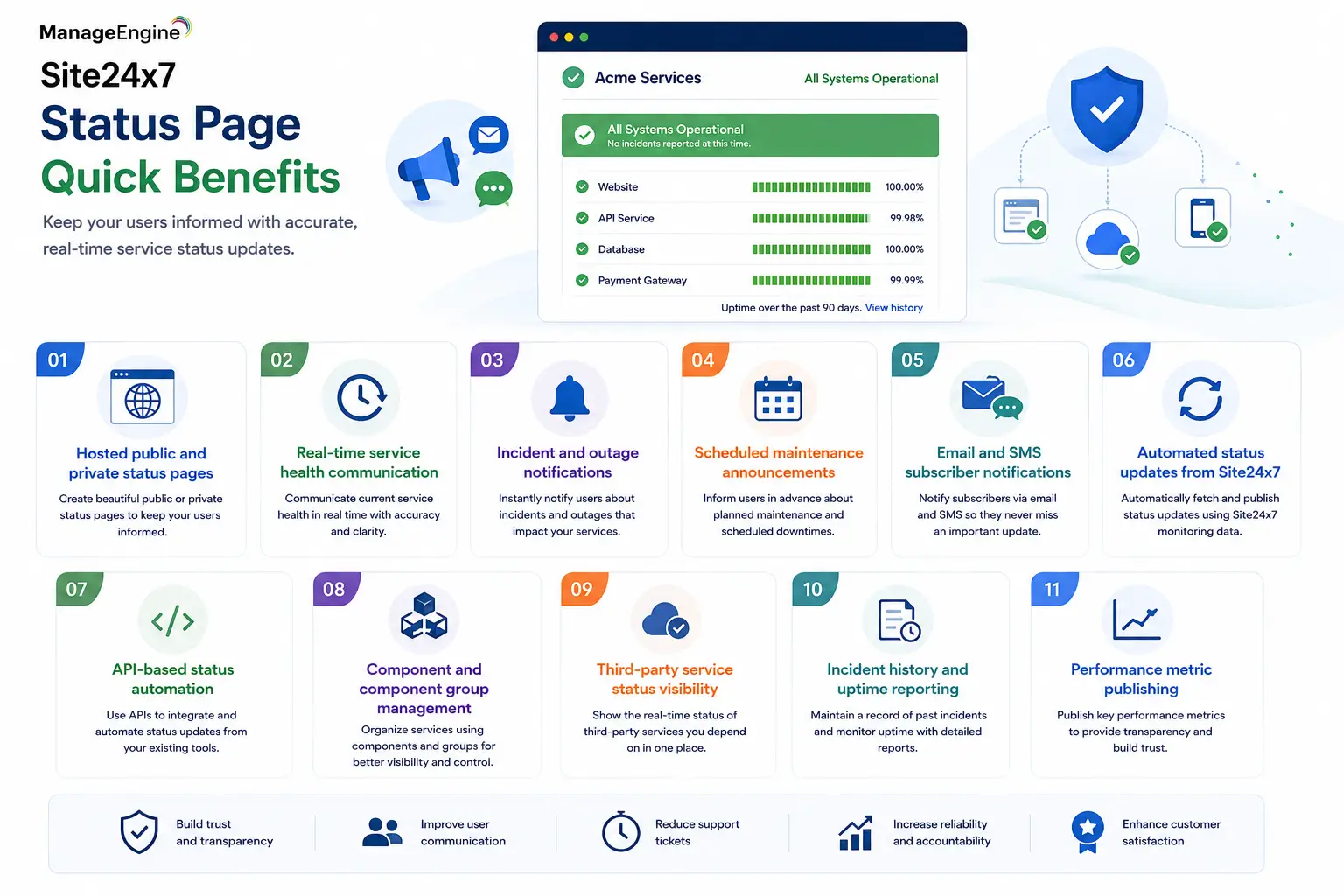
Quick Benefits
- Hosted public and private status pages
- Real-time service health communication
- Incident and outage notifications
- Scheduled maintenance announcements
- Email and SMS subscriber notifications
- Automated status updates from Site24x7
- API-based status automation
- Component and component group management
- Third-party service status visibility
- Incident history and uptime reporting
- Performance metric publishing
Site24x7 StatusIQ At a Glance
What it is: Hosted status page and incident communication platform
Official product: Site24x7 StatusIQ
ManageEngine positioning: ManageEngine Site24x7 StatusIQ within the broader Site24x7/ManageEngine ecosystem
Parent category: ManageEngine License
Primary role: Communicate outages, maintenance, service health, and incident progress
Main users: IT operations, DevOps, SRE, SaaS providers, support teams, and service owners
Status page types: Public and private
Core objects: Status pages, components, component groups, incidents, maintenance events, and subscribers

License Overview
A Site24x7 StatusIQ license is primarily determined by the number and type of status pages an organization requires, together with component capacity, subscriber requirements, customization, access controls, and automation needs.
StatusIQ currently provides Free, Green, and Blue commercial levels on its public pricing structure. A Basic entitlement is also documented for paid Site24x7 users. The Free tier supports a basic status page, while higher tiers expand the number of components, subscriber capacity, API limits, customization, security controls, and historical information available.
This means licensing should not be estimated simply from the number of servers being monitored. A company might monitor hundreds of resources internally but communicate them through only a few customer-facing service components. Conversely, a SaaS provider offering many separate services, regions, APIs, and customer platforms may need a much larger status-page structure.
Product Overview
Public and Private Status Pages
The central function of ManageEngine Site24x7 StatusIQ is creating a dedicated location where users can check service health.
A public status page can communicate availability information to customers without requiring authentication. This is useful for SaaS platforms, hosted services, APIs, websites, and other externally consumed systems.
Private status pages serve a different purpose. They can communicate operational information to internal employees, selected customers, partners, or other authorized groups when infrastructure status should not be exposed publicly.
StatusIQ supports access-control capabilities such as password protection, IP restrictions, and SAML SSO depending on the selected plan.
Components and Service Health
A status page becomes more useful when it represents individual parts of a service rather than displaying only one overall “up” or “down” indicator.
StatusIQ uses components to represent functional services such as websites, APIs, servers, databases, mobile applications, or other parts of an infrastructure. Related components can be placed into component groups, making complex platforms easier for customers to understand.
For example, a cloud application could expose separate components for its authentication service, API, web portal, database layer, and regional infrastructure. If only the API is degraded, the organization can communicate that specific impact instead of marking the entire platform unavailable.
Incident Communication and Maintenance
StatusIQ supports the full communication lifecycle around service incidents.
An incident can be published when a disruption occurs, updated as engineers investigate the issue, and marked resolved when normal service has returned. Incident templates help teams maintain consistent messaging, while postmortem capabilities allow organizations to explain the root cause, remediation, and preventive actions after significant events.
Planned maintenance can also be scheduled in advance. This distinguishes expected service interruption from an unexpected outage and gives customers time to prepare.
How ManageEngine Site24x7 StatusIQ Works
StatusIQ sits between technical monitoring and stakeholder communication.
Organizations first create a status page and define the components representing their customer-facing or internal services. When an incident occurs, component states can be updated manually or automatically.
Integration with Site24x7 monitoring can automatically create incidents or update service status based on monitoring information. StatusIQ also supports API-driven automation, allowing organizations to connect internal monitoring systems and operational workflows.
Subscribers can then receive relevant updates while the status page provides a central source of truth for the incident.
This reduces the need for every affected user to contact the service desk simply to ask whether a known outage is already being investigated.
Core Technical Flow
Website / API / Application / Infrastructure Service
→ Site24x7 or Third-Party Monitoring
→ Incident or Component Status Change
→ Site24x7 StatusIQ
→ Public or Private Status Page
→ Email / SMS / Subscriber Notification
→ Resolution Update and Postmortem
The separation between monitoring and communication is important. Monitoring tools are primarily designed for engineers; StatusIQ converts operational status into information that customers and business users can understand.
Options and Licensing Models
| Plan | Status Page Scope | Component Capacity | Subscriber Capacity | Typical Use |
|---|---|---|---|---|
| Free | 1 Free page | 10 components | 100 subscribers | Small teams and basic public status communication |
| Basic | Available with qualifying paid Site24x7 accounts | 10 components per page | 100 subscribers | Existing Site24x7 customers needing basic status pages |
| Green | 1 Green plus additional Free/Basic pages | 50 components per page | 250 subscribers | Growing services requiring more automation and customization |
| Blue | 1 Blue plus additional Free/Basic pages | 200 components per page | 500 subscribers | Enterprise services requiring advanced branding, security, history, and scale |
| Add-ons | Additional pages and capacity | Based on purchased units | Additional standard or authenticated subscribers | Organizations exceeding included limits |
The current public pricing lists Green at $10 per month and Blue at $59 per month, with lower effective monthly pricing when billed annually. Additional Green or Blue pages, subscriber capacity, authenticated subscribers, and SMS credits can also be purchased as add-ons. Pricing should still be verified when ordering because subscription rates can change.
Features and Benefits
The primary benefit of Site24x7 StatusIQ is improved communication during incidents.
When a major service fails, engineering teams need to focus on restoration. Without a status communication platform, the same engineers or support teams may also be required to repeatedly answer questions from users asking whether the service is down.
A status page reduces this unnecessary communication load by providing one authoritative location for updates.
StatusIQ can also improve customer trust. Publishing incident progression, scheduled maintenance, uptime history, and postmortems demonstrates that the organization has a structured operational response process instead of remaining silent during disruptions.
For larger digital services, component-level communication is particularly useful. Customers can determine whether an incident affects the specific service they consume rather than assuming the entire platform is unavailable.
Compatibility and Requirements
Because StatusIQ is hosted, organizations do not need to deploy a dedicated status-page server.
The more important requirements involve integration and operational design. Teams should determine which services need to appear as components, who is permitted to publish incidents, which users should receive notifications, and whether status updates should be automated.
StatusIQ integrates directly with Site24x7 and also supports workflows involving platforms such as Slack, Microsoft Teams, and PagerDuty. Its APIs use OAuth 2.0 authorization and allow programmatic management of status-page resources.
Organizations requiring private status communication should also evaluate IP restrictions, password protection, authenticated subscribers, and SAML SSO requirements before choosing a plan.
How Activation and Deployment Work
Deployment starts by creating the StatusIQ account and status page, followed by defining the services or components that users need to see.
Teams then configure incident templates, maintenance workflows, subscribers, branding, and access controls. If Site24x7 monitoring is already in use, relevant monitors can be connected so service health information and maintenance schedules can feed StatusIQ automatically.
Organizations with their own monitoring stack can use the StatusIQ API or other supported integrations for automation.
A practical rollout usually begins with the most important customer-facing services. Once incident communication procedures are established, additional applications, APIs, regions, and third-party dependencies can be added.
Pricing and Quote Process
Pricing for a ManageEngine Site24x7 StatusIQ license should be determined from the communication architecture rather than only the size of the IT environment.
Before requesting a quote, organizations should identify the number of required status pages, components per page, expected subscribers, authenticated subscribers, custom-domain requirements, incident history requirements, API volume, SMS usage, and required security controls.
A small company with one public application may be adequately served by a Free or Green page. A large SaaS provider with multiple services, regions, customer groups, private status communication, SSO requirements, and hundreds of subscribers may require Blue pages plus additional capacity.
These requirements should be defined before ordering so the subscription reflects actual incident-communication needs without purchasing unnecessary capacity.
ManageEngine pricing depends on your license edition, users, devices, deployment model, term, and support needs.