

ServiceDesk Plus MSP is ManageEngine’s IT service management platform designed specifically for Managed Service Providers (MSPs) that deliver IT support and operational services to multiple customers. Unlike traditional IT help desk platforms built for a single organization, ServiceDesk Plus MSP focuses on multi-client service delivery, customer separation, SLA management, automation, and centralized technician operations.
For MSPs, managing customer requests is not only about resolving tickets. Service providers must maintain clear communication with each customer, track contractual service commitments, separate customer data, measure technician performance, and provide transparent reporting. The platform is designed for MSPs that need to provide structured IT support services without creating separate help desk systems for every customer.
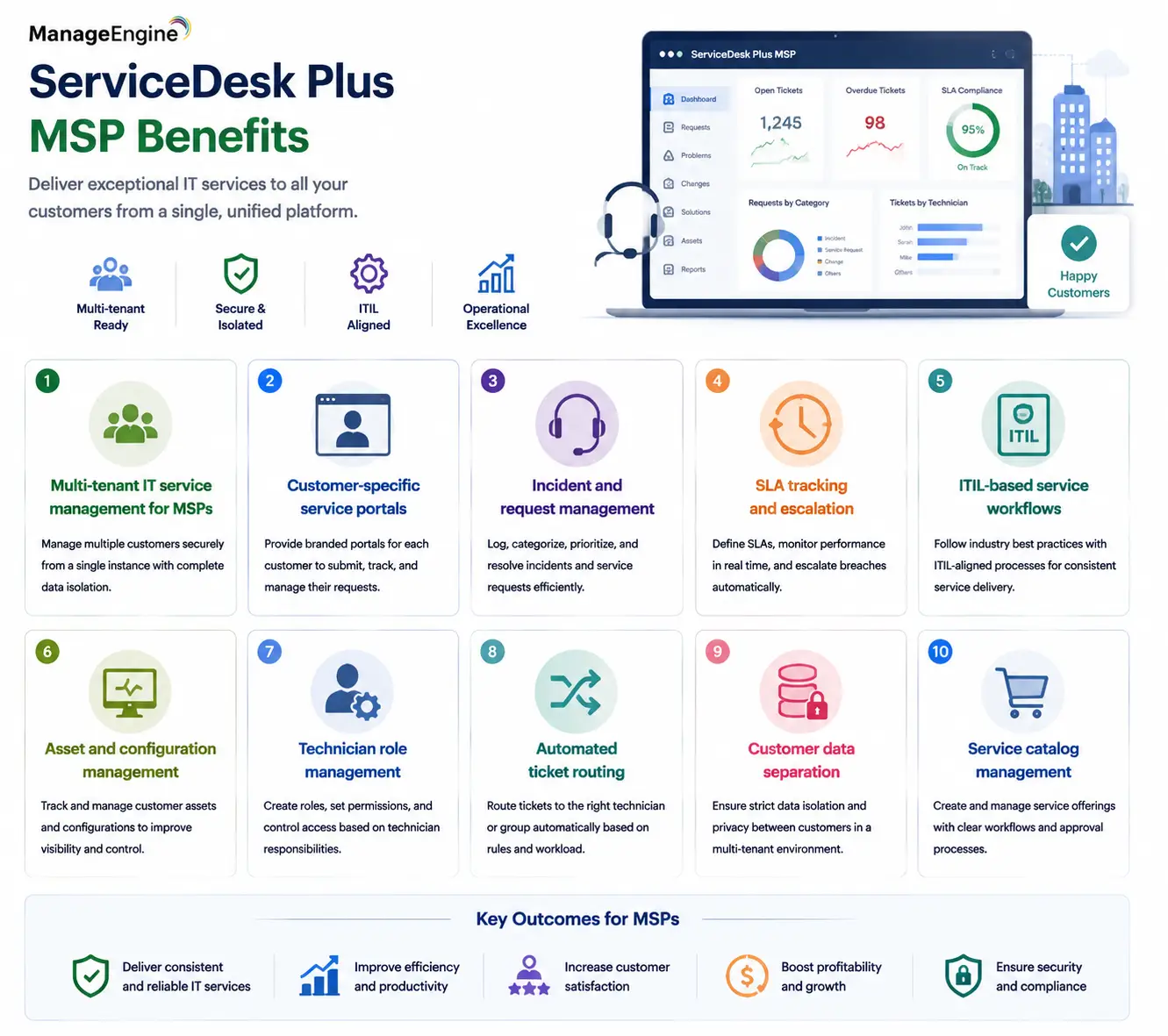
Quick Benefits
- Multi-tenant IT service management for MSPs
- Customer-specific service portals
- Incident and request management
- SLA tracking and escalation
- ITIL-based service workflows
- Asset and configuration management
- Technician role management
- Automated ticket routing
- Customer data separation
- Service catalog management
ServiceDesk Plus MSP At a Glance
What it is: IT service management platform designed for MSPs
Parent category: ManageEngine IT Management for MSPs
Primary users: Managed Service Providers, IT outsourcing companies, and support teams
Primary role: Manage customer IT requests, incidents, assets, and service operations
Deployment: Cloud and on-premises options
Core capabilities: Ticket management, SLA management, asset management, automation, reporting, and customer portals
Service model: Multi-tenant customer support

License Overview
A ServiceDesk Plus MSP license is structured around the operational model of the service provider rather than only the number of employees using the system. The main licensing considerations are usually the number of technicians managing customer requests, the number of managed customer environments, the number of assets or nodes being tracked, and the required service management modules.
This differs from an internal enterprise help desk where licensing is often based around one organization’s users or technicians. MSPs require additional flexibility because a single technician may support multiple customers, each with different workflows, contracts, SLAs, and service expectations.
Before selecting a license, MSPs should evaluate how many technicians will actively work on tickets, how many customers will be supported, whether asset management is required, and whether advanced service-management capabilities such as change management, problem management, or service catalogs are needed.
Product Overview
Multi-Tenant Service Management
The biggest difference between ServiceDesk Plus MSP and standard IT service desk platforms is its MSP-focused architecture.
An MSP may manage support requests for dozens or hundreds of customers. Each customer requires separate visibility, different service agreements, and controlled access to their own information.
ServiceDesk Plus MSP provides a multi-tenant approach that allows service providers to manage multiple organizations from a centralized platform while maintaining customer-level separation.
This allows technicians to work efficiently without creating isolated help desk environments for every customer.
Incident and Request Management
Ticket management is the foundation of most MSP operations.
ServiceDesk Plus MSP helps providers organize incidents, service requests, problems, and changes through structured workflows. Instead of handling customer communication through email chains or disconnected systems, all requests can be tracked through defined processes.
Technicians can assign tickets, prioritize issues, track response times, and maintain communication history.
For MSP customers, this creates greater transparency because they can view request status, updates, and service progress through dedicated portals.
SLA Management and Service Delivery
MSPs often operate under contractual agreements that define response and resolution times.
ServiceDesk Plus MSP helps providers monitor these commitments by tracking SLA performance, escalation rules, and service metrics.
This is important because MSP success depends not only on solving technical problems but also on demonstrating that contracted services are being delivered consistently.
Reports can help service managers identify recurring delays, technician workload issues, and areas where service processes need improvement.
How ServiceDesk Plus MSP Works
The platform begins by onboarding customer organizations into separate service environments.
Each customer can have dedicated users, technicians, service catalogs, assets, contracts, and workflows. Incoming requests can be submitted through customer portals, email, or other integrated channels.
Tickets are then categorized, assigned, prioritized, and tracked according to predefined rules.
Behind the scenes, automation can reduce repetitive administrative tasks. Ticket assignment, approval workflows, notifications, escalation actions, and routine service processes can be standardized across customers.
This allows MSP teams to deliver consistent services while supporting a larger customer base.
Core Technical Flow
Customer User / Client Portal / Email Request
→ ServiceDesk Plus MSP Ticket Creation
→ Classification and Prioritization
→ Technician Assignment and SLA Tracking
→ Resolution Workflow
→ Customer Communication
→ Reports and Service Performance Analysis
The multi-tenant structure ensures that every customer follows controlled workflows while remaining logically separated from other managed organizations.
Options and Licensing Models
| Licensing Factor | Description | Suitable For |
|---|---|---|
| Technicians | Number of support engineers handling customer requests | MSPs with different service team sizes |
| Customers / Organizations | Number of client environments managed through the platform | MSPs supporting multiple businesses |
| Nodes / Assets | Number of managed devices and IT resources | Providers offering asset and infrastructure management |
| Service Management Modules | Additional ITIL functions such as change, problem, and release management | MSPs providing advanced IT operations |
| Deployment Model | Cloud or on-premises deployment option | Organizations with different infrastructure preferences |
| Reporting Requirements | Customer dashboards, SLA reports, and operational analytics | MSPs requiring service transparency |
The correct licensing approach depends on the MSP’s service model. A help desk provider supporting many small customers may prioritize technician and customer management, while a larger MSP managing complete IT environments may require broader asset and service-management capabilities.
Features and Benefits
The primary advantage of ServiceDesk Plus MSP is creating a repeatable service-delivery process.
Without a dedicated MSP service desk platform, providers often rely on separate ticket systems, spreadsheets, and communication channels for different customers. This increases operational overhead and makes consistent reporting difficult.
ServiceDesk Plus MSP allows providers to standardize workflows while keeping customer-specific configurations where needed.
Automation improves technician productivity by reducing manual tasks such as ticket assignment, notifications, approvals, and escalations.
The platform also improves customer relationships. MSP clients gain better visibility into their requests, service performance, and communication history, which helps build trust.
For service managers, reporting provides insight into technician workload, SLA performance, recurring issues, and overall service quality.
Compatibility and Requirements
Before deploying ServiceDesk Plus MSP, providers should evaluate their service delivery model.
Important considerations include:
- Number of customers supported
- Number of technicians
- Existing ticket channels
- SLA agreements
- Asset management requirements
- Customer portal requirements
- Integration with monitoring platforms
- Existing PSA or billing systems
MSPs should also define customer onboarding processes. Standard templates for categories, workflows, SLAs, and reports can significantly reduce deployment time when adding new customers.
Integration with monitoring and endpoint-management platforms is also important because many MSPs use automated alerts that need to become service tickets.
How Activation and Deployment Work
Deployment begins by selecting the required ServiceDesk Plus MSP edition and licensing model.
After activation, the MSP configures customer organizations, technician roles, service categories, SLAs, and workflows.
A successful implementation usually starts with a standardized support framework. The MSP defines common ticket categories, escalation rules, and reporting formats before customizing specific requirements for individual customers.
Existing customer data, asset information, and support processes can then be migrated into the platform.
After deployment, automation rules and integrations can be introduced to improve operational efficiency.
Pricing and Quote Process
Pricing for a ServiceDesk Plus MSP license depends on the size and structure of the managed service operation.
For an accurate quote, MSPs should provide:
- Number of technicians
- Number of customer organizations
- Number of managed assets
- Required ITIL modules
- Deployment preference
- Integration requirements
- Reporting needs
The number of customers alone does not determine the required license because a small number of large customers may require more resources than many smaller clients. MSPs should also consider future growth. A platform selected only for current ticket volume may become restrictive as the provider adds customers, technicians, or additional managed services.
ManageEngine pricing depends on your license edition, users, devices, deployment model, term, and support needs.