

IT Management for MSPs refers to the set of solutions that Managed Service Providers use to monitor, manage, secure, and support multiple customer environments from centralized platforms. Unlike traditional internal IT management, MSP operations require tools that can handle multiple clients, separate customer data, automate repetitive tasks, and provide efficient service delivery at scale.
A complete ManageEngine IT Management for MSPs approach helps service providers centralize operations, automate common tasks, improve customer visibility, and deliver consistent IT services without building separate processes for every client.
Quick Benefits
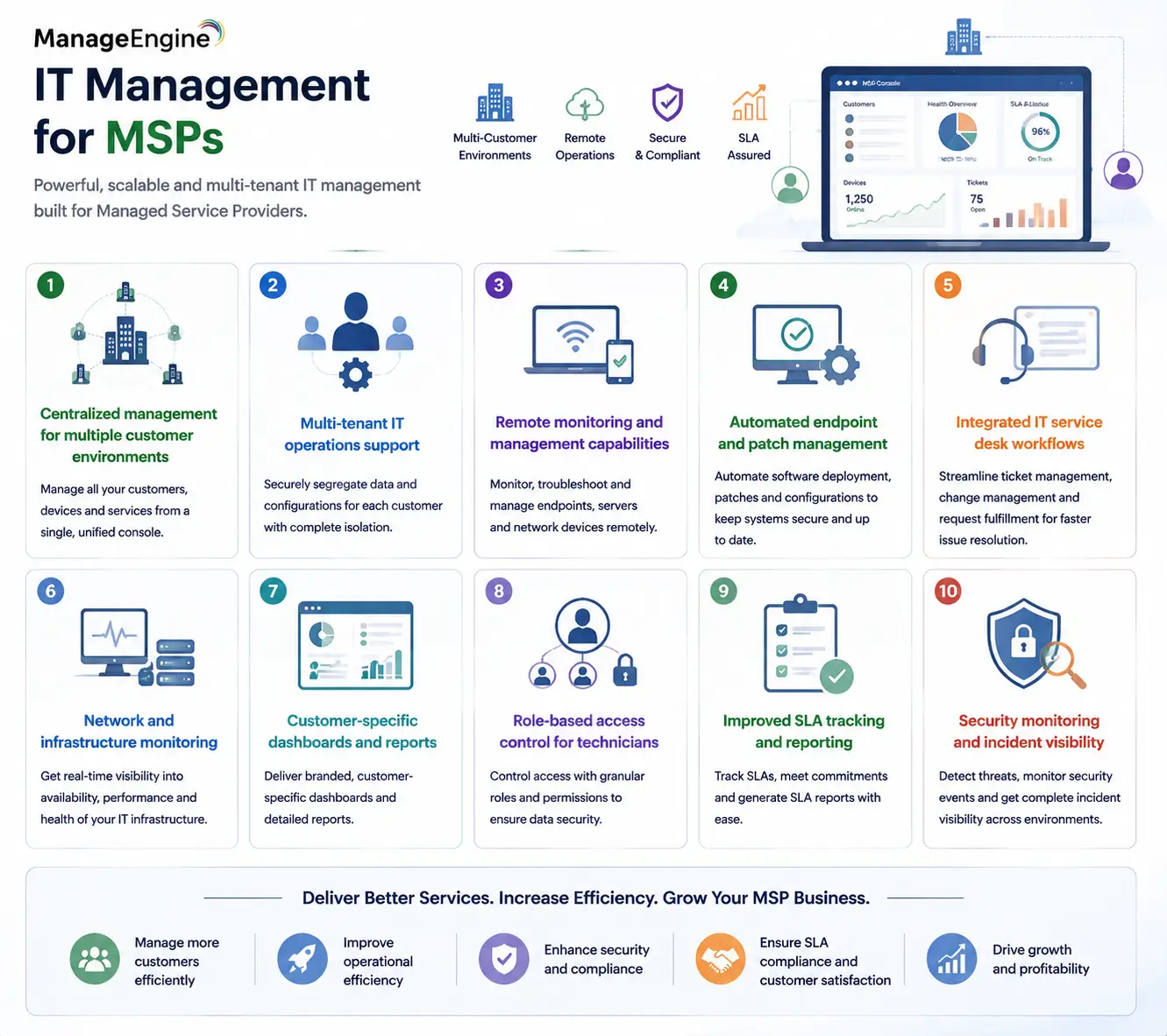
- Centralized management for multiple customer environments
- Multi-tenant IT operations support
- Remote monitoring and management capabilities
- Automated endpoint and patch management
- Integrated IT service desk workflows
- Network and infrastructure monitoring
- Customer-specific dashboards and reports
- Role-based access control for technicians
- Improved SLA tracking and reporting
- Security monitoring and incident visibility
IT Management for MSPs At a Glance
What it is: ManageEngine portfolio of MSP-focused IT management solutions
Parent Category: ManageEngine Licesne
Primary users: Managed Service Providers, IT service companies, and outsourced IT teams
Main purpose: Monitor, manage, secure, and support multiple customer environments
Deployment models: Cloud, on-premises, and hybrid options depending on product
Core capabilities: RMM, ITSM, endpoint management, network monitoring, security, identity, and reporting
Key requirement: Multi-client management with tenant separation
Typical users: MSP technicians, service managers, NOC teams, and IT administrators
Category Overview
Managing IT services for customers requires a different approach from managing a single internal enterprise network. An internal IT department usually focuses on one organization, one security model, and one set of business processes. MSPs operate differently. They may manage dozens or hundreds of customers, each with different infrastructure, applications, compliance requirements, and service expectations.
This creates several operational challenges. Technicians need access to multiple environments without compromising customer separation. Service managers need accurate SLA reports. Security teams need visibility into threats across different organizations. Engineers need automation to avoid spending hours performing repetitive maintenance tasks.
ManageEngine IT Management for MSPs addresses these challenges by combining specialized MSP products into a broader service-delivery ecosystem. Instead of relying on unrelated tools for every operational function, MSPs can use ManageEngine solutions to create standardized workflows for monitoring, support, security, and reporting.
How ManageEngine IT Management for MSPs Works
A typical MSP deployment begins with customer onboarding. Each customer environment is connected to the appropriate ManageEngine platform, whether that involves endpoint agents, network monitoring, service desk configuration, identity management, or security integrations. Once connected, technicians can manage customer environments through centralized dashboards while maintaining separation between organizations.
For example, an MSP may use an RMM platform to monitor customer endpoints, a service desk solution to manage incidents and requests, and an identity-management solution to handle user administration. These systems can work together to create a complete operational workflow.
Automation plays an important role in MSP environments. Routine tasks such as patch deployment, alert handling, password management, asset discovery, and ticket assignment can be standardized across customers. This allows MSP teams to support more customers without increasing operational complexity at the same rate.
Main ManageEngine MSP Product Categories
| Category | ManageEngine Solutions | Primary MSP Use Case |
|---|---|---|
| Remote Monitoring and Management | RMM Central, Endpoint Central MSP | Monitor endpoints, deploy software, patch systems, and automate maintenance |
| IT Service Management | ServiceDesk Plus MSP | Customer ticketing, incident management, SLA tracking, and service workflows |
| Network Monitoring | OpManager MSP | Monitor servers, switches, routers, bandwidth, and infrastructure availability |
| Endpoint Management | Endpoint Central MSP | Device inventory, patch management, software deployment, and endpoint control |
| Identity Management | ADManager Plus MSP, ADAudit Plus MSP | User administration, Active Directory management, and auditing |
| Security Operations | Log360, EventLog Analyzer, Security-focused solutions | Security monitoring, compliance, and threat visibility |
| Cloud Cost Management | CloudSpend MSP capabilities | Cloud expense tracking and optimization for customer environments |
| Analytics and Reporting | Analytics Plus | Operational dashboards, customer reports, and business intelligence |
Each MSP can combine these solutions according to the services it provides. A smaller provider may only need RMM and ticketing, while a larger MSP may require a complete stack covering monitoring, security, identity, analytics, and cloud operations.
Licensing and Ordering Models
| Licensing Factor | Description | Important Consideration |
|---|---|---|
| Customers / Tenants | Number of managed client organizations | Important for MSPs supporting multiple businesses |
| Endpoints / Devices | Number of managed computers, servers, or network devices | Common metric for RMM and endpoint products |
| Technicians | Number of service engineers using management consoles | Relevant for ITSM and support workflows |
| Users | Number of managed identities or service users | Important for identity and access products |
| Monitored Resources | Servers, applications, networks, or infrastructure components | Used by monitoring platforms |
| Data Volume | Logs, events, analytics data, or cloud spend | Relevant for security and analytics platforms |
| Feature Modules | Additional capabilities such as automation, reporting, or security functions | May affect subscription requirements |
Because ManageEngine MSP licensing varies by product, there is no single licensing formula for the entire portfolio. An MSP should first define its service model: how many customers it supports, how many endpoints it manages, how many technicians operate the platform, and which services it provides.
Features and Benefits
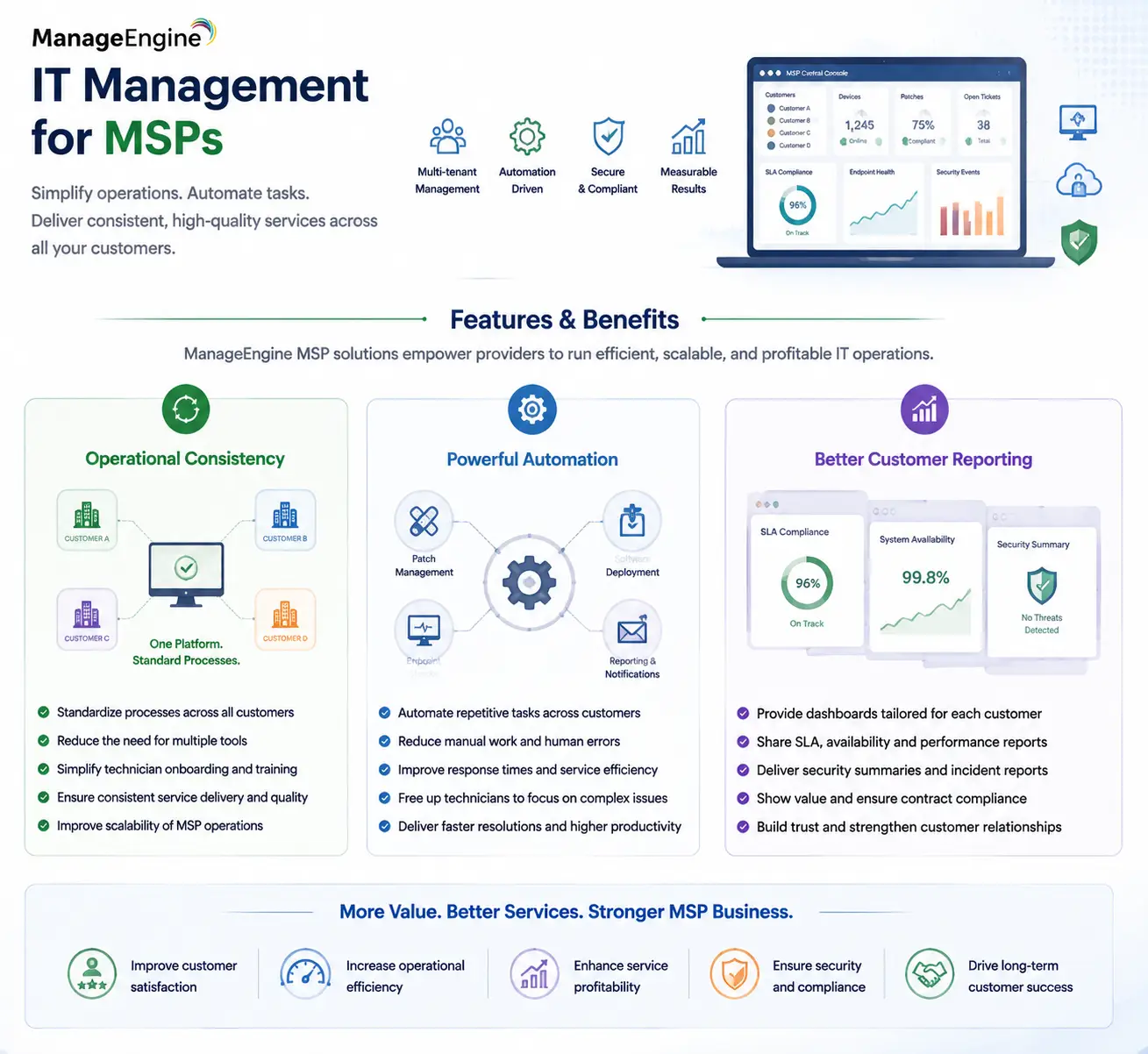
The biggest advantage of ManageEngine MSP solutions is operational consistency.
MSPs often struggle when every customer requires different tools, different processes, and different reporting methods. Standardizing operations through a common platform helps reduce technician training requirements and simplifies service delivery.
Automation is another major benefit. Tasks that are repeated across multiple customers—such as patch management, software deployment, endpoint checks, and reporting—can consume significant technician time if performed manually.
By introducing automation, MSPs can improve response times while allowing engineers to focus on more complex issues.
Customer reporting is also important. Many MSP clients want evidence that services are being delivered according to contract requirements. Dashboards, SLA reports, availability statistics, security summaries, and operational reports help MSPs demonstrate value.
Compatibility and Requirements
Before selecting a ManageEngine MSP solution stack, providers should evaluate their operational model.
Important considerations include:
- Number of managed customers
- Endpoint and server counts
- Customer network environments
- Cloud and hybrid infrastructure
- Required SLA reporting
- Security monitoring requirements
- Technician roles and permissions
- Existing PSA or ticketing integrations
- Compliance requirements
MSPs should also consider whether customers require separate administrative boundaries. Multi-tenancy is one of the most important requirements because technicians need access to customer environments without exposing data between organizations. Integration with existing business systems should also be reviewed. Many MSPs already use PSA platforms, billing systems, documentation tools, or security platforms that need to work alongside ManageEngine solutions.
Activation and Deployment
Deployment usually begins by selecting the ManageEngine products that match the MSP service catalog. After licensing, customer environments are onboarded through agents, connectors, integrations, or network discovery depending on the selected product.
A successful MSP deployment usually follows a phased approach: First, the MSP establishes monitoring and visibility across customer environments. Next, automation policies, alert workflows, reporting, and service processes are introduced.
After operational stability is achieved, additional capabilities such as security monitoring, analytics, identity management, or cloud cost management can be added. This approach prevents MSP teams from introducing too many operational changes at once and allows service processes to mature gradually.
Pricing and Quote Process
Pricing for ManageEngine IT Management for MSPs depends on the products selected and the scale of the managed service operation.
A proper quote should include:
- Number of customers managed
- Number of endpoints and servers
- Number of technicians
- Required monitoring scope
- ITSM requirements
- Security monitoring needs
- Reporting requirements
- Cloud management requirements
MSPs should avoid selecting licenses only based on current customers. Future growth should also be considered because adding customers later may require additional endpoint capacity, technicians, or monitoring resources. For service providers, the most cost-effective approach is usually building a standardized platform that can support customer growth without requiring a completely new toolset for every client.
ManageEngine pricing depends on your license edition, users, devices, deployment model, term, and support needs.