

Veeam Backup & Replication protects business data and provides recovery options for supported workloads. A Veeam Backup & Replication license defines available entitlement, while Veeam Backup & Replication licensing must match the workload mix and deployment. Choosing a Veeam license starts with what you need to protect and how you expect to recover it.
Quick Benefits
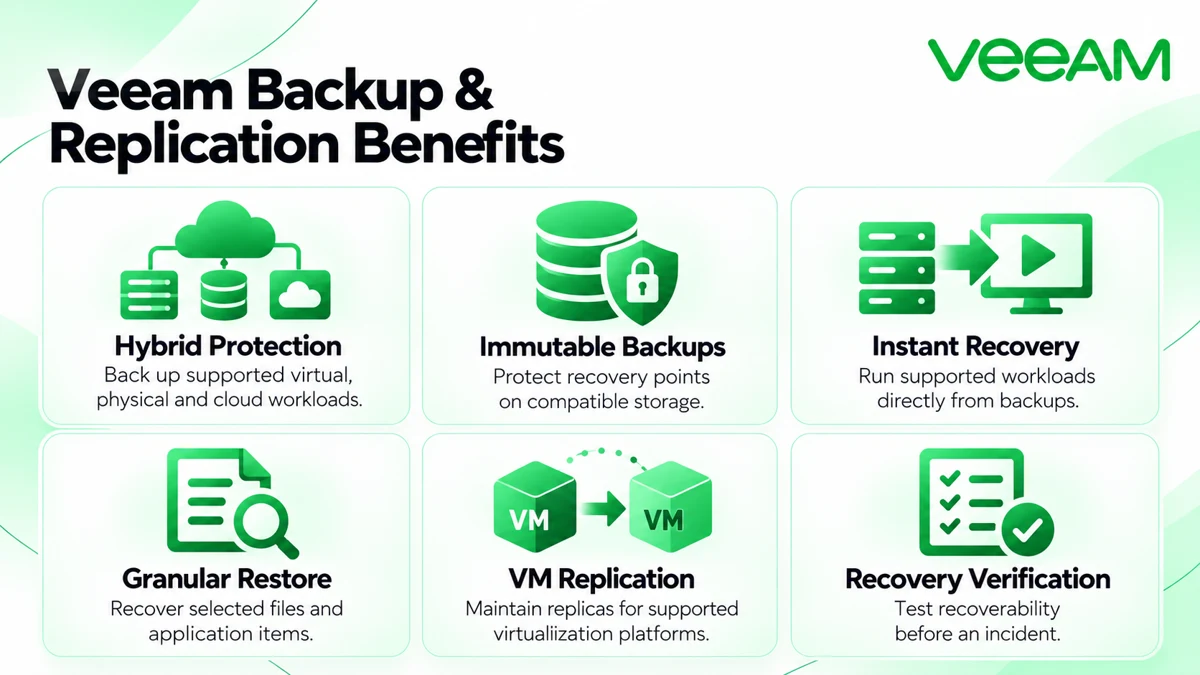
- Backup for supported virtual, physical, and cloud workloads
- Immutable recovery points on compatible repositories
- Instant Recovery and granular restore options
- VM replication for supported virtualization platforms
- Recovery verification before a real outage
At a Glance
- Vendor: Veeam
- Product family: Veeam License
- Role: Backup, recovery, and supported VM replication
- Deployment: Windows-based software or supported Linux-based appliance
- License metrics: Instances, eligible capacity, or applicable sockets
- Sizing inputs: Protected workloads, source data, and recovery requirements

Features & Benefits
Hybrid Protection and Secure Backup Storage
Manage protection for supported VMs, physical systems, cloud resources, and unstructured data. Backup-copy policies help maintain additional recovery points away from the primary environment. Encryption and compatible immutable repositories strengthen protection, but immutability requires correct storage settings. Design retention around business needs and verify that administrators cannot casually remove the copies you depend on.
Fast Recovery and Granular Restore
Instant Recovery lets supported workloads run from backups while production storage is restored. File-level and application-item recovery can resolve smaller incidents without restoring an entire server. Recovery verification helps test whether backups can support the intended restore. Measure the results in your environment: storage speed, network throughput, and workload behavior affect recovery time.
Replication and Disaster Recovery Preparation
VM replication maintains copies on supported target platforms for failover scenarios. It serves a different purpose from retaining historical backups, so many designs need both. Decide which applications require replicas, how dependencies will start, and when failback can happen. Repeatable tests help identify missing permissions or network mappings before an outage.
License Overview
Veeam Universal License uses instances for eligible workloads. Capacity licensing can cover unstructured source data, while applicable socket licenses cover virtualization source hosts. Socket licensing is not available for a Linux-based backup server. Workload coefficients vary, so do not assume every endpoint or terabyte consumes one identical unit.
Backup & Replication is the core protection component of Veeam Data Platform. Evaluate broader packages when monitoring or recovery orchestration is required. Existing entitlement, software release, and deployment choice should be checked together before renewal, expansion, or migration.
Product Overview
The backup server coordinates configuration, schedules, and jobs. Proxies process data for relevant workloads, and repositories store backup files and recovery points. These roles may share infrastructure in a smaller installation or be distributed as demand grows. Separate management and data-transfer requirements when planning resources; extra license capacity does not remove infrastructure bottlenecks.
Core Technical Flow
A protection job selects sources and applies processing settings. Data moves through the appropriate processing components to the target repository; retention determines which recovery points remain. Copy or replication jobs provide additional protection where configured. Administrators inspect job results and test restores. Across the Network License portfolio, licensing and infrastructure sizing should support the same recovery objectives.
Options & Licensing Models
Compare the metric against your source inventory before choosing the commercial package.
| Route | Scope | Planning Consideration |
|---|---|---|
| Veeam Universal License | Eligible virtual, physical, and cloud workloads | Workload counts and consumption coefficients |
| Capacity licensing | Eligible unstructured-data sources | Protected front-end source capacity |
| Applicable socket entitlement | Supported virtual infrastructure on Windows-based deployments | Source-host sockets and migration eligibility |
| Data Platform package | Backup with additional capabilities by edition | Monitoring or orchestration requirements |
Compatibility & Requirements
Check the selected release against hypervisor versions, guest systems, applications, and repository targets. Size proxy resources and storage throughput for your backup window; include retention, daily change rate, and offsite transfer needs. Confirm service-account permissions and communication paths. Microsoft 365, Salesforce, and Kubernetes protection require their respective offerings rather than automatic coverage from this license.
Activation & Deployment
Prepare installation media, entitlement access, accounts, and repository configuration. Install the supplied license file using the supported console or web interface. Confirm the license type, package, quantity, and dates before creating production jobs. For an upgrade, verify that the file supports the installed release.
Start with a representative workload, complete a backup, and restore a file or application item. Check notifications and license consumption. If replication is required, test failover in an isolated environment and document failback. Review configuration protection and recovery access before expanding the deployment.
Pricing & Quote Process
Pricing depends on the licensing route, protected scope, package, term, and support requirements. Provide separate VM, server, endpoint, and cloud-workload counts plus NAS or object-storage source capacity. Identify current socket entitlements and upcoming migrations so the proposed quantity matches the environment after the change.
Include renewal dates, expected growth, and whether monitoring or orchestration is needed. Repository hardware, cloud storage, and deployment services should be identified separately. Request a Veeam Backup & Replication quote to confirm suitable coverage.