

Veeam Recovery Orchestrator turns recovery procedures into coordinated, testable plans. A Veeam Recovery Orchestrator license enables orchestration for the machines your business needs to recover, while Veeam Recovery Orchestrator licensing must align with existing backup entitlement. Choosing the right Veeam license means considering application dependencies and testing infrastructure alongside production workloads.
Quick Benefits
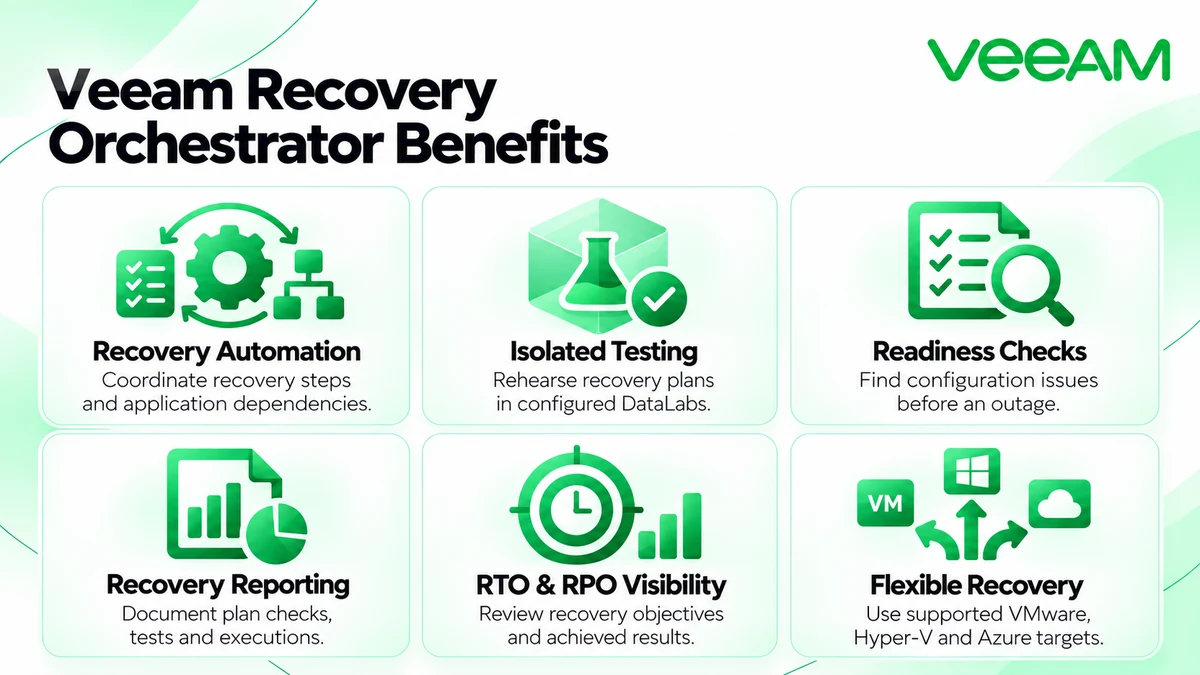
- Automated recovery workflows with ordered application steps
- Isolated recovery rehearsals in configured DataLabs
- Readiness checks before executing recovery plans
- Automatically updated recovery documentation and reports
- Visibility into recovery time and recovery point objectives
At a Glance
- Vendor: Veeam
- Product family: Veeam License
- Role: Recovery orchestration, testing, and documentation
- Deployment: Supported Windows Server environment
- License metric: Orchestrated machines, including supporting DataLab machines
- Purchasing route: Data Platform Premium or eligible Advanced entitlement with Orchestrator licenses

Features & Benefits
Coordinated Recovery and Application Dependencies
Recovery plans group machines and define processing order, recovery actions, and verification steps. Bring supporting services online before the applications that depend on them. Orchestrator uses supported backup, replica, and storage recovery capabilities rather than replacing the underlying protection system.
Readiness Checks and Isolated Recovery Testing
Readiness checks identify configuration problems; DataLab tests exercise recovery in an isolated environment. Schedule rehearsals and include the application checks that matter to your service. Testing helps expose missing dependencies, permissions, or target resources before an outage.
Recovery Documentation and Objective Tracking
Generate plan definitions, readiness results, test reports, and execution histories. Dashboards help compare recovery time objectives (RTO) and recovery point objectives (RPO) with achieved results. These records support operational reviews and audit evidence.
License Overview
In version 13, each orchestrated machine consumes one instance, regardless of how many plans or DataLabs include it. Machines added to plans count even without a backup or replica. Supporting machines in DataLab groups also consume instances, so sizing only the production application servers can leave a shortfall.
Veeam Data Platform Premium includes orchestration. Advanced entitlement can be combined with additional Orchestrator licenses; Foundation alone is insufficient because it lacks the required Veeam ONE licensing section. Confirm the supplied license file and existing entitlement before ordering.
Product Overview
The Orchestrator server provides a web interface for creating, testing, auditing, and executing plans. Its installation includes embedded Backup & Replication and Veeam ONE components. Agents connect supported remote Veeam Backup & Replication servers to orchestration commands.
Core Technical Flow
Connect the protection infrastructure, discover inventory, and group the machines that form an application. Select a recovery location, define ordered steps, and set RTO/RPO targets. Run readiness checks and isolated tests before production execution. Review results and update dependencies as services change. Explore related infrastructure in our Network License portfolio.
Options & Licensing Models
Separate the package choice from the license term and deployment scope.
| Option | Scope | Buyer Consideration |
|---|---|---|
| Data Platform Premium | Backup, monitoring, and orchestration entitlement | Align quantities across the proposed environment |
| Advanced plus Orchestrator | Eligible platform entitlement with additional orchestration licenses | Check the combined license file and required machine count |
| Subscription | Time-limited enterprise entitlement | Confirm term, renewal, and support dates |
| Perpetual | Permanent enterprise entitlement under applicable terms | Validate availability and supported-version rights |
Compatibility & Requirements
Validate the selected release against Windows Server, databases, backup servers, and recovery targets. Supported scenarios include VMware vSphere, Hyper-V, and Azure, but source and target support depends on plan type. Installation on an existing Backup & Replication or Veeam ONE server, Windows Server Core, or a domain controller is unsupported. Remote backup-server edition and package restrictions also apply.
Activation & Deployment
Prepare a suitable server, certificates, service accounts, database resources, and reachable recovery infrastructure. Supply a valid license file during installation. Later replacements use Administration → License → Install License Key. Confirm instance quantity and dates, then configure infrastructure connections and permissions.
Build a small representative plan and run readiness checks. Test it in a configured DataLab, inspect application verification and reports, and confirm license consumption before adding more services.
Pricing & Quote Process
Provide orchestrated machine counts, supporting test machines, current Veeam edition, renewal dates, and expected growth. Identify recovery targets and whether you need Premium or additional orchestration entitlement. The quotation depends on package, quantity, term, and support requirements.
Describe recovery-site resources and requested deployment assistance separately; software entitlement does not supply spare compute or cloud capacity. Request a Veeam Recovery Orchestrator quote to align coverage with your recovery design.