

Veeam ONE gives backup administrators visibility into protection status, infrastructure performance, and capacity trends. A Veeam ONE license enables monitoring and reporting beyond the Community Edition, while Veeam ONE licensing must match the connected backup products and monitored workload scope. For teams evaluating a Veeam license, the purchasing decision includes both capacity and package compatibility.
Quick Benefits
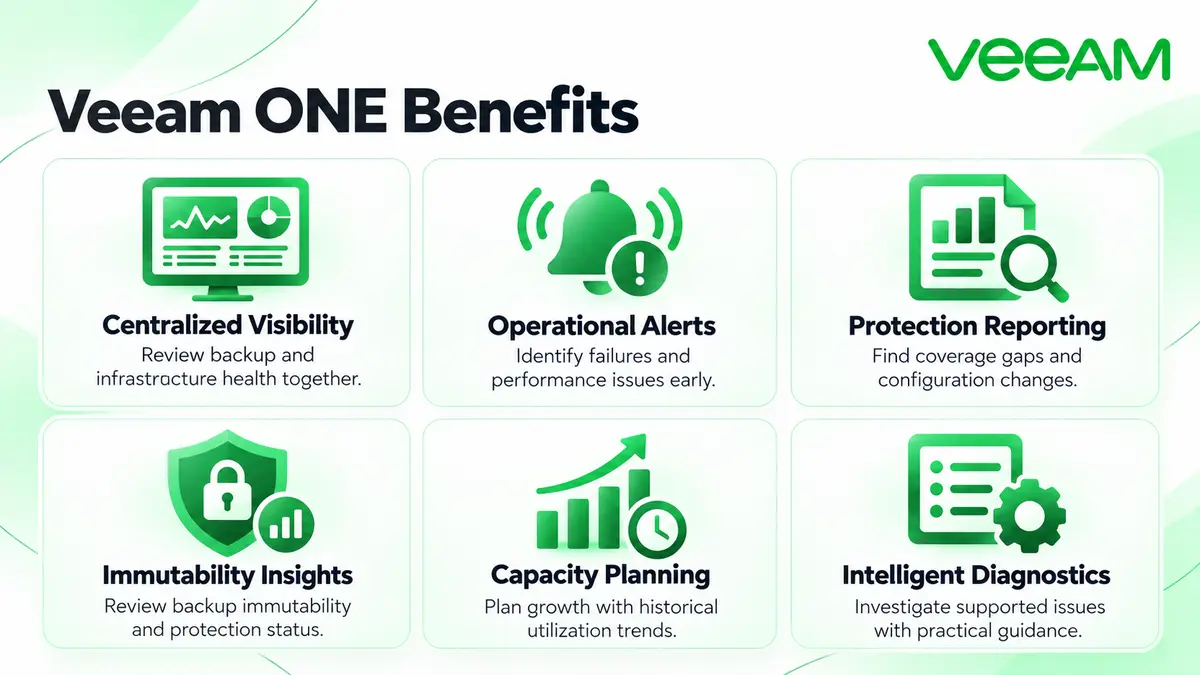
- Centralized backup and virtual-infrastructure visibility
- Configurable alarms for operational issues
- Protection-status and configuration reporting
- Repository and infrastructure capacity planning
- Intelligent diagnostics and supported remediation actions
At a Glance
- Vendor: Veeam
- Product family: Veeam License
- Deployment: Customer-managed monitoring and reporting platform
- Core role: Visibility into backup and virtual infrastructure
- Licensing: Instances or supported socket entitlements, according to package
- Key dependency: Compatibility with connected backup-product licenses

Features & Benefits
Monitoring and Operational Response
Veeam ONE consolidates backup-job status and infrastructure performance into dashboards and alarms. Administrators can investigate failures, resource pressure, and configuration changes from a shared view. Intelligent Diagnostics provides guidance for supported issues, while remediation actions require appropriate permissions and configuration.
Reporting and Protection Assurance
Predefined and custom reports help identify unprotected workloads, review backup coverage, and document configuration. Reporting on backup immutability and protection status supports operational reviews. These insights help teams investigate gaps rather than treating a successful job notification as complete recovery assurance.
Capacity Planning and Infrastructure Optimization
Historical utilization, repository trends, and forecasting help administrators plan growth and investigate bottlenecks. Group reports by department or site to support capacity decisions.
License Overview
Veeam ONE accepts several package types, including ONE, Advanced, and Premium. Instance consumption depends on the monitored objects: virtual machines, protected computers, and unstructured data do not all use the same calculation. A VM monitored directly and through its backup server consumes one instance when the topology is represented correctly.
License compatibility is essential. A standalone ONE package or a Foundation backup entitlement does not guarantee full backup-server monitoring. Microsoft 365 monitoring also depends on the connected product’s license package. Validate both sides before ordering.
Product Overview
The server collects data from supported virtual infrastructure, Veeam Backup & Replication, and Veeam Backup for Microsoft 365. Client and web components expose monitoring and reports. Current architecture uses Microsoft SQL Server for monitoring data and PostgreSQL for reporting data; components can be combined or distributed.
Core Technical Flow
Connected data sources supply inventory, job, and performance information. Veeam ONE processes and stores it, evaluates alarms, and produces dashboards and reports. Operators review findings and apply supported corrective actions. Within the Network License portfolio, it complements backup software rather than creating backups itself.
Options & Licensing Models
Confirm package compatibility and available commercial terms for the proposed environment.
| Route | License Context | Planning Focus |
|---|---|---|
| Data Platform Advanced | Includes Veeam ONE capabilities | Backup monitoring and analytics |
| Data Platform Premium | Includes ONE within the broader platform | Monitoring alongside recovery orchestration |
| Existing ONE or socket entitlement | Scope follows installed package and metric | Renewal, compatibility, or migration review |
| Community Edition | Free, limited functionality and workload scope | Small-scale evaluation |
Compatibility & Requirements
Check supported Windows systems, database versions, virtualization platforms, and backup-product releases for the selected Veeam ONE version. Size resources for monitored objects and data retention. Prepare service-account permissions and required communication paths; licensing compatibility must be checked separately from software-version compatibility.
Activation & Deployment
Confirm entitlement access and prepare the monitoring and reporting databases. During setup, select a registered license through the Veeam account or browse to the local license file. An installed license can also be updated through Web Client → Configuration → License Information → Install.
Add the intended data sources and review collection status. Check license quantity and consumption, generate a representative report, and test an alarm notification. Review automatic license-update and usage-reporting settings according to your operating requirements.
Pricing & Quote Process
Veeam ONE pricing depends on the package, licensed monitoring scope, term, and applicable support. Submit VM counts, protected-server details, unstructured-data scope, and connected backup-product versions. Include Microsoft 365 requirements where relevant.
For an existing deployment, provide entitlement details and renewal dates. Planned growth and required reporting help compare an expansion with a broader platform package. Request a Veeam ONE quote to confirm compatible coverage.