

VMware vCenter centralizes administration of vSphere hosts, virtual machines, and clusters. A VMware vCenter license assessment should establish the target release, included management rights, and host entitlements together. A management entitlement does not license every host feature or additional service.
Quick Benefits
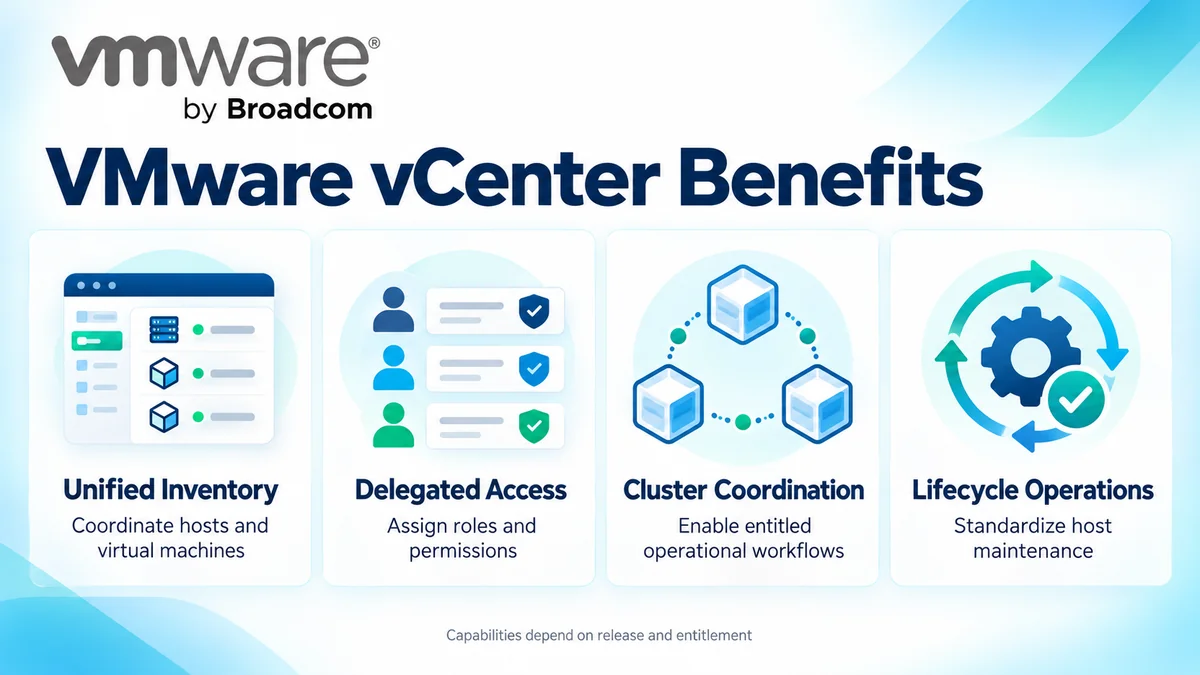
- Coordinate host and virtual machine administration
- Organize inventory across clusters and data centers
- Delegate access with roles and permissions
- Support entitled cluster and lifecycle workflows
- Integrate management tasks through APIs
At a Glance
- Vendor: VMware by Broadcom
- Product family: VMware License
- Platform role: Centralized vSphere management
- Deployment: vCenter Server appliance
- Managed infrastructure: Supported hypervisor hosts and virtual machines
- Quote inputs: Version, instances, host inventory, platform scope, and support

Features & Benefits
Centralized Inventory and Administration
vCenter organizes hosts, virtual machines, clusters, and data centers through a common management interface. Administrators review provisioning, events, and resource usage. APIs provide integration points for repeatable operational workflows and compatible management tools.
Delegated Access and Operational Control
Roles and permissions help assign responsibilities to infrastructure teams without giving every administrator unrestricted control. Identity, certificate, and access configuration should reflect the organization’s management boundaries. Plan recovery, secure credentials, and management monitoring.
Cluster Coordination and Lifecycle Operations
vCenter coordinates capabilities such as vMotion, High Availability configuration, and Distributed Resource Scheduler where the platform is entitled and supported. Lifecycle tools help maintain host software consistently. These benefits depend on the selected release, host licensing, and cluster design; installing vCenter alone does not unlock every feature.
License Overview
Current VMware product comparisons include vCenter Standard within listed vSphere offerings. Confirm the precise entitlement and deployment rights in the proposed order rather than assuming a separate standalone purchase is always required. Existing Essentials, Foundation, or Standard licenses need release-specific review; historical editions should not be presented as universally available current options.
Foundation subscriptions are sized using physical host cores under their applicable rules. That platform capacity is distinct from vCenter appliance sizing and any instance-based rights in older entitlements. An existing vCenter key does not independently establish current subscription or upgrade eligibility.
Product Overview
vCenter is the management layer above the VMware ESXi hypervisor. Hosts run the workloads, while vCenter coordinates inventory, configuration, and supported cluster operations. Review the associated VMware vSphere platform when defining the complete purchasing scope.
Core Technical Flow
Administrators connect through the vSphere Client or supported APIs. vCenter authenticates access, evaluates permissions, and sends management operations to connected hosts. It records tasks and events and exposes inventory for monitoring and automation. The management plane coordinates operations; it is not the path carrying ordinary guest application traffic.
Options & Licensing Models
Select the management entitlement alongside the infrastructure it will control. Validate version rights and deployment scope before ordering.
| Route | Assessment Focus |
|---|---|
| vCenter included with a vSphere offering | Exact edition, instance rights, release, and associated host entitlement |
| VMware vSphere Foundation | Virtualization subscription and centralized operational requirements |
| VMware Cloud Foundation | Broader integrated private cloud requirements |
| Existing vCenter entitlement | Current rights, support, compatibility, and transition route |
Compatibility & Requirements
Check vCenter and host interoperability, supported upgrade paths, and compatibility with backup, storage, and monitoring tools. Size the appliance for the intended inventory and workload. Prepare consistent DNS resolution, time synchronization, certificates, and network access. Include management backup and restore in the design, alongside the wider Network License requirements.
Activation & Deployment
Prepare Broadcom account access, Site ID permissions, and entitlement visibility. Deploy or upgrade the appliance using the supported sequence. Earlier key-based releases use their applicable vSphere licensing workflow. Foundation version 9 licensing uses subscription files through VCF Operations and the Business Services Console, with licenses assigned to vCenter instances.
Version 9.1 adds a local License Server architecture while VCF Operations remains the licensing management interface. After registration, verify subscription status and allocated capacity, confirm host connectivity, test delegated access, and validate an entitled cluster task. Schedule a management backup and recovery check.
Pricing & Quote Process
Provide existing and planned vCenter instances, versions, sites, host counts, and physical-core inventory. Describe cluster requirements, management boundaries, integrations, and growth. Instance count helps define deployment scope; it should not be substituted for the commercial capacity metric of the selected platform.
Include existing contracts, support expiry, and the target upgrade path. Request a VMware vCenter quote to check included management rights, subscription term, support scope, and activation responsibilities before ordering.