

Cisco Secure Web Appliance protects users and organizations from malicious websites, unsafe downloads, malware, unwanted applications, and risky web activity. Formerly known as Cisco Web Security Appliance (Cisco WSA), the platform works as a secure web proxy that inspects HTTP, HTTPS, and other supported web traffic before users connect to external services.
Cisco Secure Web Appliance combines URL filtering, application control, Cisco Talos threat intelligence, malware inspection, policy enforcement, reporting, and optional advanced threat analysis. It can be deployed virtually, in supported public-cloud environments, or as part of an existing appliance-based architecture.
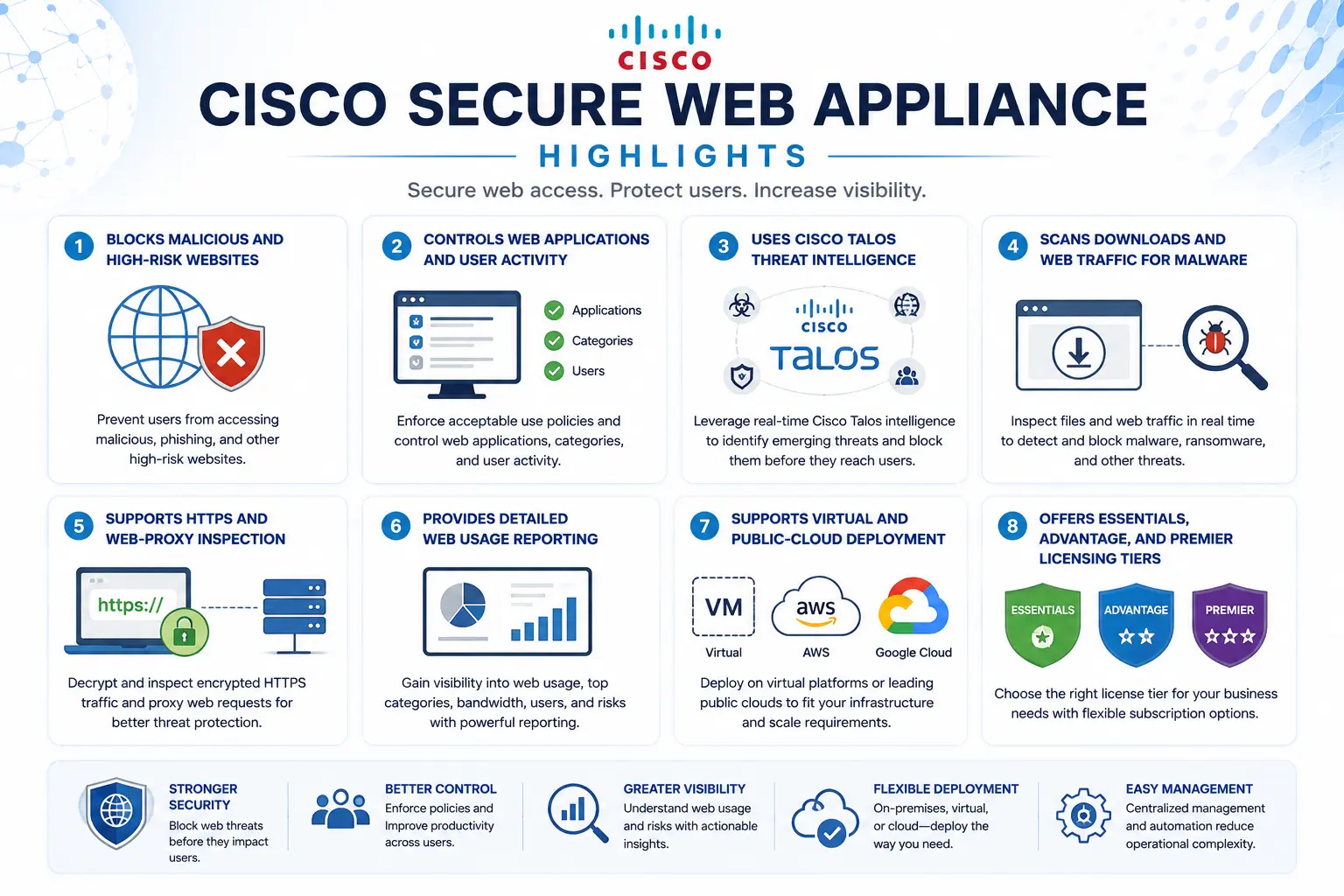
Cisco Secure Web Appliance Highlights
- Blocks malicious and high-risk websites
- Controls web applications and user activity
- Uses Cisco Talos threat intelligence
- Scans downloads and web traffic for malware
- Supports HTTPS and web-proxy inspection
- Provides detailed web usage reporting
- Supports virtual and public-cloud deployment
- Offers Essentials, Advantage, and Premier licensing tiers
Cisco Secure Web Appliance At a Glance
What it is: Enterprise secure web gateway and proxy
Product category: Cisco Security
License measurement: User-based tiered licensing
Main tiers: Essentials, Advantage, and Premier
Typical terms: 1 year, 3 years, or 5 years
Deployment: Virtual appliance, supported public cloud, or existing hardware environments
License management: Cisco Smart Licensing and product-specific virtual licensing
Cisco Secure Web Appliance License Overview
Cisco Secure Web Appliance (Cisco WSA) uses subscription licensing within the broader Cisco License ecosystem, based mainly on the number of protected users rather than the number of appliances. Cisco offers one-, three-, and five-year subscription terms, with pricing organized into user-count bands. The current unified subscription begins with WEB-SEC-SUB, after which the required software bundle, add-ons, and support options are selected. The main bundles are Cisco Secure Web Essentials, Advantage, and Premier.
Virtual-appliance licensing is included with Secure Web software bundles and can support multiple virtual instances under the applicable entitlement. This makes virtual deployment useful for redundancy, testing, regional gateways, or distributed environments without purchasing a separate security subscription for every VM.
Cisco Secure Web Appliance Product Overview
Cisco Secure Web Appliance sits between users and internet destinations. Web traffic is directed to the platform using an explicit proxy, transparent proxy configuration, WCCP, or another supported traffic-forwarding method.
Web Access and URL Control
Administrators can create policies based on users, groups, websites, URL categories, applications, and risk. This allows an organization to block known malicious sites while applying more detailed controls to social media, file-sharing services, streaming applications, and other dynamic web content.
Malware and Threat Protection
Cisco Talos reputation intelligence evaluates internet destinations before users connect. Depending on the selected license tier, Secure Web Appliance can also perform real-time malware scanning, file reputation checks, advanced malware analysis, sandboxing, and retrospective threat analysis.
Application Visibility and Policy
Application Visibility and Control provides more granular control than simply allowing or blocking an entire website. Administrators can permit access to a service while restricting risky actions within it, improving security without unnecessarily blocking legitimate business activity.
Core Technical Flow
User Web Request → Cisco Secure Web Appliance → URL, Reputation and Policy Check → Malware / Content Inspection → Allow, Block or Monitor
When a user requests a website or downloads content, traffic passes through the secure web proxy. The appliance checks destination reputation, URL category, user policy, application behavior, and any enabled malware controls before deciding whether the connection should continue. The same inspection path also creates logs and reporting information that security teams can use for investigations, acceptable-use reviews, and threat analysis.
Options and Licensing Models
Cisco currently provides three main Secure Web software levels.
Essentials includes core web usage controls, web reputation, application visibility, policy management, reporting, URL filtering, and integration with third-party DLP.
Advantage adds real-time anti-malware capabilities to the Essentials feature set.
Premier adds broader advanced-malware protection, file analysis, sandboxing, and cognitive threat-detection capabilities.
Additional anti-malware and advanced threat options can also be ordered where required. The correct tier should be selected according to the organization’s actual web-security needs rather than automatically choosing the highest bundle.
Features and Benefits
Cisco Secure Web Appliance (Cisco WSA) gives security teams a controlled inspection point for internet access. Rather than relying only on endpoint protection, suspicious traffic can be stopped before malicious content reaches the user.
Granular policies are useful where completely blocking an application would interfere with business. Security teams can permit approved web services while limiting risky functionality or categories.
Centralized reporting also helps identify frequently blocked destinations, malware activity, policy violations, and unusual browsing patterns. For organizations already using Cisco security products, Talos intelligence provides shared threat context across the wider environment.
Compatibility and Requirements
| Area | What to confirm |
|---|---|
| Deployment | Virtual, AWS, Azure, or existing supported appliance |
| User capacity | Number of protected users |
| License tier | Essentials, Advantage, or Premier |
| Traffic method | Explicit proxy, transparent proxy, WCCP, or supported redirection |
| Inspection | HTTP, HTTPS, application, malware, and URL requirements |
| Infrastructure | CPU, memory, storage, networking, and hypervisor sizing |
| Licensing | Smart Account, entitlement, and virtual license requirements |
| Management | Standalone or centralized Secure Web management |
Cisco supports virtual Secure Web Appliance deployment and public-cloud deployment on AWS and Azure.
Cisco also announced end of sale for the Secure Web x96 hardware appliances on June 17, 2026. Existing supported hardware may continue operating under applicable service contracts, but new projects should verify current hardware availability and evaluate virtual or cloud deployment where appropriate.
How Cisco Secure Web Appliance Activation Works
Licenses are normally associated with the customer’s Cisco licensing environment. Smart Licensing provides centralized visibility into entitlements and expiration status and requires an appropriate Cisco Smart Account.
Virtual appliances also require a virtual-appliance license before initial configuration. Once licensing is installed, administrators configure interfaces, proxy settings, authentication, web policies, SSL inspection, malware controls, and reporting before production traffic is redirected through the platform.
Pricing Factors and Quote Process
Cisco Secure Web Appliance (Cisco WSA) pricing mainly depends on the number of protected users, selected Essentials, Advantage, or Premier tier, subscription duration, required add-ons, and deployment model.
For pricing, provide Cisco as the brand and Cisco Secure Web Appliance as the product. Existing WSA license information, user quantities, or technical requirements can be attached, while tier selection and additional security options can be reviewed during the quote process.
Cisco WSA pricing depends on your license type, deployment model and support requirements.