

M365 Manager is a Microsoft 365 administration and reporting solution designed to simplify the management of users, licenses, groups, mailboxes, security settings, and cloud services within Microsoft 365 environments.
Within the ManageEngine ecosystem, ManageEngine M365 Manager provides centralized visibility and administrative control for Microsoft 365 environments. The solution helps IT teams automate common management tasks, improve reporting accuracy, and reduce the time required for routine Microsoft 365 administration.
The platform is suitable for enterprises, educational organizations, service providers, and IT teams responsible for managing Microsoft 365 users and services.
Quick Benefits
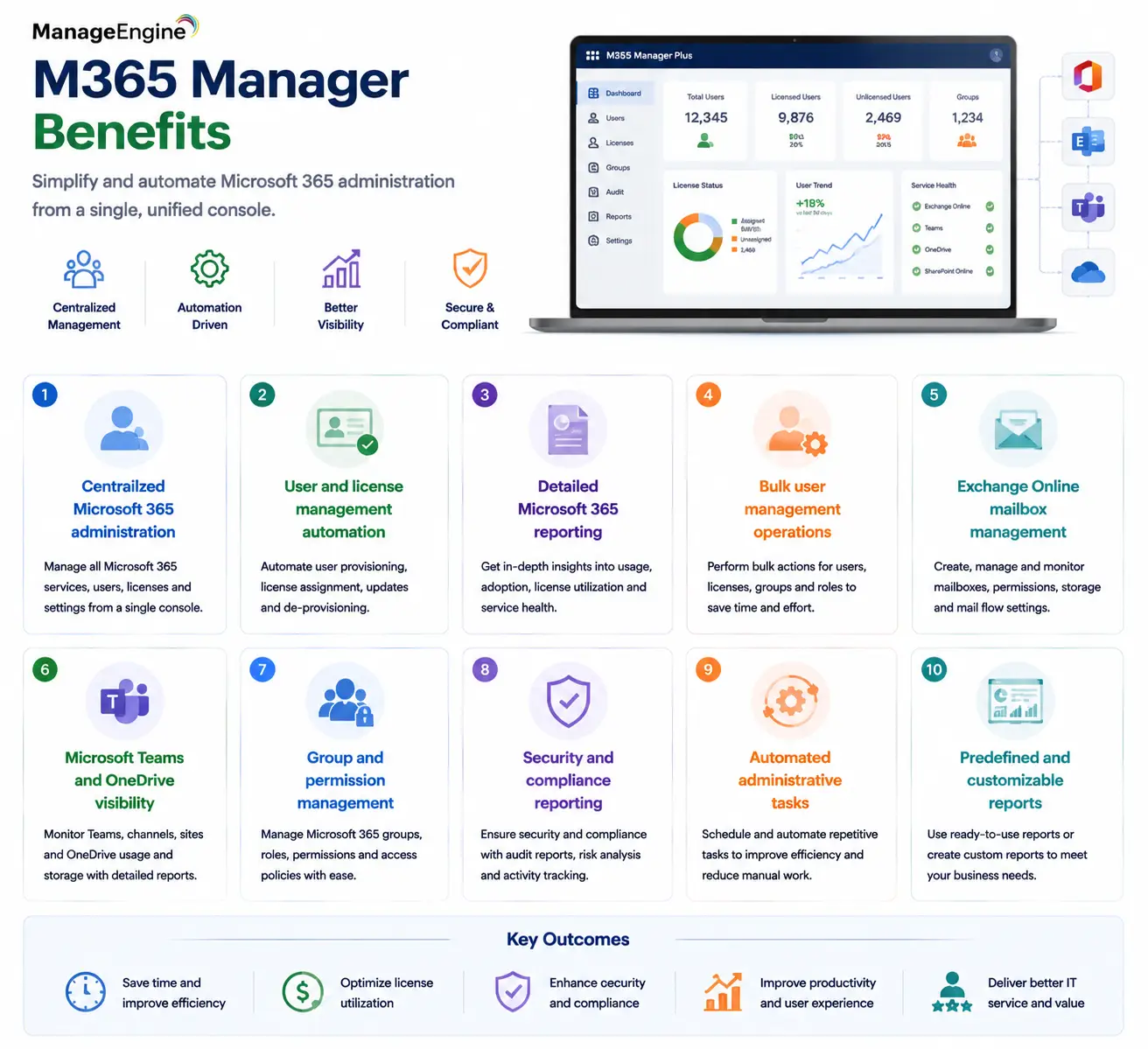
- Centralized Microsoft 365 administration
- User and license management automation
- Detailed Microsoft 365 reporting
- Bulk user management operations
- Exchange Online mailbox management
- Microsoft Teams and OneDrive visibility
- Group and permission management
- Security and compliance reporting
- Automated administrative tasks
- Predefined and customizable reports
M365 Manager At a Glance
What it is: Microsoft 365 administration and reporting platform
ManageEngine solution: ManageEngine M365 Manager
Parent category: ManageEngine License
Primary role: Simplify Microsoft 365 management and automation
Main users: Microsoft 365 administrators, IT teams, help desk teams, and service providers
Supported services: Exchange Online, Microsoft Teams, OneDrive, SharePoint Online, and Microsoft 365 users
Core capabilities: Reporting, user management, license management, automation, auditing, and administration

License Overview
A ManageEngine M365 Manager license is designed around the scale of Microsoft 365 administration requirements rather than only the number of administrators using the platform.
The main factors affecting licensing decisions include the number of Microsoft 365 users being managed, reporting requirements, automation needs, administrative roles, and the complexity of the organization’s Microsoft 365 environment.
Small organizations may use M365 Manager primarily for reporting and simplified administration, while larger enterprises may require extensive automation, auditing, and bulk management capabilities across thousands of accounts.
For organizations such as managed service providers, licensing considerations may also include multiple Microsoft 365 tenants and customer environments that require centralized administration.
Product Overview
Centralized Microsoft 365 Administration
Microsoft 365 environments contain multiple interconnected services, including Exchange Online, Teams, SharePoint Online, OneDrive, and Entra ID-based identity management.
Managing these services individually can create operational challenges, especially when administrators need to perform similar tasks repeatedly.
ManageEngine M365 Manager provides a centralized interface where administrators can manage important Microsoft 365 activities without switching between multiple native portals.
This improves operational efficiency by bringing user management, reporting, auditing, and administrative functions into a single management workflow.
User and License Management
One of the most common Microsoft 365 administration tasks is managing user accounts and licenses.
As organizations onboard employees, change roles, or remove inactive accounts, administrators must ensure that users have appropriate access while avoiding unnecessary license costs.
M365 Manager helps administrators review assigned licenses, identify unused allocations, manage user attributes, and perform bulk actions.
For large organizations, these capabilities reduce manual work and improve consistency across Microsoft 365 environments.
Reporting and Visibility
Microsoft 365 generates large amounts of operational data.
Administrators often need reports about mailbox usage, inactive users, Teams activity, license allocation, security events, and service adoption.
ManageEngine M365 Manager provides reporting capabilities that help IT teams understand how Microsoft 365 services are being used.
These reports can support operational decisions, compliance reviews, license optimization, and troubleshooting activities.
How ManageEngine M365 Manager Works
The platform connects with Microsoft 365 environments through required administrative permissions and collects information from supported Microsoft services.
After connecting, administrators can access dashboards, reports, and management functions related to users, licenses, groups, mailboxes, and cloud services.
Routine administrative tasks can then be simplified through predefined actions and automation workflows.
For example, instead of manually updating hundreds of user accounts after an organizational change, administrators can perform bulk operations through a centralized interface.
This approach reduces repetitive work and improves administration accuracy.
Core Technical Flow
Microsoft 365 Tenant
→ ManageEngine M365 Manager Connection
→ Data Collection and Service Synchronization
→ Reports / Dashboards / Administrative Actions
→ Automation and Bulk Operations
→ Microsoft 365 Administration Improvements
The platform acts as a management layer that simplifies interaction with Microsoft 365 services.
Options and Licensing Models
| Licensing Factor | Description | Suitable For |
|---|---|---|
| Managed Users | Number of Microsoft 365 accounts administered through the platform | Organizations managing employee accounts at scale |
| Microsoft 365 Tenants | Number of separate Microsoft 365 environments managed | MSPs and organizations with multiple tenants |
| Reporting Requirements | Level of reporting, auditing, and analytics required | Organizations needing operational visibility |
| Automation Needs | Bulk actions and workflow requirements | Teams managing frequent administrative changes |
| Administrator Access | Number of IT administrators using the platform | Enterprises with multiple support teams |
| Advanced Management Features | Additional reporting and administrative capabilities | Large Microsoft 365 environments |
The appropriate licensing model depends on whether M365 Manager is used for basic reporting, daily administration, automation, or multi-tenant Microsoft 365 management.
Features and Benefits
The main benefit of M365 Manager is reducing the complexity of Microsoft 365 administration.
Native Microsoft portals provide powerful capabilities, but administrators often need to navigate multiple interfaces to complete routine tasks. Reporting, user management, auditing, and license operations may require different tools or PowerShell commands.
ManageEngine M365 Manager simplifies these workflows by presenting frequently used administrative functions through a centralized platform.
Another important benefit is operational consistency. When managing hundreds or thousands of users, manual changes increase the risk of configuration mistakes. Bulk operations and automation help administrators apply changes more accurately.
The reporting capabilities also help organizations optimize Microsoft 365 investments. By understanding license usage, inactive accounts, and service adoption, IT teams can make better decisions about resource allocation.
Compatibility and Requirements
Before deploying ManageEngine M365 Manager, organizations should evaluate:
- Microsoft 365 tenant structure
- Number of managed users
- Required administrator roles
- Existing Microsoft services
- Reporting requirements
- Security policies
- Compliance requirements
- Integration needs
Organizations should ensure that appropriate Microsoft permissions are available for the platform to collect required information and perform administrative operations.
For MSP environments, tenant separation and customer access controls should also be reviewed before deployment.
How Activation and Deployment Work
Deployment begins by connecting M365 Manager with the Microsoft 365 tenant.
Administrators configure the required permissions and allow the platform to access relevant Microsoft services.
After synchronization, the platform begins collecting information about users, licenses, groups, mailboxes, and service usage.
Organizations usually start by reviewing existing reports and administrative workflows before introducing automation.
For larger environments, gradual deployment is recommended. Teams can begin with reporting and user management, then expand into automation and advanced administration.
Pricing and Quote Process
Pricing for a ManageEngine M365 Manager license depends on the size and complexity of the Microsoft 365 environment.
For an accurate quote, organizations should provide:
- Number of Microsoft 365 users
- Number of tenants
- Required administrators
- Reporting requirements
- Automation requirements
- Managed services requirements
Organizations managing Microsoft 365 at enterprise scale should also consider future growth because user numbers, tenant requirements, and administrative complexity typically increase over time. For MSPs, the number of customer tenants and managed users should be included when evaluating licensing requirements.
ManageEngine pricing depends on your license edition, users, devices, deployment model, term, and support needs.